Bring catalog supplies and line items into a budget
Pick supplies and line items from the catalog and add them to a budget, choosing which chapter they go into and how line items are structured.
How to complete from catalog to budget
- 01
Choose what to add
From a row's ... menu select Add to budget, or tick several rows and use Budget in the selection bar.

- 02
Choose the destination
In the Add to budget panel, under Destination, choose the Project first and then the Budget.

- 03
Review the items
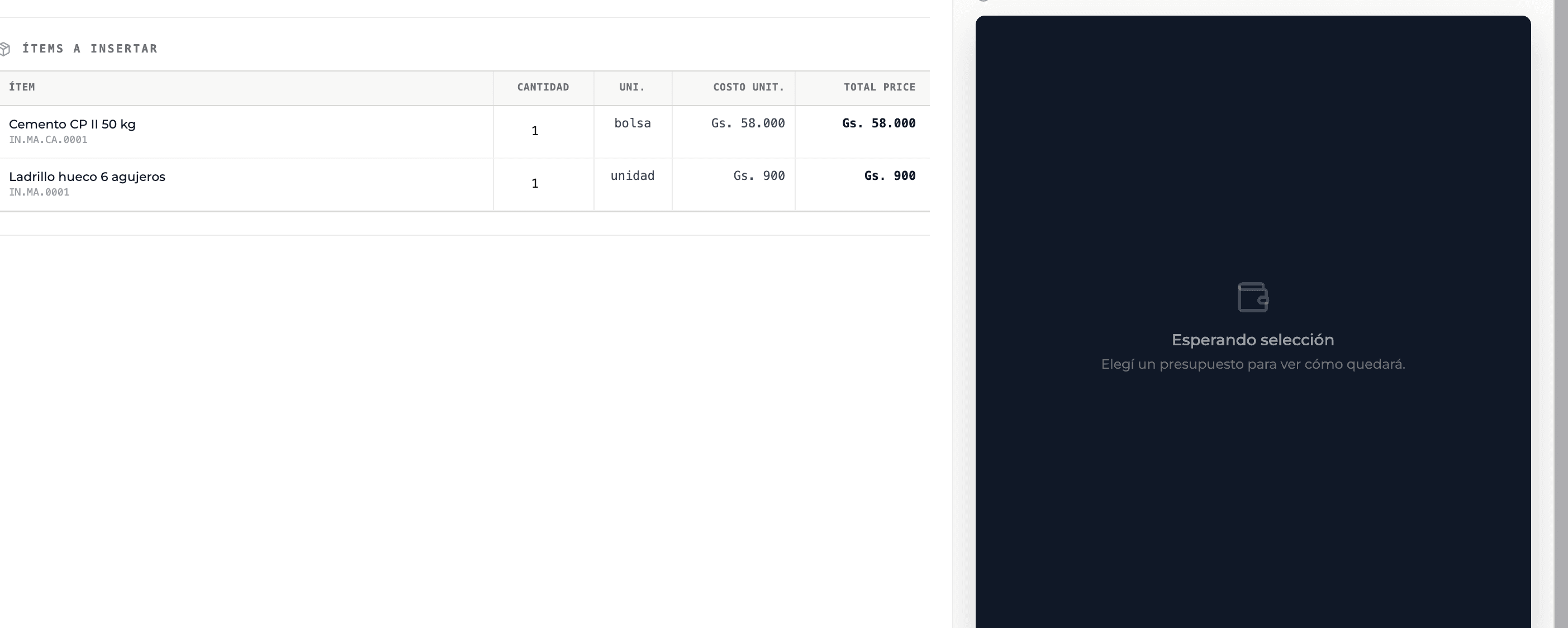
Items to insert lists each element with its quantity, unit and cost. Supplies start with quantity 1; for line items the quantity is required and must be greater than 0.
- 04
Choose where the items go
Under Item destination choose the budget chapter or section where the supplies are added.
- 05
Choose the line item structure
Category + group recreates the catalog's chapter and section; Category only recreates just the chapter; As section inserts the line item as a section inside a chapter you choose.
- 06
Check the preview and confirm
The right side shows how the budget will look. Confirm with Add N items or Import N UPAs.
What you'll learn
How bring catalog supplies and line items into a budget works inside Perfour.
What information you need and how it stays connected to Catalog.
How to preserve traceability and find the record later.
Frequently asked questions
Can I use items from the general Perfour catalog?+
Yes, from the budget sheet: type / in an item's description and choose Perfour as the source.
I added a line item and can't edit its supplies+
The imported line item keeps its breakdown as a read-only copy. If you need an editable breakdown, create the UPA inside the budget.