Create a line item and build its UPA
A line item builds the cost of a piece of work, for example one m² of masonry, by adding supplies with their quantity per unit. Once created you can bring it into any budget with its full breakdown.
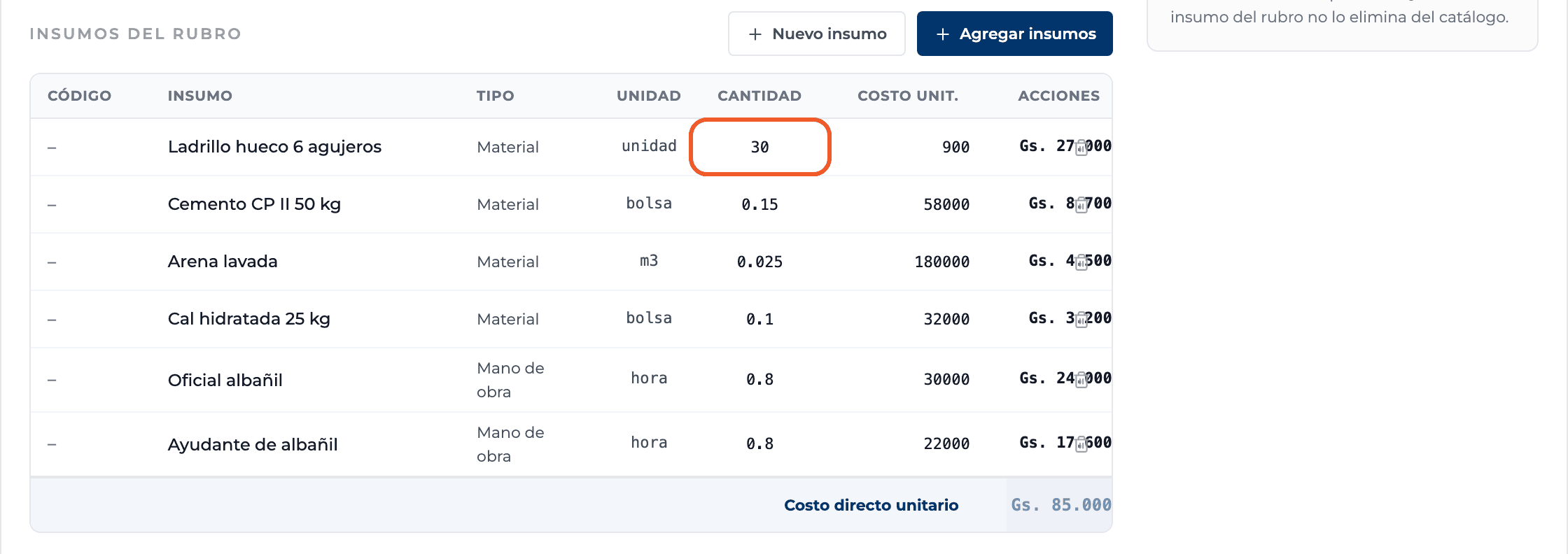
How to complete unit price analysis
- 01
Open the line items tab
In the catalog switch to Line items / Unit price analysis and select New line item.

- 02
Create the line item
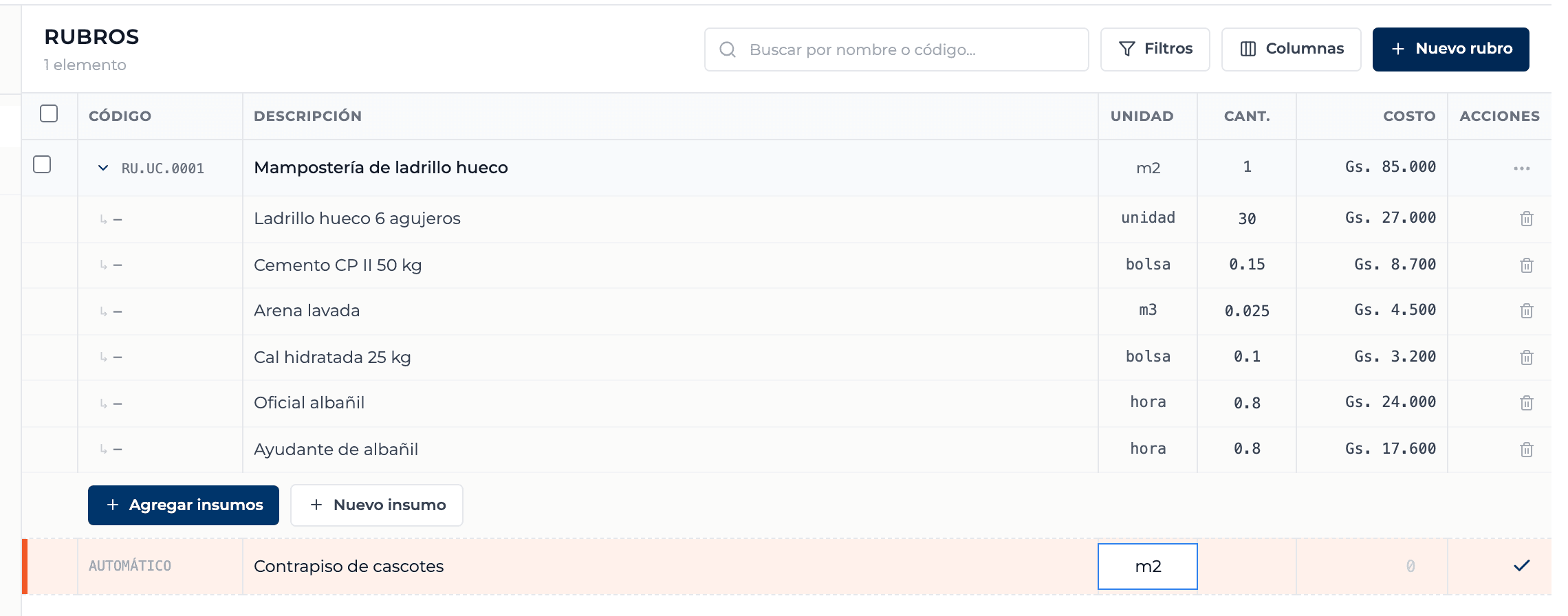
In the input row fill in the description (required) and the unit, for example m2, and press Enter. The code is automatic.
- 03
Open its UPA
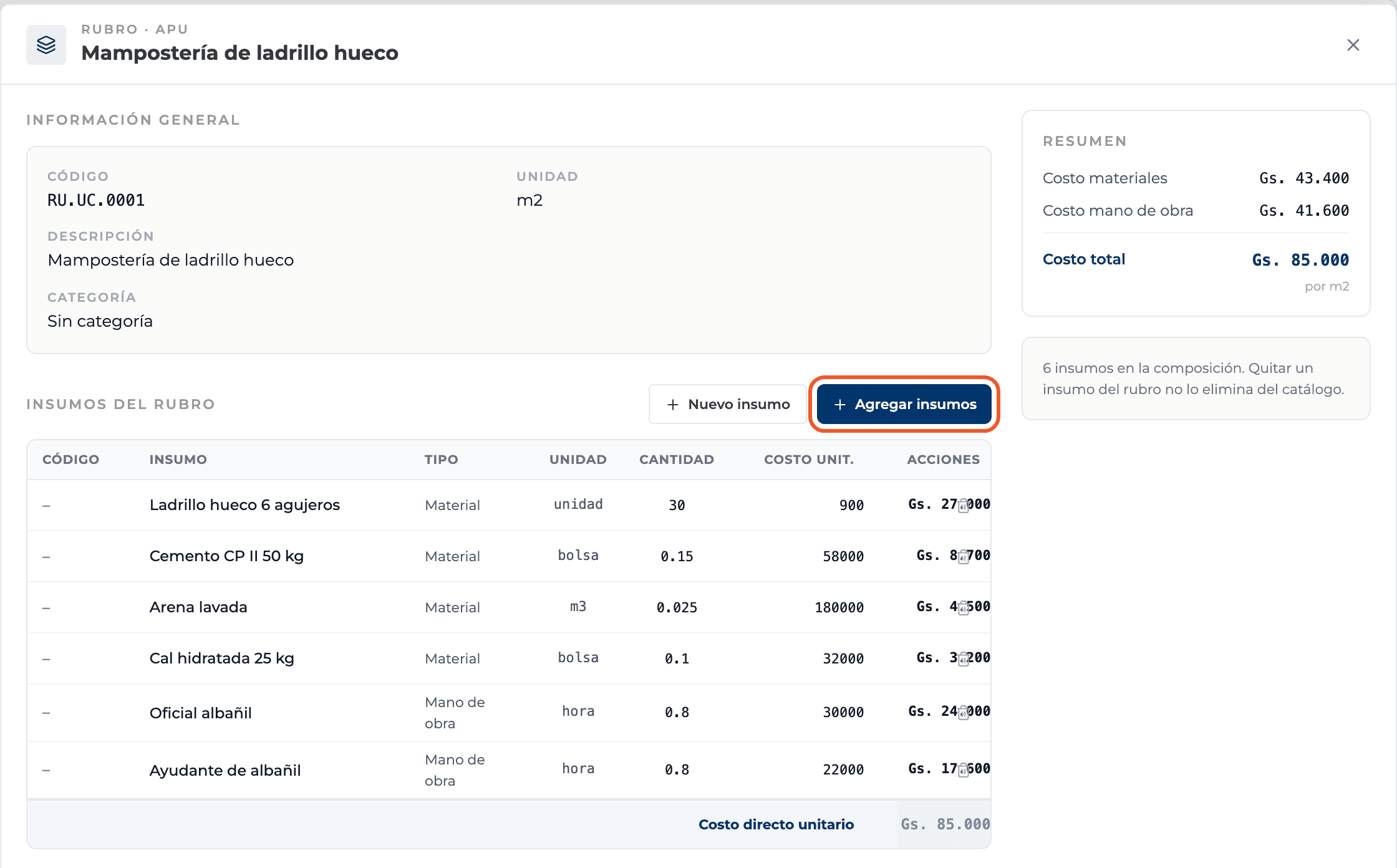
Click the line item's name. A panel opens with General information, Supplies in the line item and Summary.
- 04
Add existing supplies
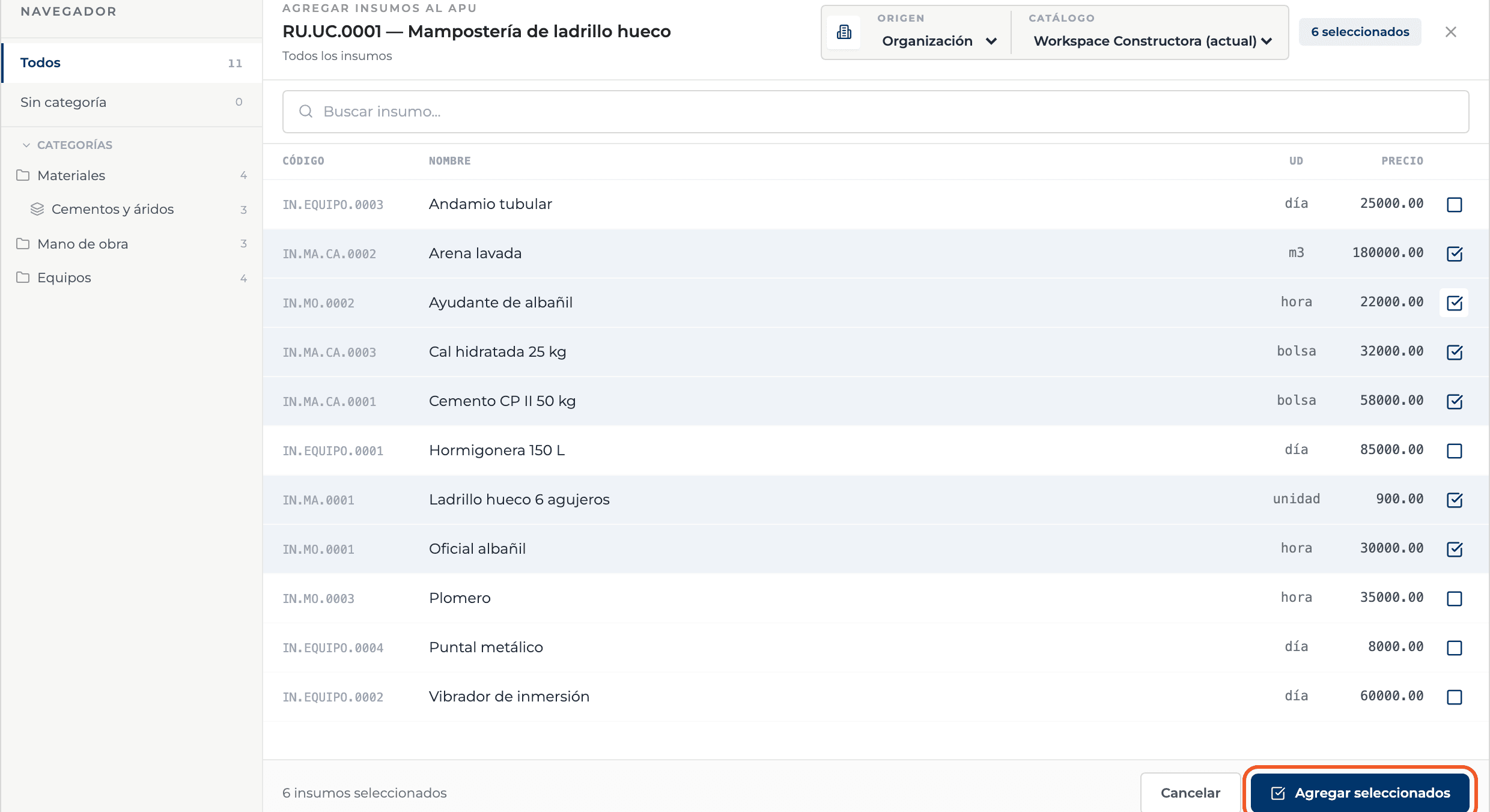
Add supplies opens the picker. Choose the Source (your organization, Perfour or a supplier), search or browse categories, tick the supplies and select Add selected. Each one is added with quantity 1.
- 05
Or create a new supply
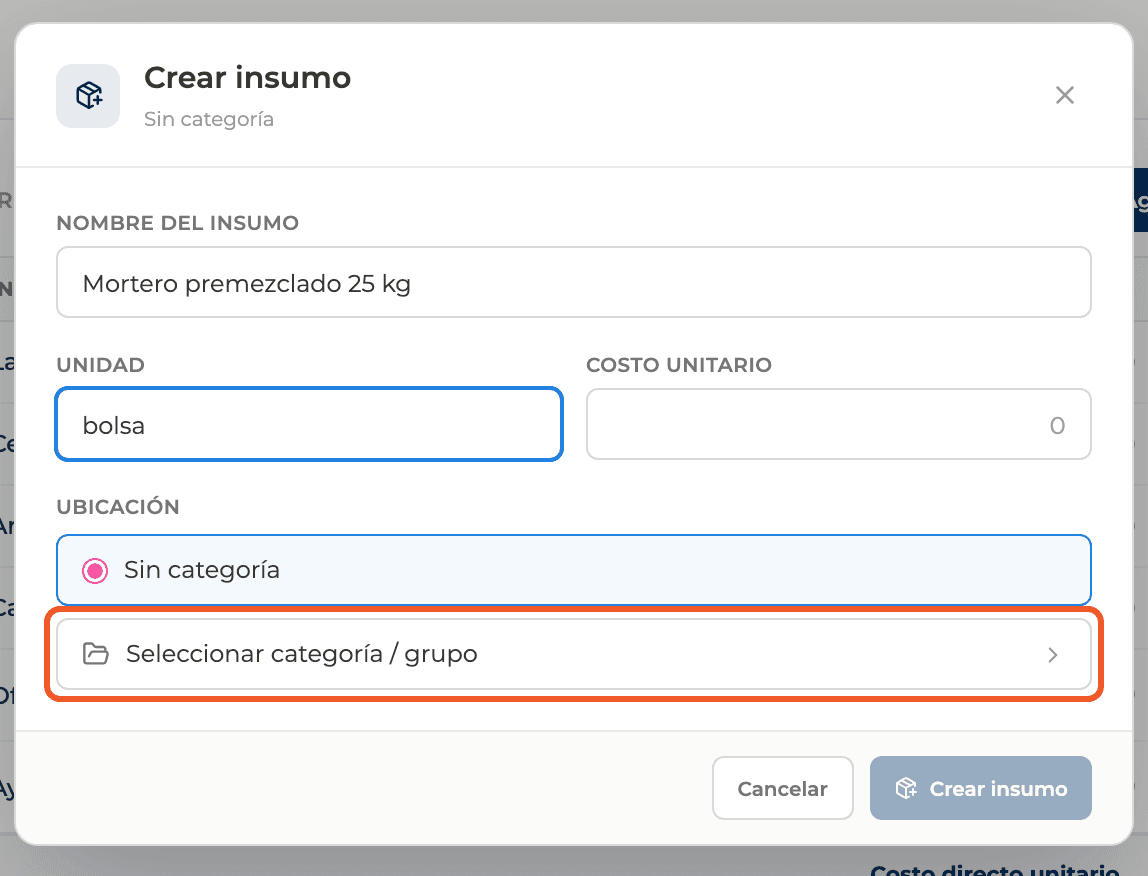
New supply opens Create supply: fill in the name, unit and cost, and pick the category with Select category / group. It is created in the catalog and added to the line item in one step.
- 06
Adjust quantities
In the table enter each supply's Quantity per unit of the line item. Use a comma for decimals: 0,15 bag. Totals are recalculated automatically. The trash icon removes the supply from the line item without deleting it from the catalog.
- 07
Read the summary
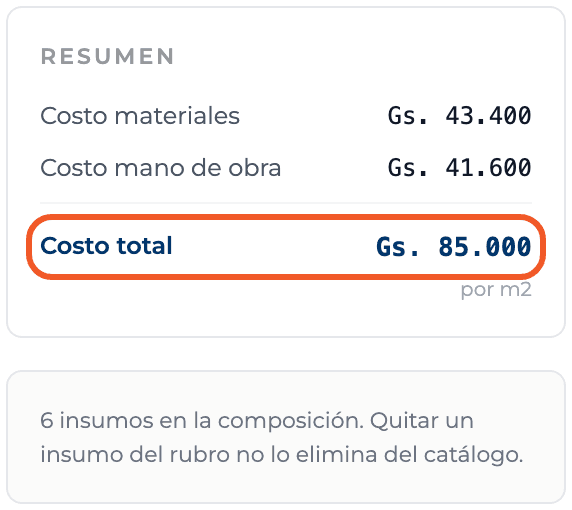
The Summary splits the cost into materials, labor, equipment and others, and shows the Total cost per unit of the line item.
- 08
Check it in the grid
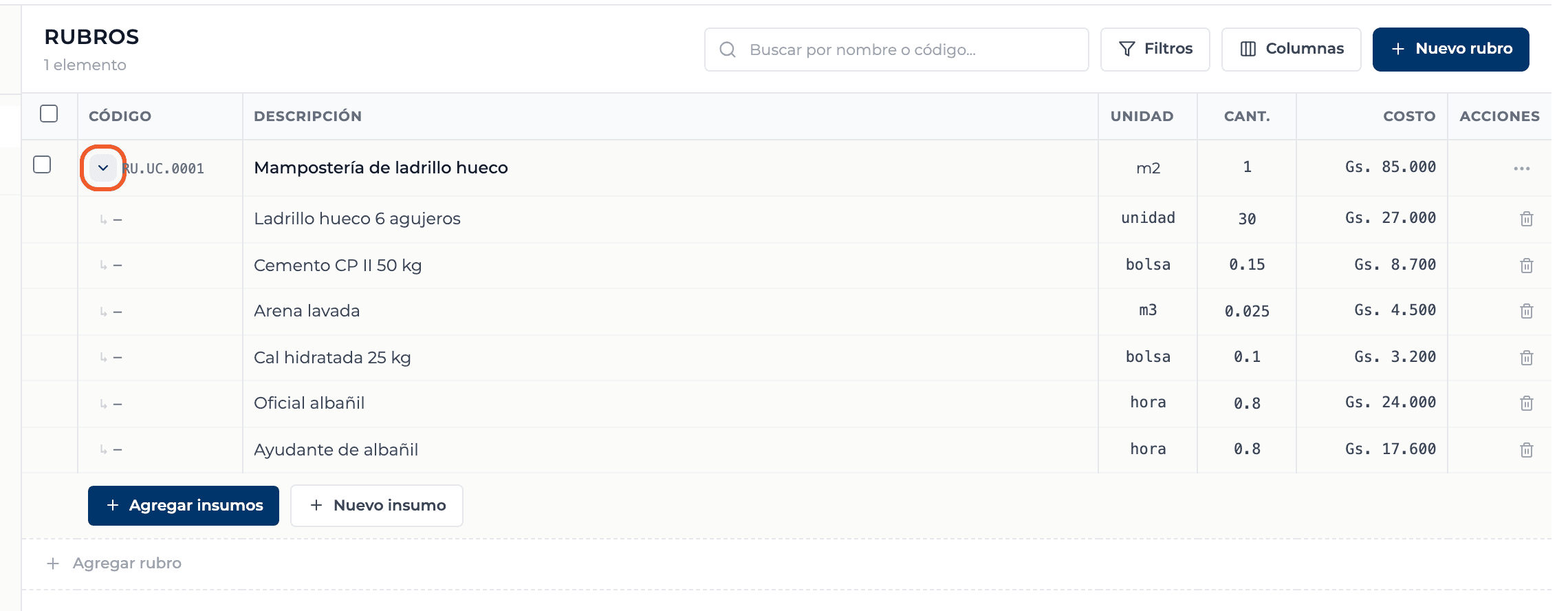
Close the panel: the line item appears in the grid with its cost. The row's arrow expands its breakdown without opening the panel.
What you'll learn
How create a line item and build its upa works inside Perfour.
What information you need and how it stays connected to Catalog.
How to preserve traceability and find the record later.
Frequently asked questions
I typed 0.15 and it became 15+
The period is read as a thousands separator. Use a comma for decimals: 0,15.
Why does the line item's quantity say 1?+
In the catalog a line item always represents one unit. You set the real quantity when you bring it into a budget.
If I edit the line item, do the budgets where I used it change?+
No. When you add it, the budget keeps its own copy of the breakdown.