To-do Tasks / 11
Edit a to-do
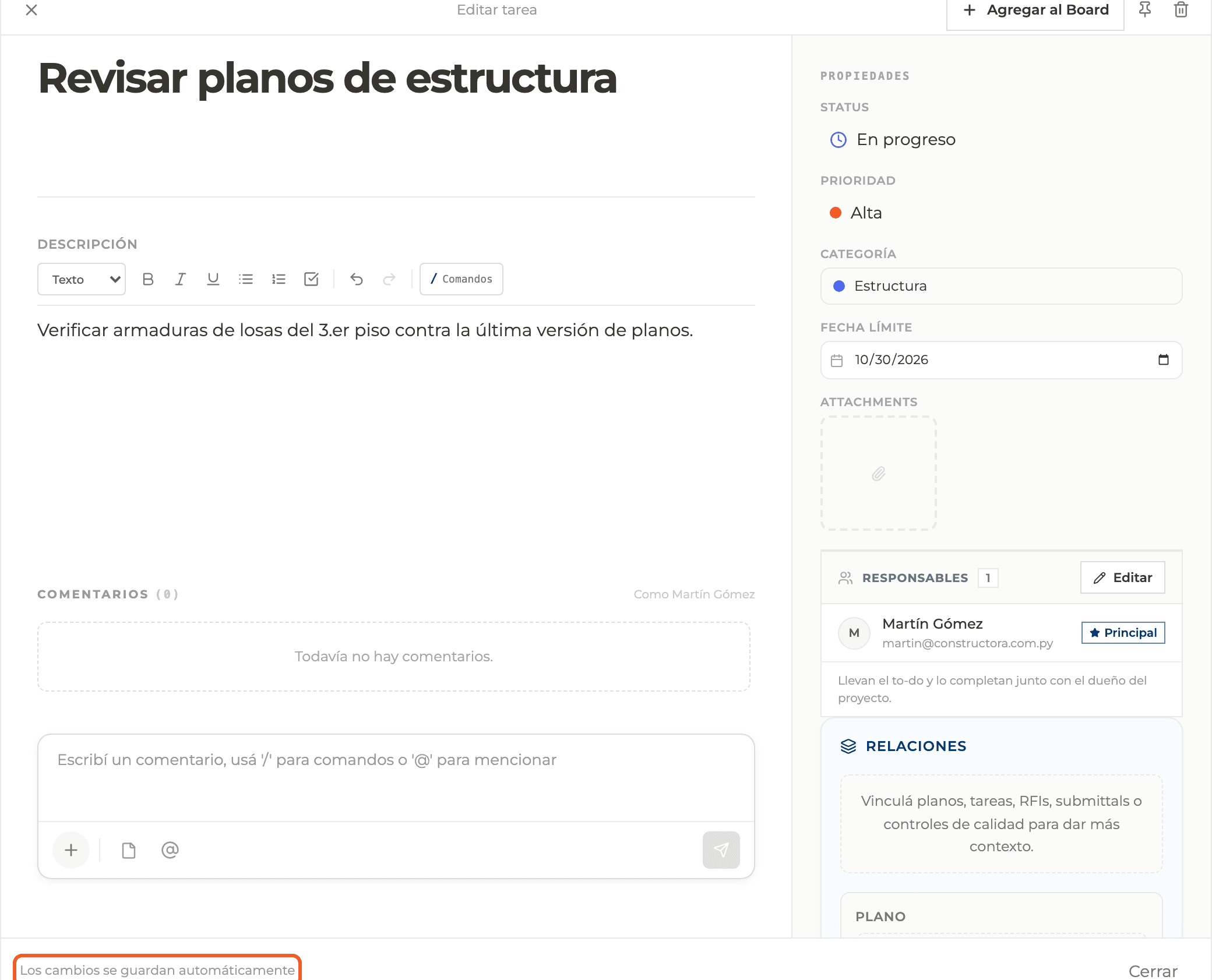
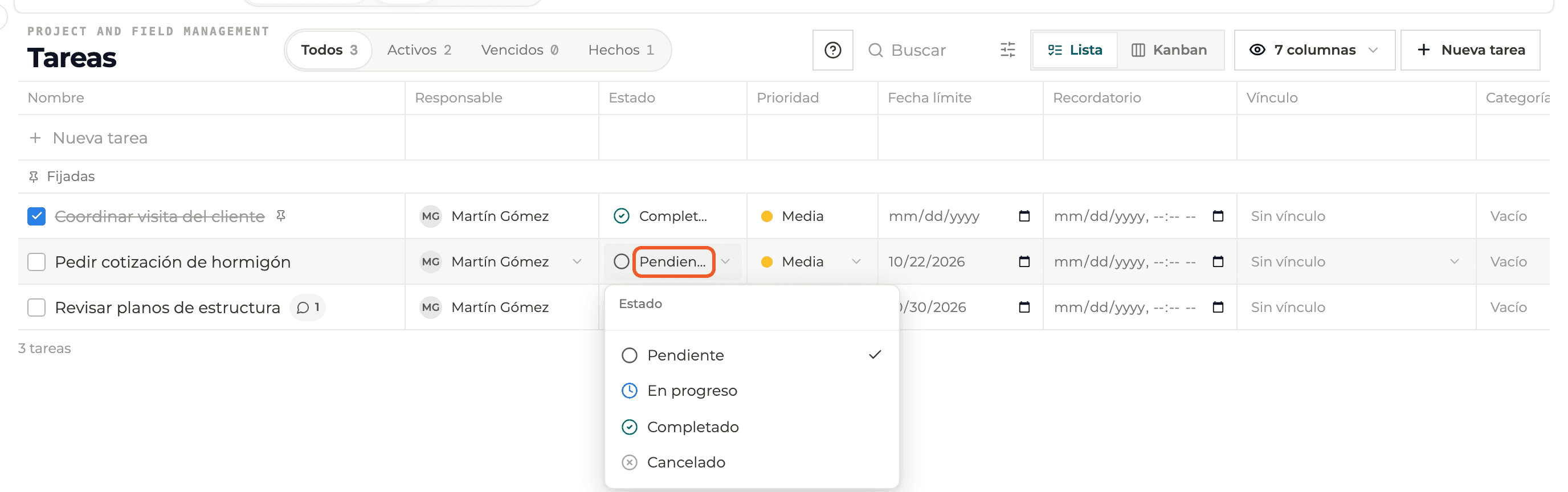
The edit panel saves automatically: there is no Save button. You can also change properties right in the list.
3 minutes
Step by step
How to complete editing a to-do
- 01
Open the to-do
Click its card or row. The Edit task panel opens.
- 02
Change what you need
Title, description, status, priority, category and due date save on their own. The footer says changes are saved automatically and confirms when they are saved.
- 03
Edit from the list
In List view you can change assignee, status, priority, due date, category, link and reminder without opening the panel.
What you'll learn
How edit a to-do works inside Perfour.
What information you need and how it stays connected to To-do Tasks.
How to preserve traceability and find the record later.
FAQ
Frequently asked questions
What if I delete the title?+
A title under 2 characters is not saved; the previous one stays.
Saving failed+
The panel shows the error. Check your connection and reopen the to-do to verify.