Track and create to-dos from the global view
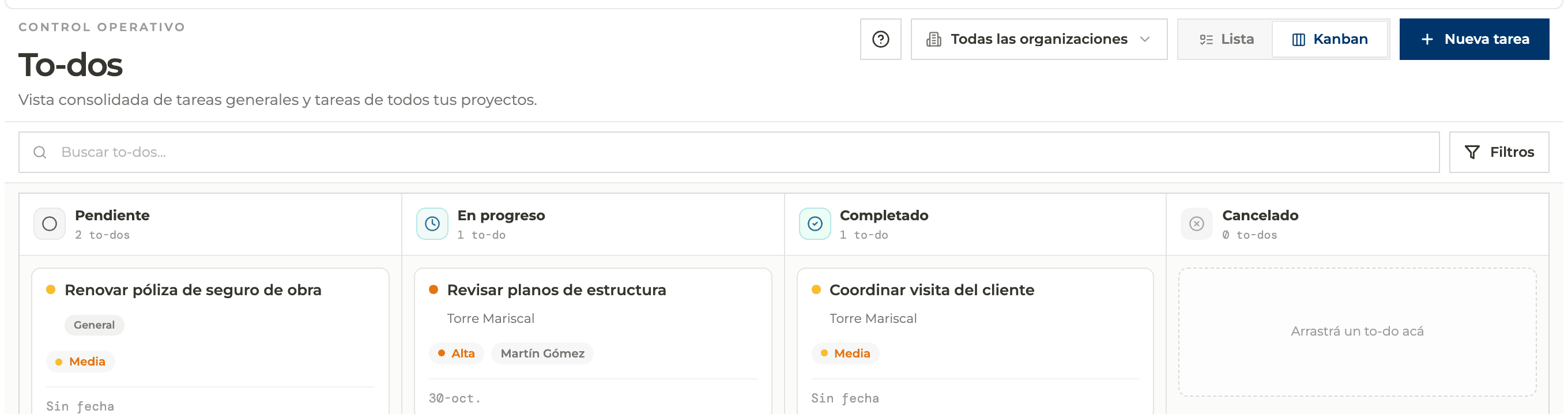
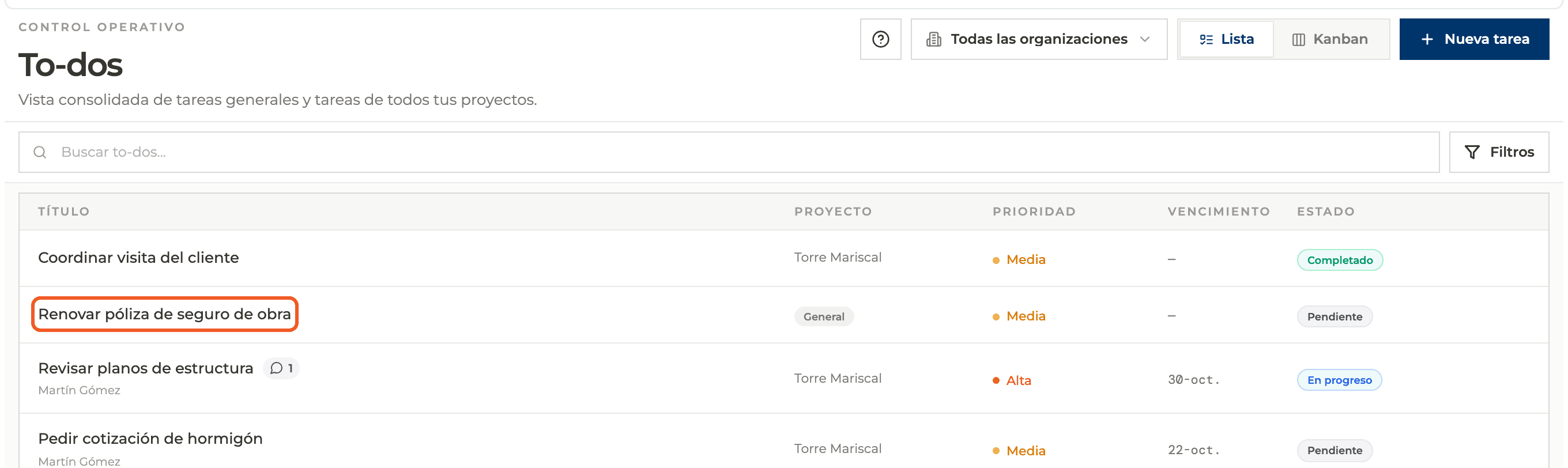
To-dos brings together the items from all your projects and general tasks with no project, with filters by organization, project, status and priority.
How to complete global to-dos
- 01
Open To-dos
Main menu → To-dos. Each card shows which project it belongs to.
- 02
Filter by organization
The organization selector at the top right limits everything to one organization.

- 03
Search
Type in the search box to filter by text.

- 04
Use filters
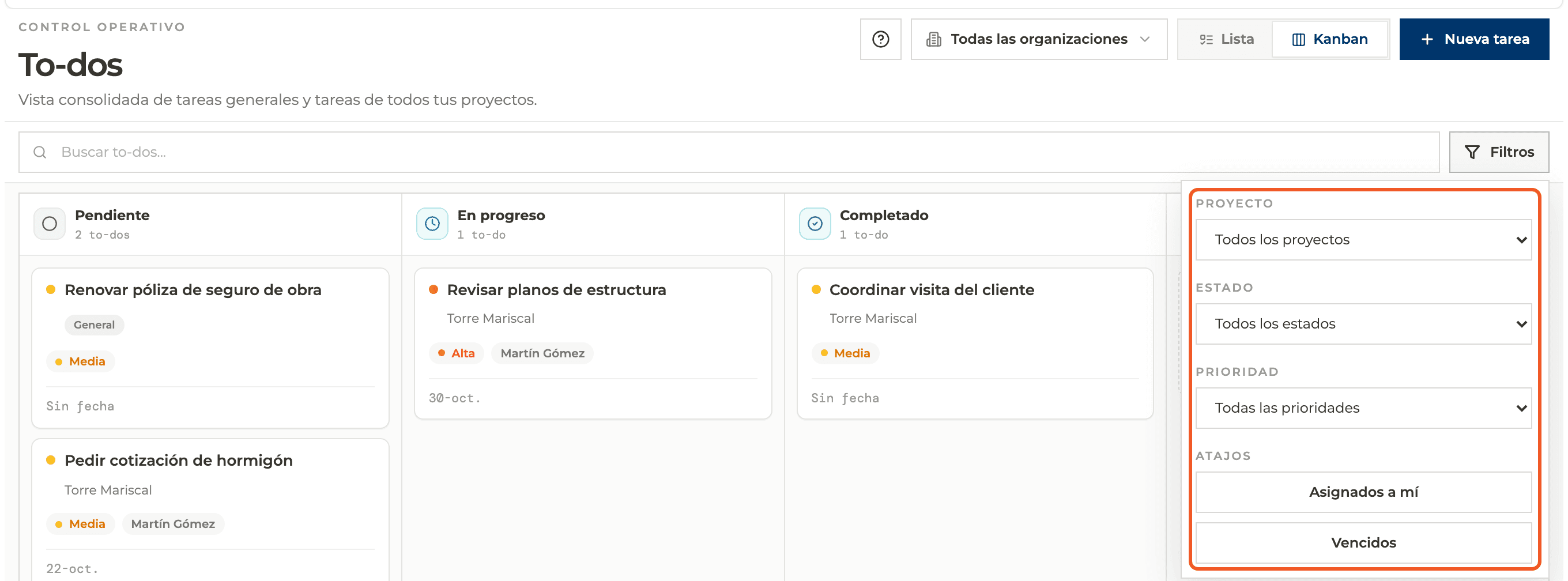
Under Filters choose Project, Status or Priority, or use the Assigned to me and Overdue shortcuts.
- 05
Create a general task
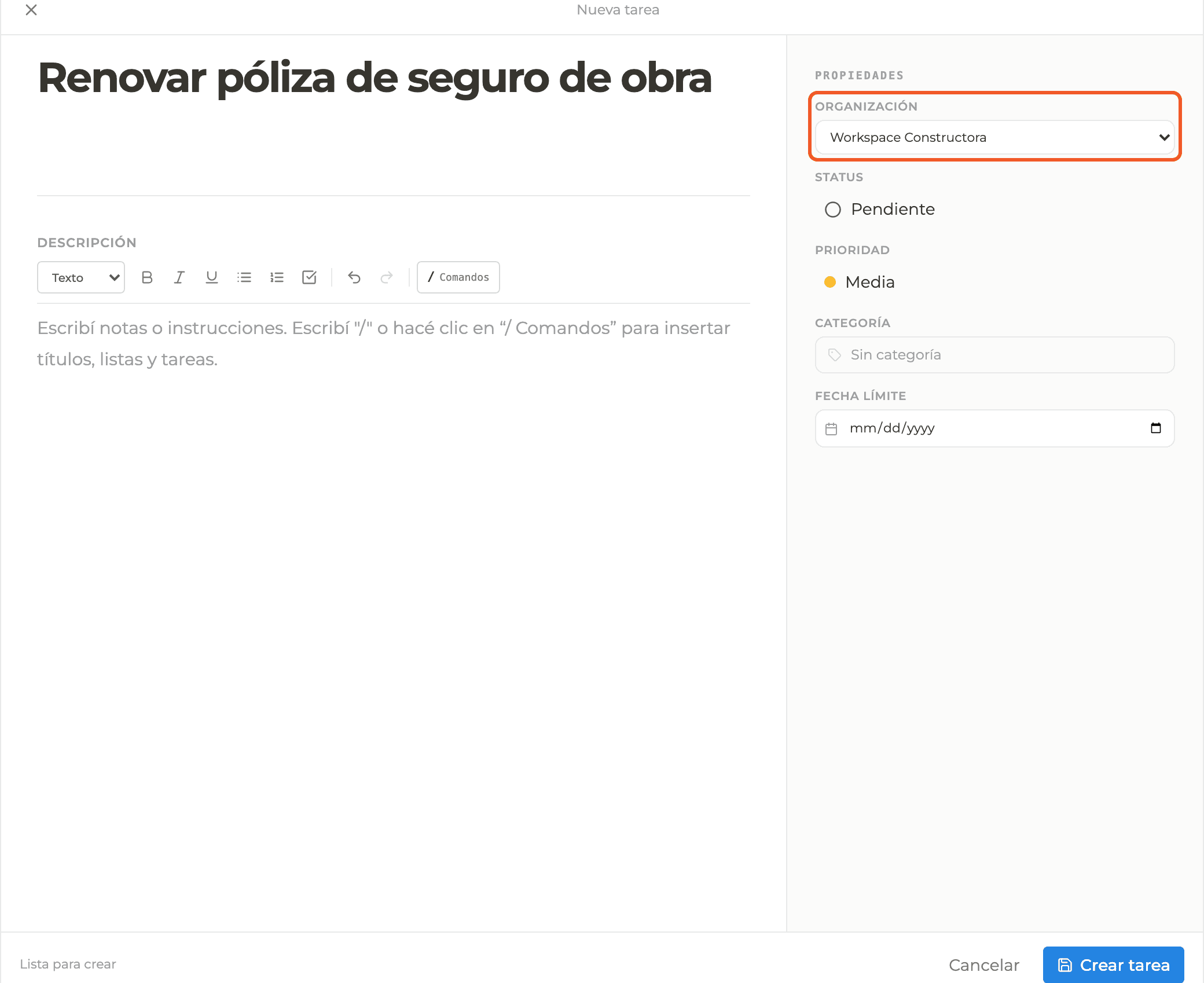
New task opens the same panel as in a project. If you did not filter by project, the task is created with no project and an Organization field appears; in that case there are no Assignees, Attachments or Relations.
- 06
Change status by dragging
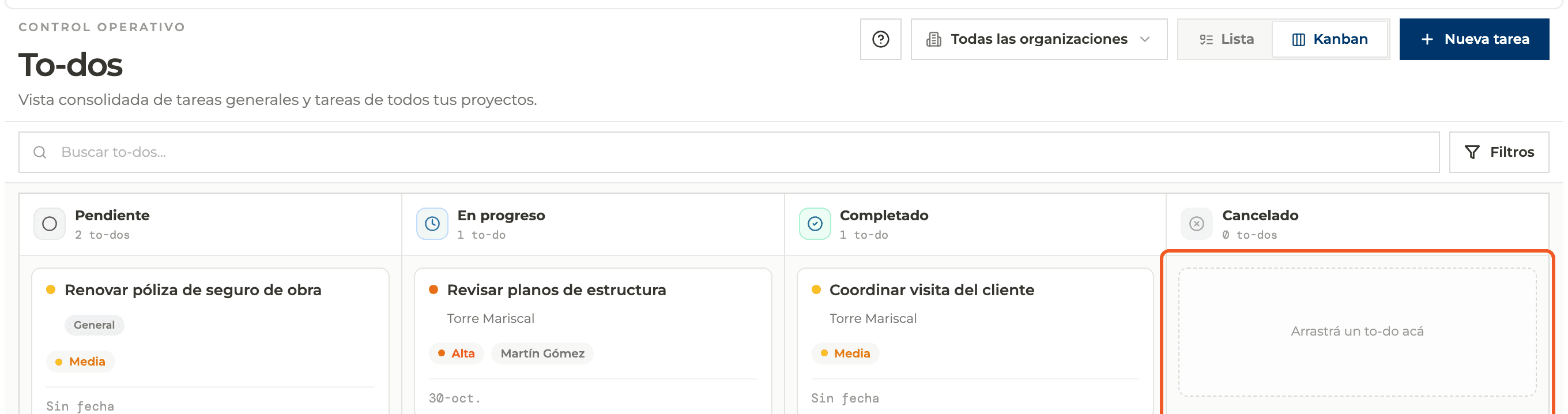
In Kanban drag a card to another column; the status updates when you drop it.
- 07
Use List view
It shows Title, Project (or General), Priority, Due date and Status. Clicking a project to-do takes you to that project with the to-do open.
What you'll learn
How track and create to-dos from the global view works inside Perfour.
What information you need and how it stays connected to To-do Tasks.
How to preserve traceability and find the record later.
Frequently asked questions
Do I see tasks from projects I am not a member of?+
No: only projects you have access to appear.
Why does a task say General?+
Because it was created from To-dos without choosing a project.