To-do Tasks / 18
Reminder, link and Add to Board
Extra List view properties and follow-up actions.
2 minutes
Step by step
How to complete follow-up
- 01
Show Reminder
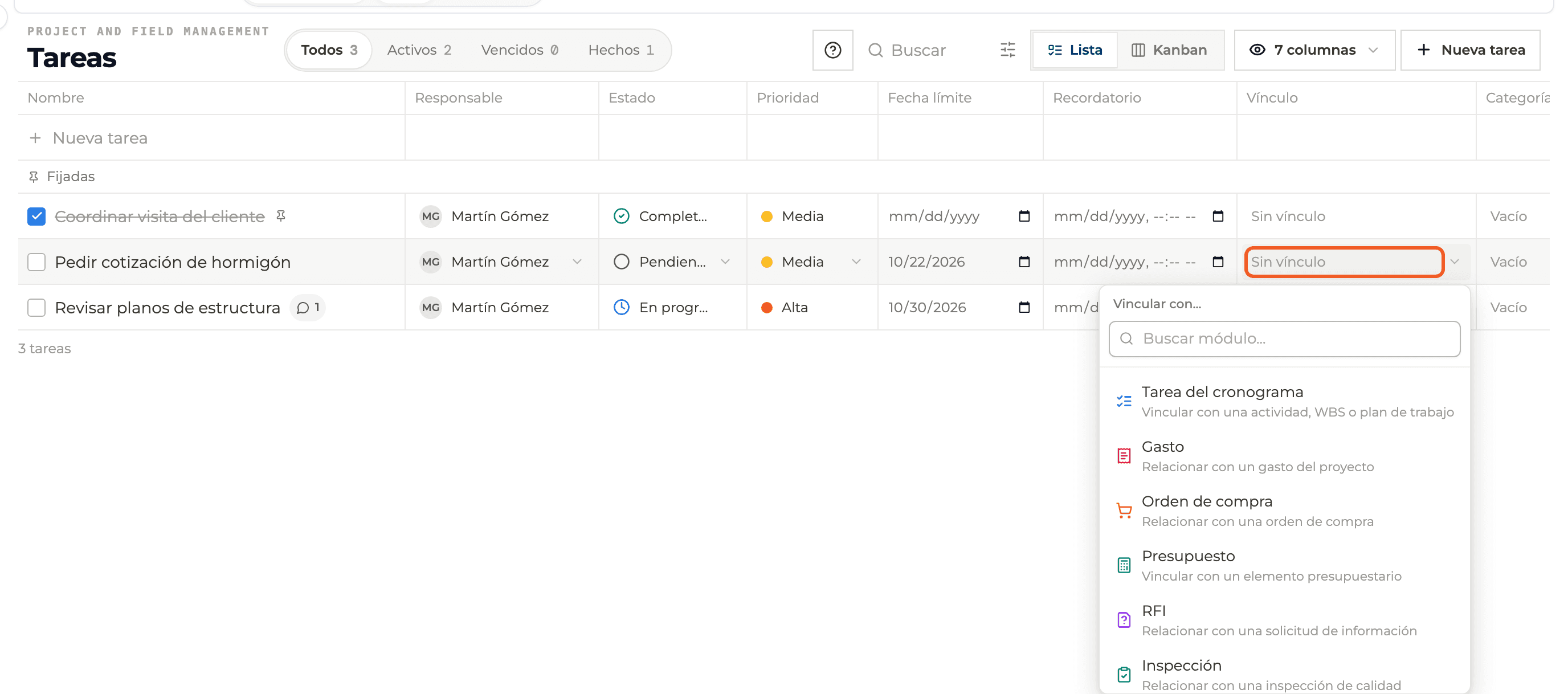
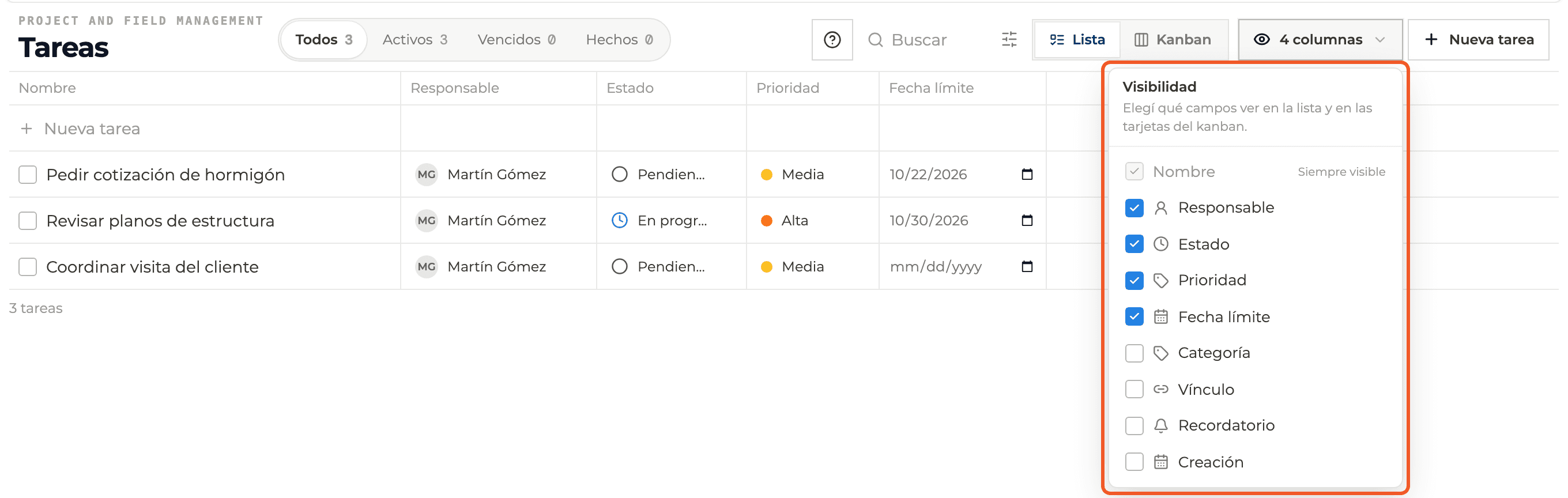
In the columns button tick Reminder. Each row gets a date and time picker.
- 02
Show Link
Tick Link and choose what the to-do relates to: Schedule task, Expense, Purchase order, Budget, RFI, Inspection or other.
- 03
Add to Board
In the to-do panel, the Add to Board button at the top right creates a card on a project board.

What you'll learn
How reminder, link and add to board works inside Perfour.
What information you need and how it stays connected to To-do Tasks.
How to preserve traceability and find the record later.
FAQ
Frequently asked questions
Why use Link if Relations exist?+
Link names the module; Relations point to a specific item.