Invite a supplier with a link to enter its own details
Invite supplier creates a unique link. The supplier opens it without a Perfour account, completes its profile and catalog, and is registered in your organization.

How to complete supplier invitation
- 01
Set up the invitation
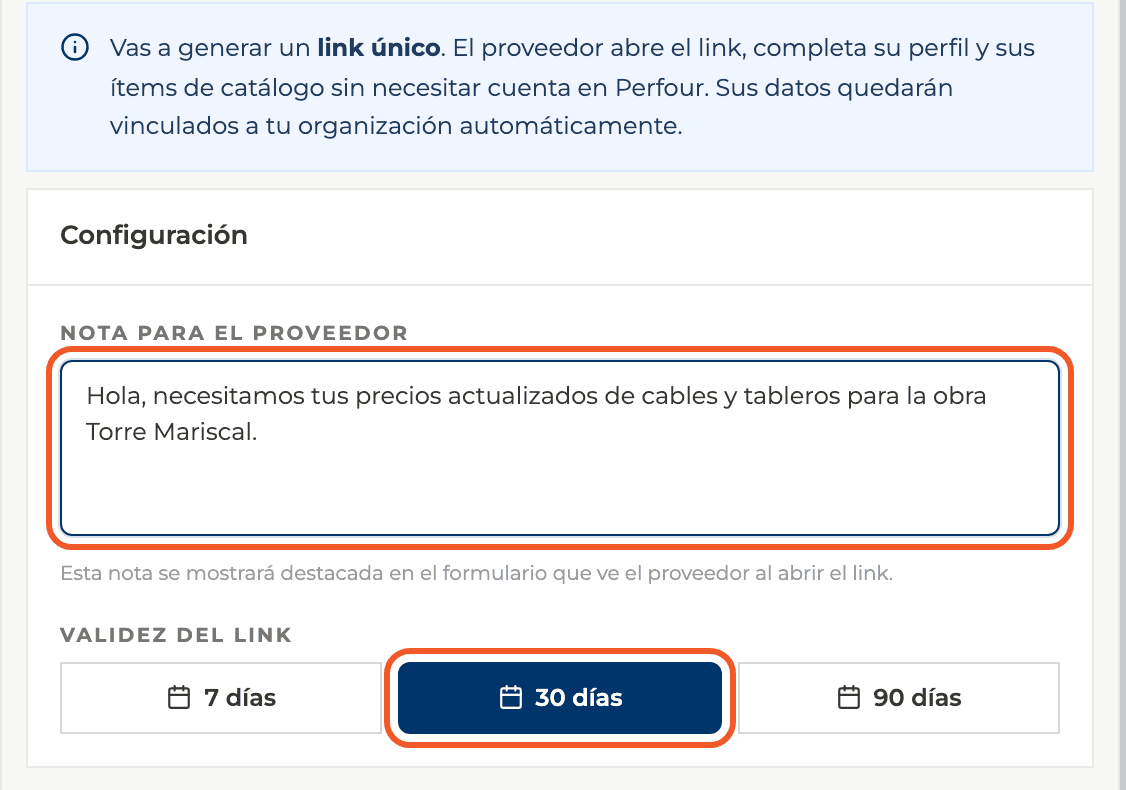
In Suppliers select Invite supplier. Write an optional note for the supplier, shown prominently when it opens the link, and choose how long the link is valid: 7, 30 or 90 days.
- 02
Generate and share the link
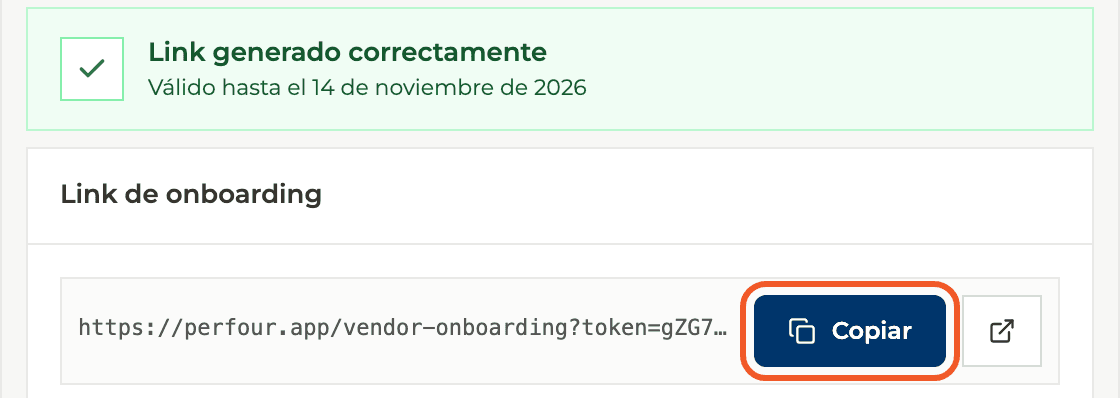
Select Generate link. You see a confirmation with the expiration date. Use Copy and send it by email, WhatsApp or any channel you prefer.
- 03
The supplier opens the link
It sees a page to complete its commercial profile, with your note and the date until which the invitation is valid. No account is needed.
- 04
It completes its profile
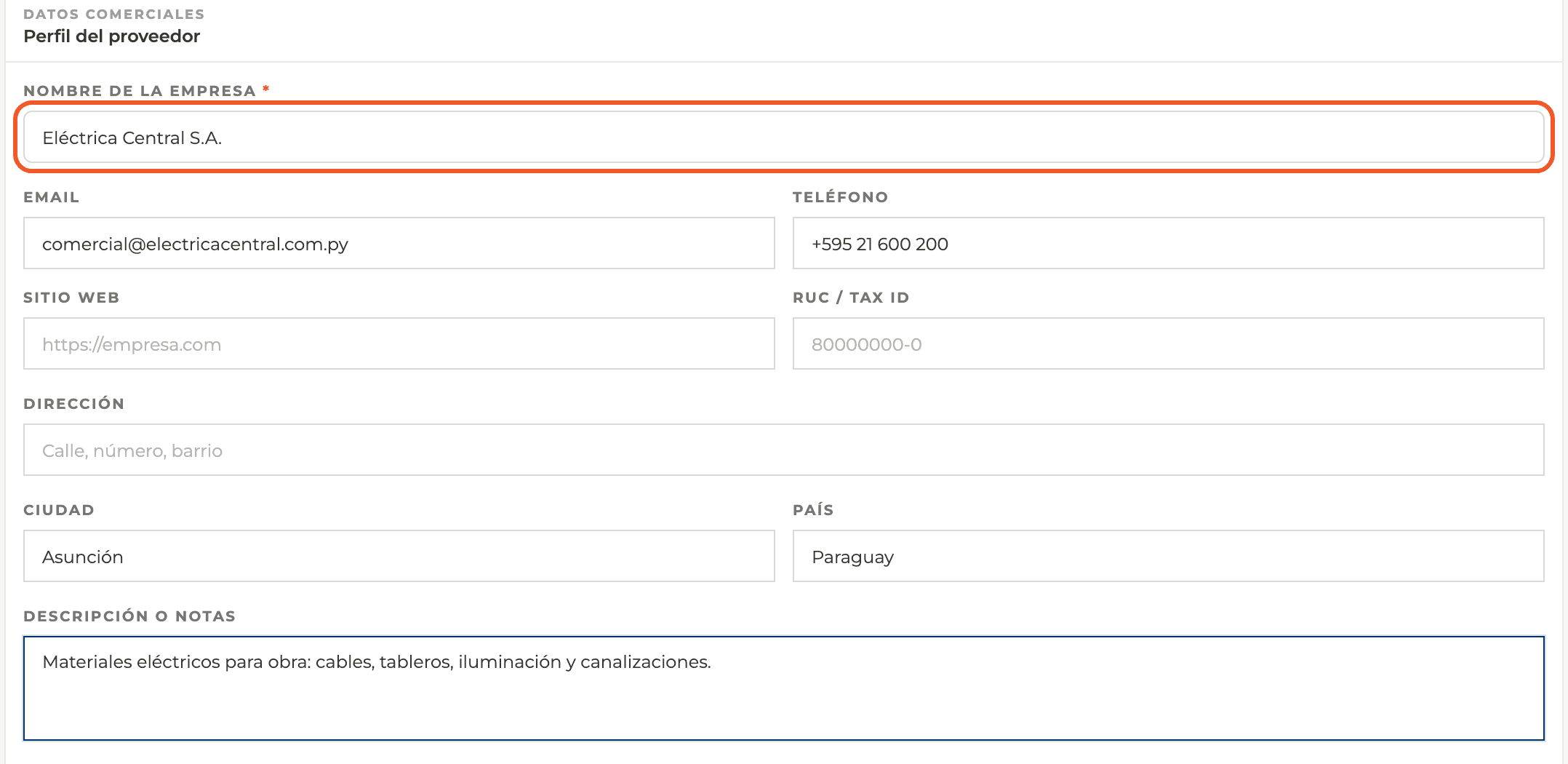
It enters the company name (required), email, phone, website, tax ID, address, city, country, a description and its contacts.
- 05
It chooses bank details and privacy
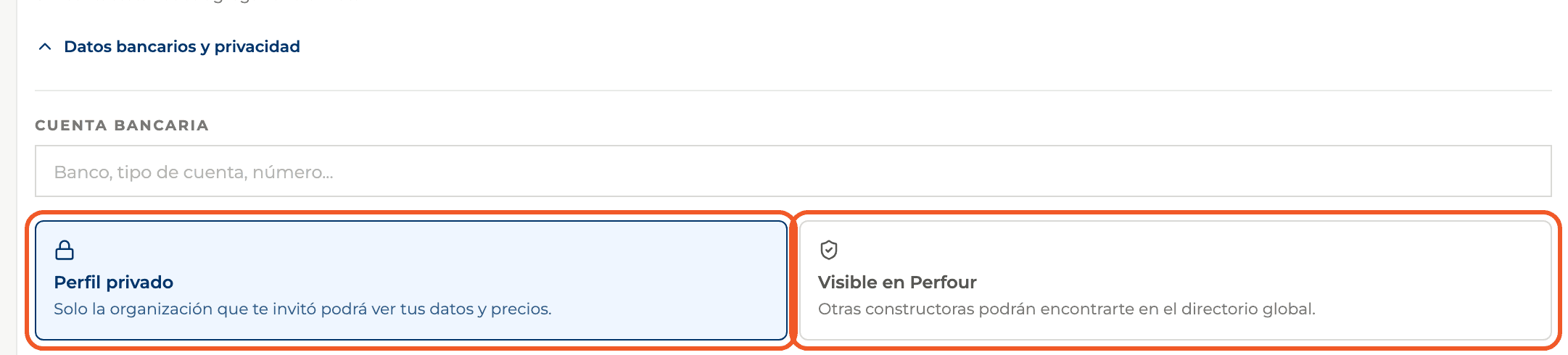
Under bank details and privacy it can add its bank account and choose between a private profile (only your organization sees it) or being visible in the global Perfour directory.
- 06
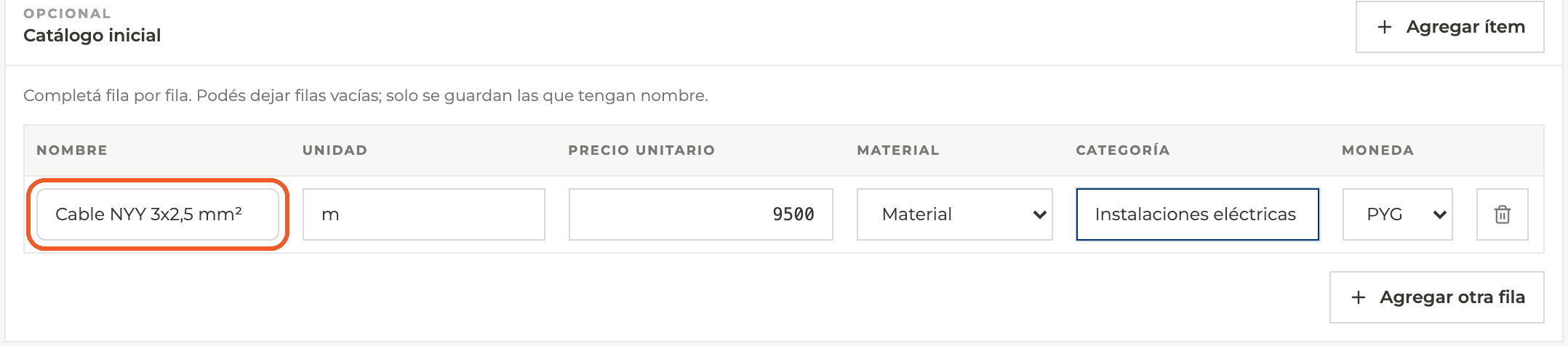
It adds an initial catalog (optional)
It can add items with name, unit, unit price, type (material, service, labor or equipment), category and currency. Only rows with a name are saved.
- 07
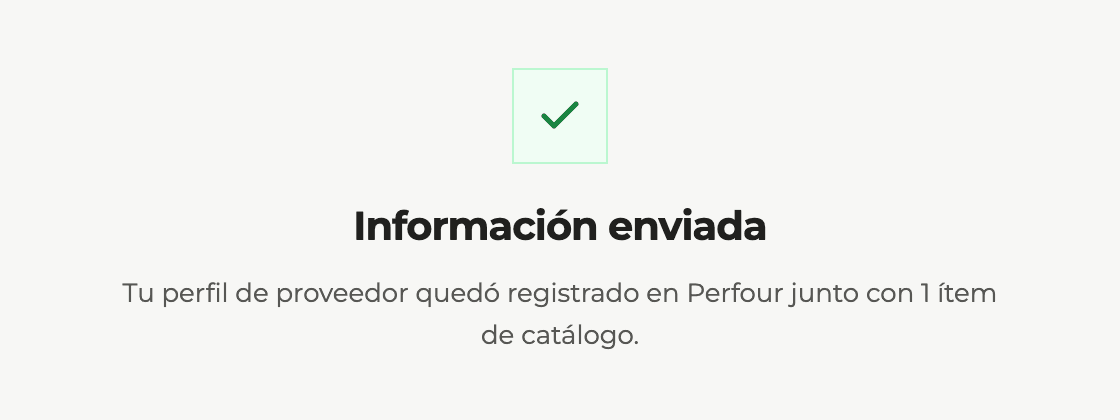
It submits the information
After submitting, it sees a confirmation with the number of catalog items it added.
- 08
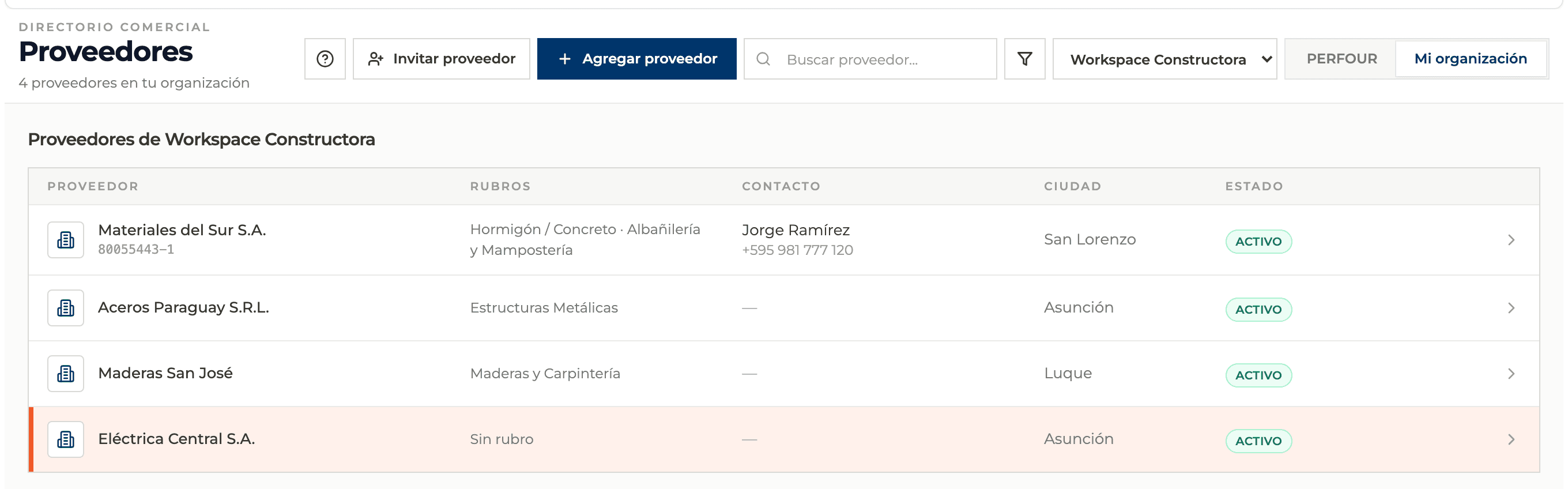
It appears in your directory
The supplier is added to My organization and the link cannot be used again. The form does not ask for trades: assign them from its profile, under Details.
What you'll learn
How invite a supplier with a link to enter its own details works inside Perfour.
What information you need and how it stays connected to Suppliers.
How to preserve traceability and find the record later.
Frequently asked questions
Does the link work for several suppliers?+
No. It is single-use: once the supplier submits its information the link is used. Generate a new link for each supplier.
Does the supplier need an account?+
No. It fills in a public form through the link you sent.
Does the supplier get access to my organization?+
No. It only creates its commercial profile. Giving it access to a project is a separate step, from the project members.
What does the supplier see if the link expired or was already used?+
A message saying the link expired, was cancelled or was already used, and asking it to request a new one from whoever invited it.