Visual guide
Prepare an expense
Review the fields of an expense before saving or sending it for review.
3 minutes
Step by step
Follow each step on screen
- 01
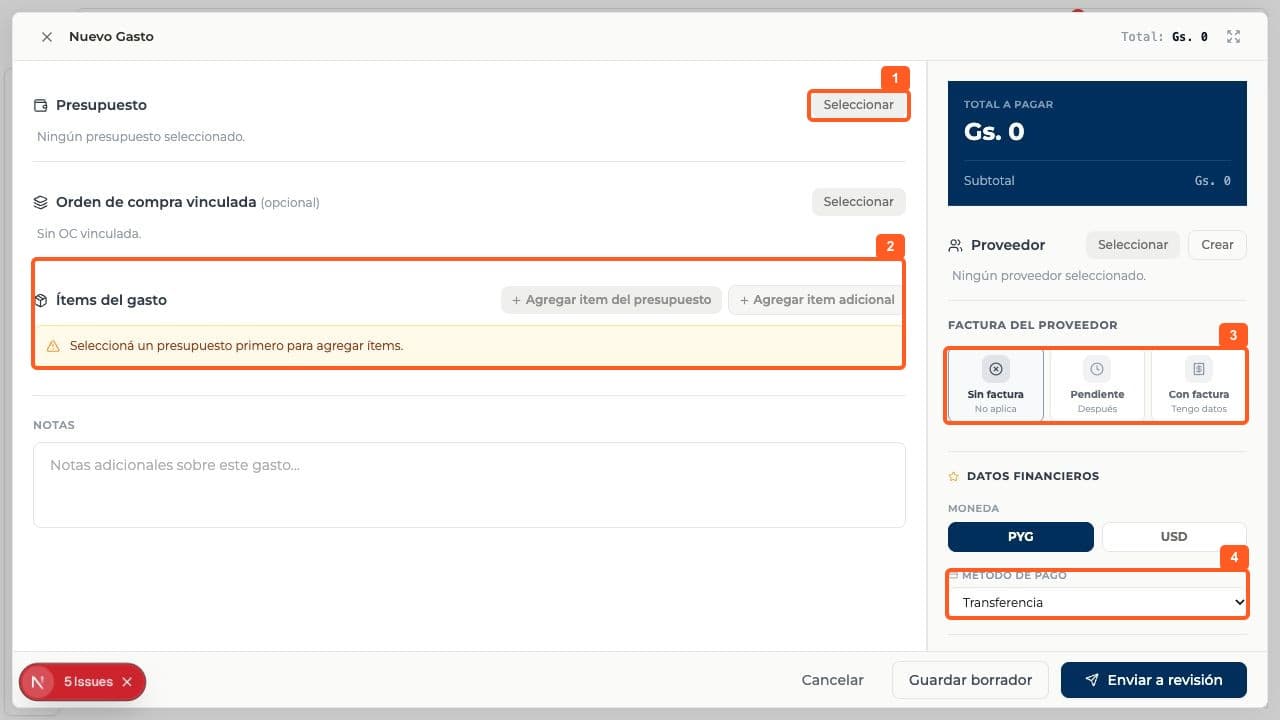
Open Finance > Expenses, select New expense and open Budget > Select.
- 02
If relevant, link a purchase order. Add budget items or an extra item; both require a selected budget first.
- 03
Choose the supplier and invoice status: No invoice, Pending or With invoice.
- 04
Review currency, payment method, notes and total. The menu includes transfer, cash, check and card.
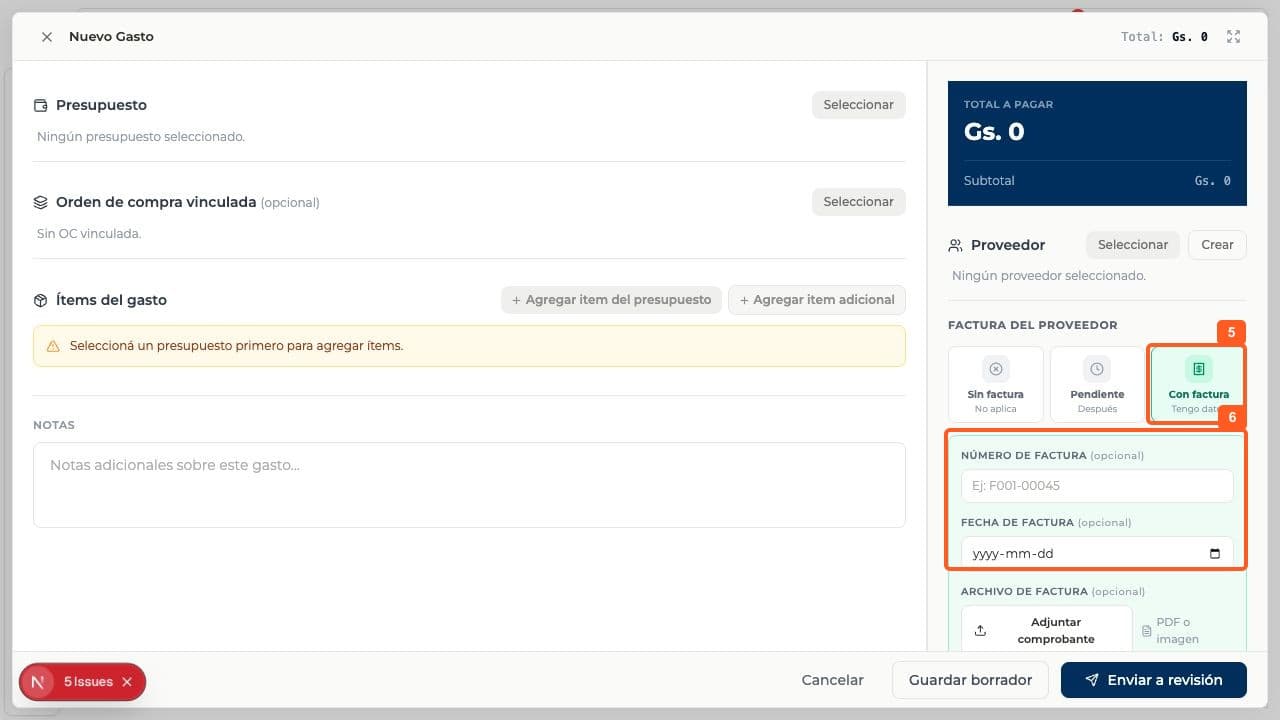
- 05
If you have a receipt, choose With invoice.
- 06
Enter the invoice number and date and attach a PDF or image if applicable.
FAQ
Frequently asked questions
What was verified and what remains untested?+
Save draft and Send for review were not used. No approved budget was available, and no test expense or financial movement was recorded.