Visual guide
Prepare a receipt
Compare a certificate payment with a contract advance and review the information required to record a receipt.
5 minutes
Step by step
Follow each step on screen
- 01
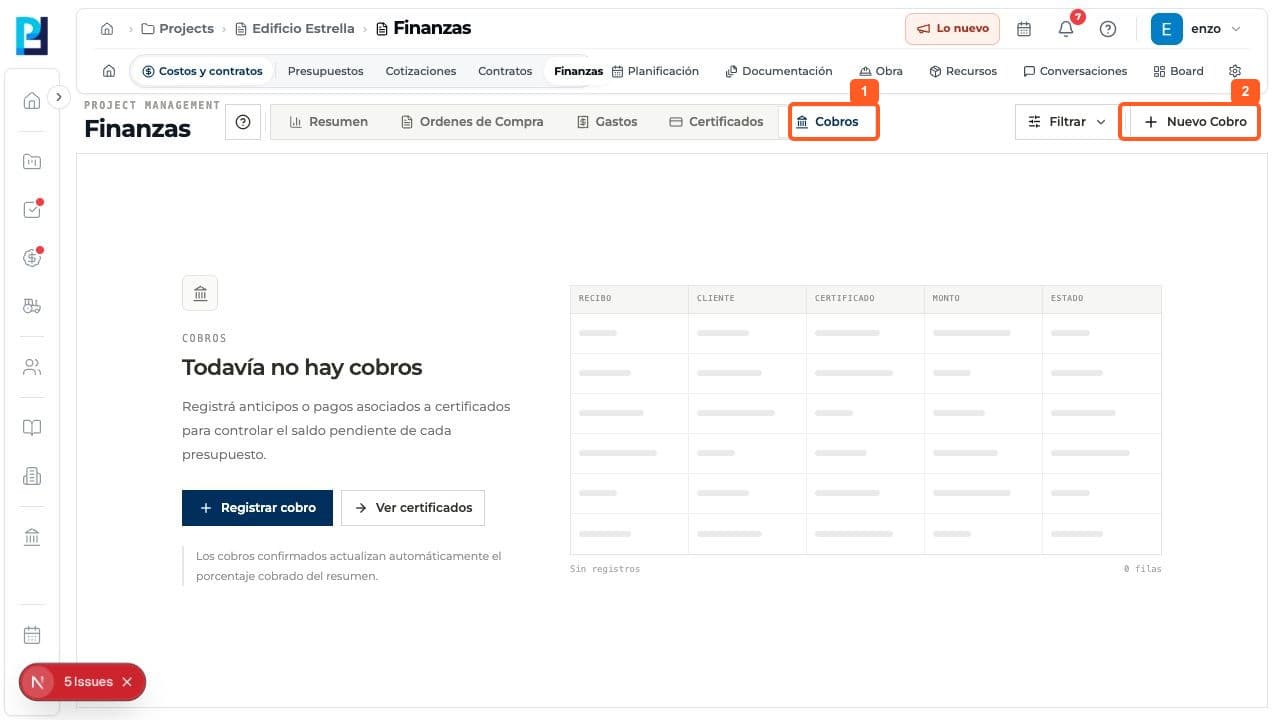
Open Finance > Receipts.
- 02
Select New receipt or Record receipt.
- 03
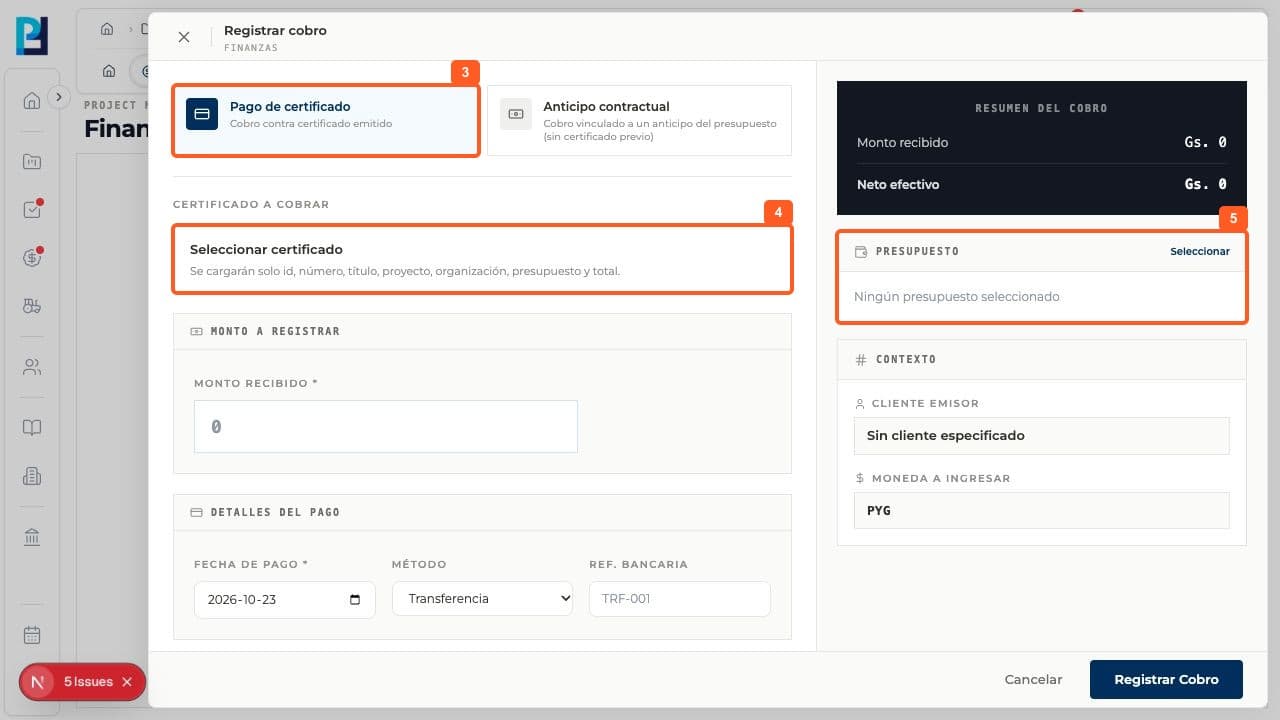
Choose Certificate payment to receive payment against an issued certificate.
- 04
Open Select certificate and pick the correct record. The example project had no certificates.
- 05
Review the linked budget, amount received, date, payment method, bank reference, receipt and notes.
- 06
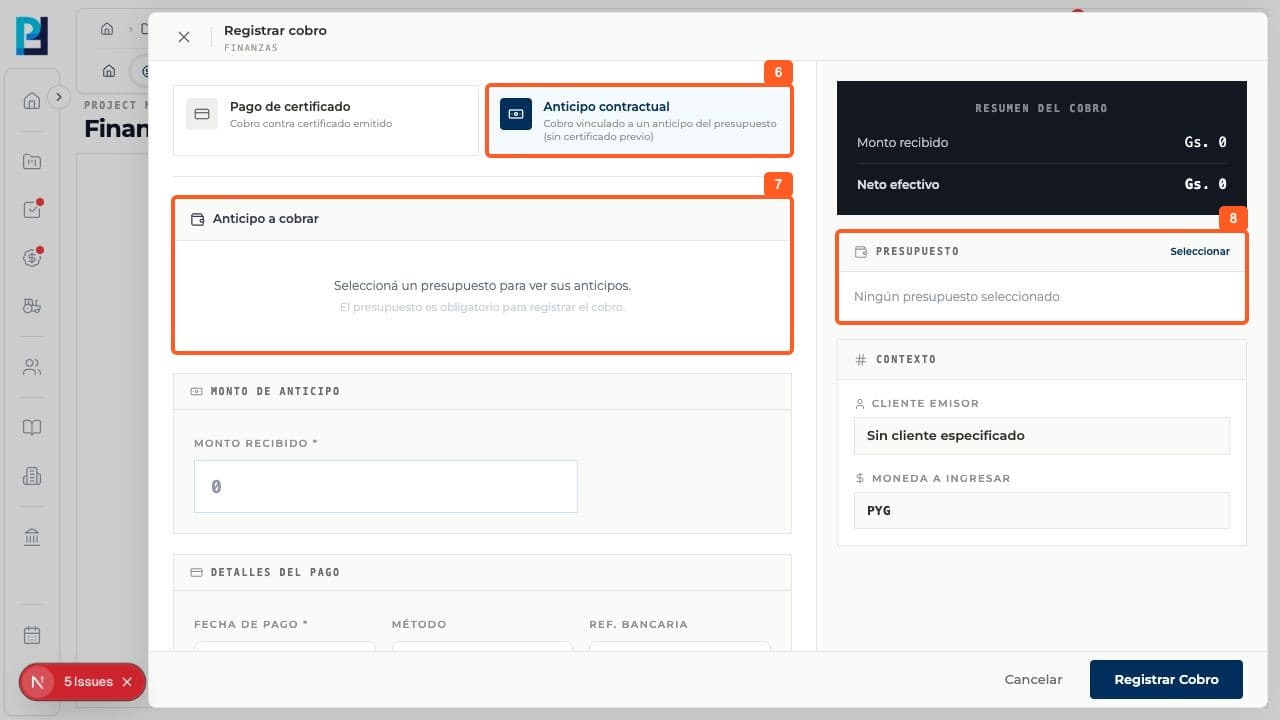
For an advance without a certificate, switch to Contract advance.
- 07
Select the budget to see its advances, then enter the received amount.
- 08
Review the receipt and budget summary on the right before recording.
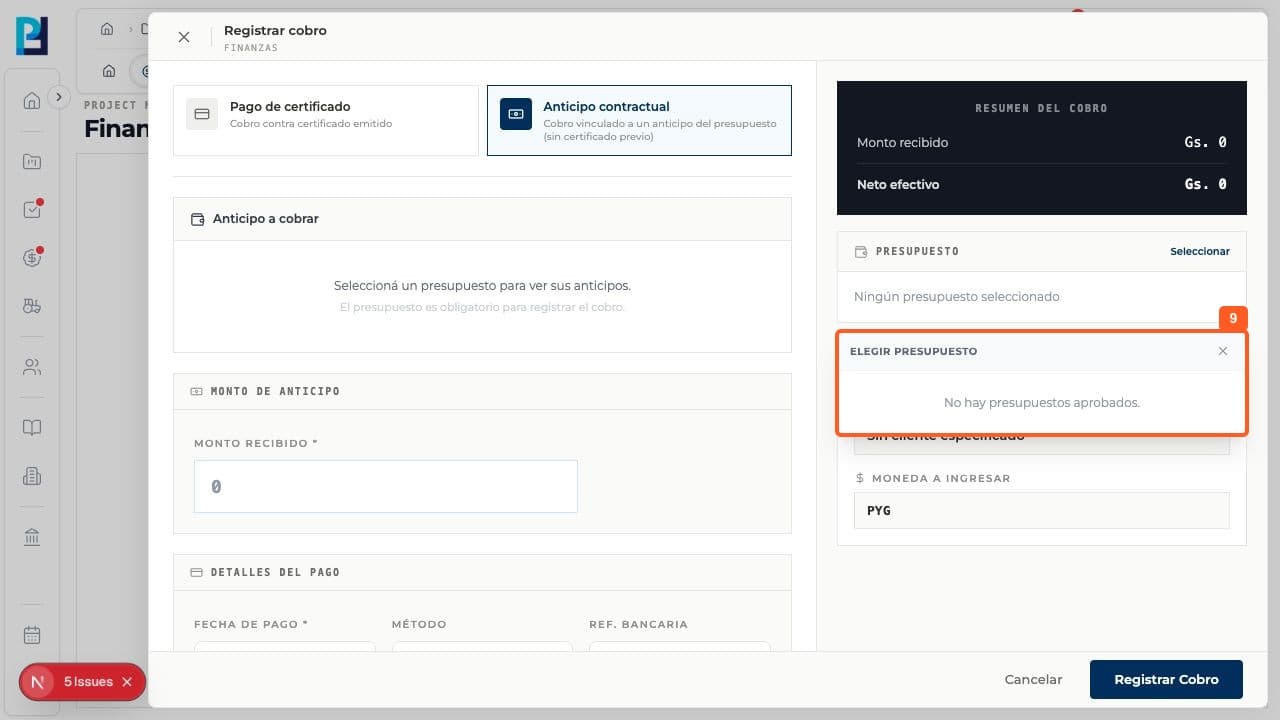
- 09
The selector said No approved budgets, so a real advance could not be continued.
FAQ
Frequently asked questions
What was verified and what remains untested?+
Record receipt was not selected. A confirmed receipt and its effect on the financial summary were not tested; an issued certificate or approved budget is required.