Run the checklist: Pass, Fail and N/A
Inside the check's detail you mark each item as passed, failed or not applicable.
How to complete check items
- 01
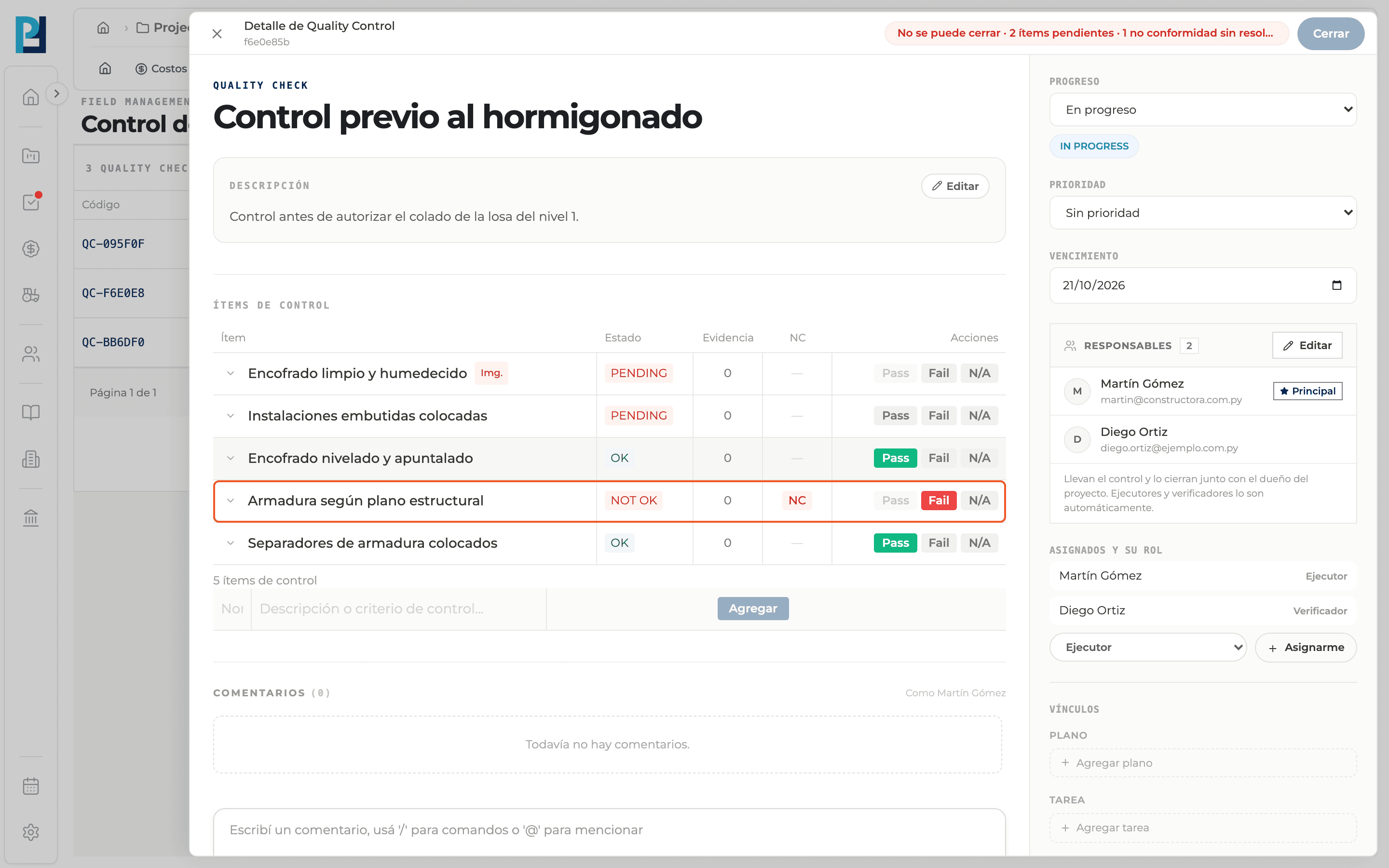
Open the check
In the Checks table click the row. The Quality Control detail panel opens.
- 02
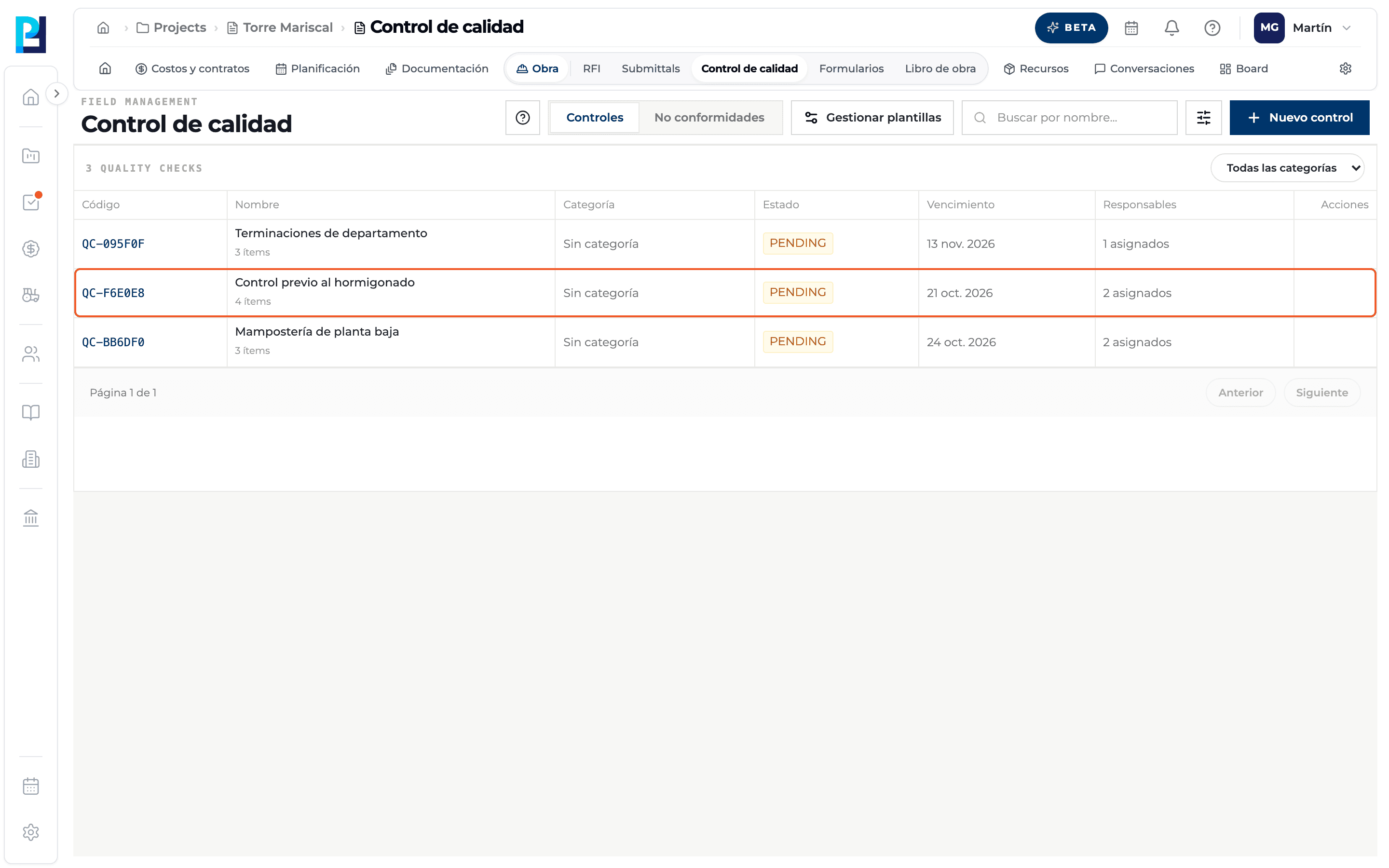
Find the items
The Check items section has the Item, Status, Evidence, NC and Actions columns. The item count shows below.
- 03
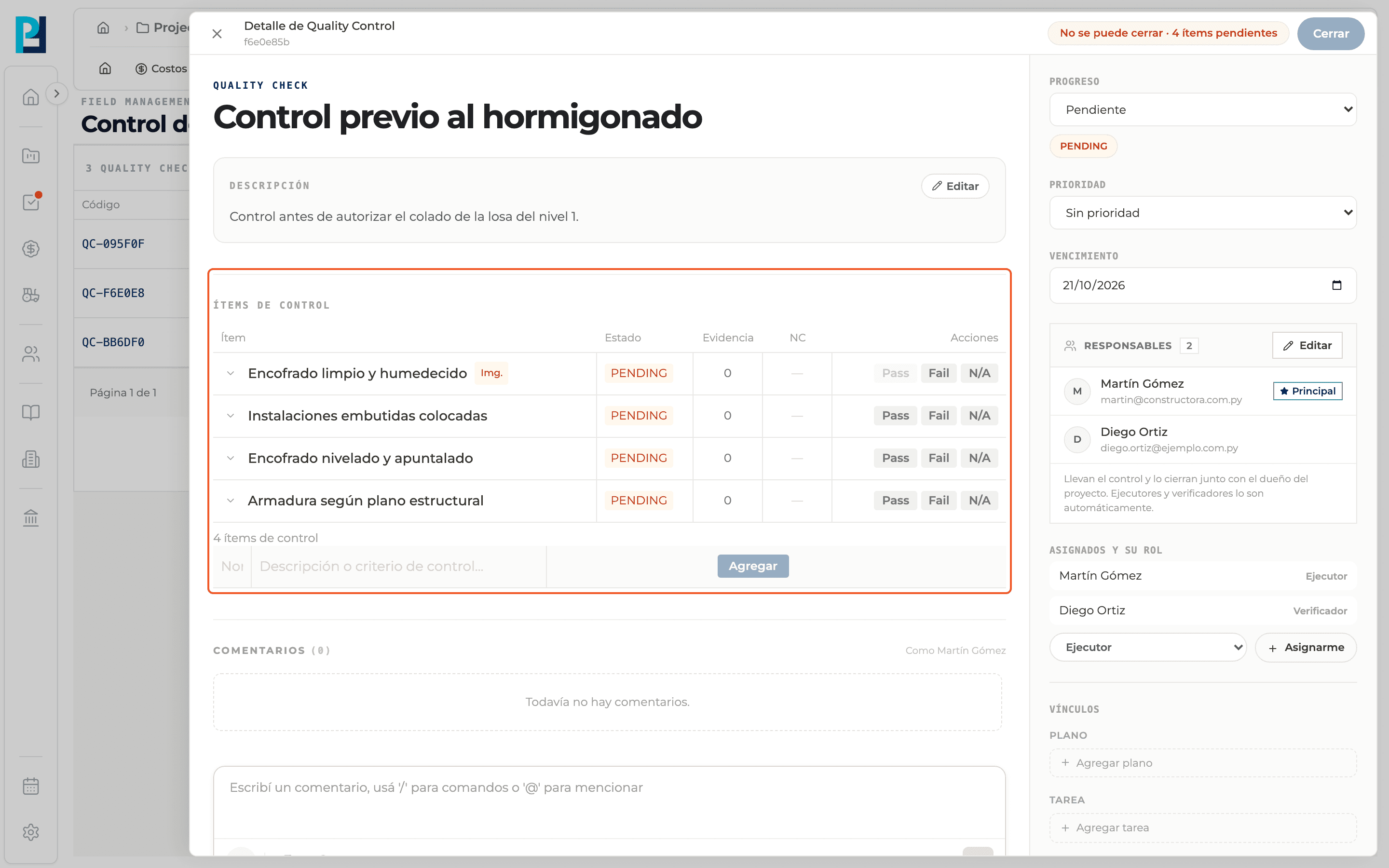
Record the result
Under Actions each item has Pass (meets), Fail (does not meet) and N/A (not applicable). The Status column goes from PENDING to OK, NOT OK or N/A. Once the first item is marked, the check moves to IN PROGRESS.
- 04
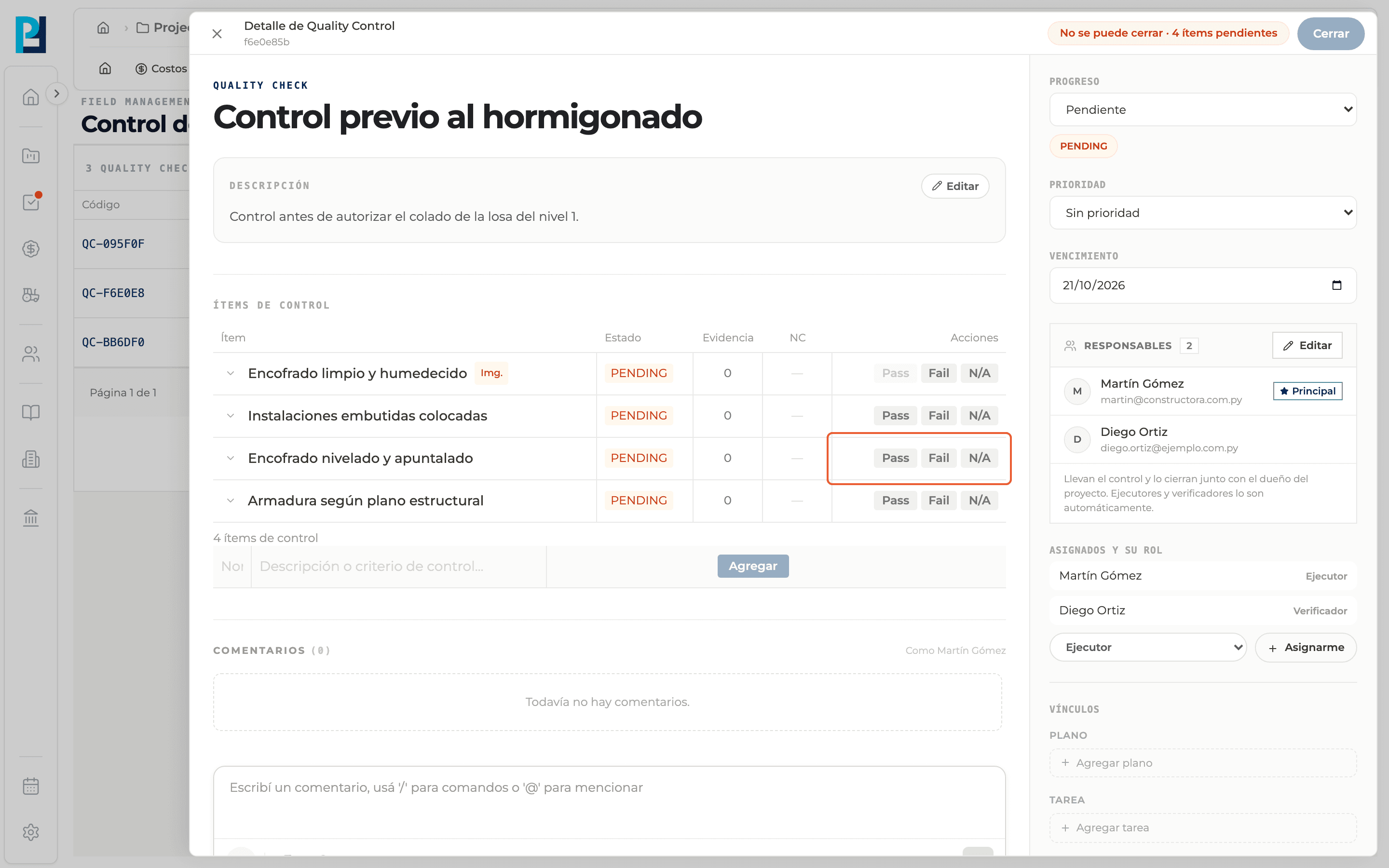
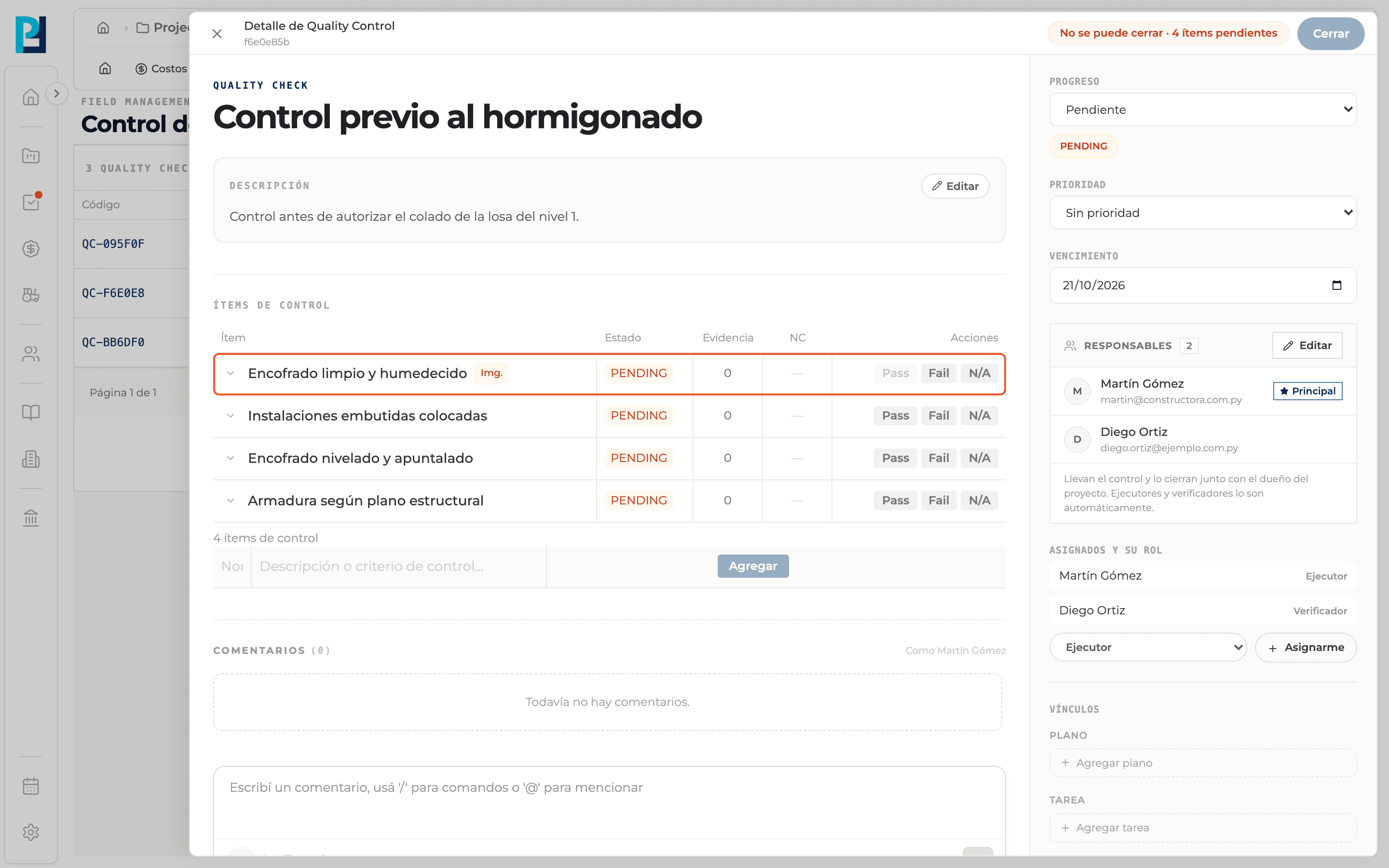
When Pass is blocked
Pass is disabled if the item requires an image (Img. tag) and has no evidence yet, or if it has an unresolved non-conformity.
- 05
Fail creates a non-conformity
When you confirm Fail the item becomes NOT OK and the NC tag appears. See the "Turn a deviation into a non-conformity" guide.
- 06
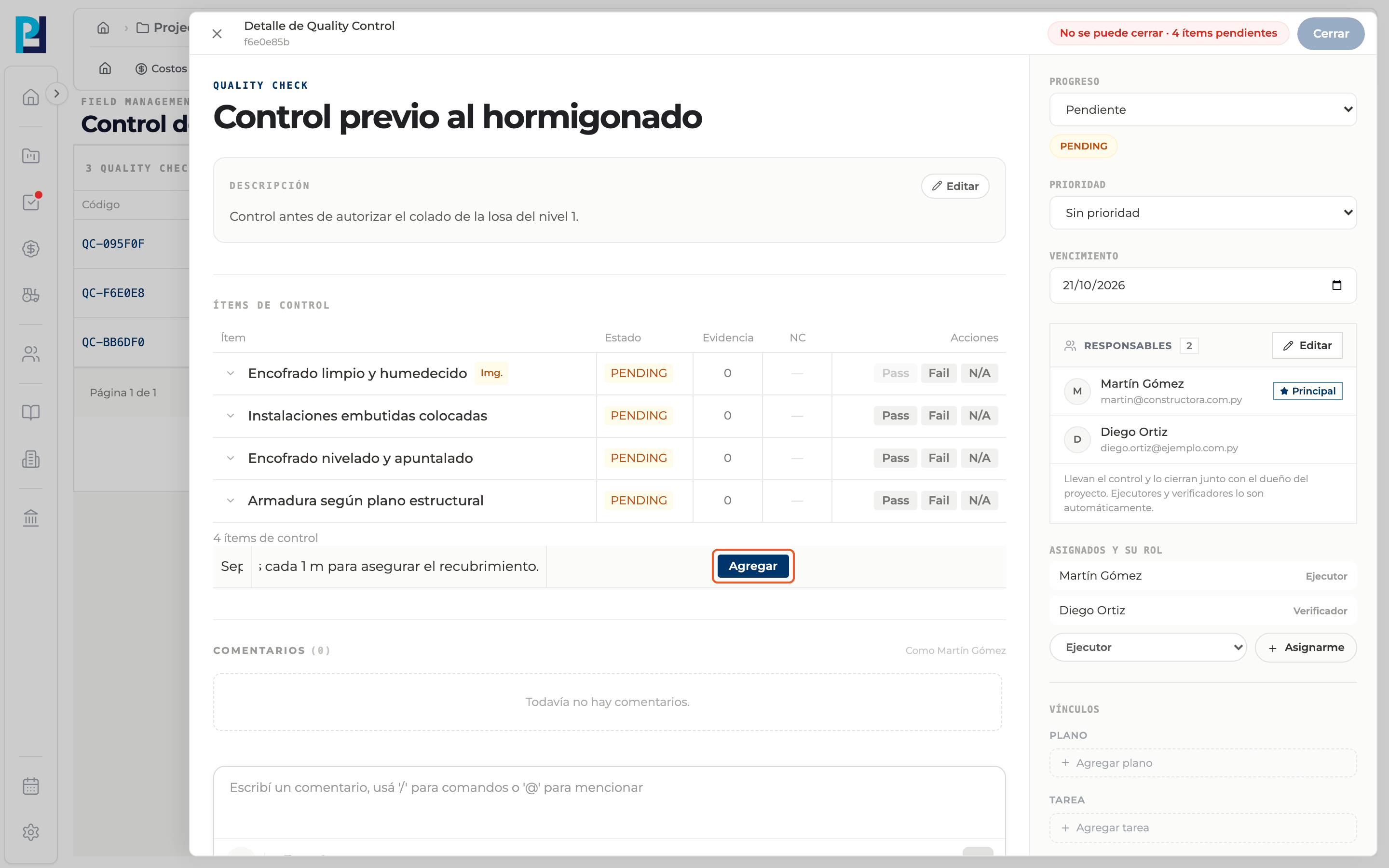
Add an item to the check
At the bottom of the table enter the name and the criterion and click Add (or press Enter).
- 07
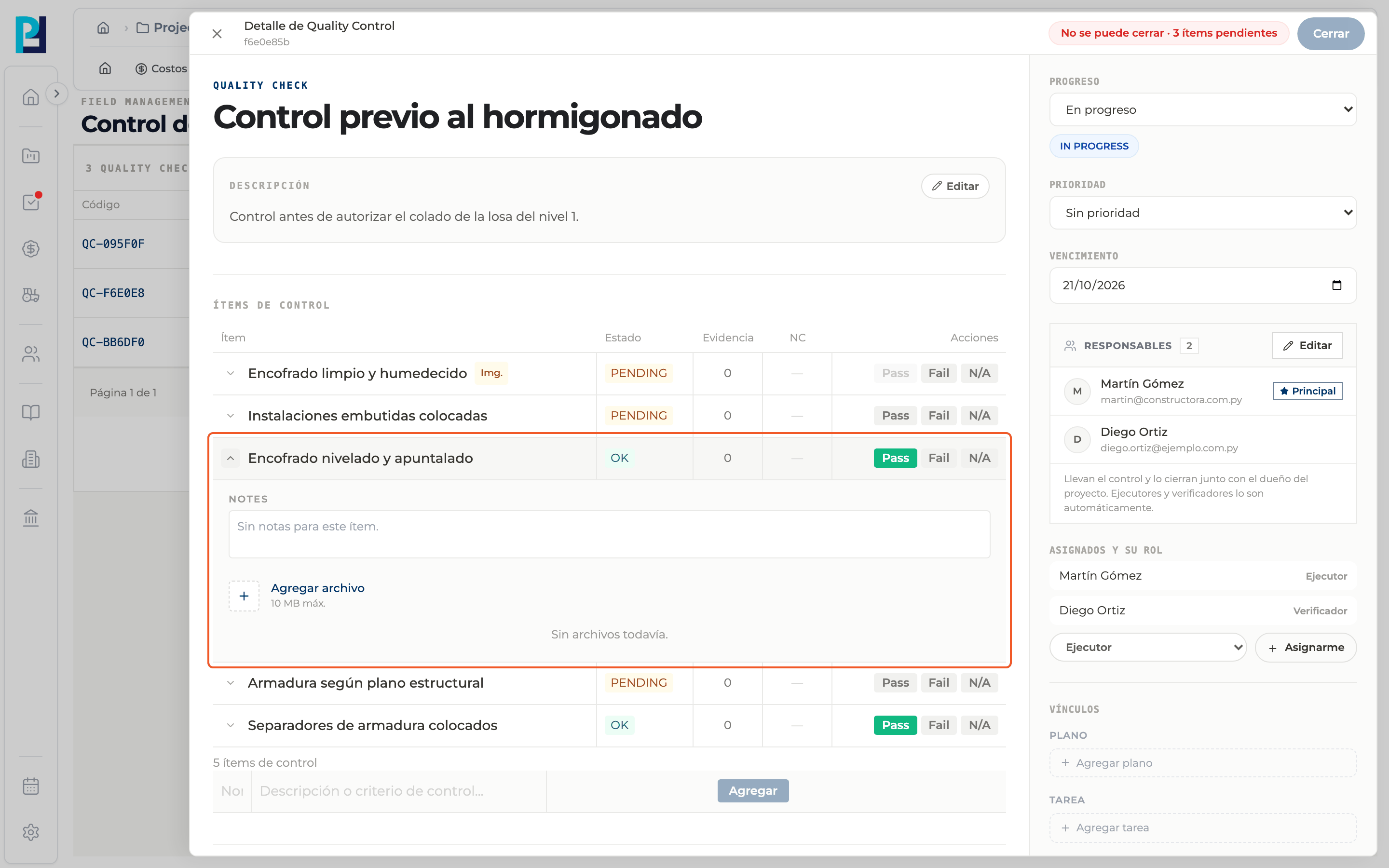
Expand an item
Use the row's arrow to see its notes and evidence.
What you'll learn
How run the checklist: pass, fail and n/a works inside Perfour.
What information you need and how it stays connected to Quality.
How to preserve traceability and find the record later.
Frequently asked questions
Can I change a result?+
You can switch between Pass and N/A. An item that is already Fail cannot be marked Fail again.
How do I know if items are still open?+
The top of the detail shows "Cannot close" with the number of pending items and unresolved non-conformities.