Turn a deviation into a non-conformity
Marking an item as Fail automatically creates the related non-conformity.
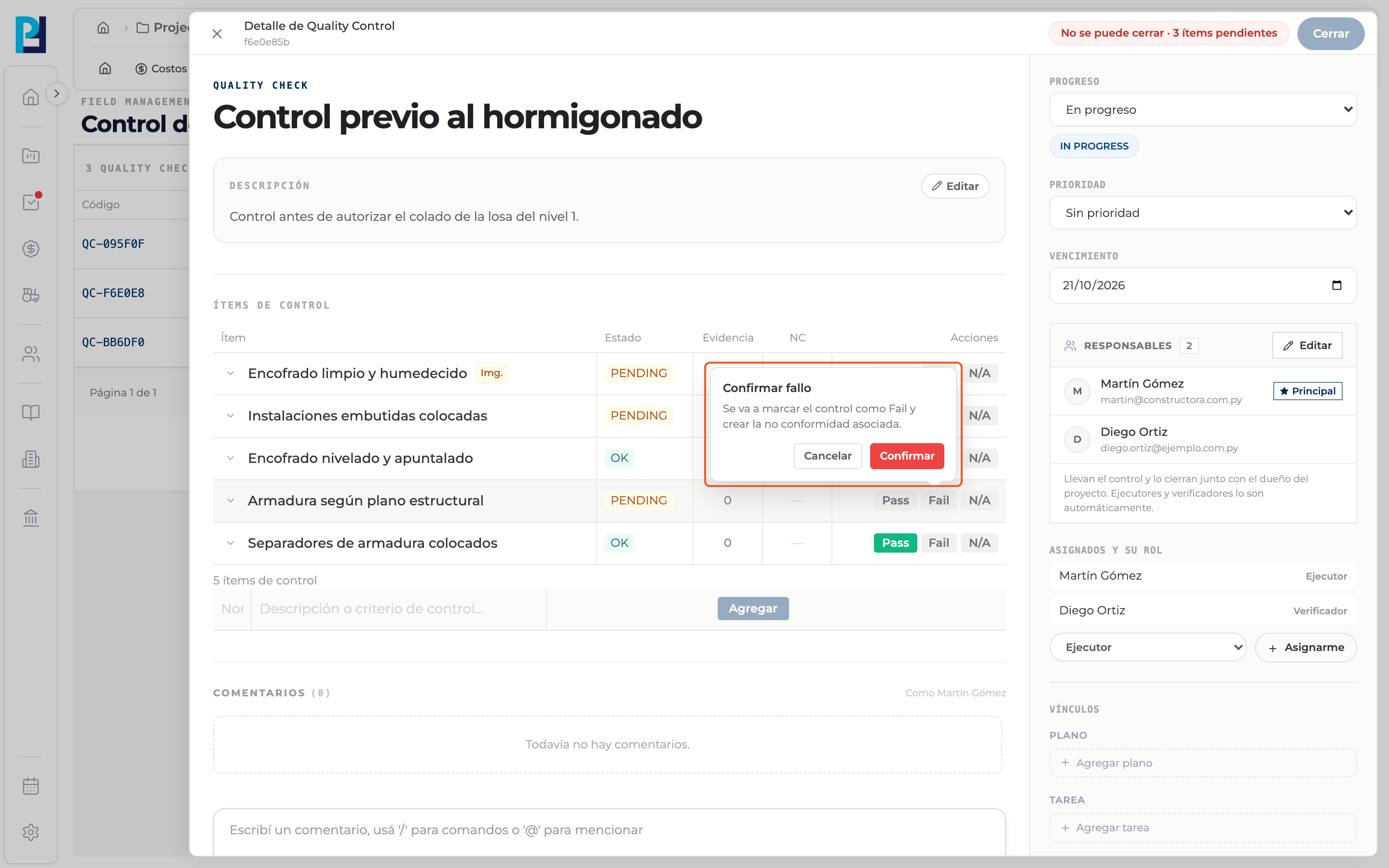
How to complete fail and non-conformity
- 01
Find the item
Open the check and find the item that does not meet the criterion.
- 02
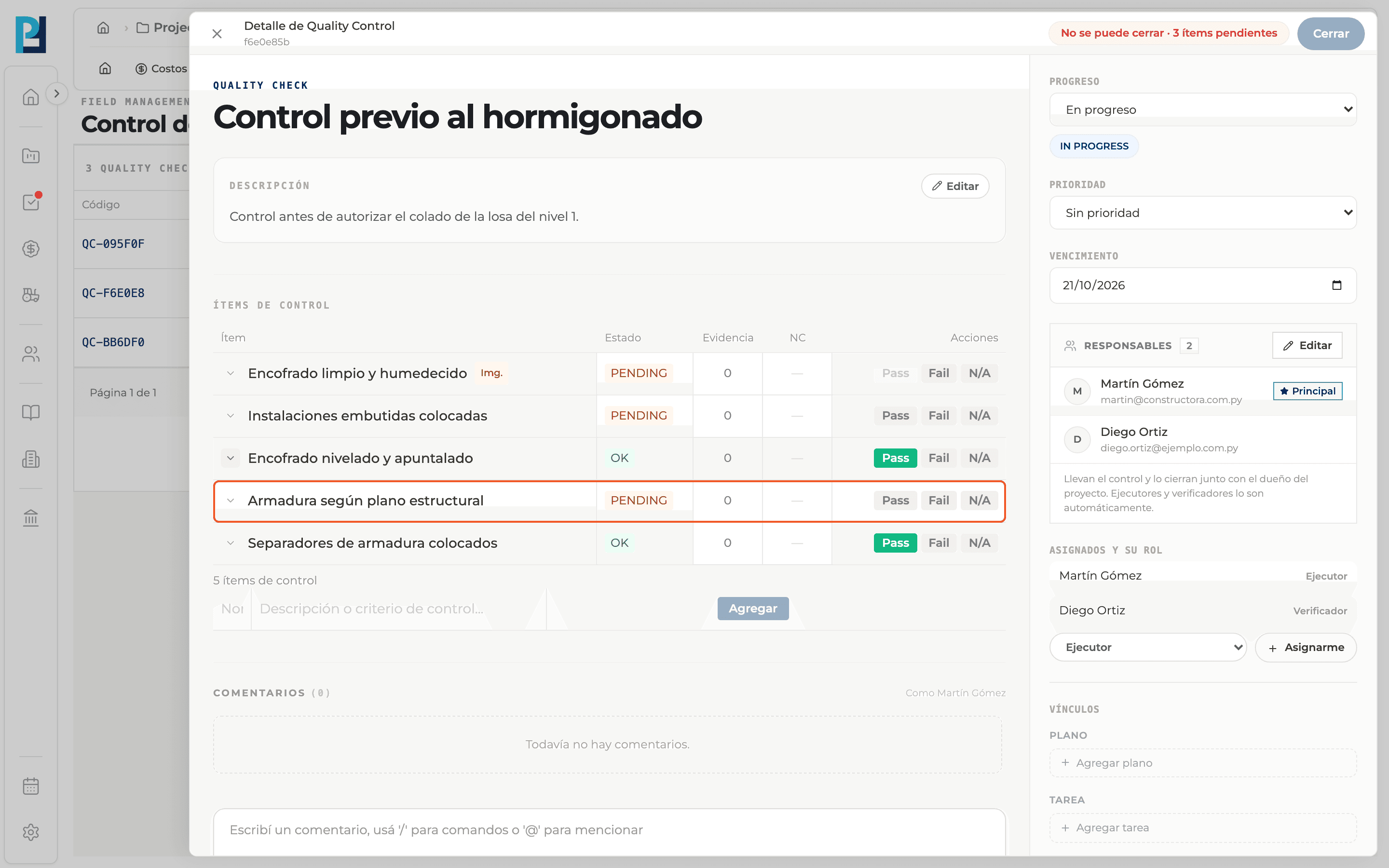
Click Fail
The "Confirm failure" bubble shows: the item will be marked Fail and the related non-conformity will be created.
- 03
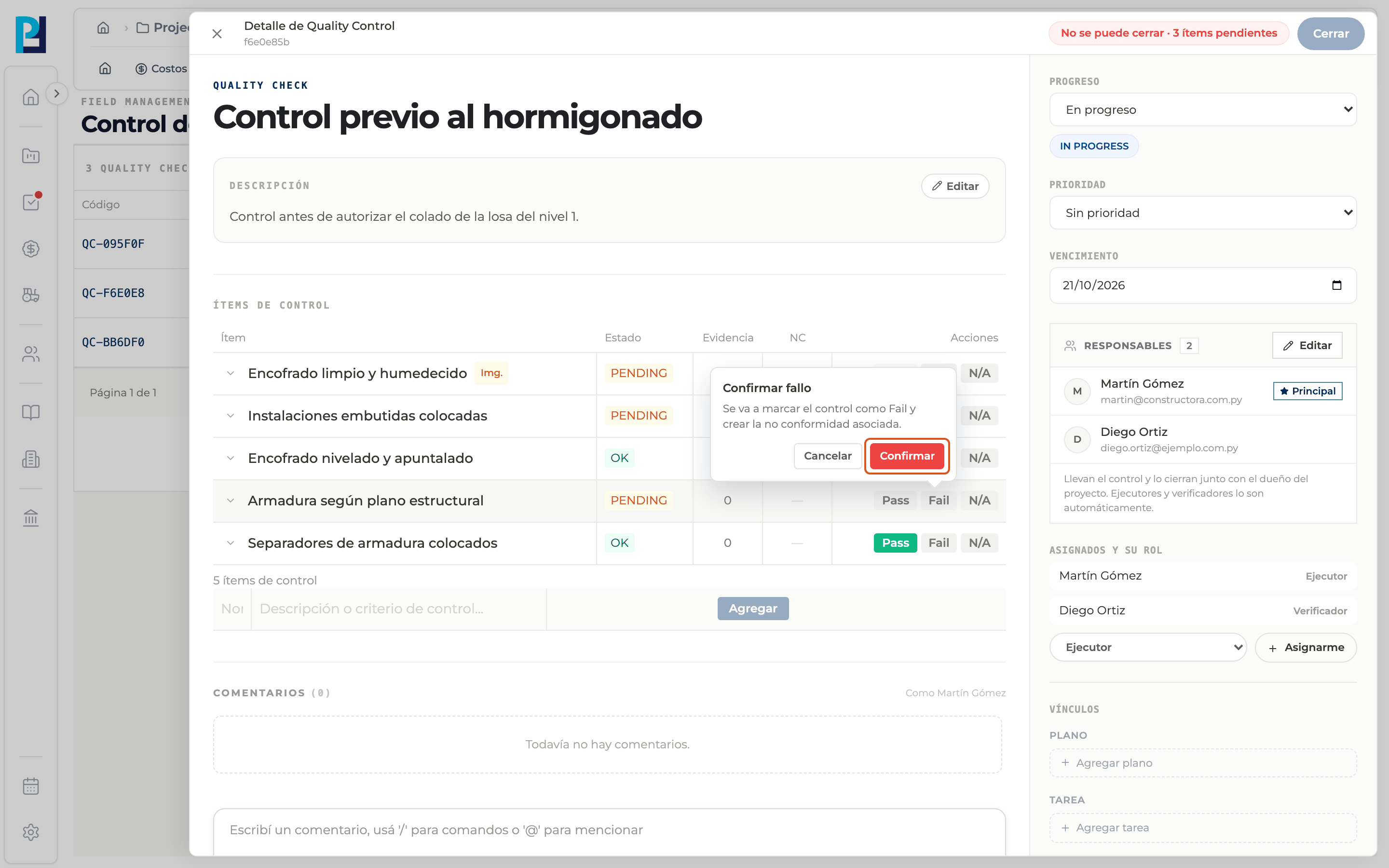
Confirm
Click Confirm, or Cancel to back out.
- 04
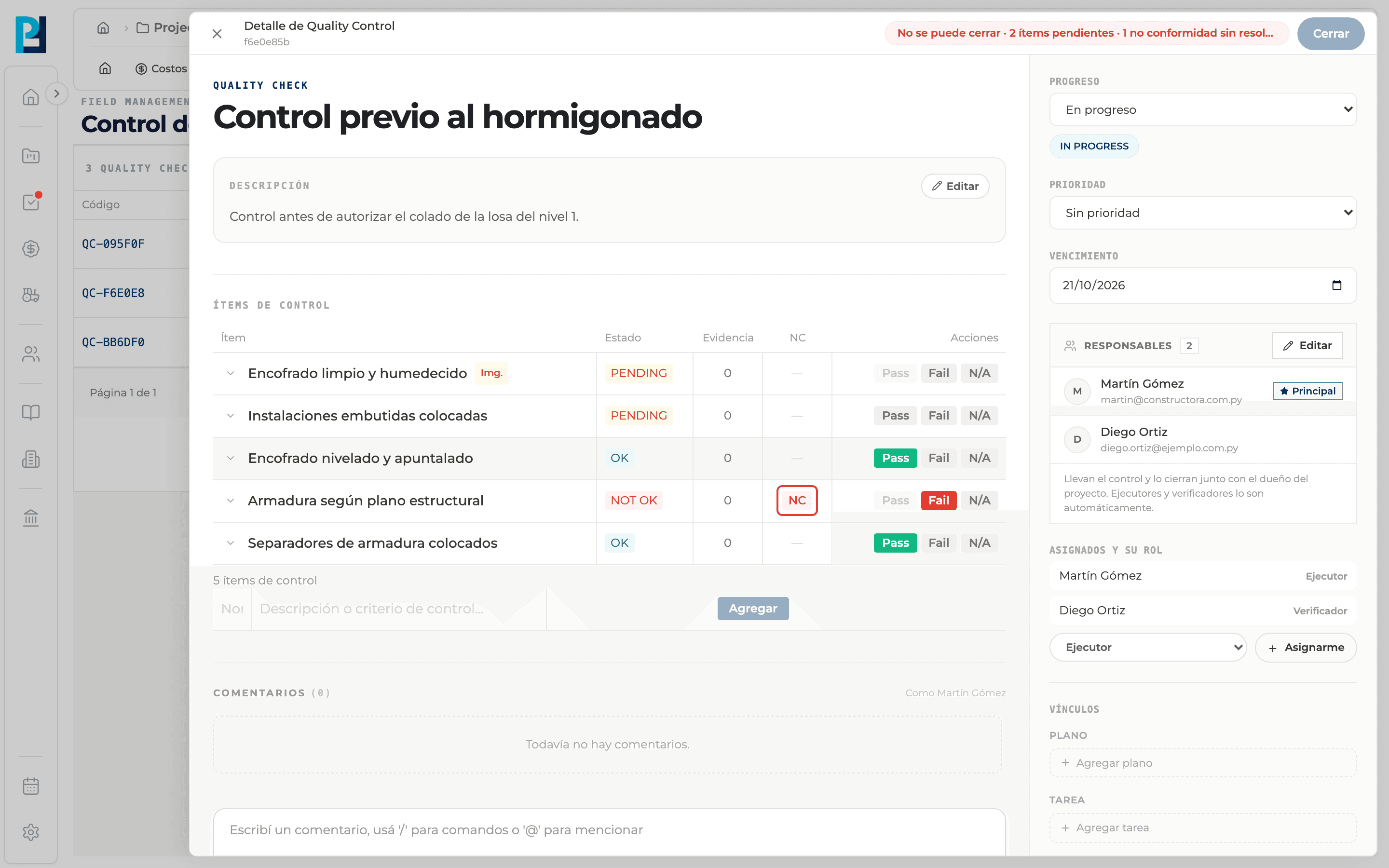
Result
The item becomes NOT OK and the NC tag shows in the NC column. Red means the non-conformity is unresolved; grey means it is resolved. Click the tag to open it.
- 05
Follow it in its tab
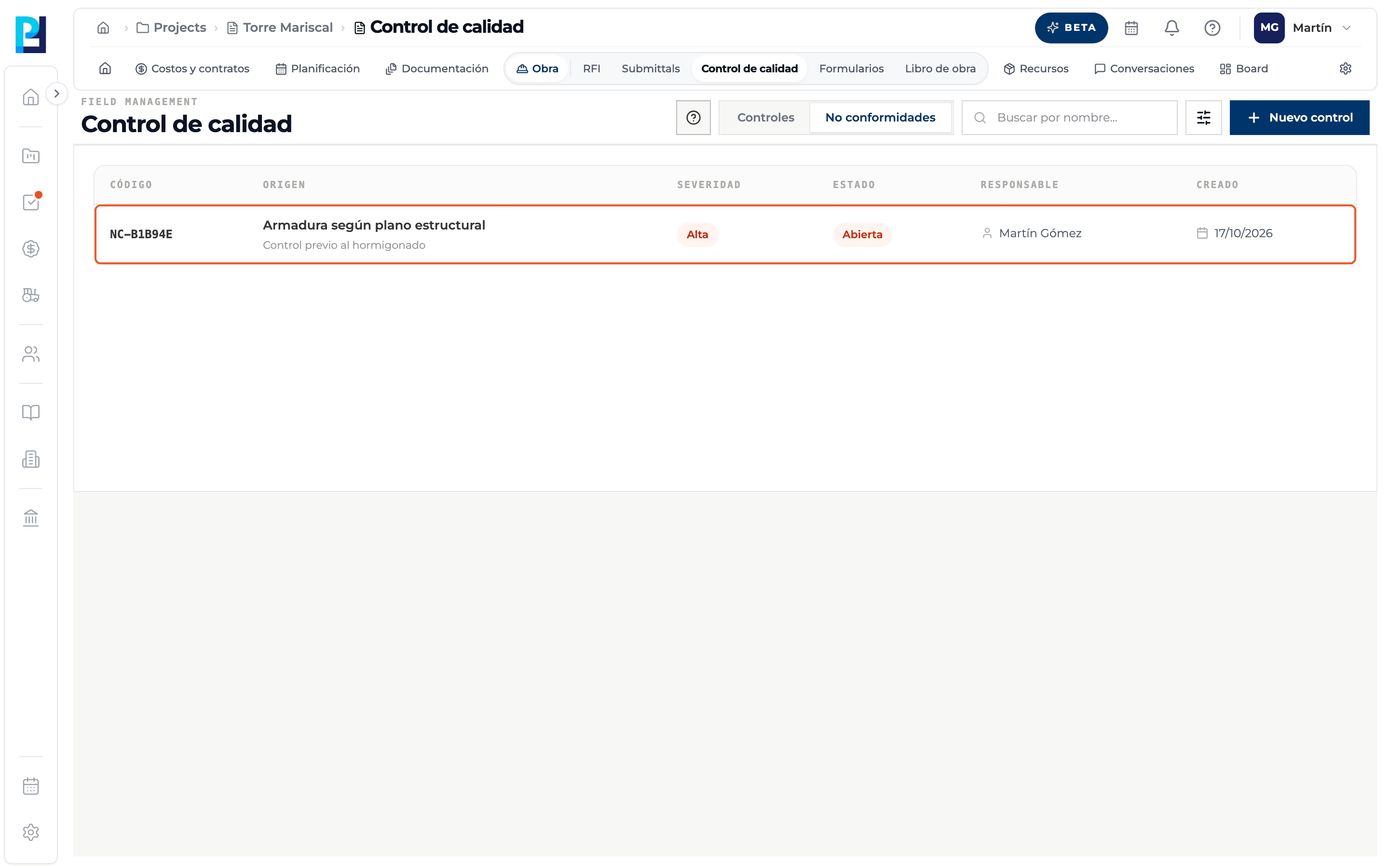
The non-conformity also shows on the Non-conformities tab, with its NC-XXXXXX code, Medium severity and Open status.
What you'll learn
How turn a deviation into a non-conformity works inside Perfour.
What information you need and how it stays connected to Quality.
How to preserve traceability and find the record later.
Frequently asked questions
Can I create a non-conformity without failing an item?+
No.
What happens once the problem is fixed?+
The non-conformity is resolved, and only then can the item be marked Pass.