Manage a non-conformity
Set the severity, document the response, attach evidence and resolve the non-conformity or mark it as not applicable.
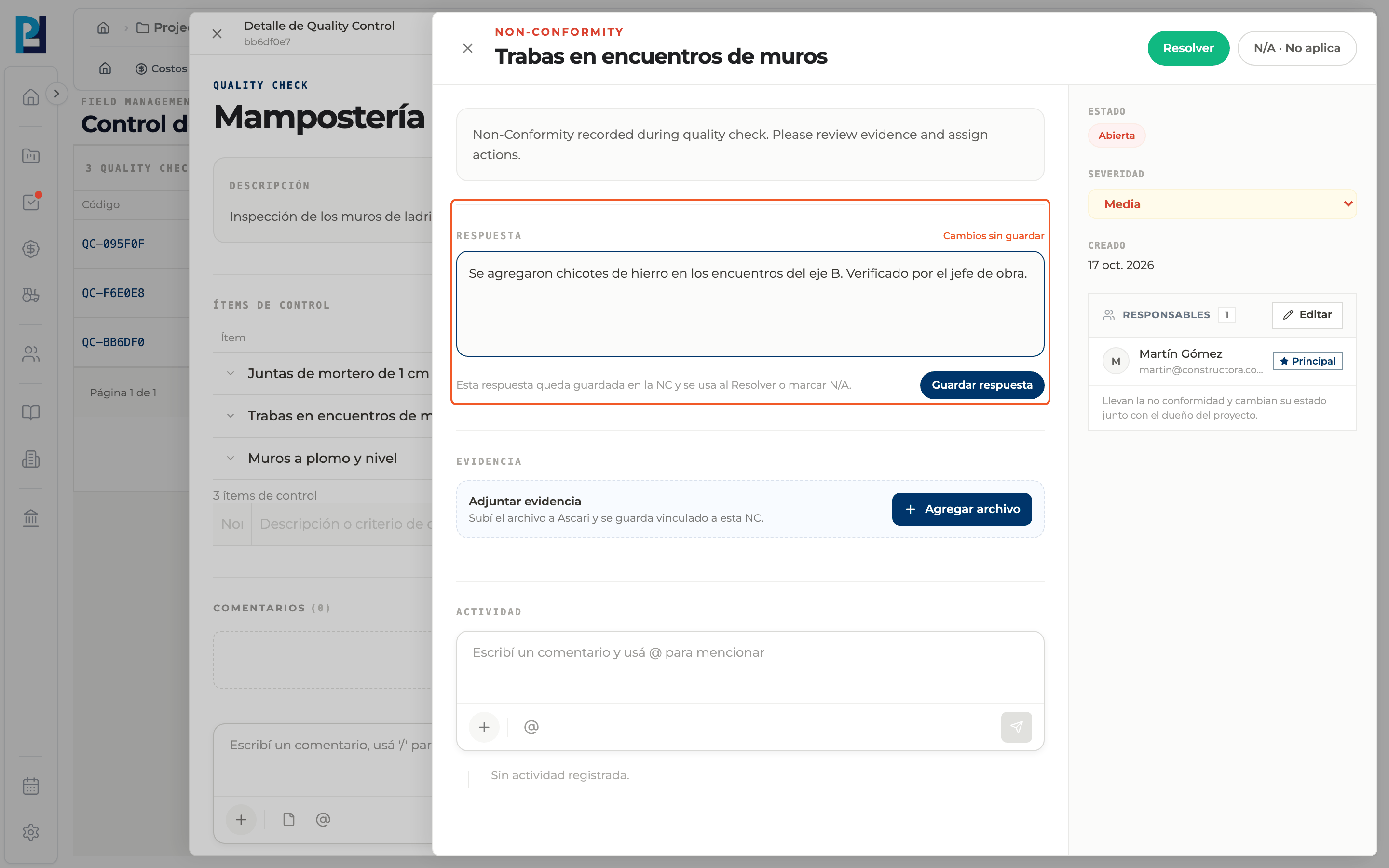
How to complete non-conformity
- 01
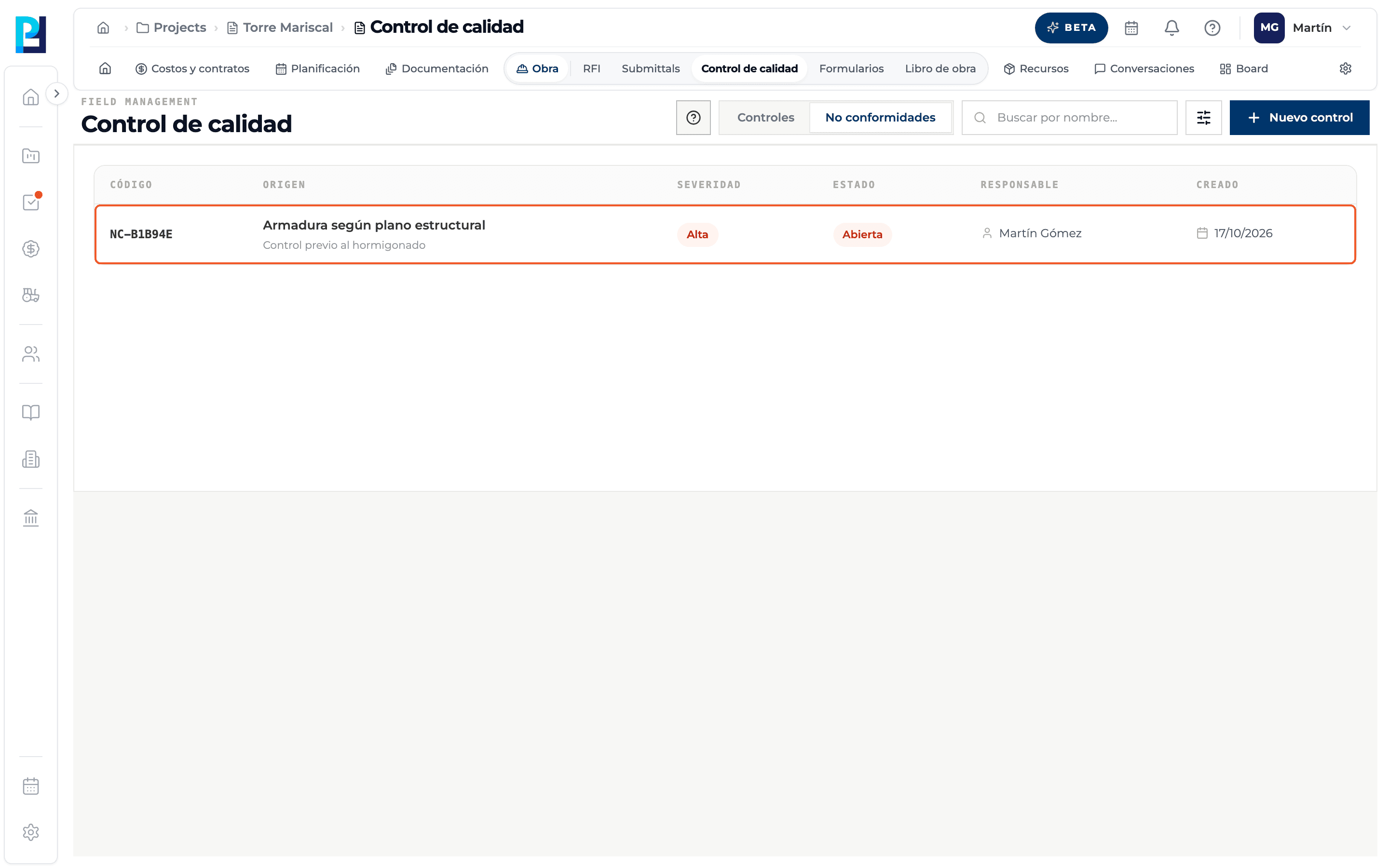
Open the non-conformity
From the Non-conformities tab (click the row) or from the item's NC tag.
- 02
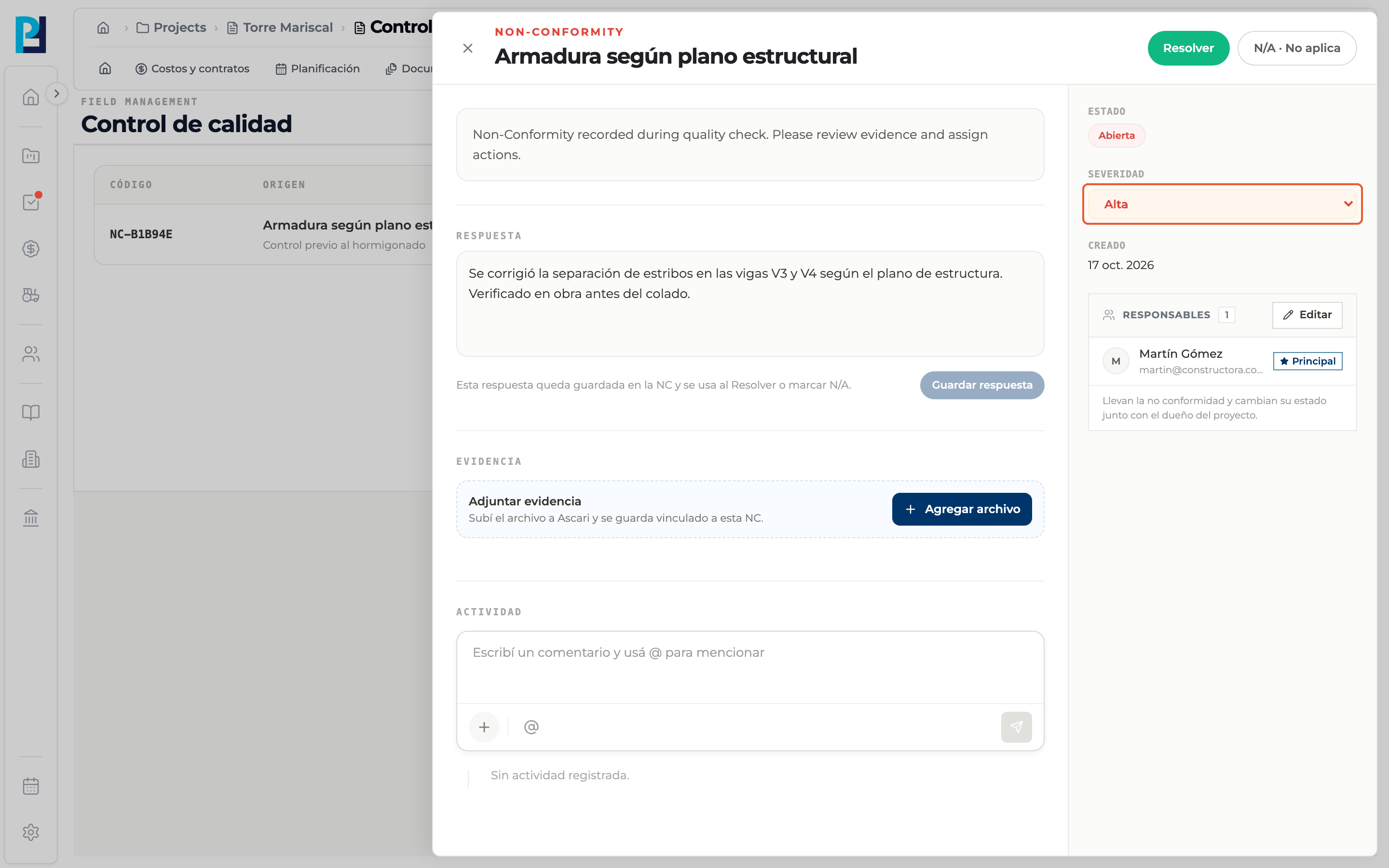
Set the severity
In the right sidebar, Severity: Low, Medium, High or Critical. It is saved when you pick it.
- 03
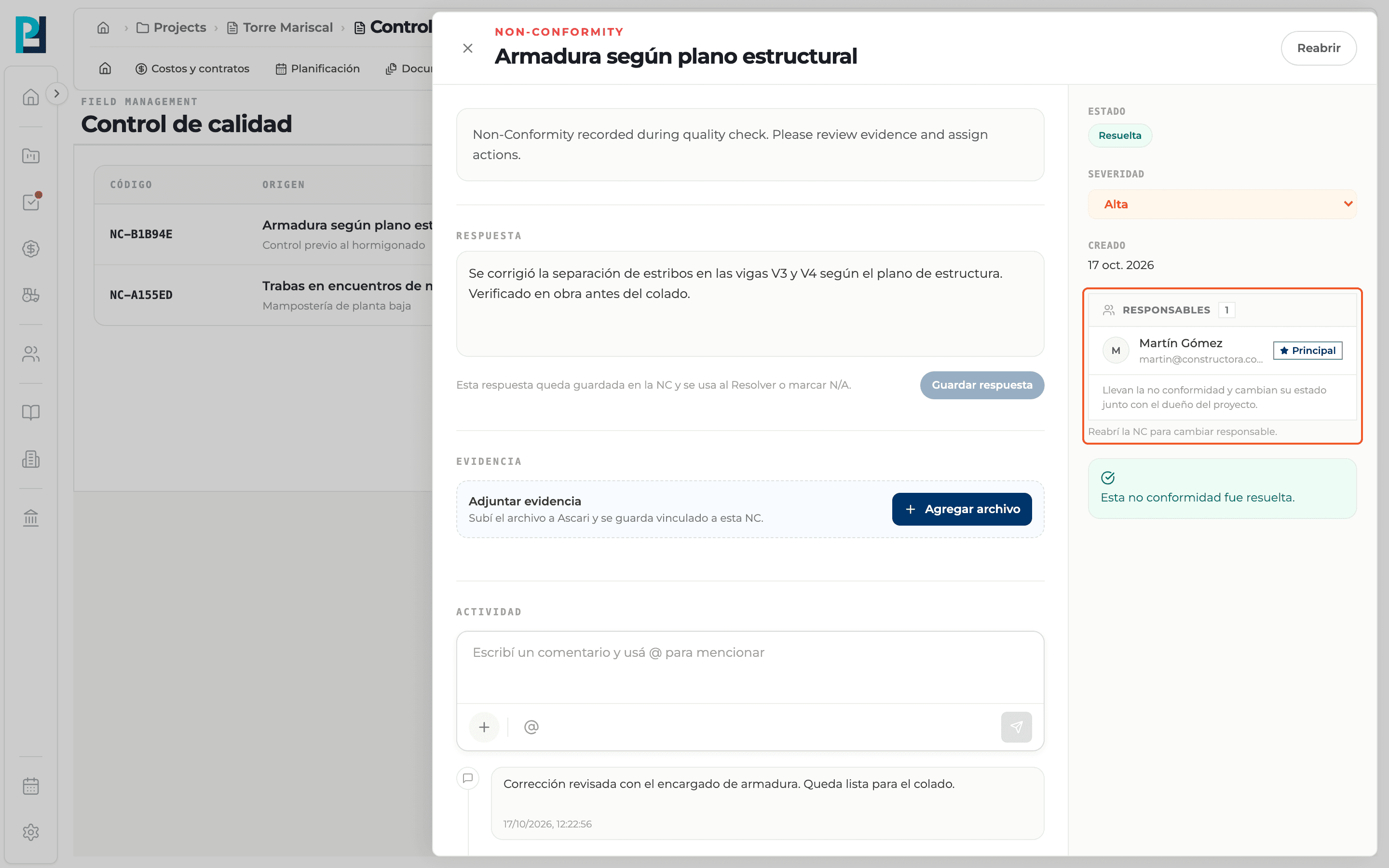
Review the responsibles
The Responsibles block lists who handles the non-conformity and changes its status together with the project owner. Use Edit to add or remove people. If it is resolved, reopen it first.
- 04
Write the response
In Response explain the fix or the justification. While there are unsaved changes you see "Unsaved changes"; click Save response.
- 05
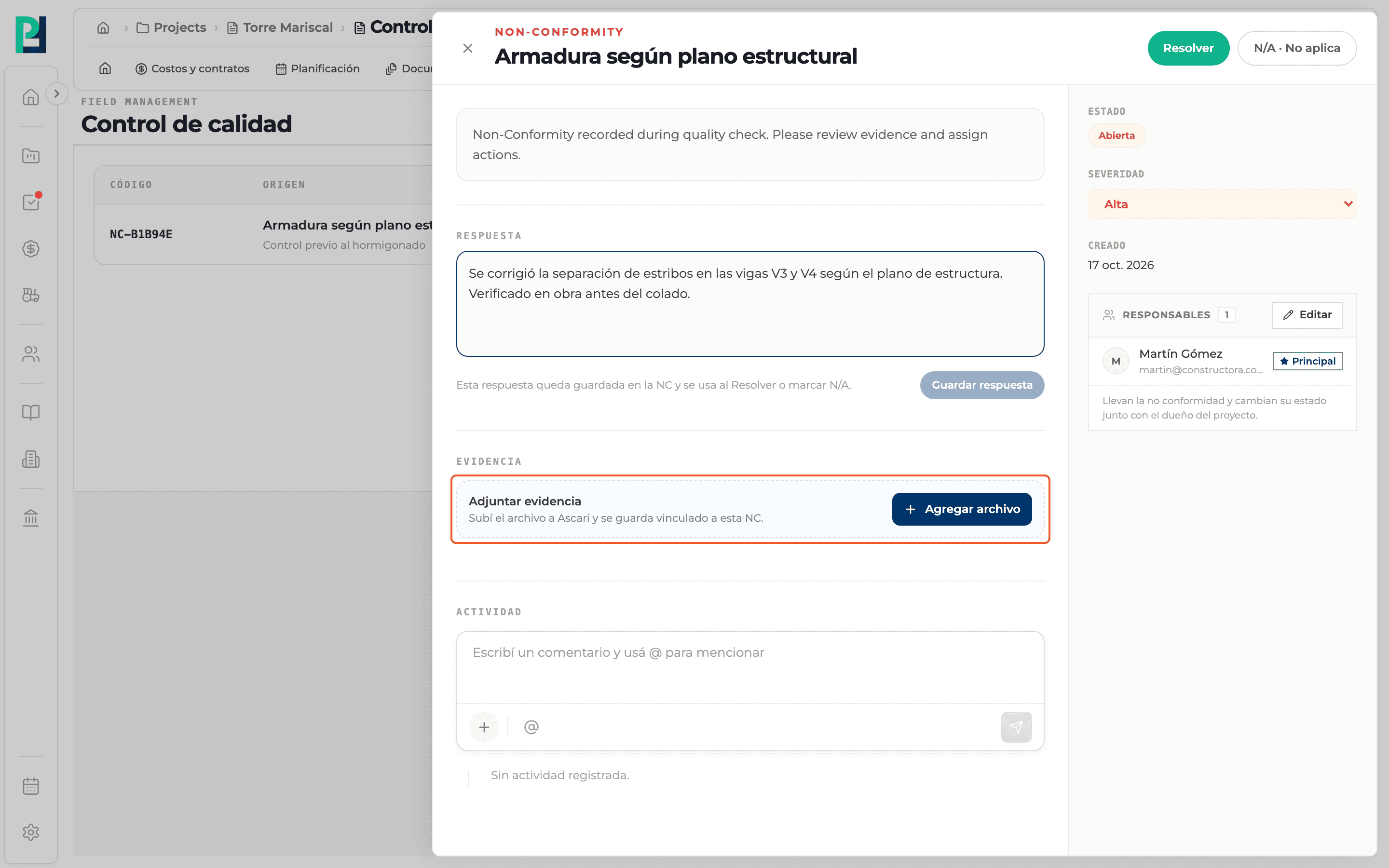
Attach evidence
Under Evidence use Add file; the upload progress is shown.
- 06
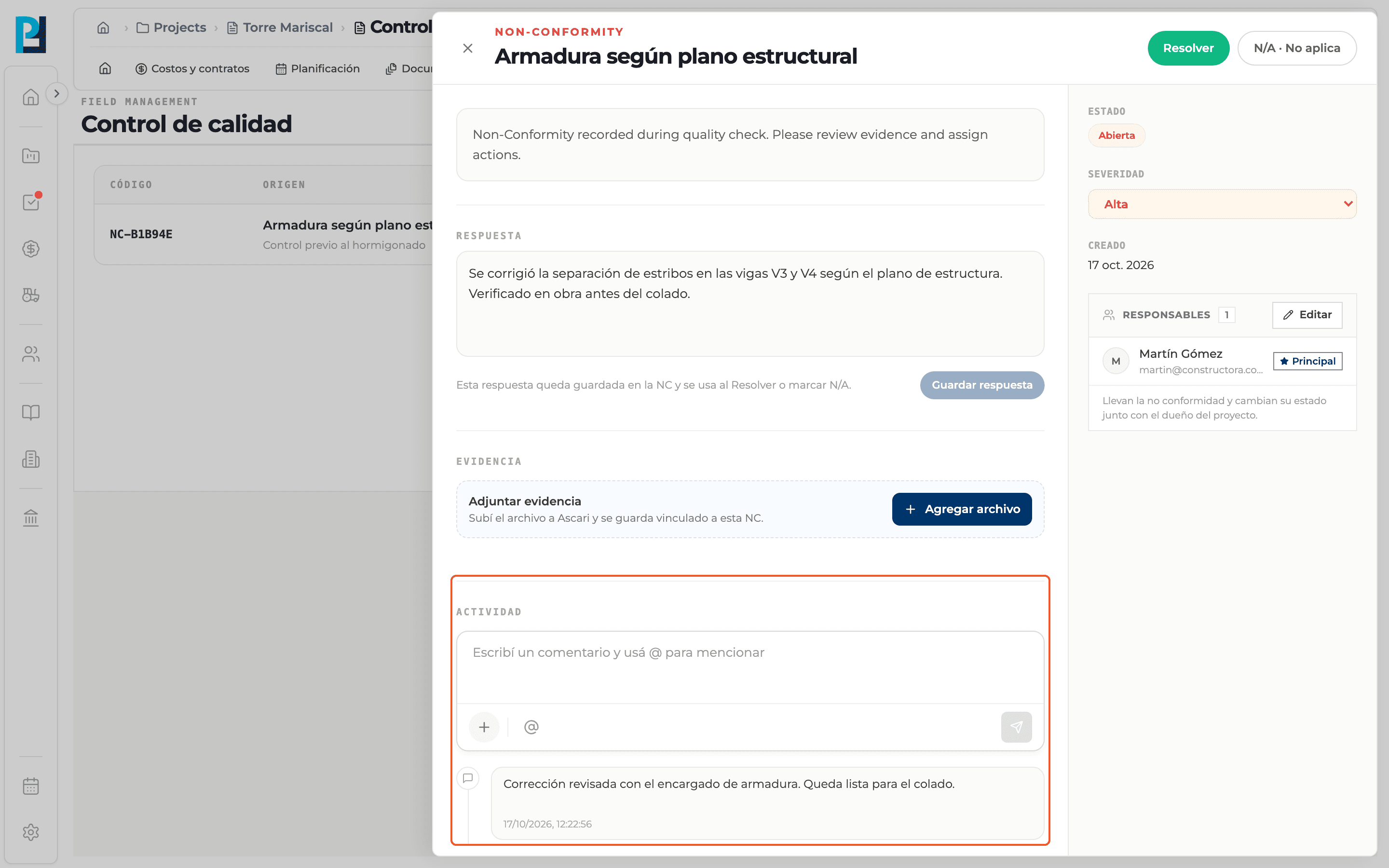
Comment
Under Activity type a comment and use @ to mention someone.
- 07
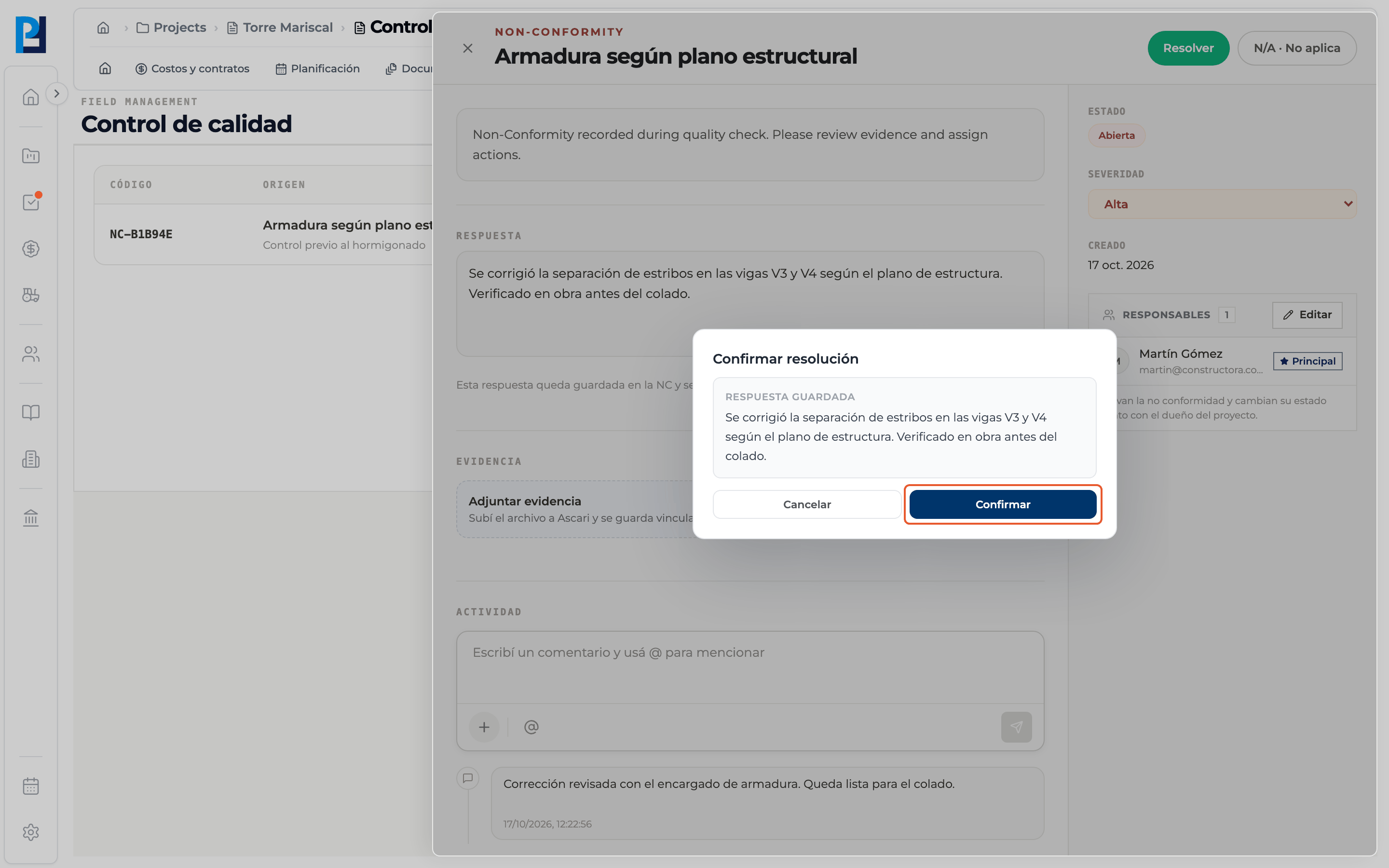
Resolve
Click Resolve (or N/A · Not applicable). In the confirmation dialog review the saved response and click Confirm. You need a saved response or at least one evidence file.
- 08
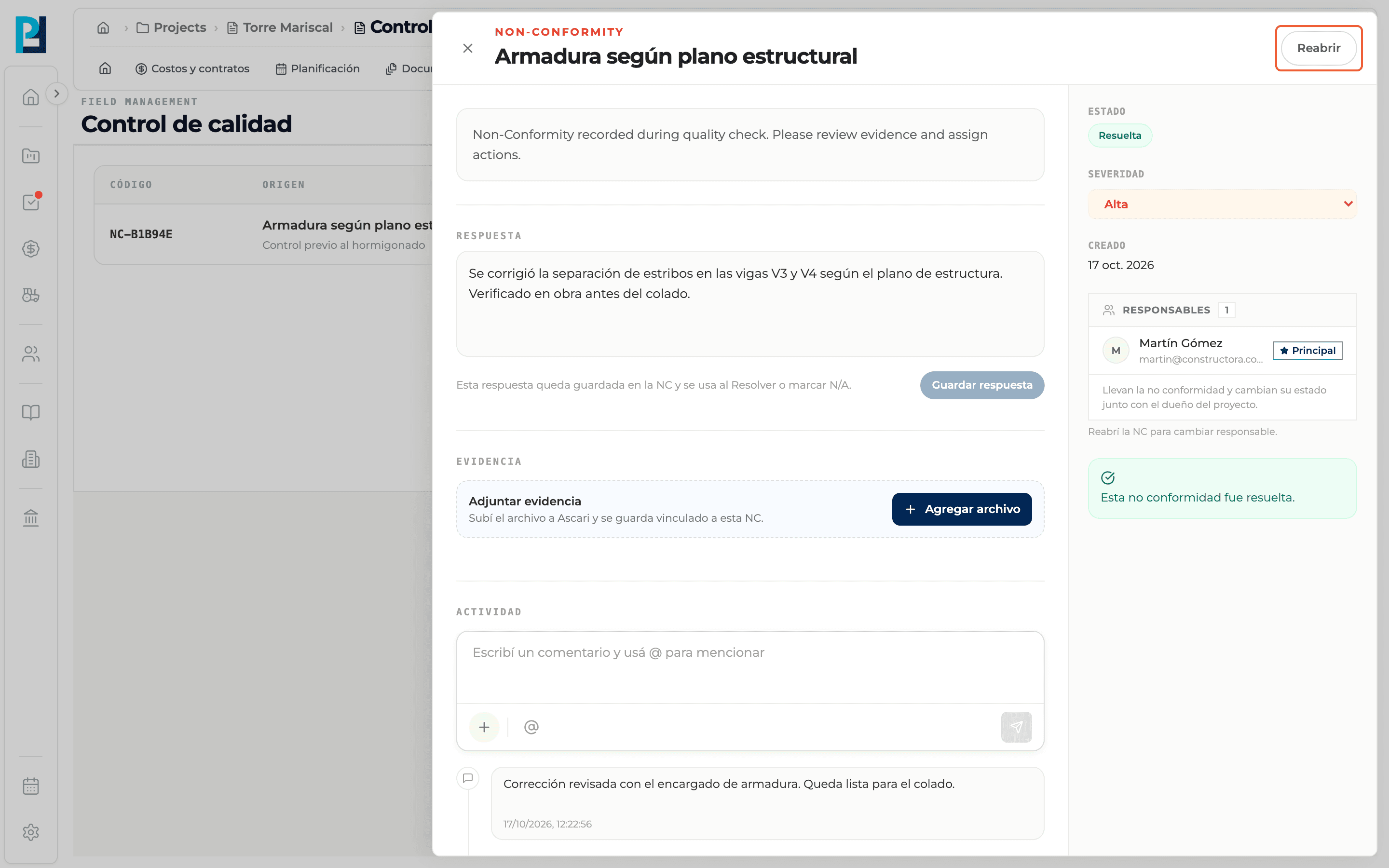
Reopen if needed
Once resolved or marked N/A, the Reopen button sets it back to Open.
What you'll learn
How manage a non-conformity works inside Perfour.
What information you need and how it stays connected to Quality.
How to preserve traceability and find the record later.
Frequently asked questions
What statuses does a non-conformity have?+
Open, Resolved and N/A · Not applicable. The list shows them as Open, Closed and Void.
Can I resolve without writing a response?+
Yes, if evidence is already attached.
What changes in the check when it is resolved?+
The item's NC tag turns grey and the item can be marked Pass.