Attach documents and evidence
Files are presented with the submittal and with each revision. The reviewer can also add attachments to the response.
How to complete attachments
- 01
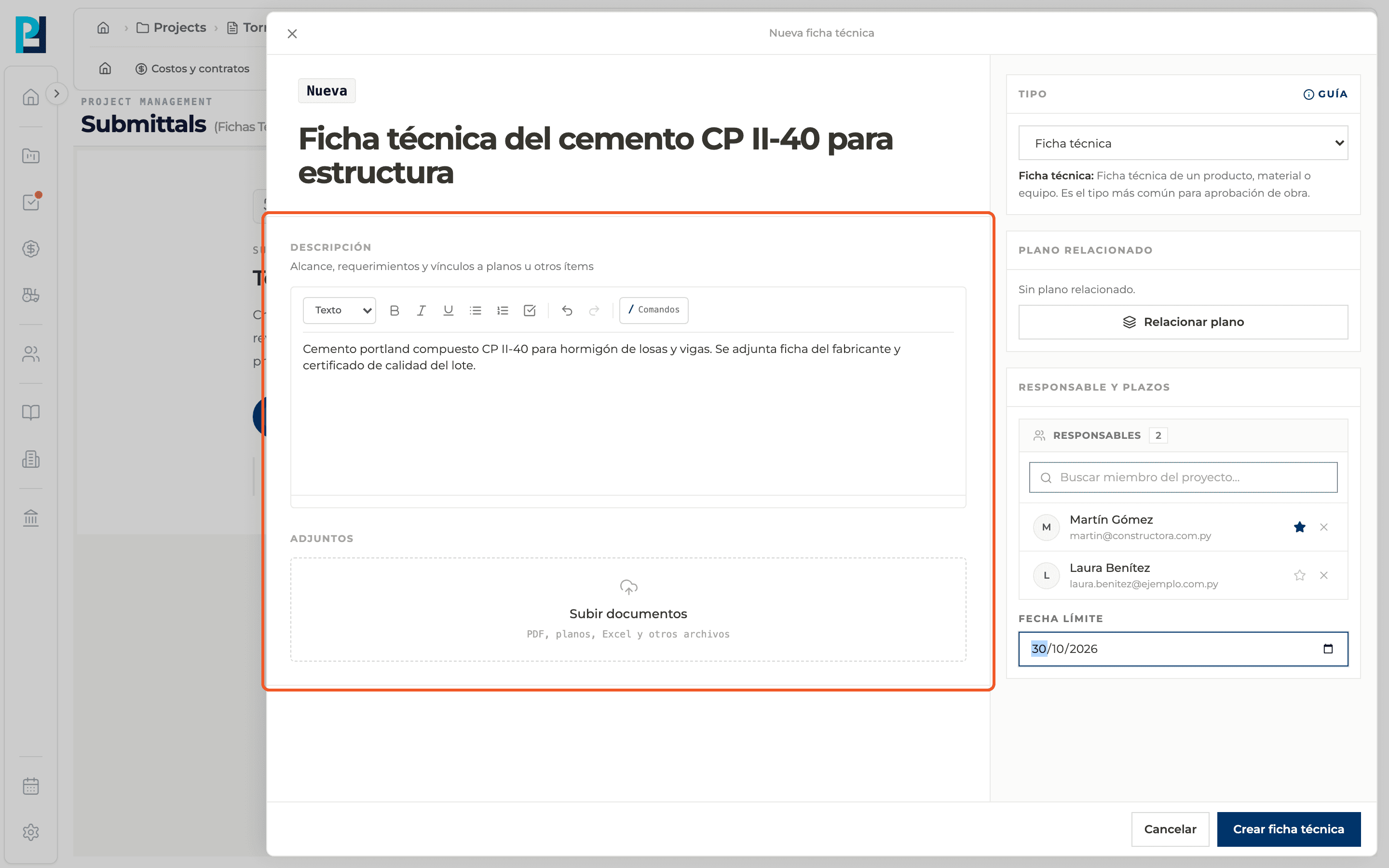
Attach when creating
In the panel's Attachments section use Upload documents. PDF, DWG, images (JPG, PNG, HEIC), Excel and Word are accepted. You can remove a file with the trash icon before creating.
- 02
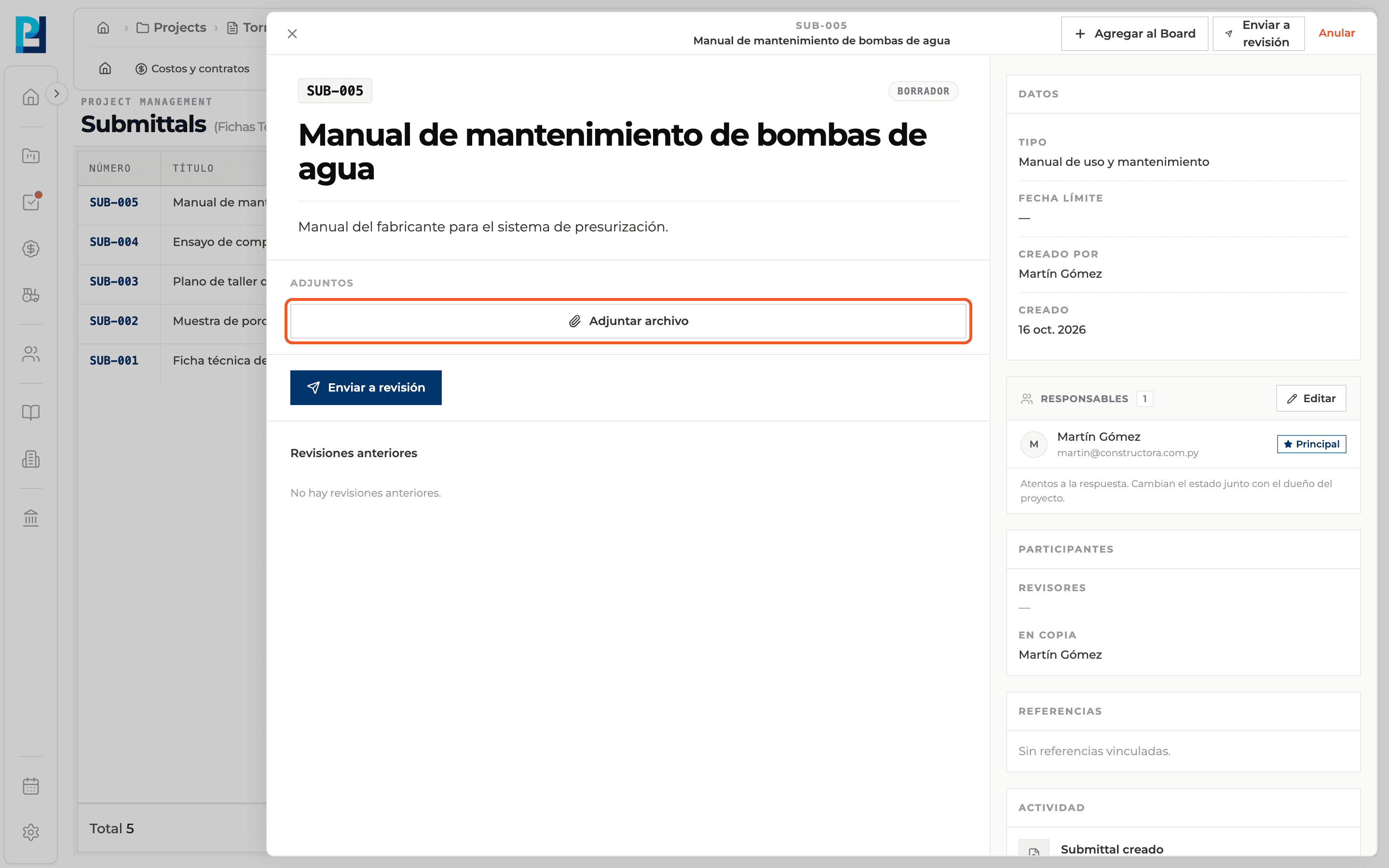
Attach in the detail
While the submittal is a Draft, the detail's Attachments section has the Attach file button. With no files it reads "No attachments on the submittal."
- 03
Download or remove
Each file has an icon to download it and another to remove it. Removing is only available while the submittal can be edited.
- 04
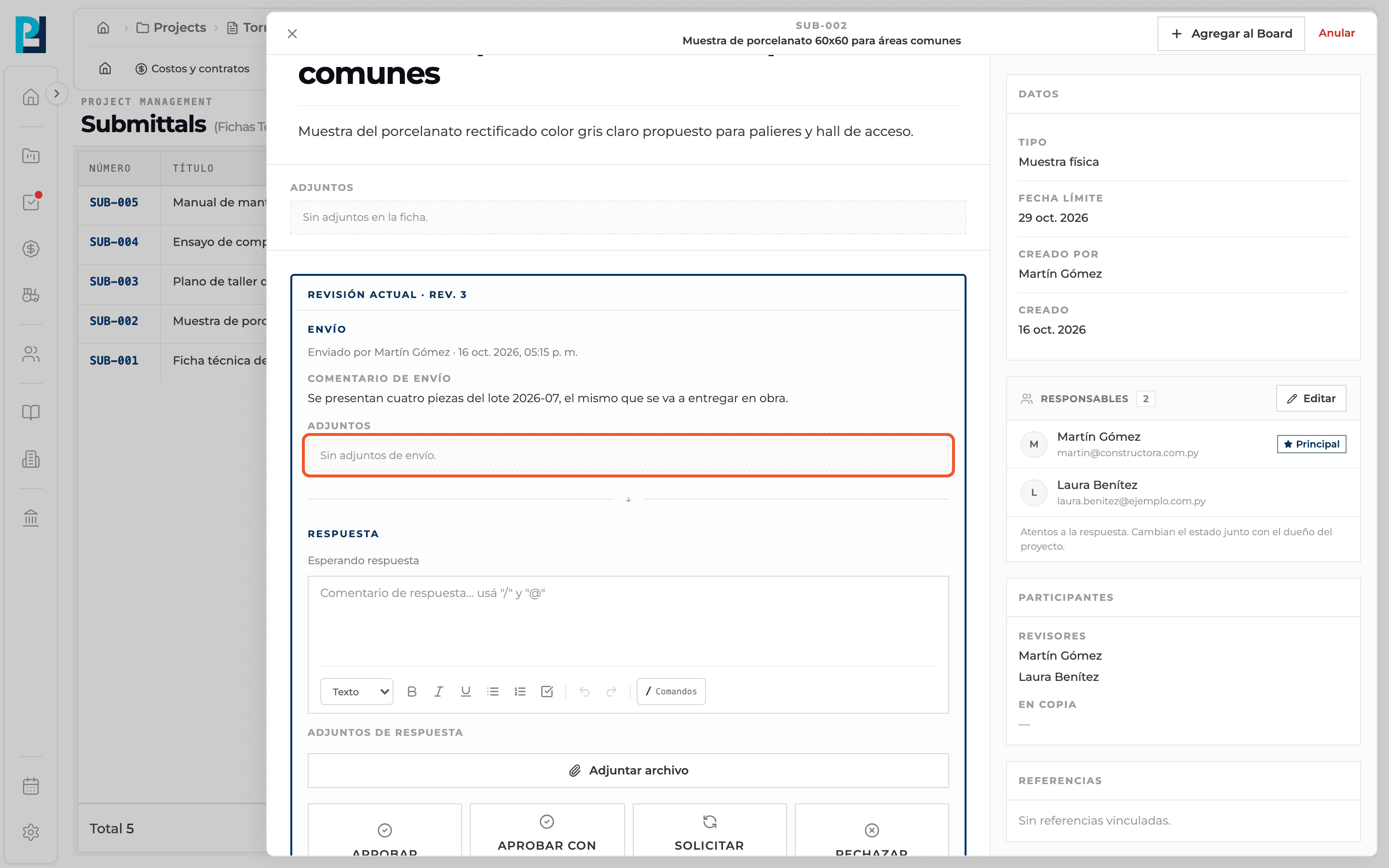
See the submission attachments
Inside each revision, the Submission block lists the files presented. If there are none, it says so.
- 05
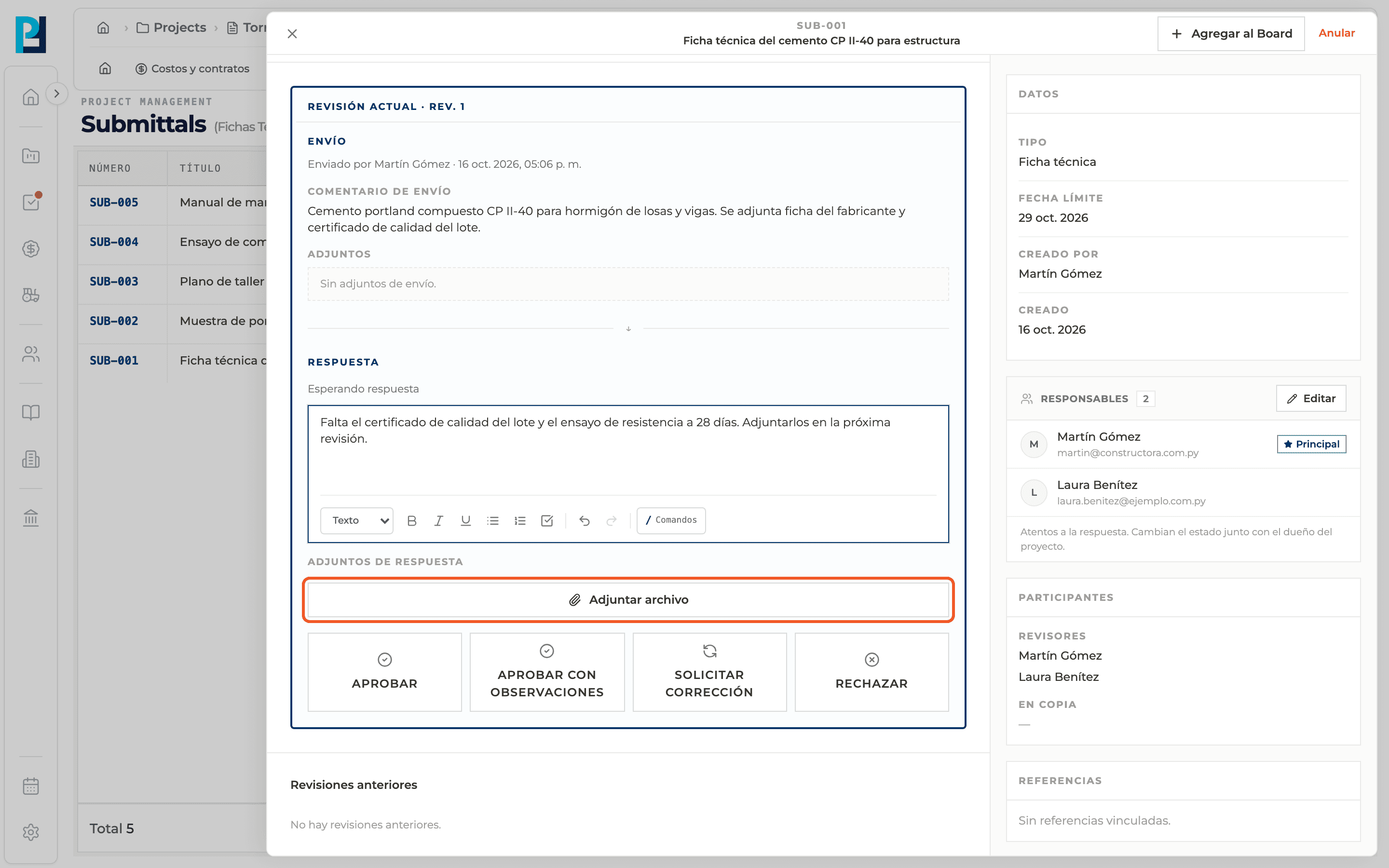
Attach to the response
When responding, the reviewer can add files with Attach file under Response attachments. They become read-only afterwards.
What you'll learn
How attach documents and evidence works inside Perfour.
What information you need and how it stays connected to Submittals.
How to preserve traceability and find the record later.
Frequently asked questions
What if the upload fails?+
You will see an error message and can try again.
Can I add attachments to a submittal already sent?+
Not to the submittal itself. To present new files, create a new revision with its own attachments.