Submittals / 11
Relate the submittal to a drawing
Link the submittal to the project drawing it belongs to.
2 minutes
Step by step
How to complete related drawing
- 01
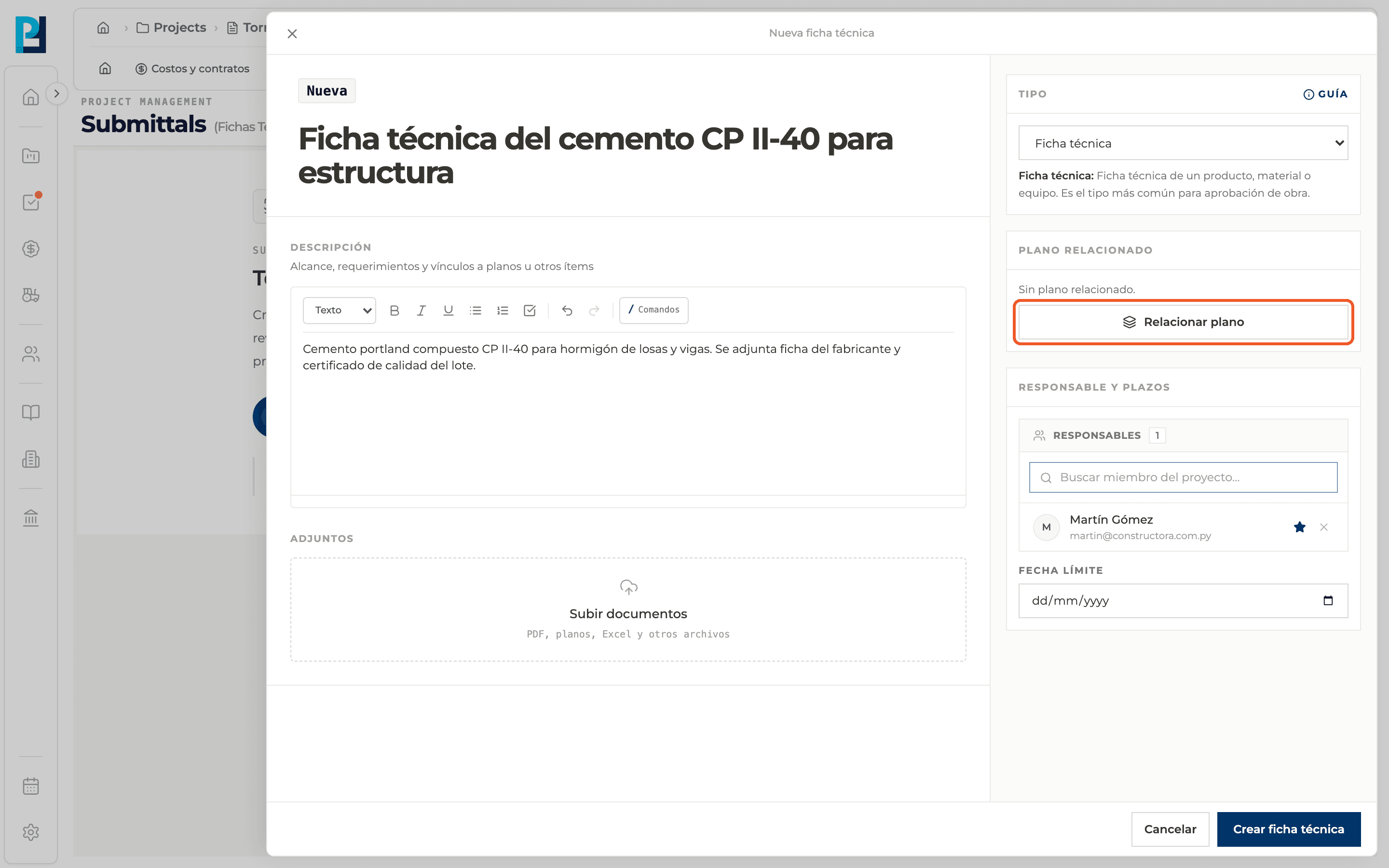
Open the search
In the creation panel, Related drawing section, click Relate drawing.
- 02
Pick the drawing
Search the sheet and select it. If the project has no drawings, a message says so and you can continue with No drawing.
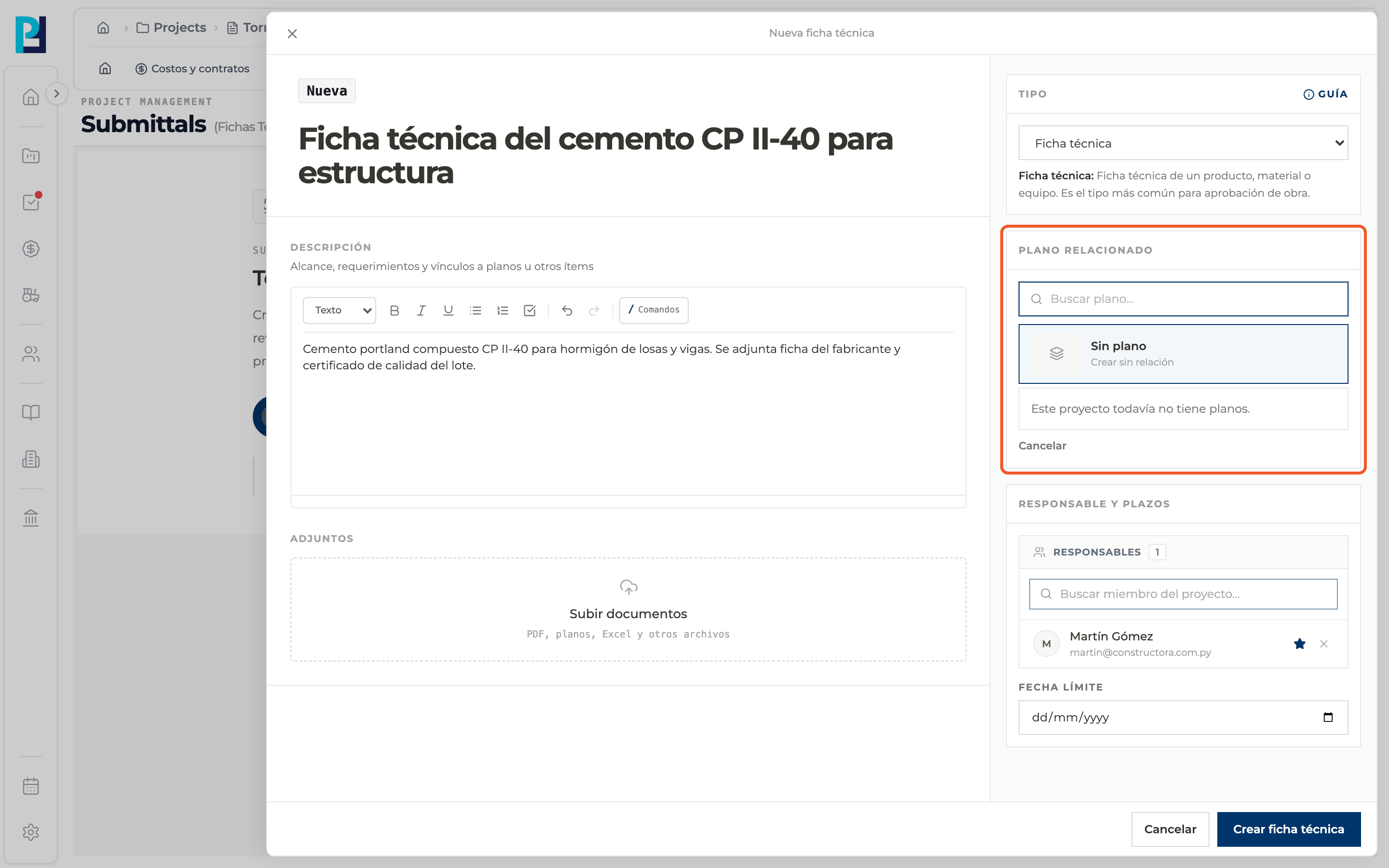
- 03
Change or remove the drawing
Change drawing picks another one and Remove relation takes it off. Cancel closes the search.
- 04
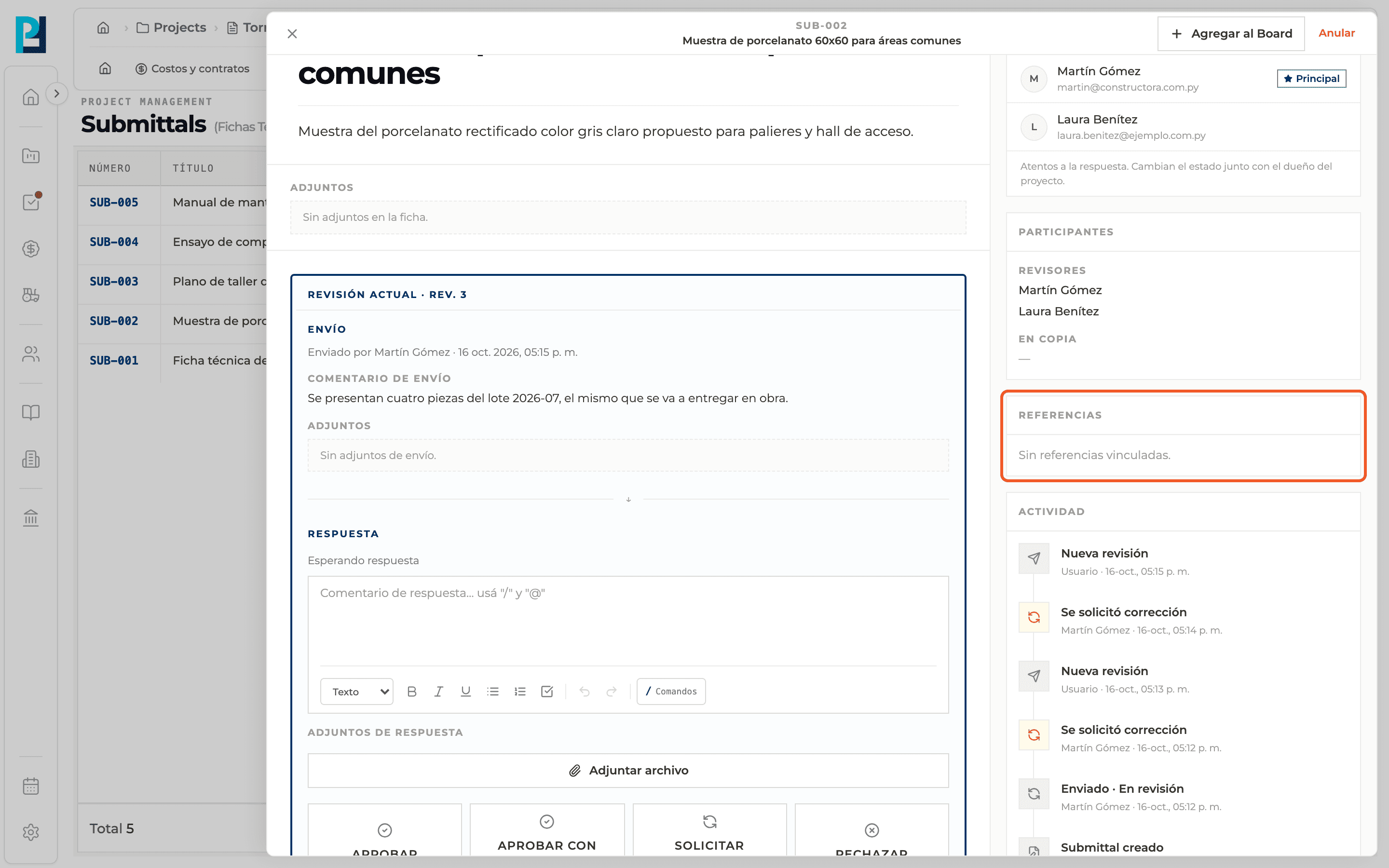
See it in the detail
The detail's References block shows the linked drawing; click it to open. With no drawing it reads that there are no linked references.
What you'll learn
How relate the submittal to a drawing works inside Perfour.
What information you need and how it stays connected to Submittals.
How to preserve traceability and find the record later.
FAQ
Frequently asked questions
Can I link the submittal to an RFI or a task?+
The panel only offers relating a drawing. To mention other items, use / in the description.