Choose the submittal type
The type classifies what is presented. It does not change the approval flow.
How to complete submittal types
- 01
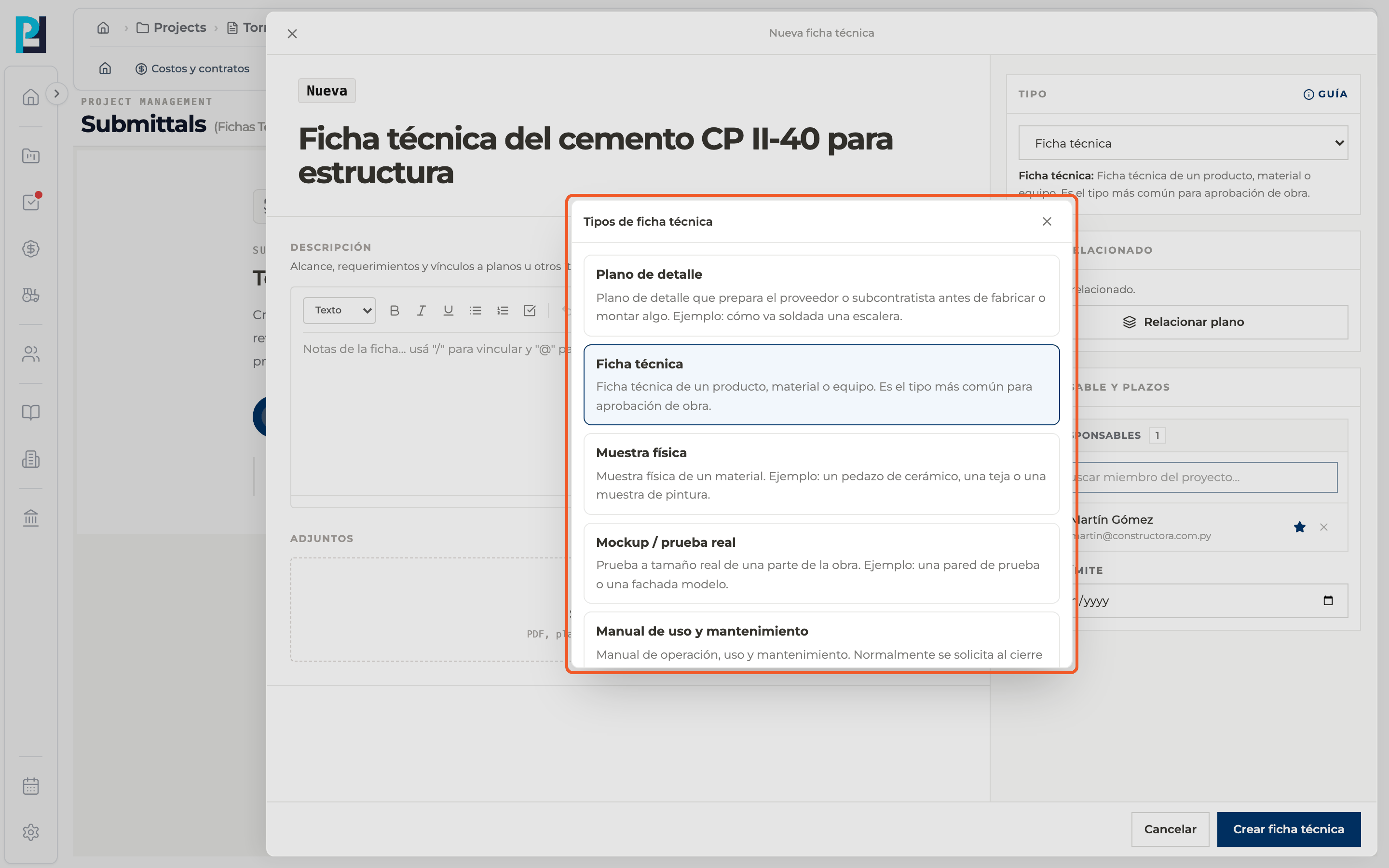
Open the selector
In the creation panel, Type section, open the selector. It defaults to Product data.
- 02
Learn the types
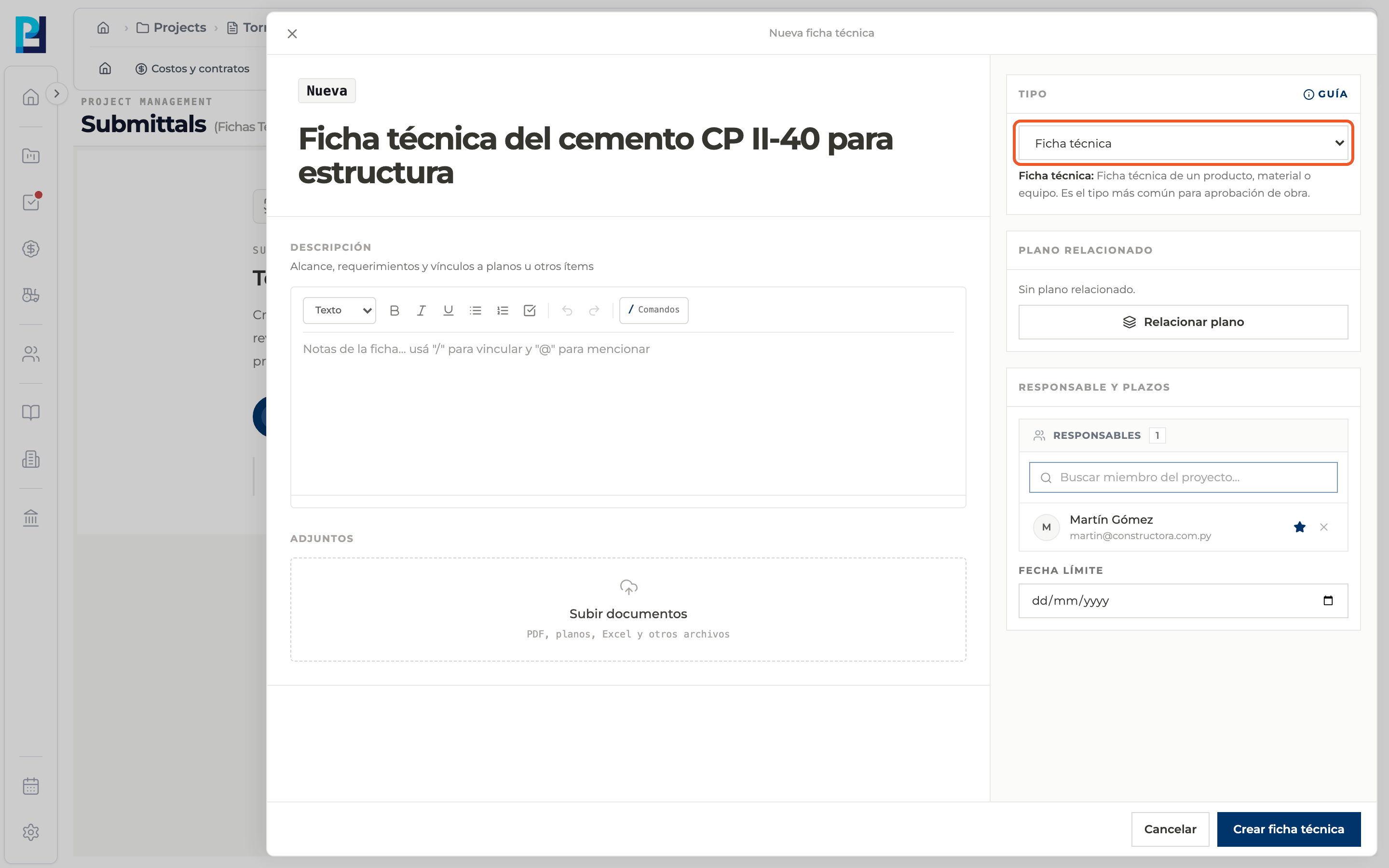
Shop drawing: a drawing prepared by the supplier or subcontractor before fabricating or installing something. Product data: data sheet for a product, material or equipment; the most common type. Physical sample: a physical material, such as a tile or a paint sample. Mockup: a full-size test of a part of the work. O&M manual: usually requested at project closeout. Test report: result of a lab test. Other: any other approval document.
- 03
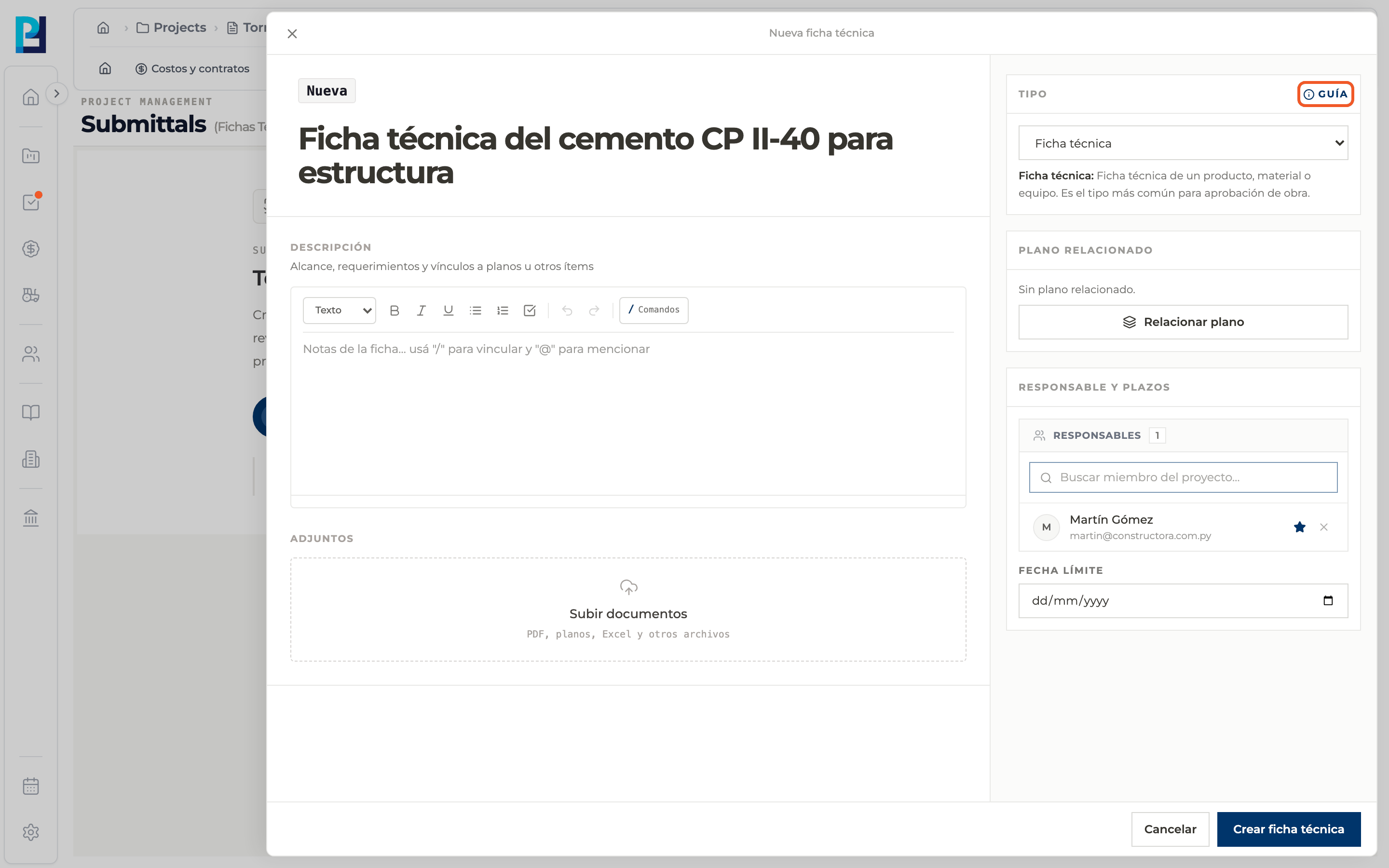
Get help
The Guide button opens the list of submittal types with all descriptions. Pick one from the list and it is applied.
- 04
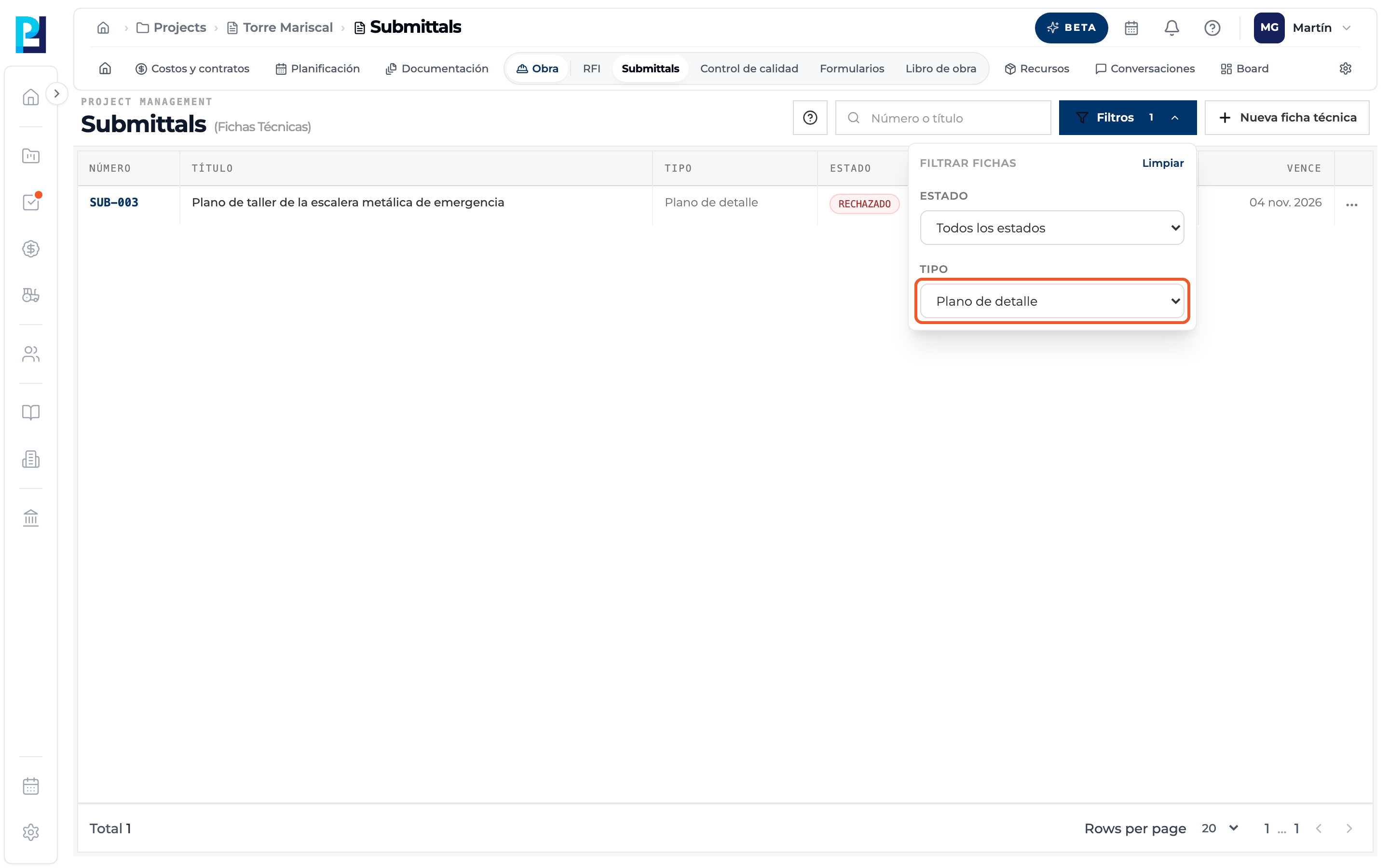
Filter by type
In the list, Filters → Type shows only submittals of that type.
What you'll learn
How choose the submittal type works inside Perfour.
What information you need and how it stays connected to Submittals.
How to preserve traceability and find the record later.
Frequently asked questions
Can I change the type after creating the submittal?+
No. The detail shows the type under Data, but there is no control to change it.