Submittals / 16
Void a submittal
Voiding takes the submittal out of the flow. It cannot be undone.
1 minutes
Step by step
How to complete void
- 01
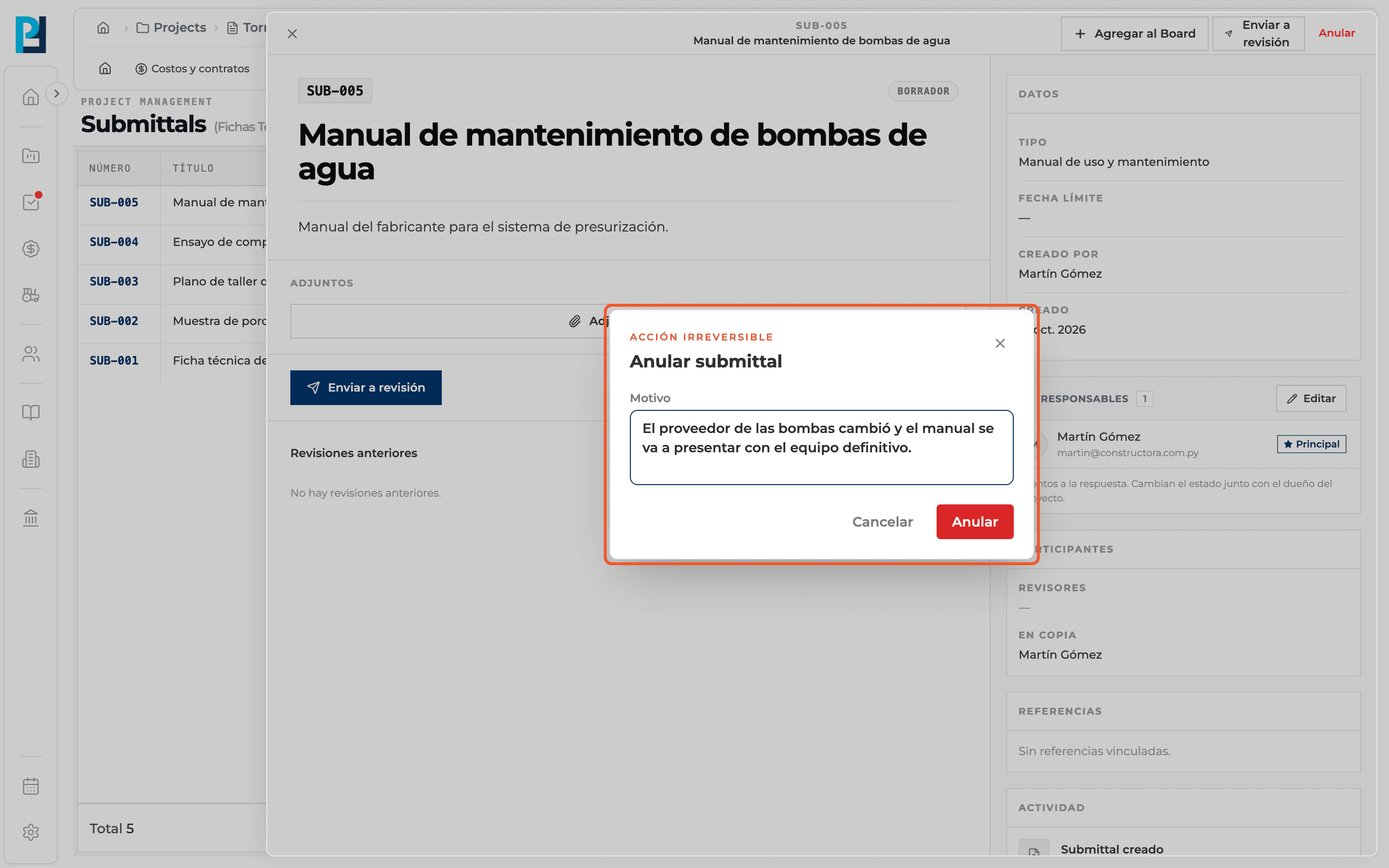
Open the submittal
In the detail header click Void. It is available in any status except Void.
- 02
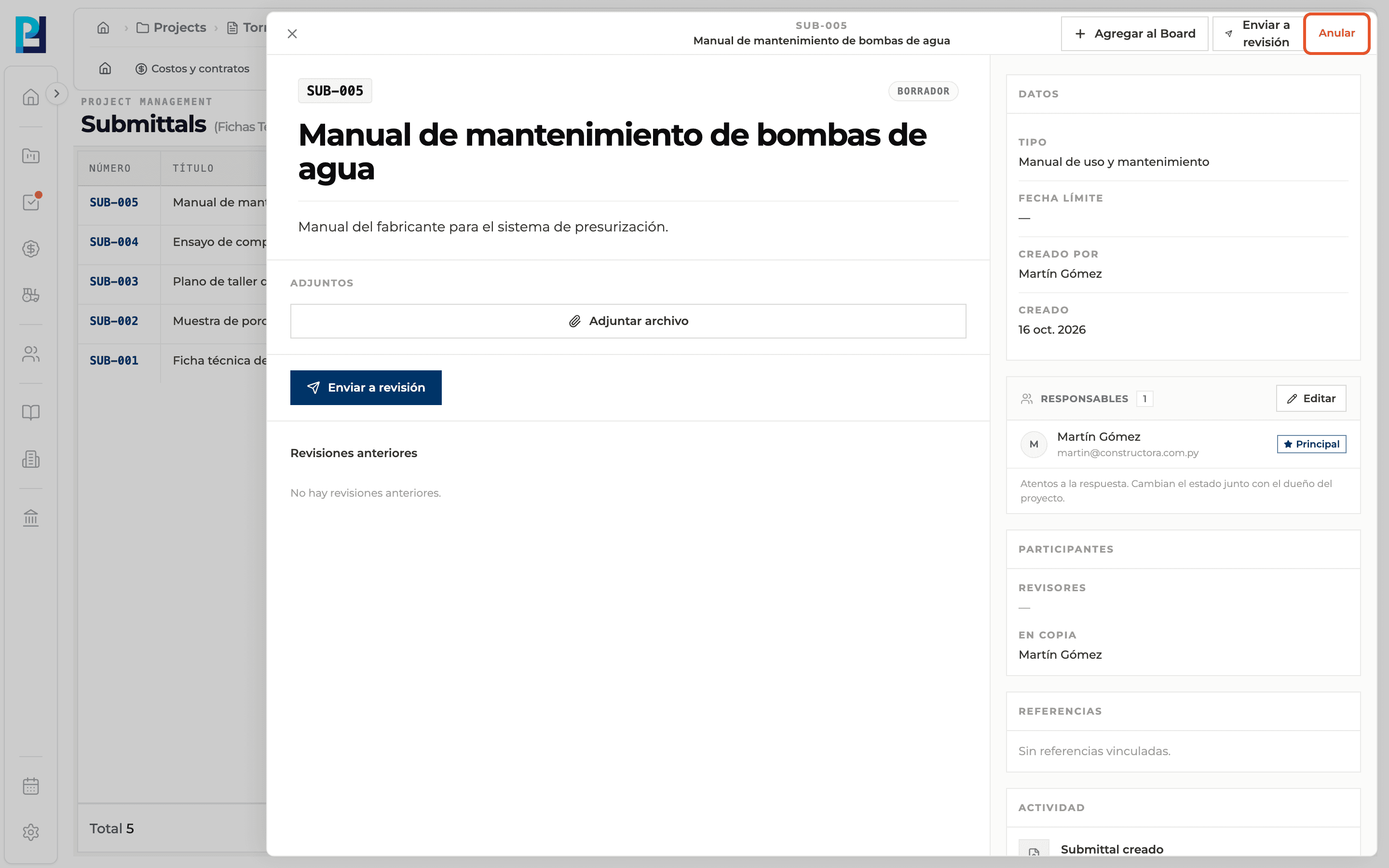
Write the reason
In the void dialog (irreversible action) fill in the Reason. It is required.
- 03
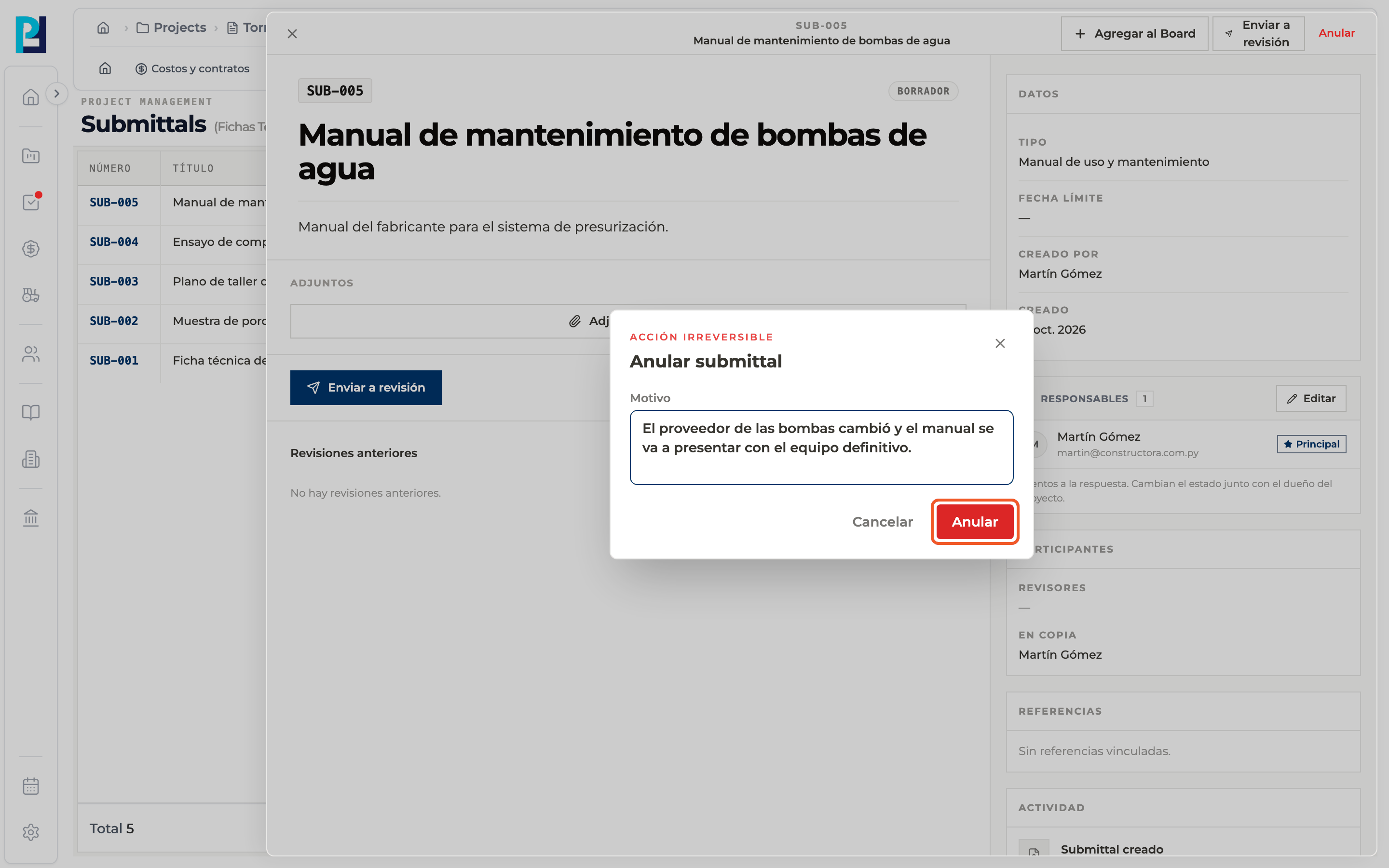
Confirm
Click Void. If you change your mind, use Cancel or the X.
- 04
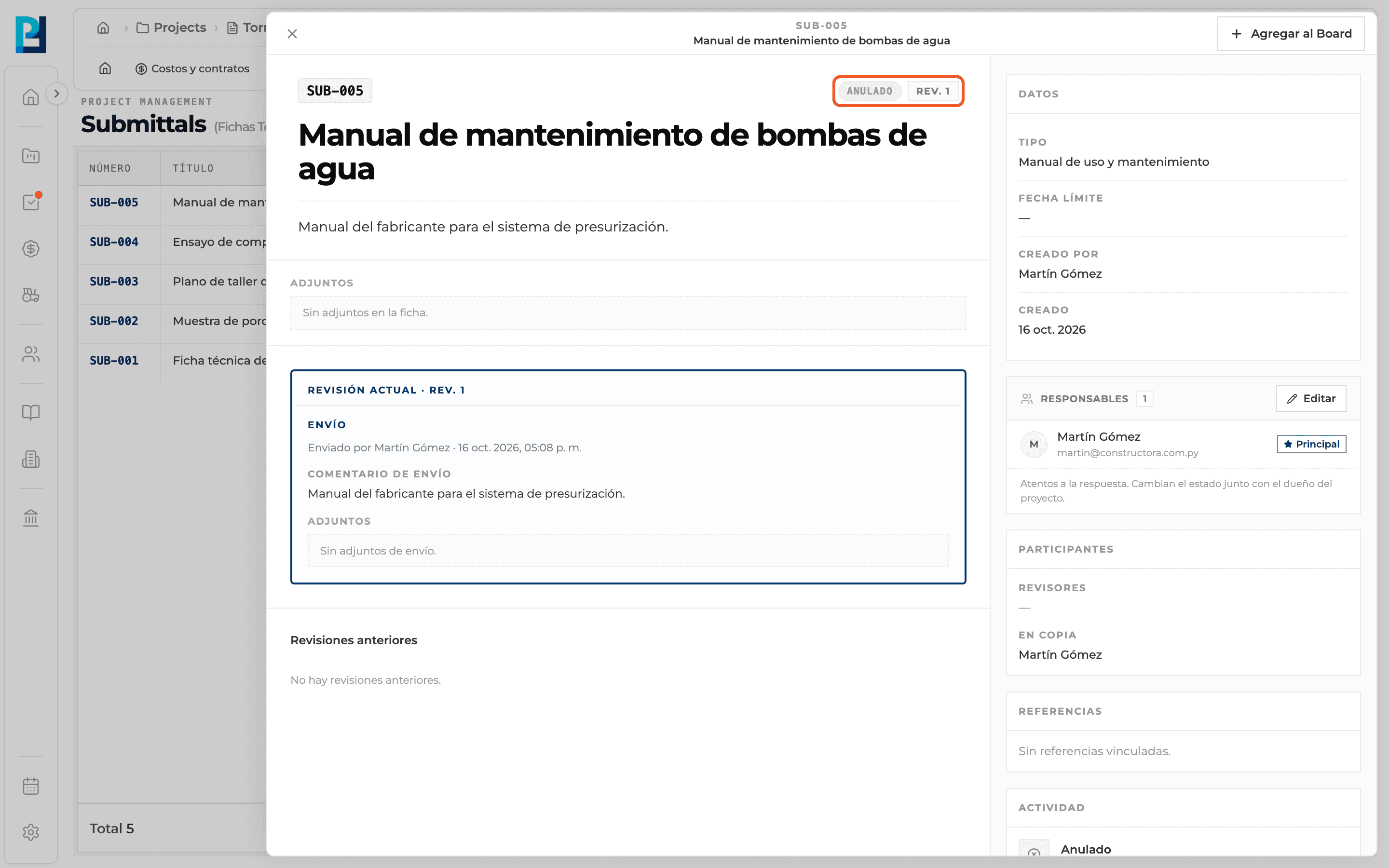
Check the status
The submittal becomes Void, stops showing actions and the voiding is recorded in the Activity.
What you'll learn
How void a submittal works inside Perfour.
What information you need and how it stays connected to Submittals.
How to preserve traceability and find the record later.
FAQ
Frequently asked questions
Can I recover a void submittal?+
No. Voiding cannot be undone.
Can it still be edited?+
No. Its attachments become read-only.