Record and edit the day's weather
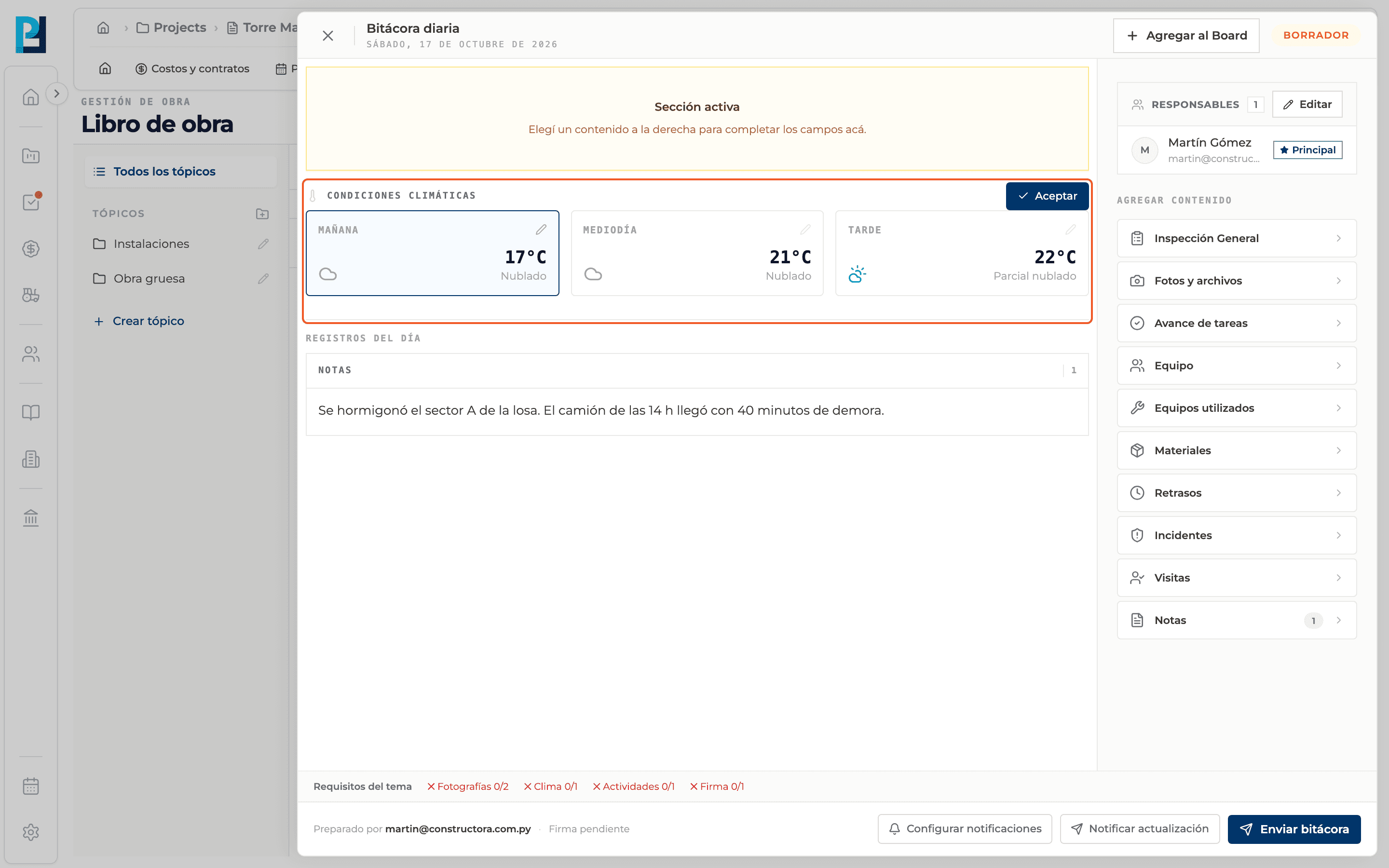
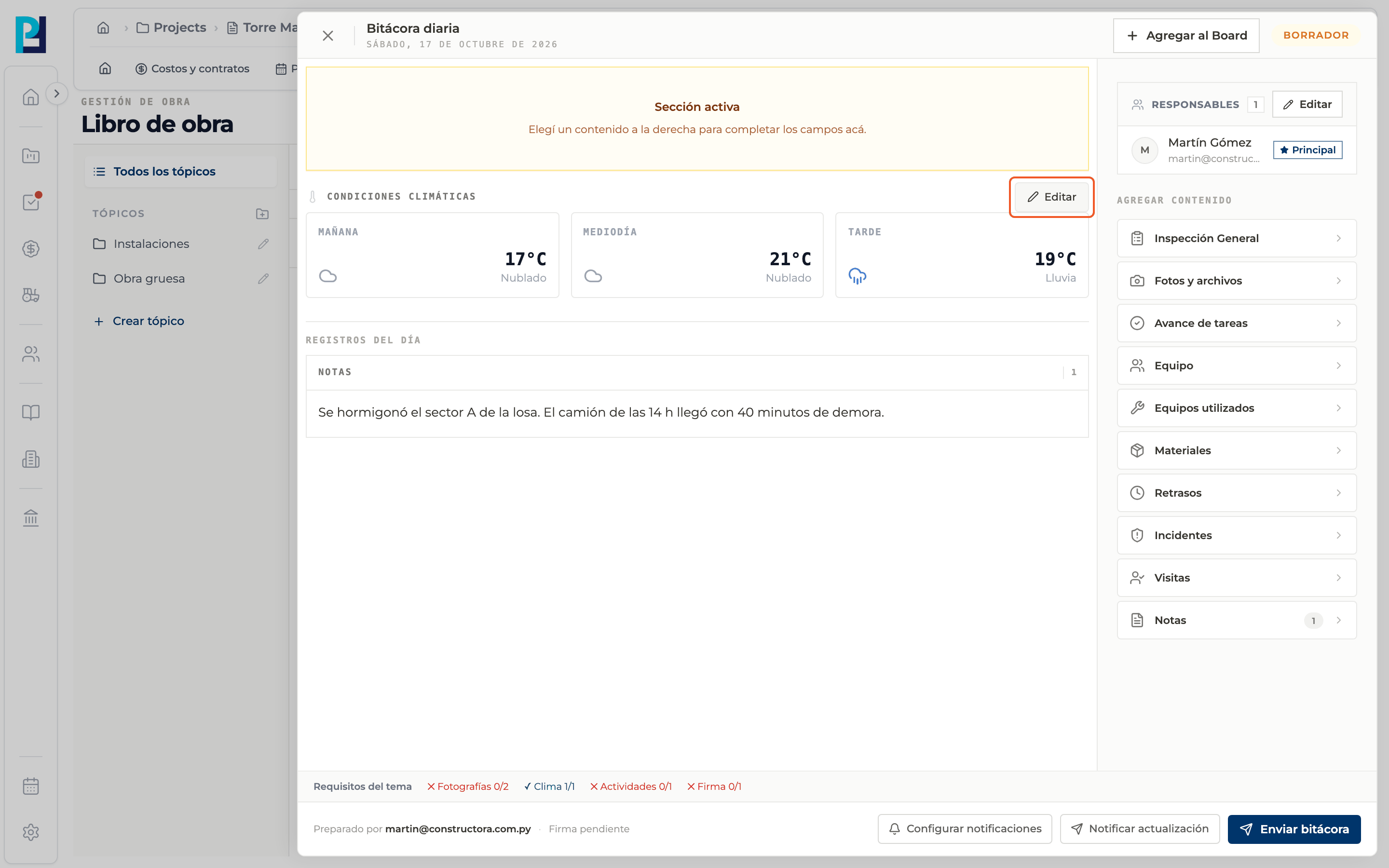
Each log shows Weather conditions in three slots: Morning, Midday and Afternoon. Perfour fills them with the forecast and you confirm or correct them.
How to complete weather
- 01
Find the block
When you open the log, Weather conditions sits above the records.
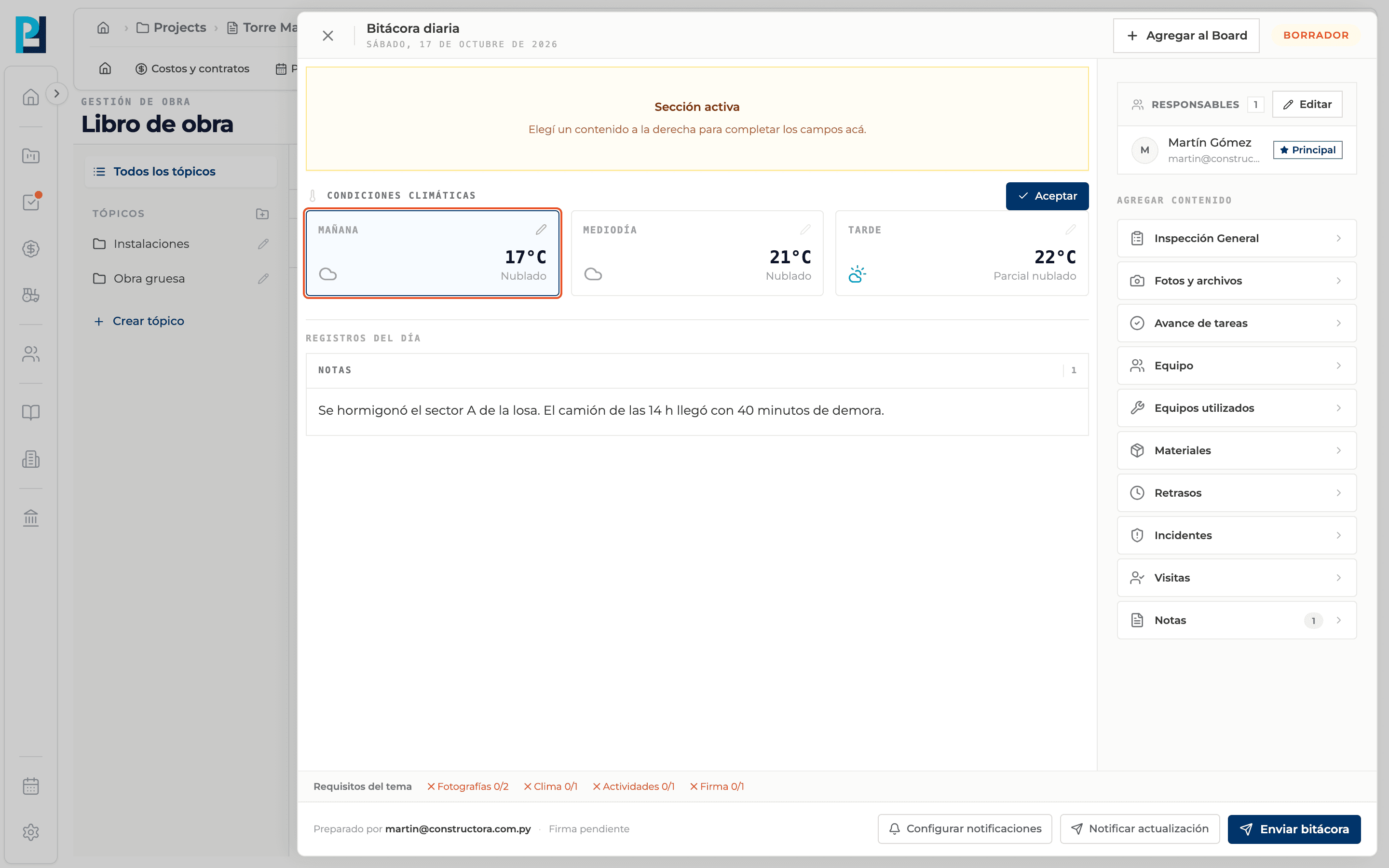
- 02
Review the preloaded values
Each card shows the condition and temperature, based on the forecast for the log's date at the project's location.
- 03
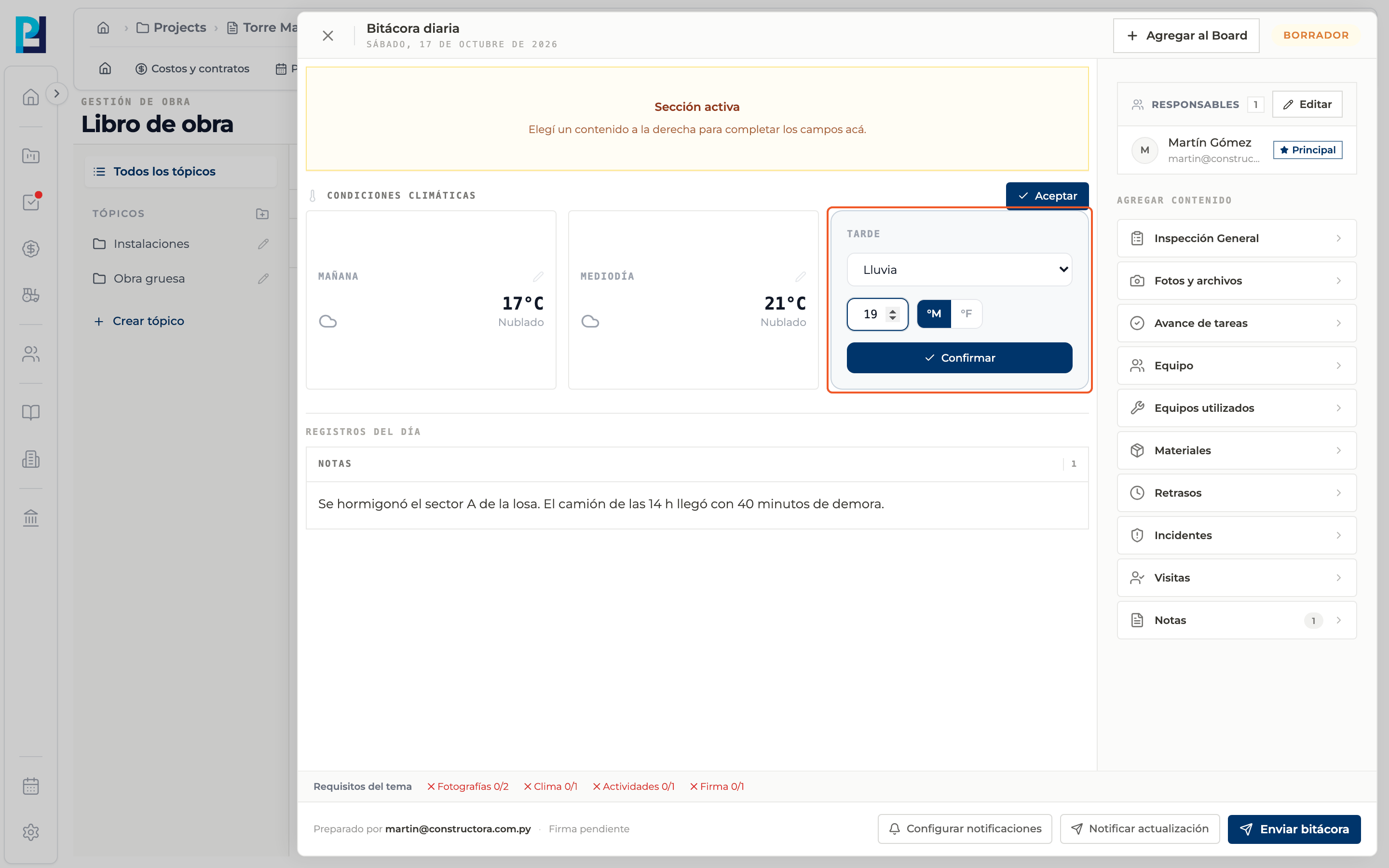
Correct if needed
While the weather is not accepted, click a card: pick the condition (Sunny, Partly cloudy, Cloudy, Rain, Storm or Snow), type the temperature, switch °C / °F and click Confirm.
- 04
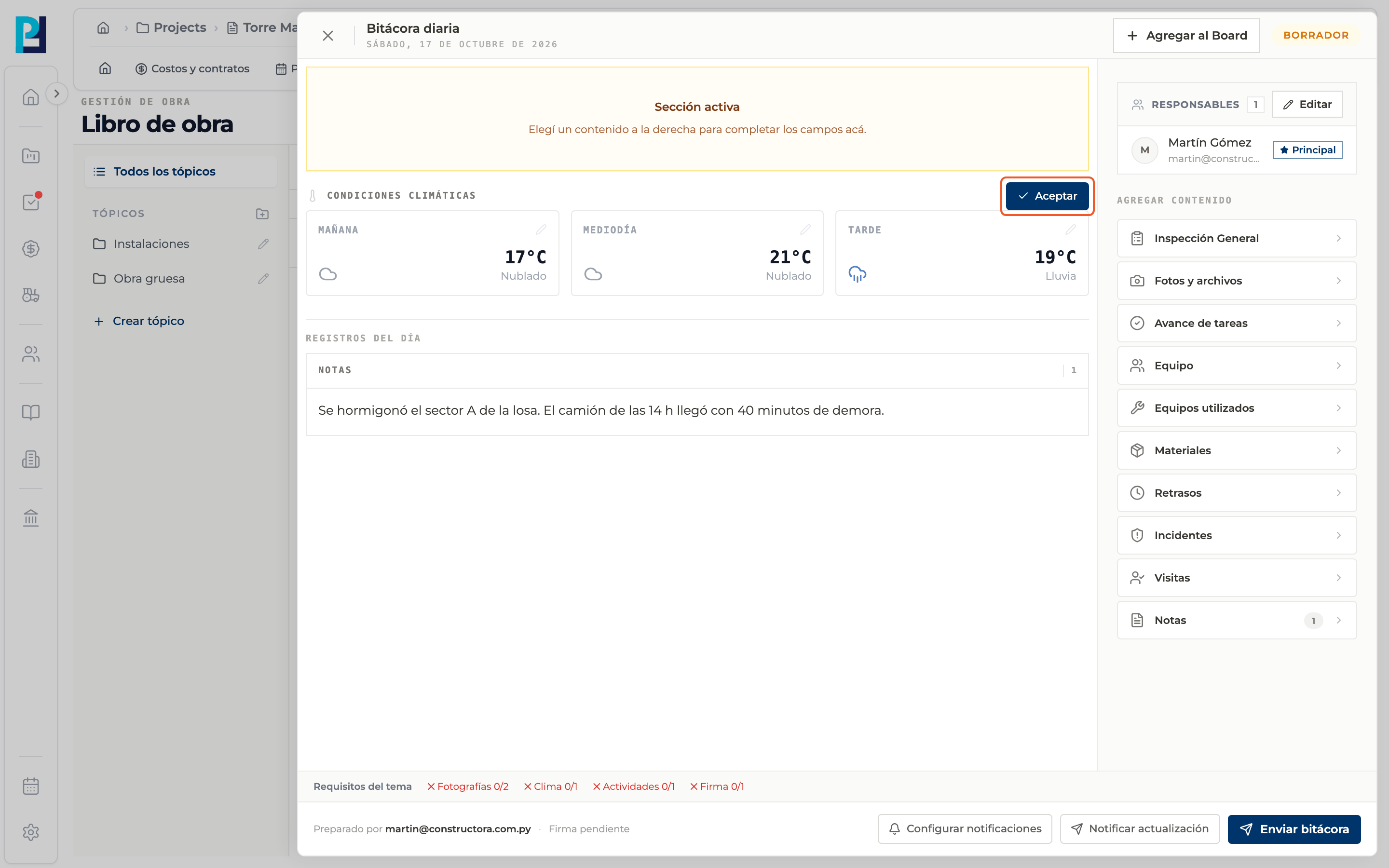
Accept
Click Accept. Only then is the weather recorded in the log.
- 05
Edit later
Once saved, Edit shows; the cards become editable again and the button turns into Save changes.
What you'll learn
How record and edit the day's weather works inside Perfour.
What information you need and how it stays connected to Daily Logs.
How to preserve traceability and find the record later.
Frequently asked questions
Why can't I click the cards?+
The log is read-only or the weather is already accepted: use Edit.
Does weather count as a requirement?+
Yes, a topic can require Weather before submitting.