Visual guide
Create a form from a Perfour type
Create a Custom Form in the project and leave it in Draft.
4 minutes
Step by step
Follow each step on screen
- 01
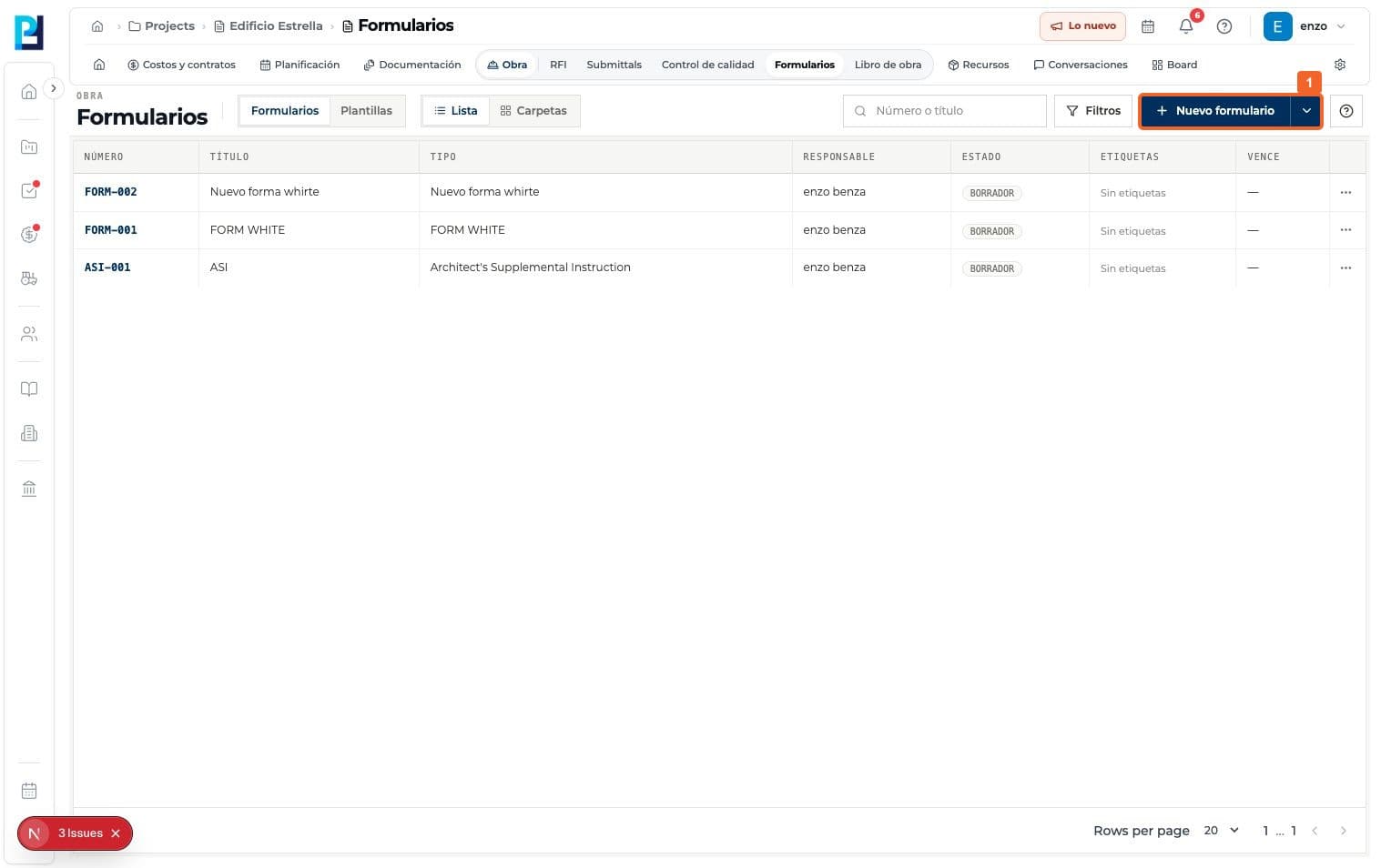
Open Forms in the project and select New form.
- 02
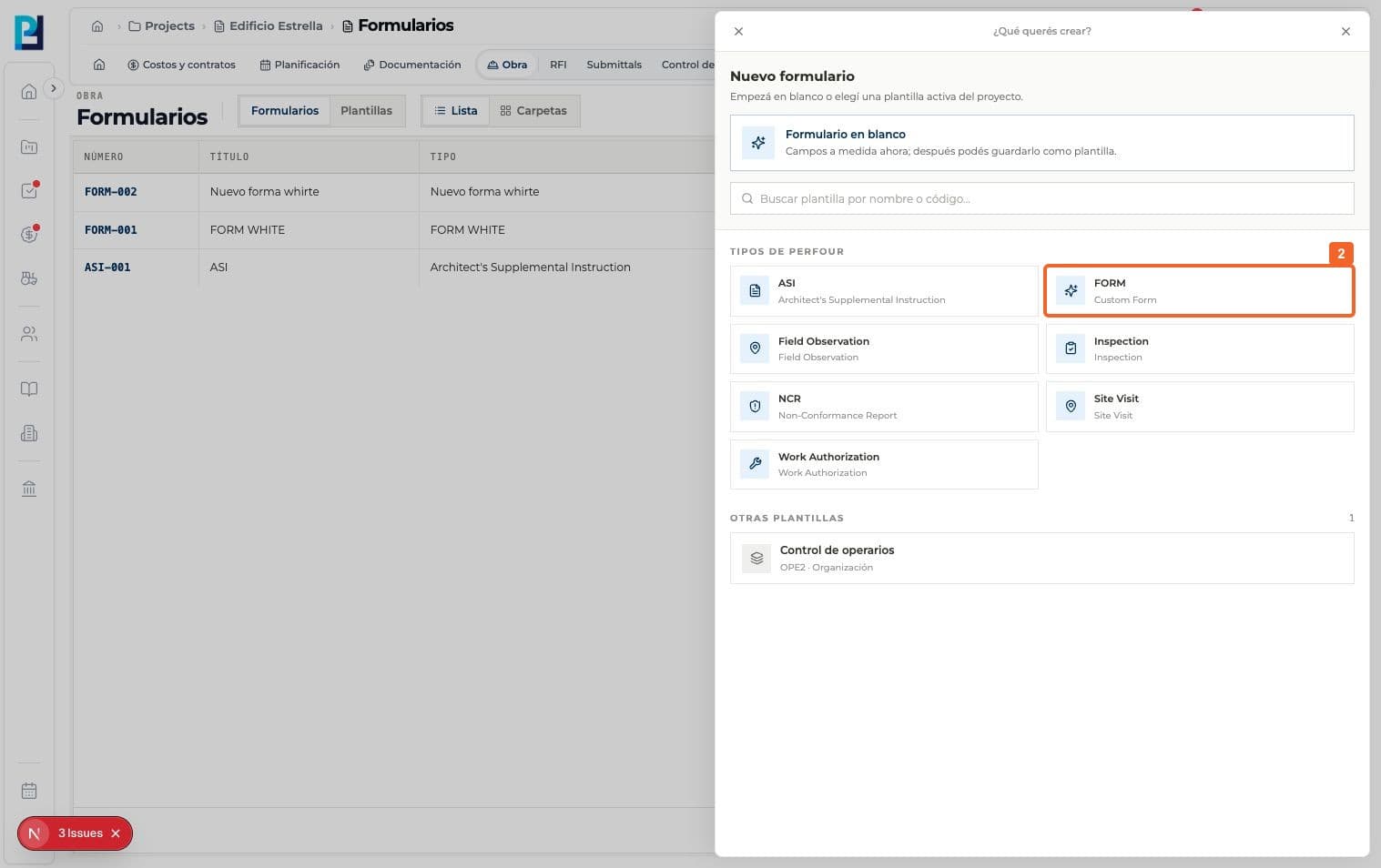
Choose a type or template. The example selects FORM / Custom Form under Perfour types.
- 03
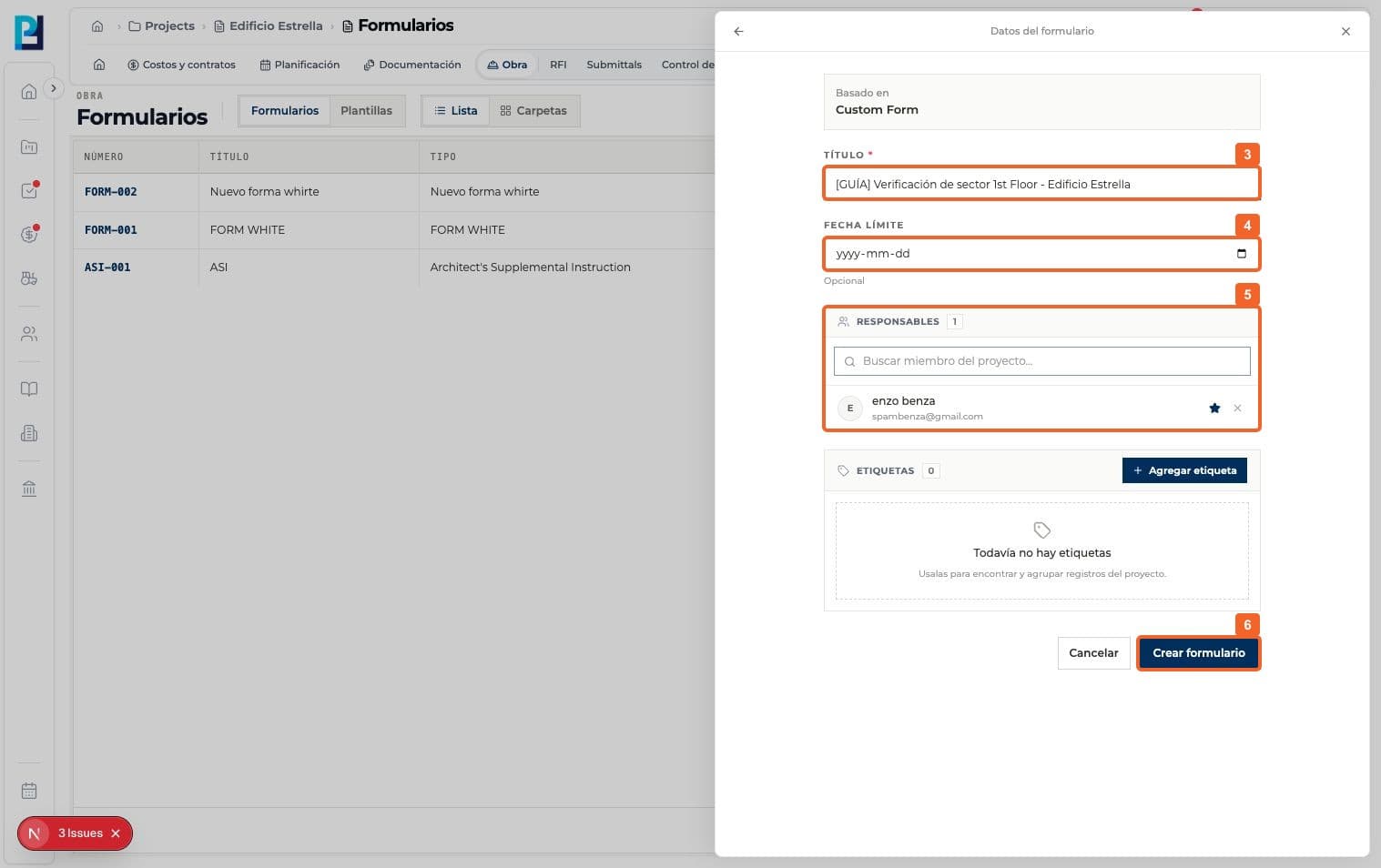
Under Form details, enter an identifying title.
- 04
Set an optional due date if needed; the example had none.
- 05
Review Owners. The creator was initially the main owner.
- 06
Select Create form.
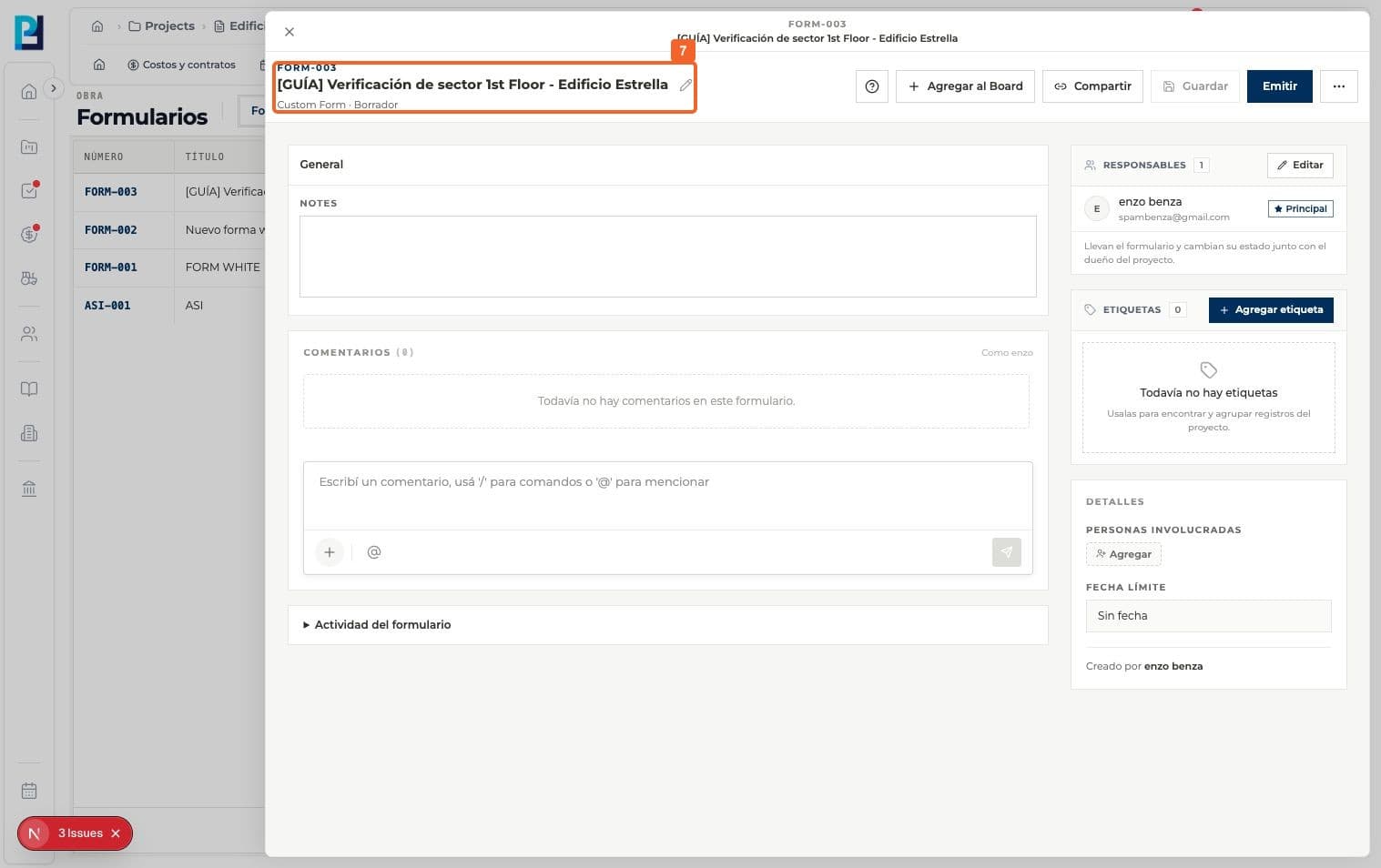
- 07
Verify that a number was assigned and the detail shows Draft.
FAQ
Frequently asked questions
What was verified and what remains untested?+
Blank forms and other types such as ASI, Inspection and NCR were not created or verified; their fields may differ.
Keep learning