Visual guide
Review a quote request
Find an RFQ and inspect its items, suppliers and available actions without sending invitations or opening it.
5 minutes
Step by step
Follow each step on screen
- 01
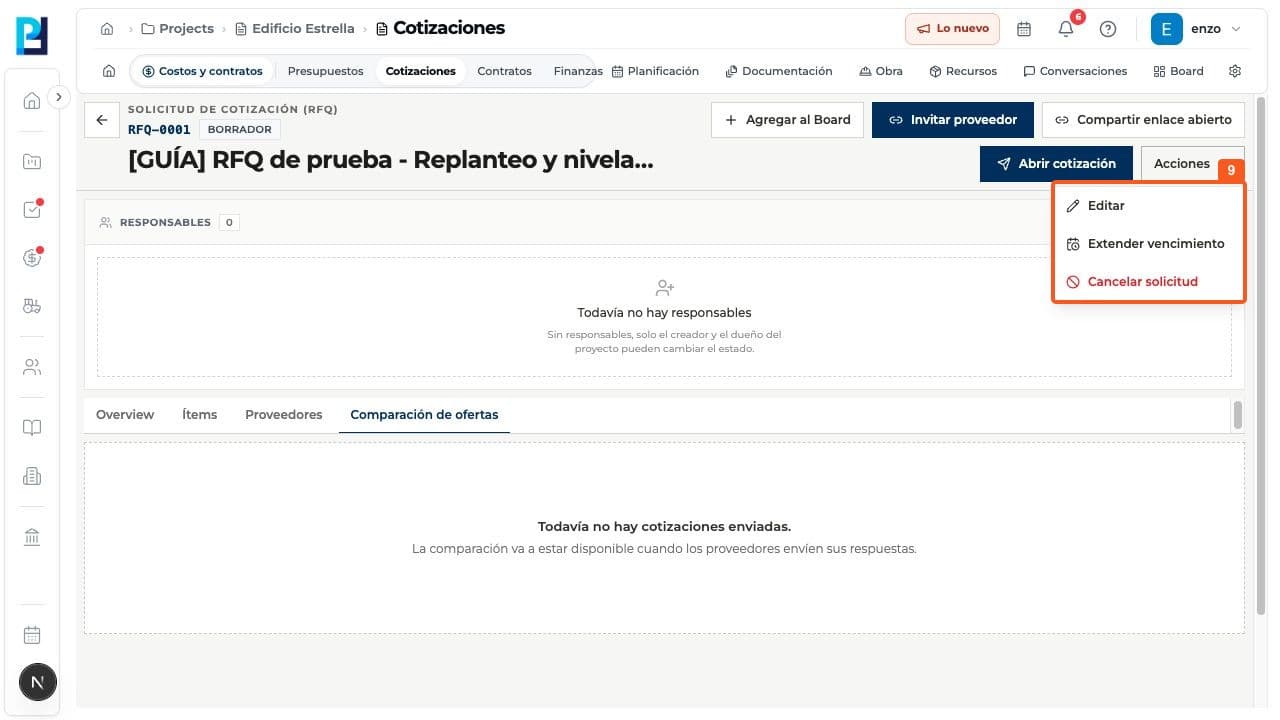
Open Costs and contracts > Quotes. Search by number or title, filter if needed, and open the RFQ.
- 02
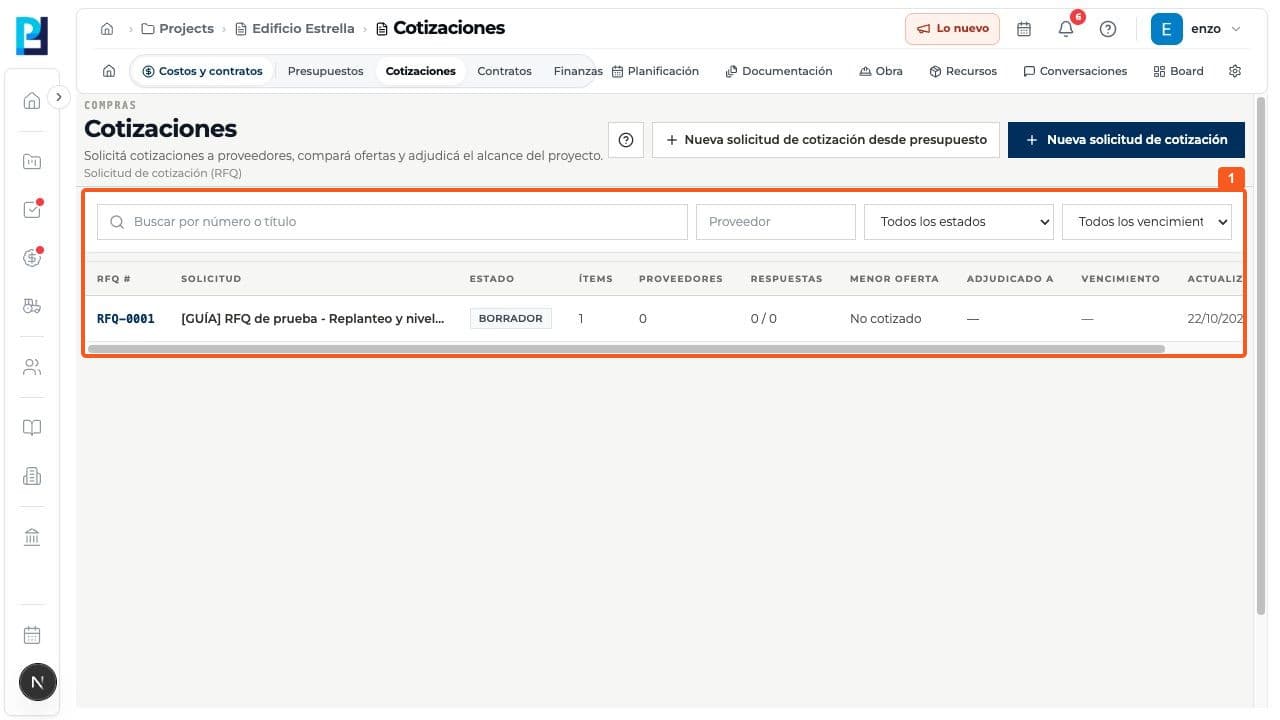
On Overview, check the number, status, description, currency, deadline and source budget.
- 03
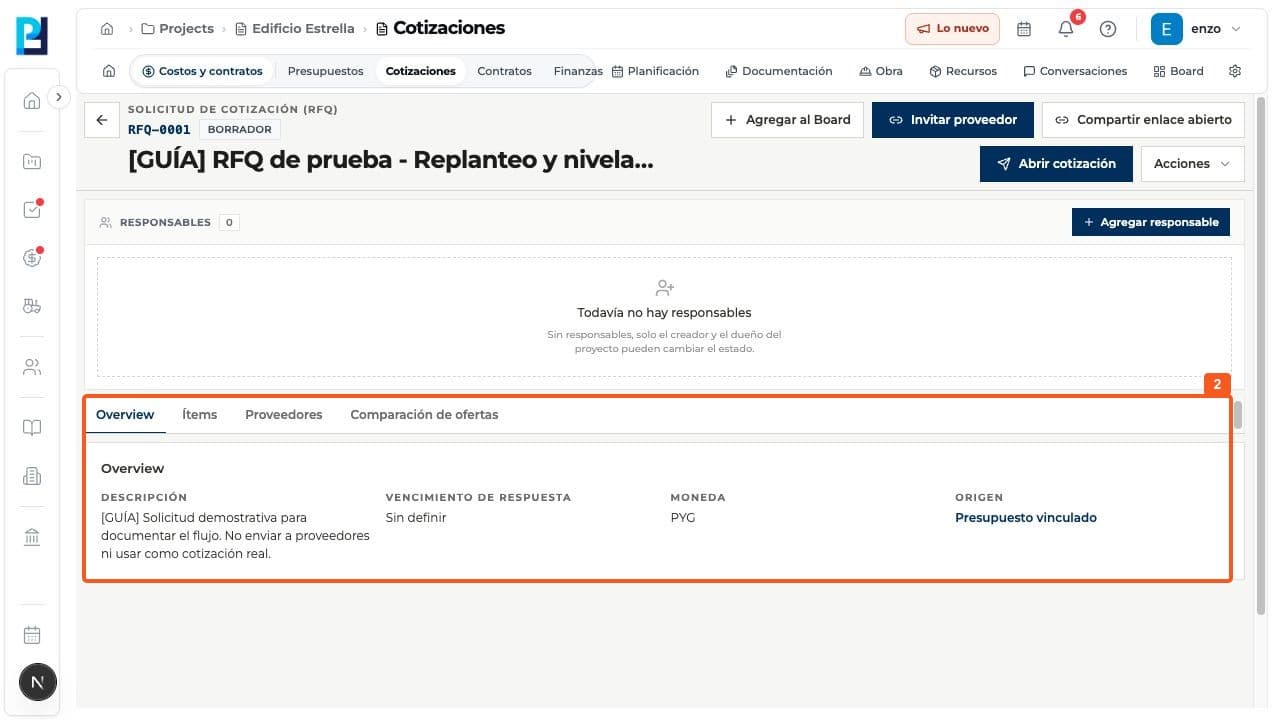
On Items, review each line's code, description, quantity, unit and internal price.
- 04
On Suppliers, see invitees and response status. If empty, options to invite or create a supplier appear.
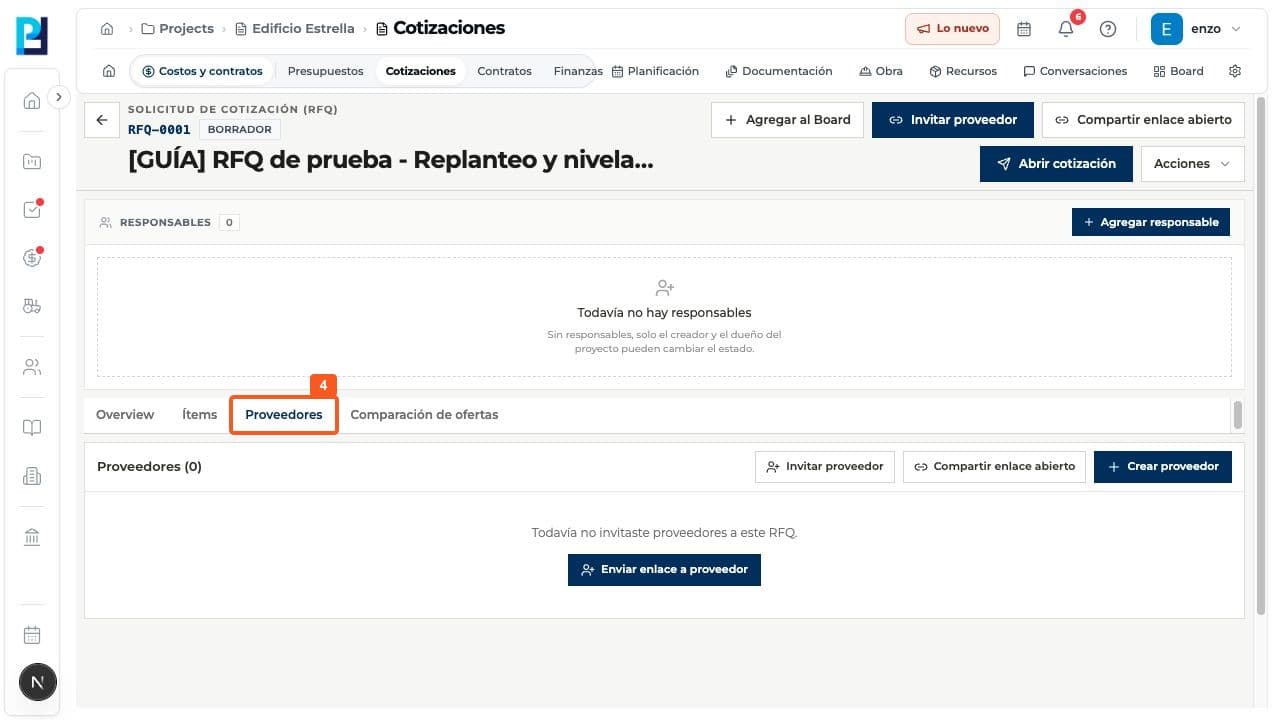
- 05
On Bid comparison, check whether submitted responses exist. Comparison is unavailable until then.
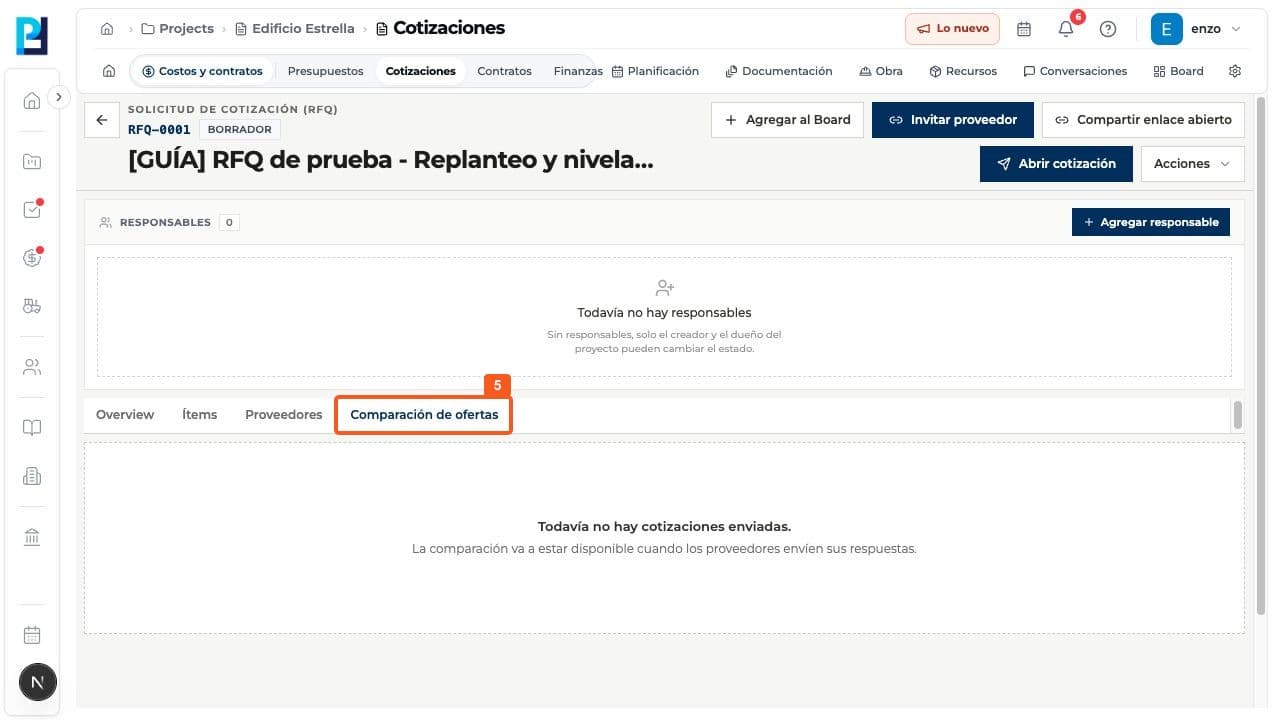
- 06
To prepare an individual invitation, choose Invite supplier and find the right supplier. Send link was not used in this test.
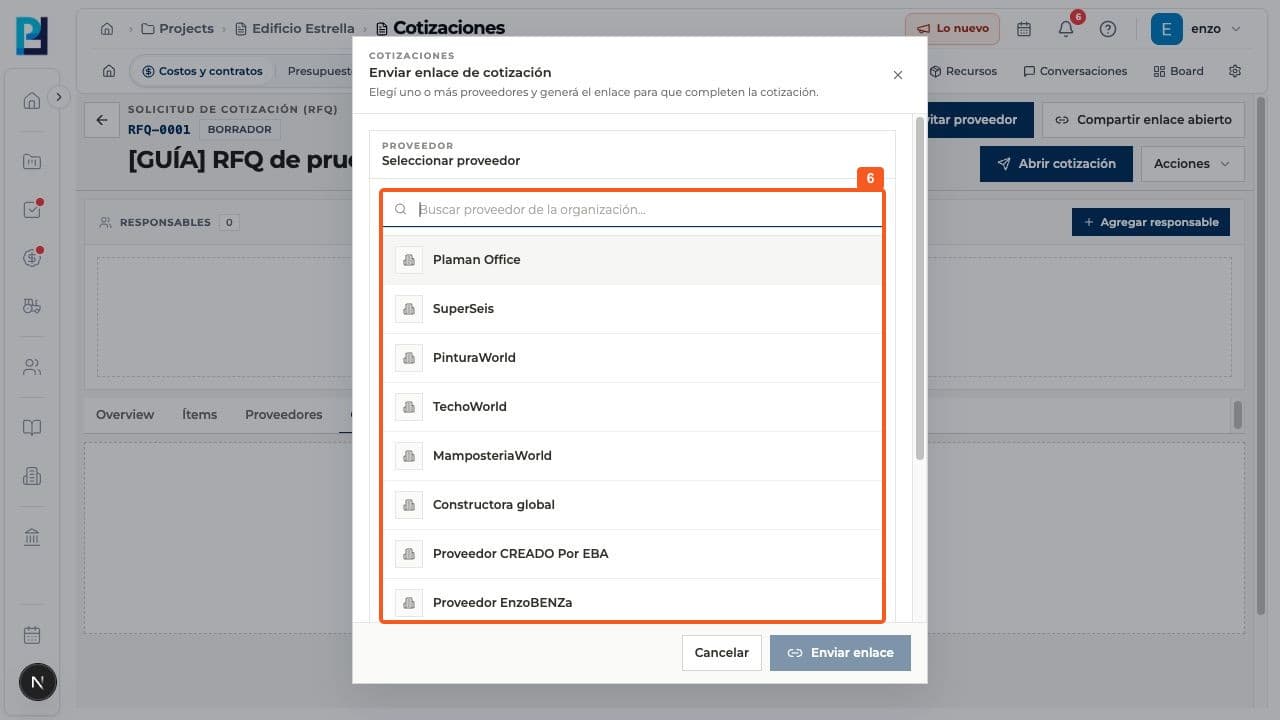
- 07
For unregistered suppliers, open Share open link. Generate link was not used in this test.
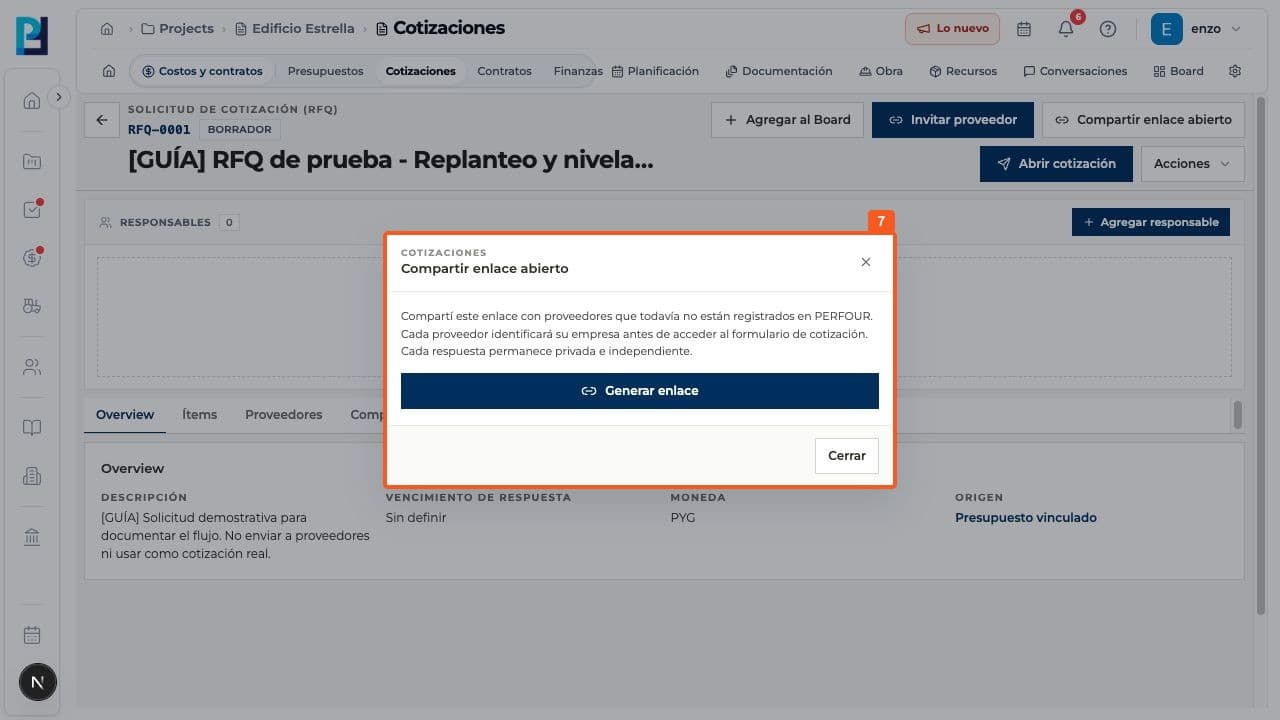
- 08
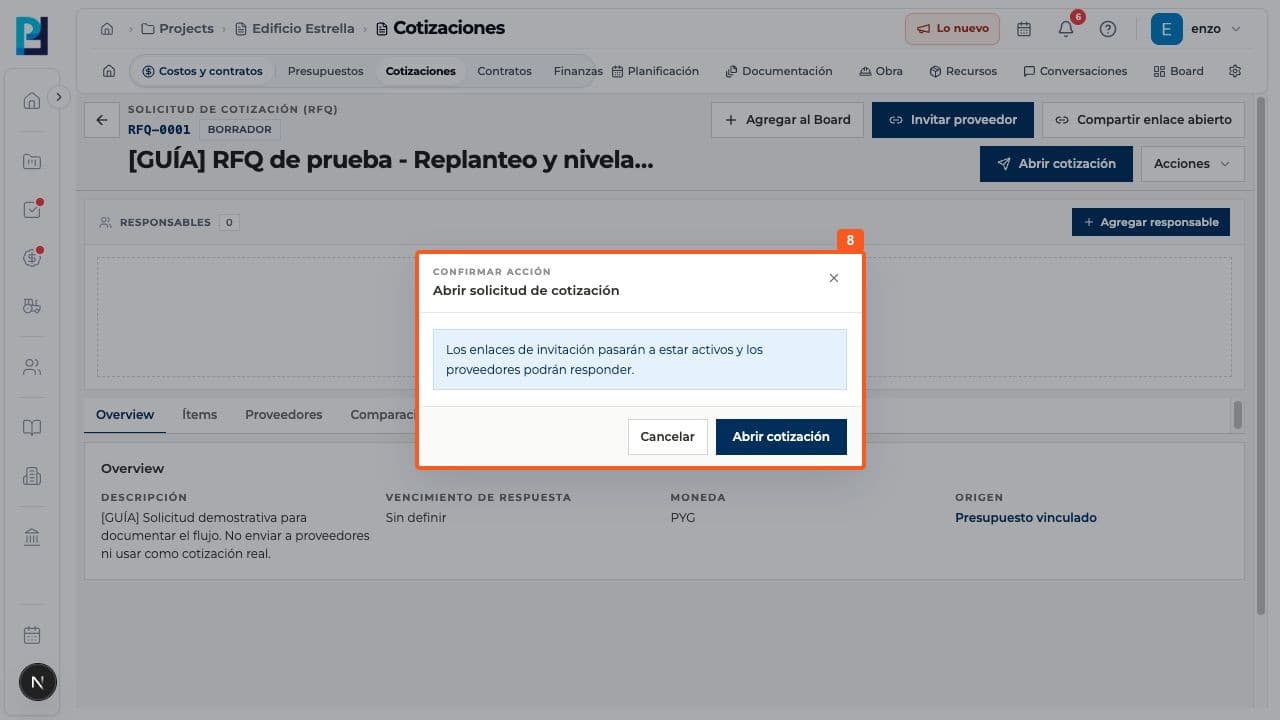
Before replies are accepted, Open quote request asks for confirmation and activates invitation links. The example stayed in Draft.
- 09
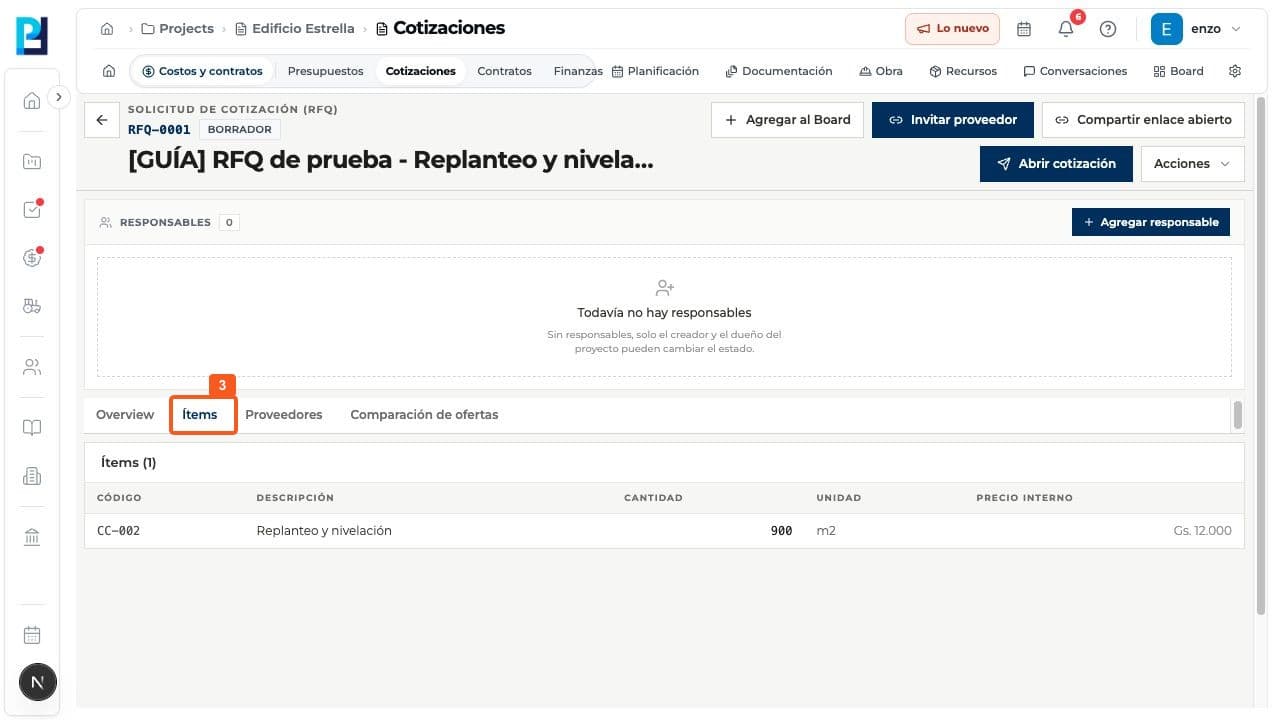
Actions offers Edit, Extend deadline and Cancel request. Cancellation disables links and cannot be undone.
FAQ
Frequently asked questions
What was verified and what remains untested?+
Invitation delivery, open-link generation, opening, supplier responses, comparison, closing and award were not performed.
Keep learning