Visual guide
Start a quote request from Quotes
Open the creation wizard directly from Quotes instead of first selecting budget items.
2 minutes
Step by step
Follow each step on screen
- 01
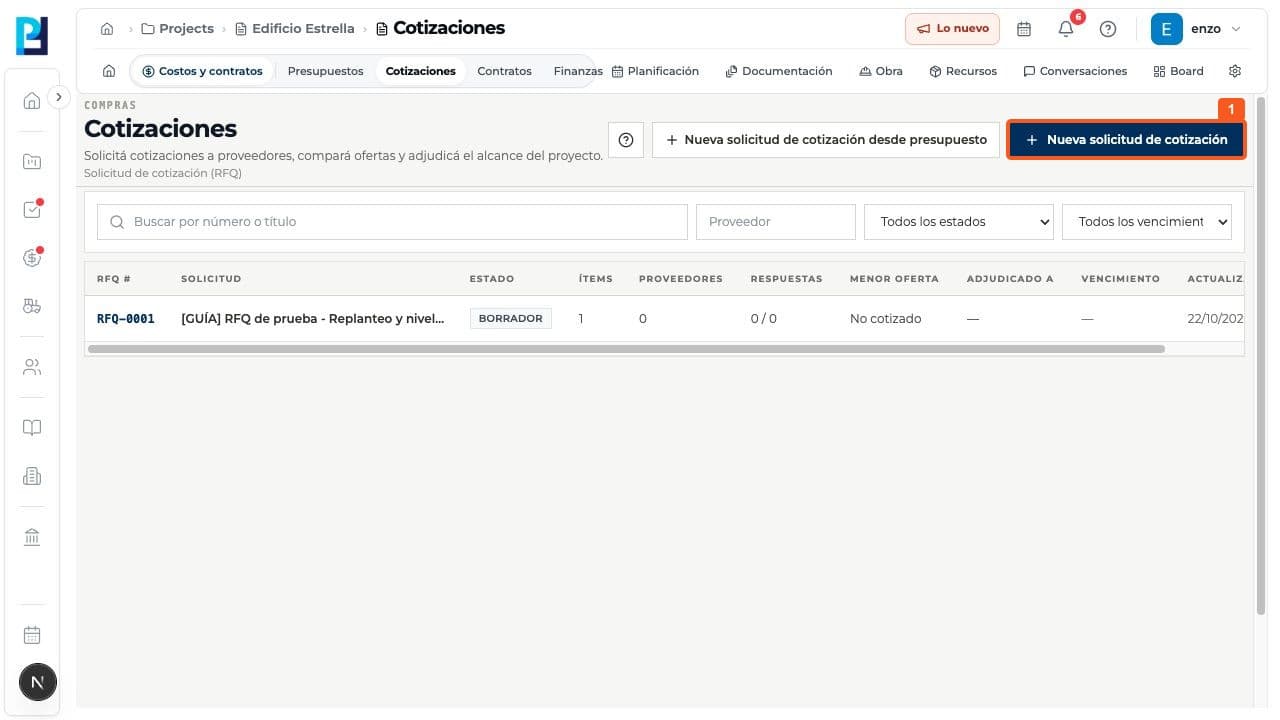
Open Costs and contracts > Quotes. Choose New quote request, rather than New request from budget.
- 02
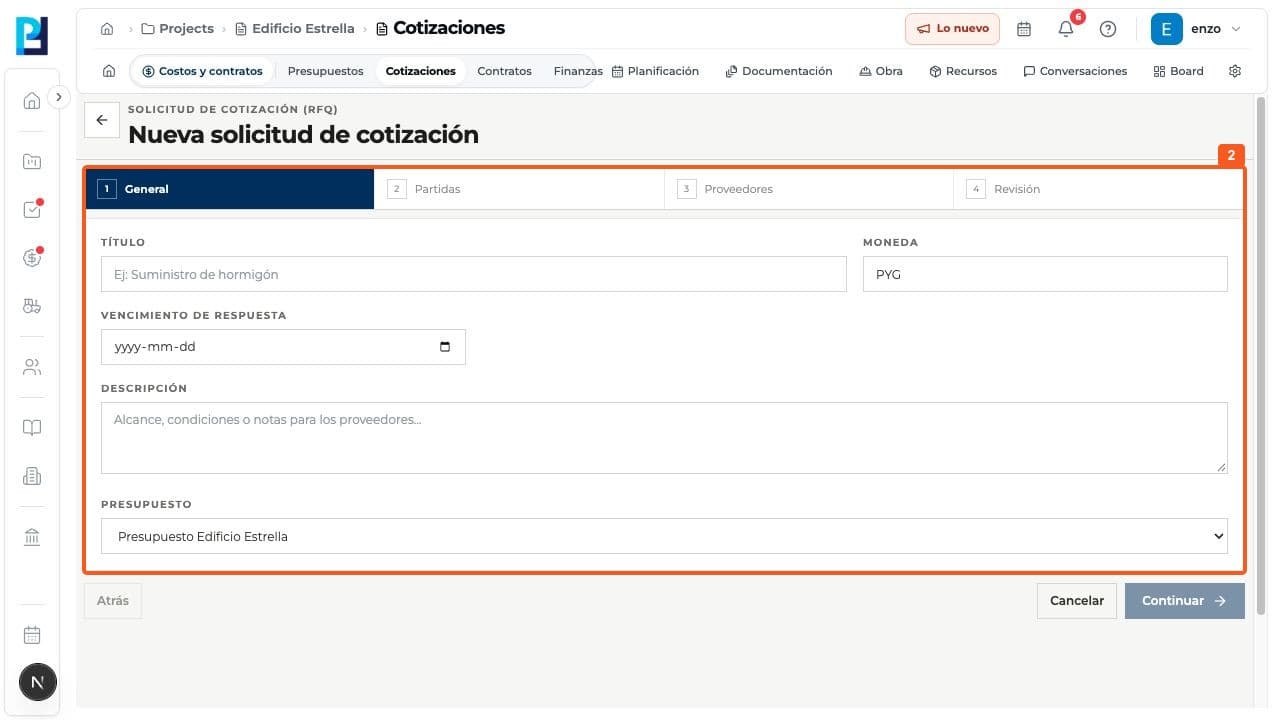
On General, enter title, currency, deadline and description; select a budget if you will link items.
- 03
Continue through Items, Suppliers and Review. This order starts with General; check everything before creating.
FAQ
Frequently asked questions
What was verified and what remains untested?+
Only the first wizard step was opened and verified. No second RFQ was created; later steps are described from the visible wizard and the separate budget-based walkthrough.
Keep learning