RFIs / 12
Attach documents (PDF, CAD and others)
Supporting documents for the RFI: PDF drawings, CAD files, spreadsheets and the like.
2 minutes
Step by step
How to complete attachments
- 01
When creating
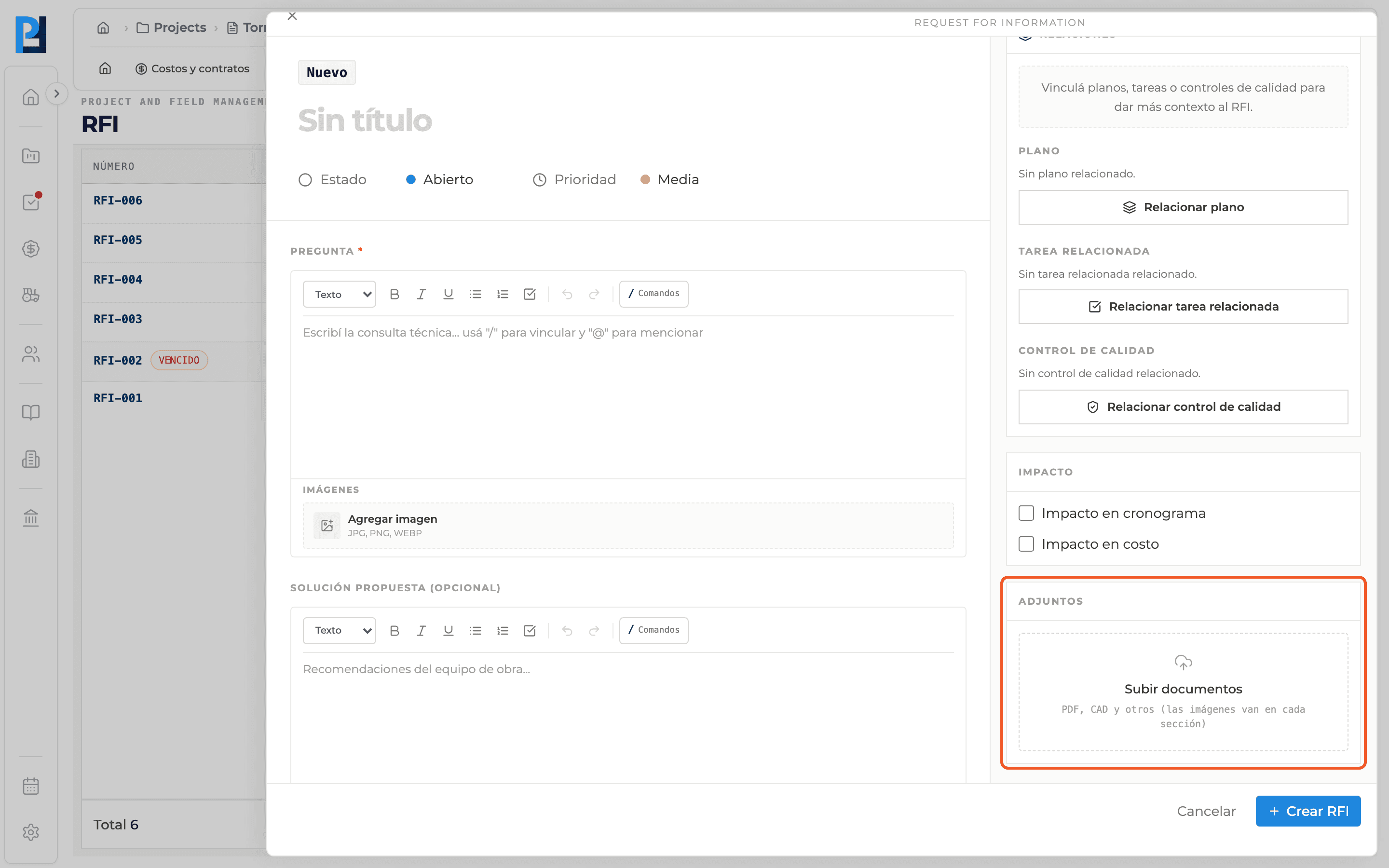
In the sidebar, Attachments, click Upload documents and pick one or more files. They are listed with name and size; remove one with the bin.
- 02
On an existing RFI
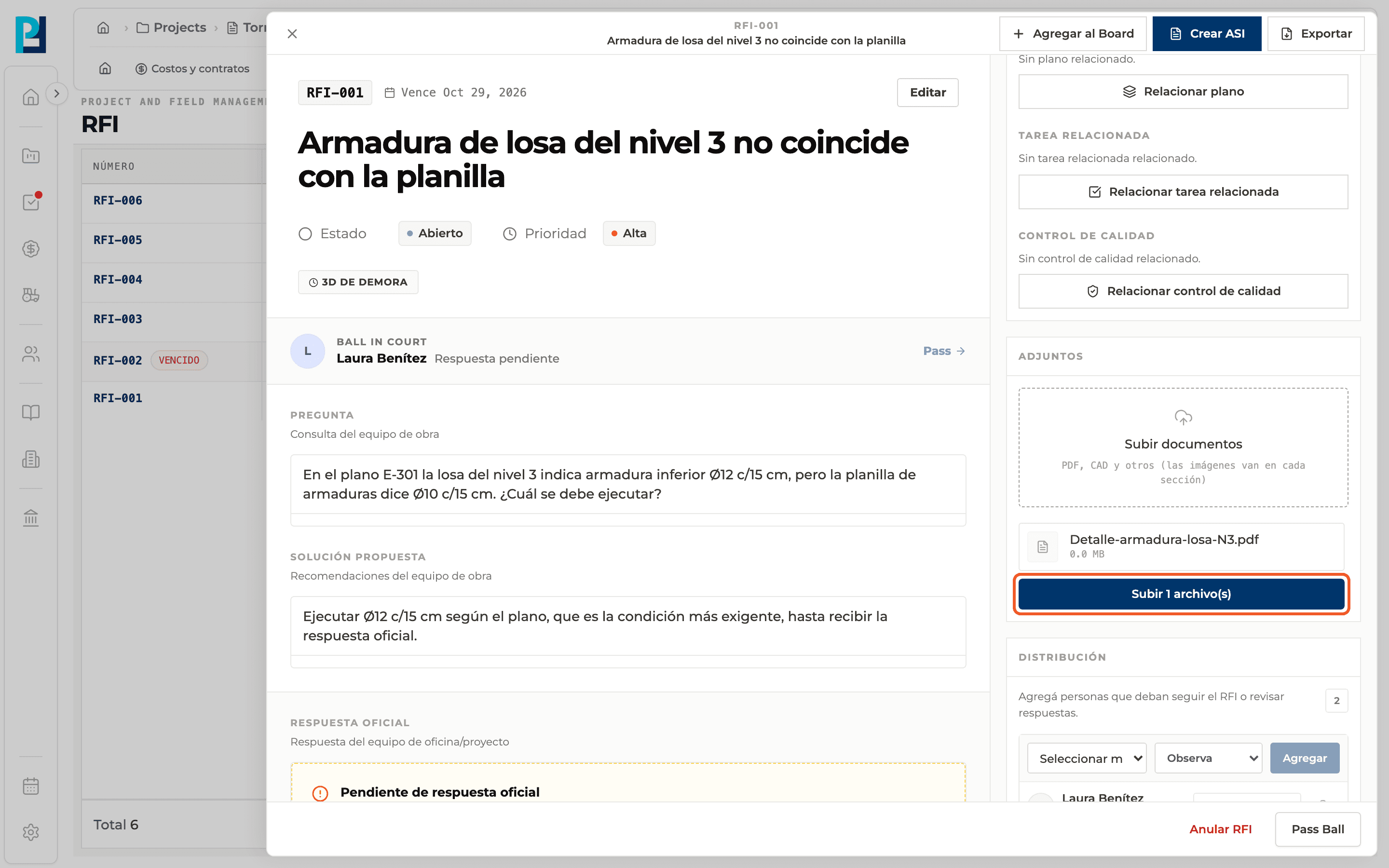
In the detail, Attachments → Upload documents, pick the files and click Upload N file(s).
- 03
Open or download
Hover over the file and use the download icon; it opens in a new tab.
- 04
Delete
Use the bin icon, if you have permission. It asks for confirmation.
What you'll learn
How attach documents (pdf, cad and others) works inside Perfour.
What information you need and how it stays connected to RFIs.
How to preserve traceability and find the record later.
FAQ
Frequently asked questions
What if a file fails?+
The RFI stays as is; retry from the detail panel.
Why don't I see Upload documents?+
It only appears if you are allowed to comment on that RFI.