Set the Ball in Court and pass the ball
The Ball in Court is the person who has to answer the RFI. It is set when creating and transferred by passing the ball.

How to complete ball in court
- 01
Set it when creating
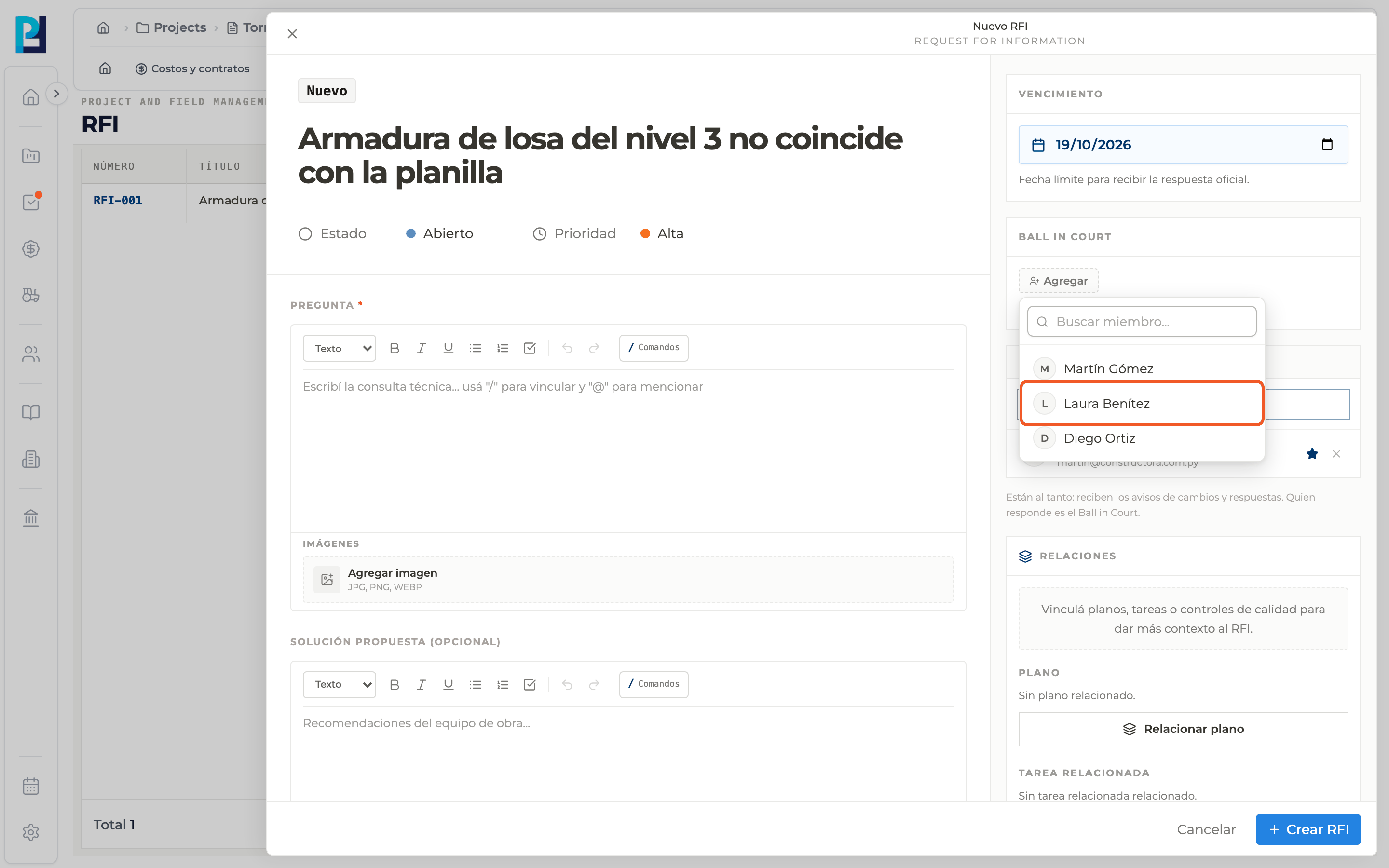
In New RFI, Ball in Court → Add, pick a project member. Only one person is allowed: picking another replaces the previous one.
- 02
Find it on the RFI
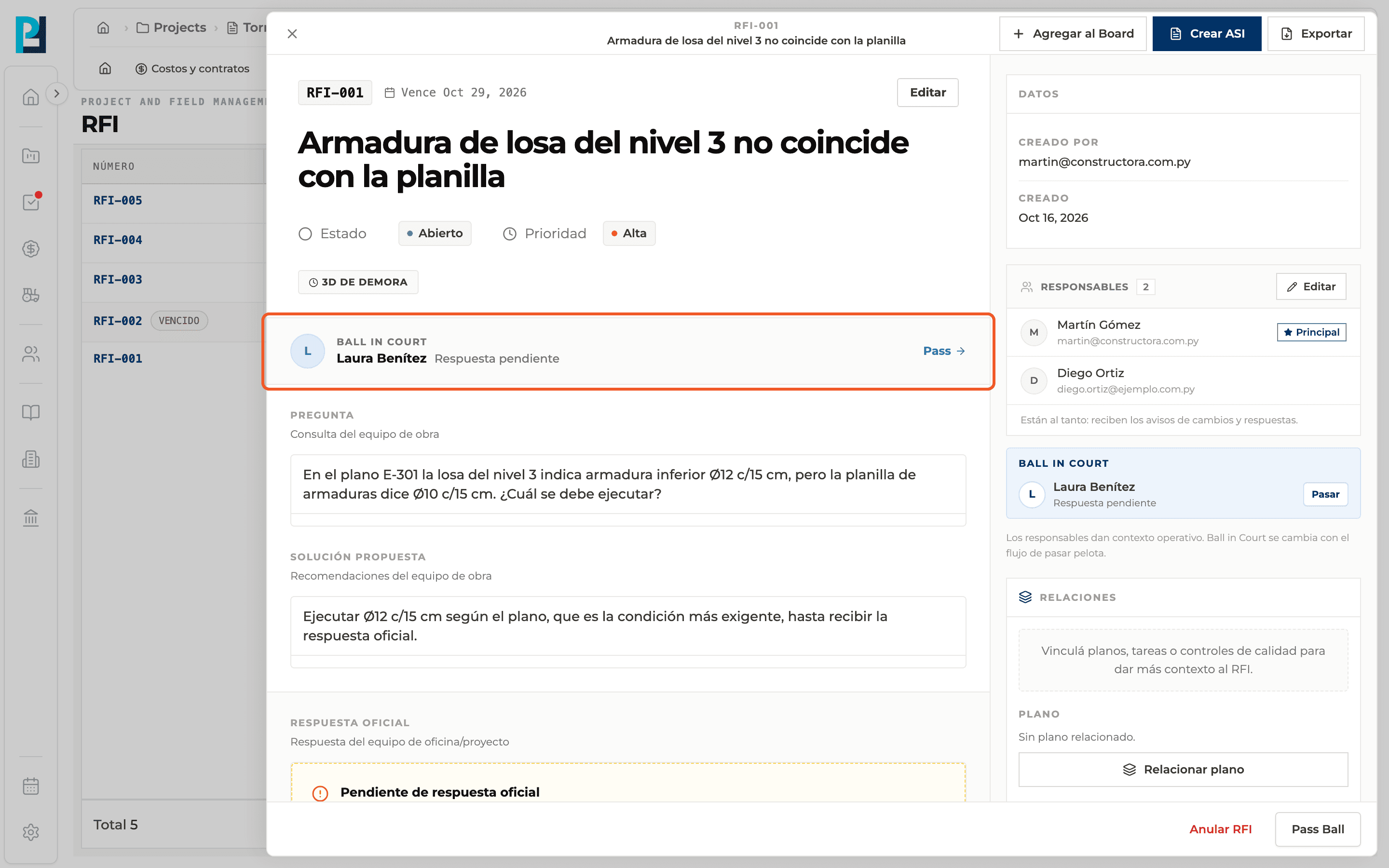
The list's Ball in court column shows the name, or You when the ball is on your side. In the detail, a banner says "Requires your response" when it is yours or "Response pending" when it belongs to someone else.
- 03
Pass the ball
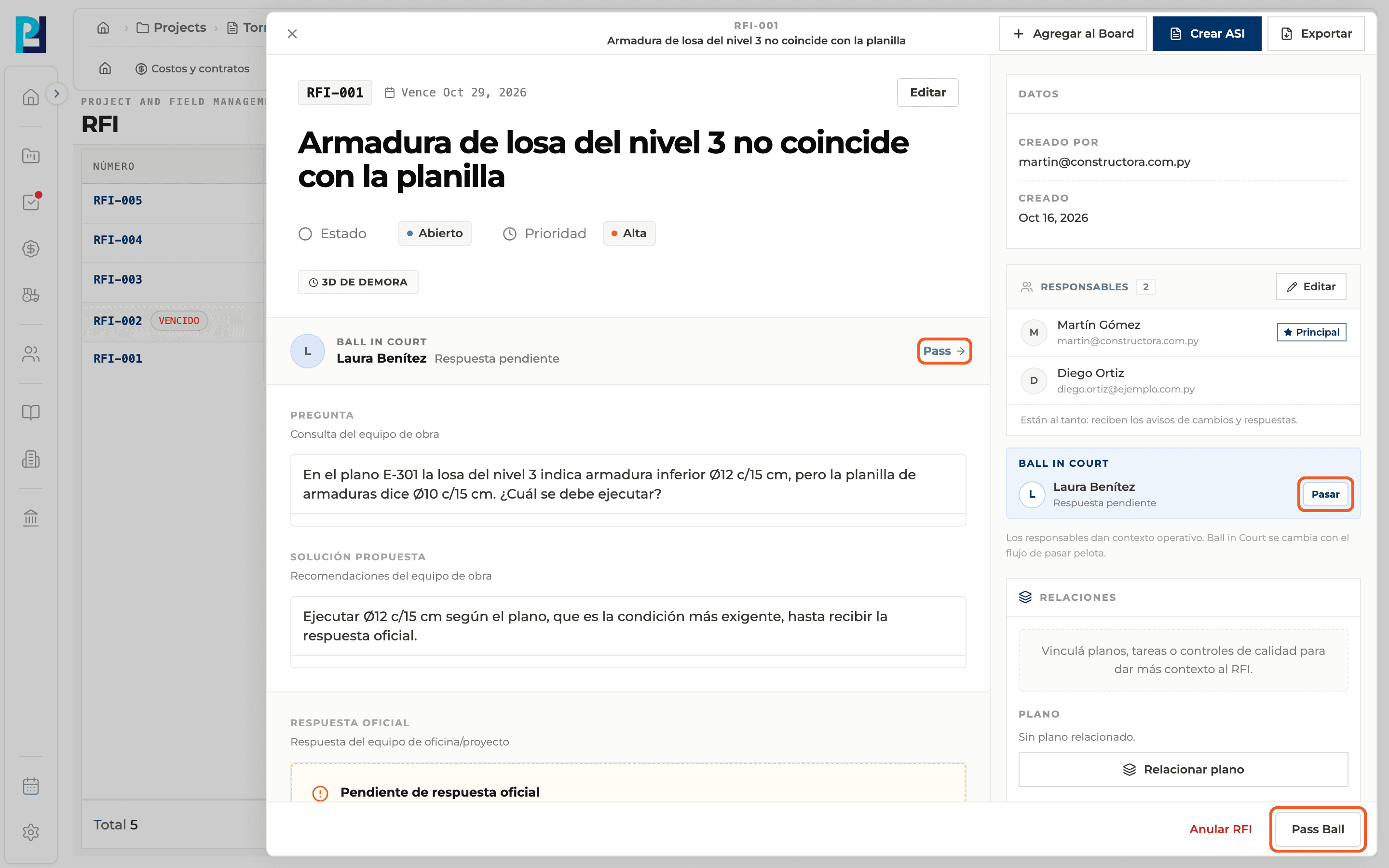
Open the RFI and use Pass in the banner, Pasar in the sidebar or Pass Ball at the bottom of the panel. All three do the same and only appear if you have permission.
- 04
Fill in the dialog
In Transfer responsibility pick the person in Transfer to (required) and, if you want, add context in Notes.
- 05
Confirm
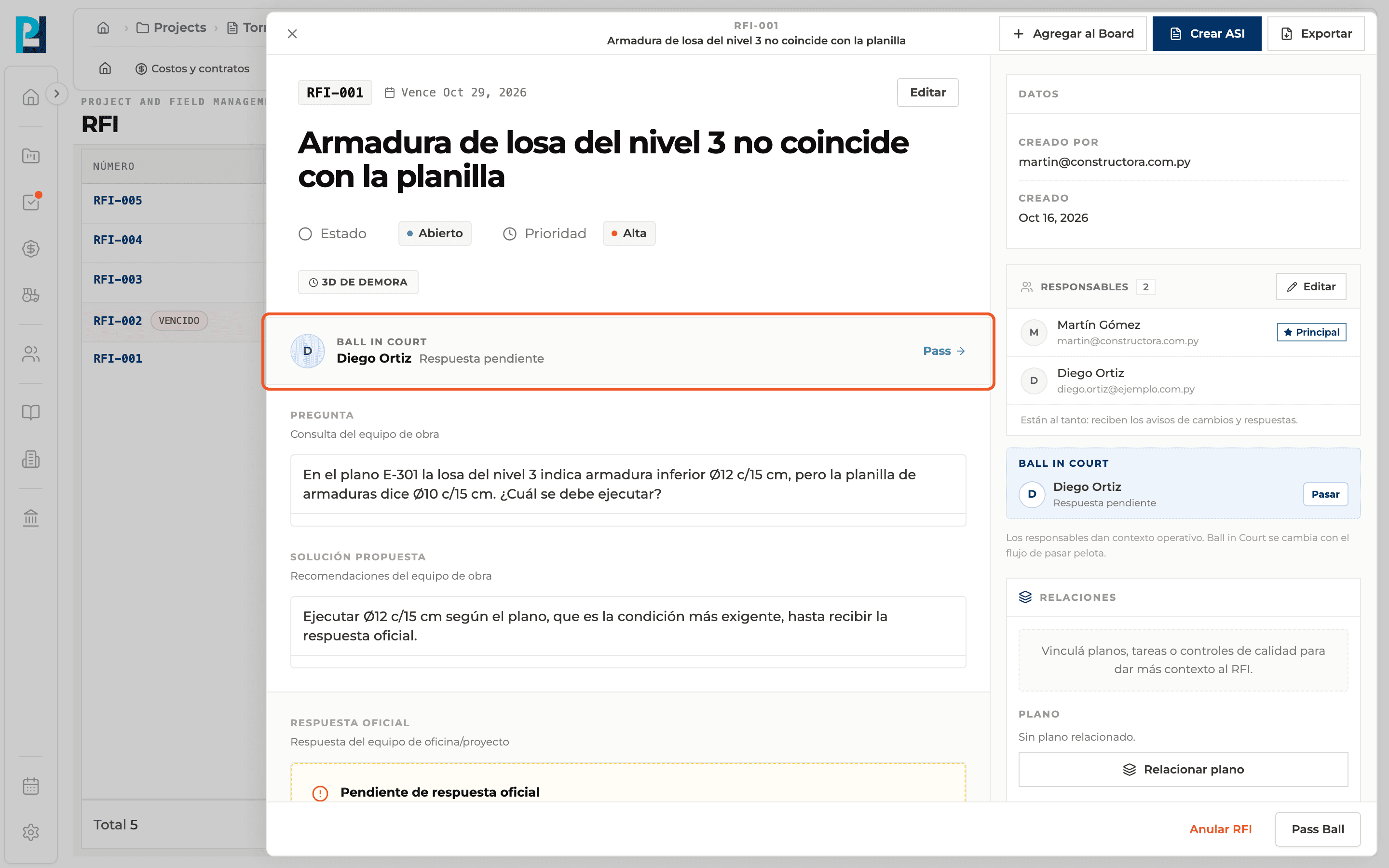
Click Transfer. "Responsibility transferred successfully" appears and the new Ball in Court shows in the banner, the list and the history.
What you'll learn
How set the ball in court and pass the ball works inside Perfour.
What information you need and how it stays connected to RFIs.
How to preserve traceability and find the record later.
Frequently asked questions
Can there be more than one Ball in Court?+
No, it is one person at a time.
What happens to the ball if the RFI is reopened?+
It returns to the person who originally had to answer.