Close, void or reopen an RFI
Final actions on the RFI, from the bottom of the detail panel. Each one asks for confirmation.
How to complete statuses
- 01
Close
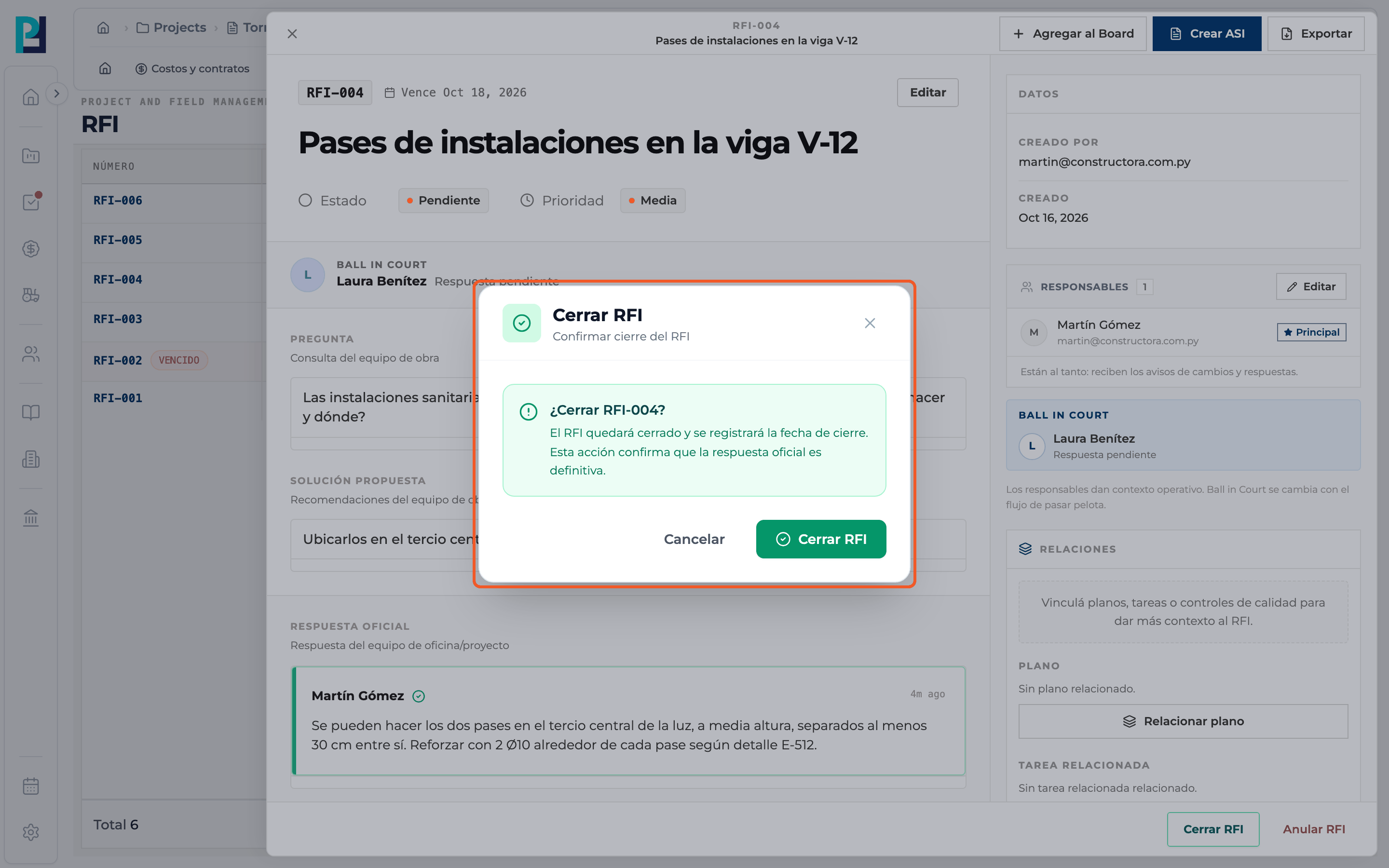
Once the official response is issued, Close RFI appears. The dialog asks "Close RFI-00X?" and explains that the closing date is recorded and the official response becomes final. Confirm with Close RFI.
- 02
Void
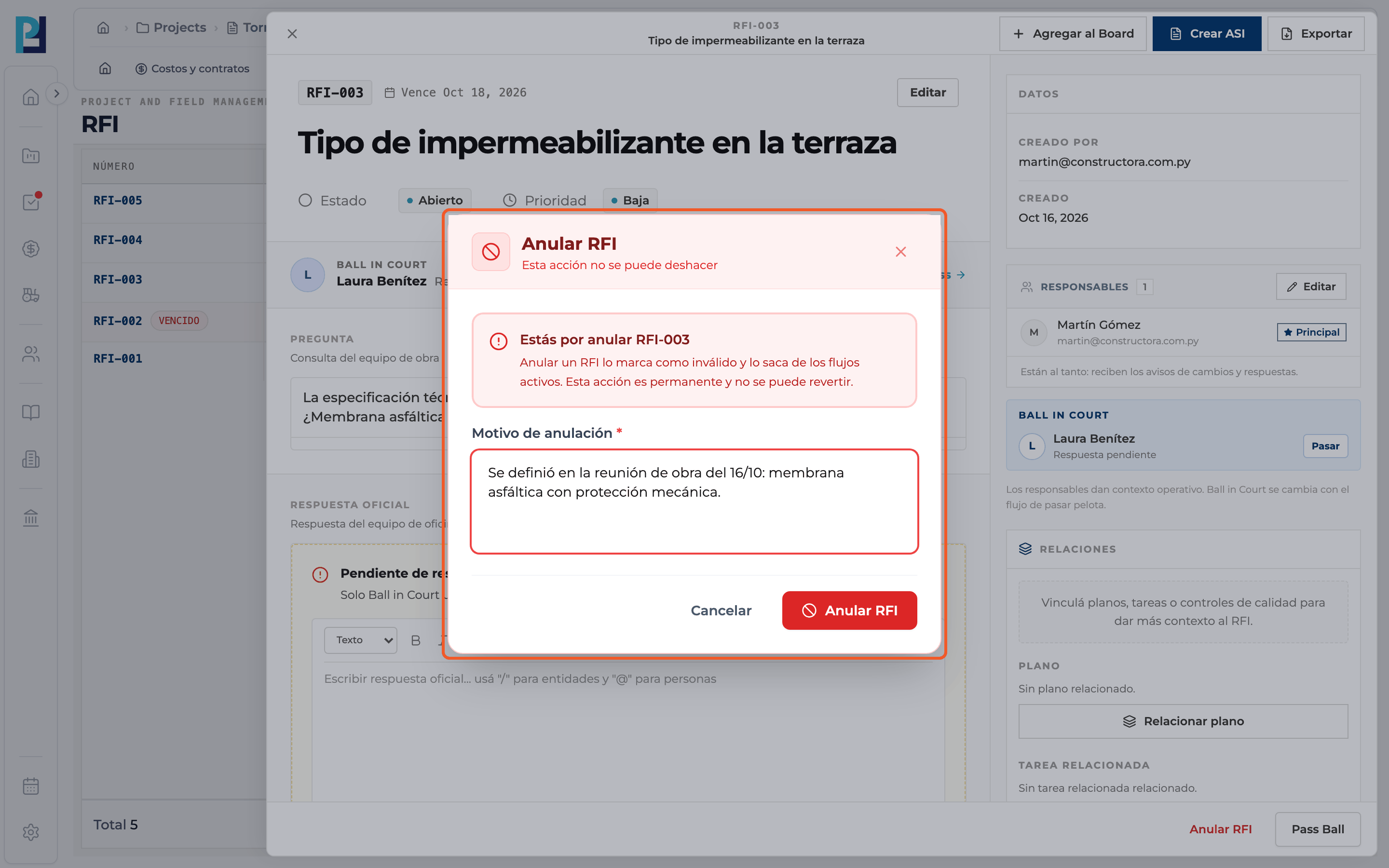
Void RFI asks for a Void reason (required) and warns that it cannot be undone. Confirm with Void RFI.
- 03
Reopen
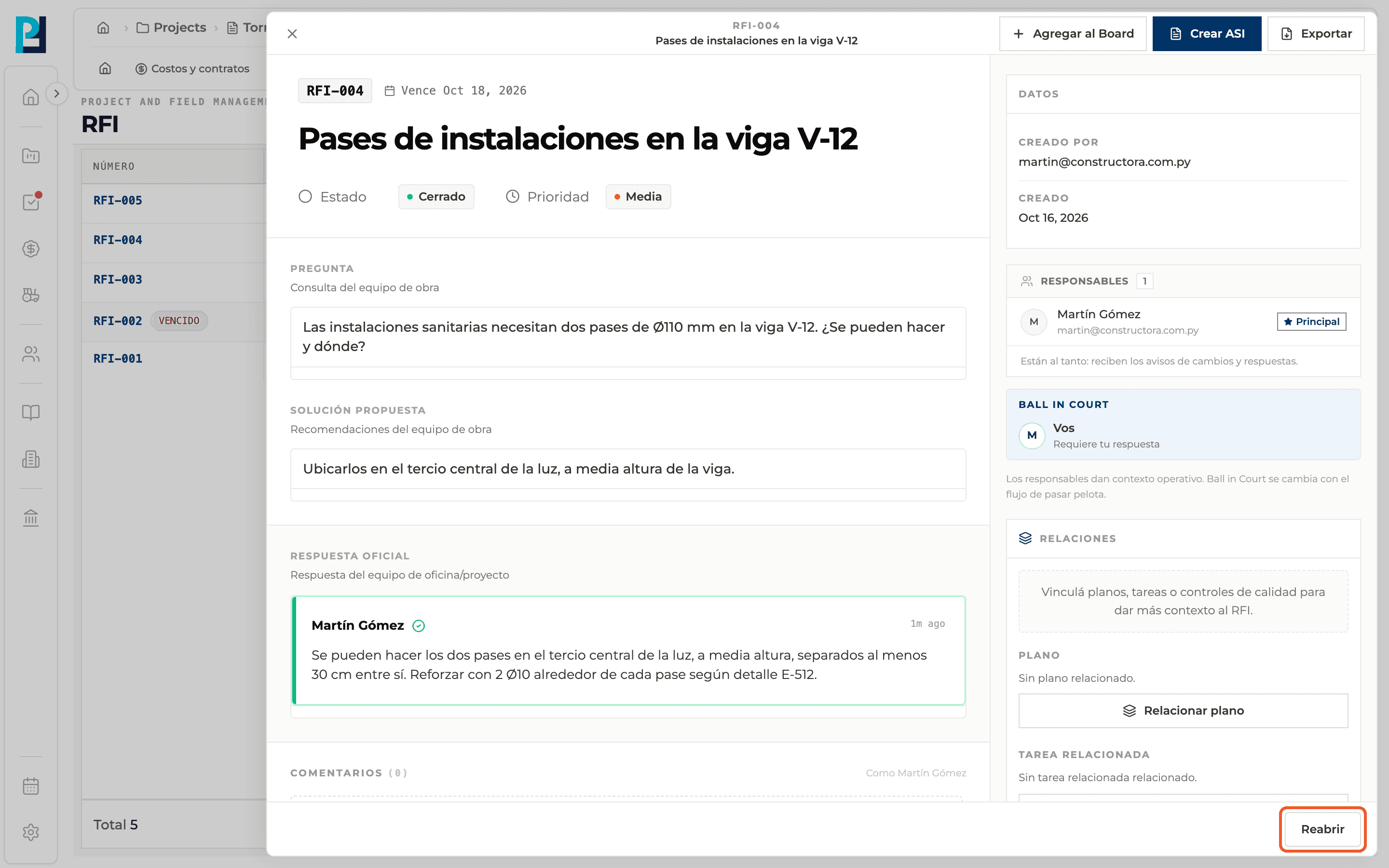
On a closed RFI, click Reopen at the bottom of the panel.
- 04
Give the reason
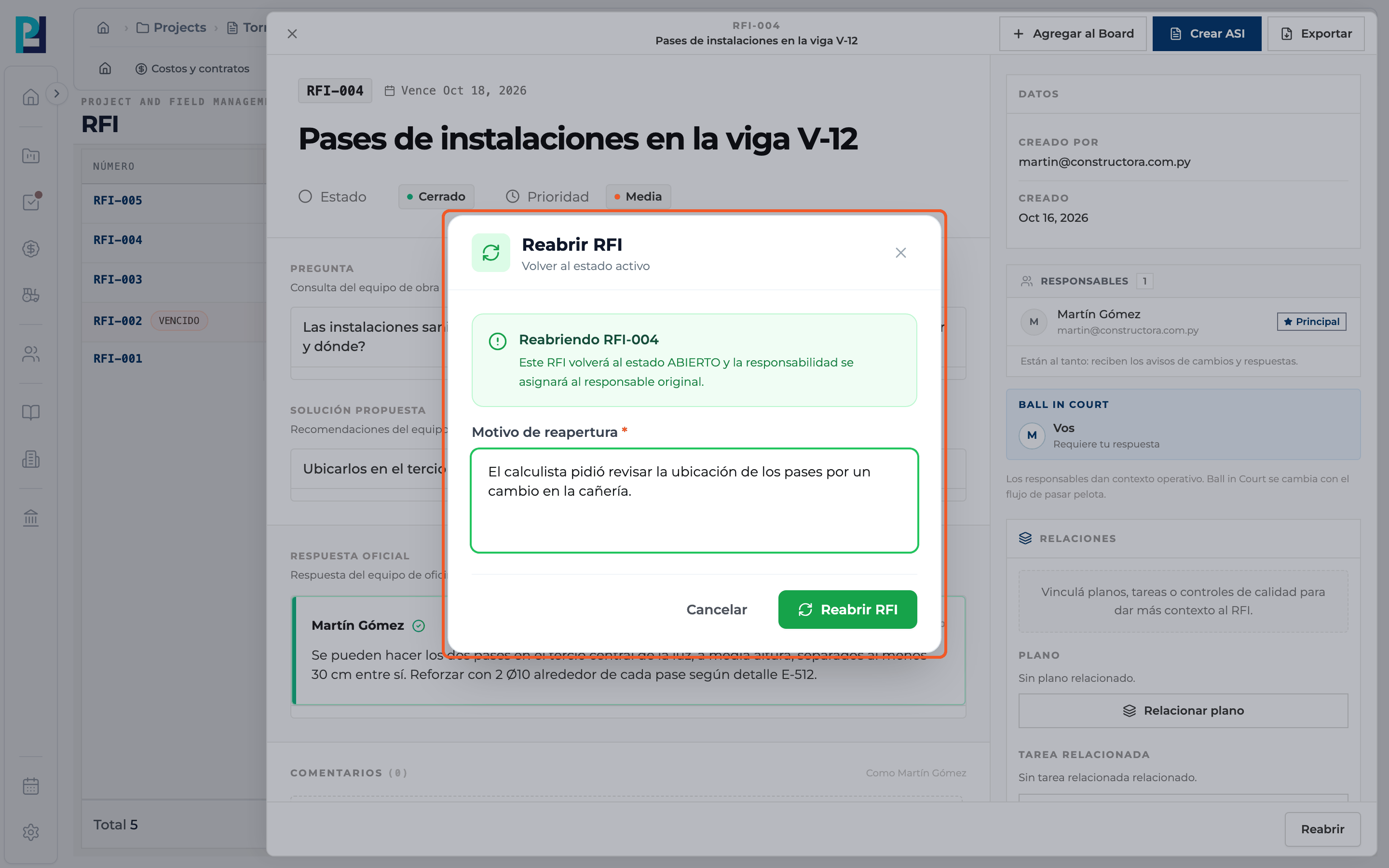
Write the Reopen reason (required) and confirm with Reopen RFI. It goes back to Open and the ball returns to whoever originally had to answer.
What you'll learn
How close, void or reopen an rfi works inside Perfour.
What information you need and how it stays connected to RFIs.
How to preserve traceability and find the record later.
Frequently asked questions
Why don't I see some buttons?+
Each action only appears if you have permission and the status allows it: Close RFI needs the official response and Reopen needs a closed RFI.
Can a voided RFI be reopened?+
No, voiding is final.
I reopened an RFI, how do I close it again?+
Since it already has an official response, click Edit, set the status to Pending and save: Close RFI shows up again.