Comment and attach evidence
The RFI conversation lives in the comment thread and does not change its status.
How to complete comments
- 01
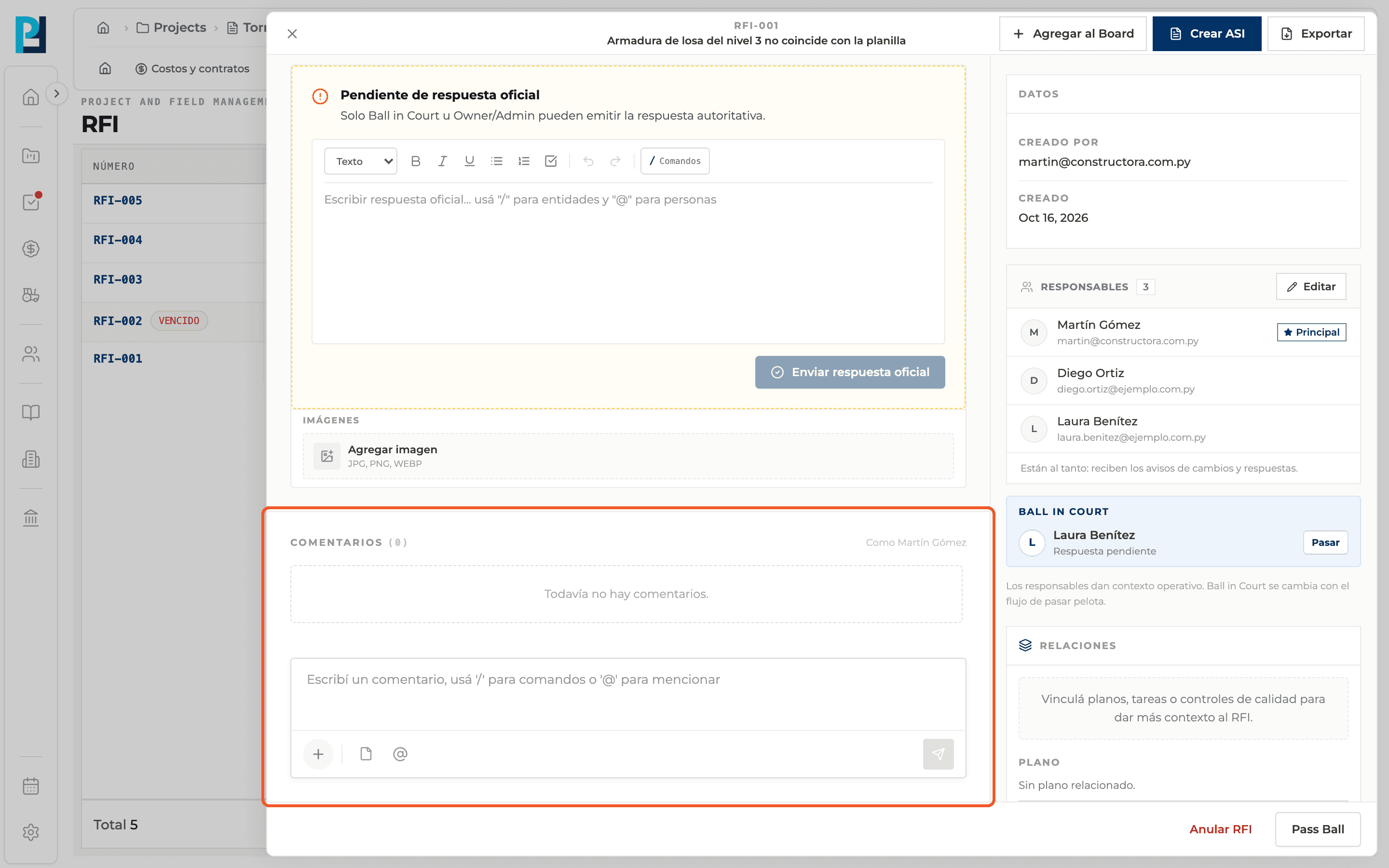
Find the comments
They sit at the end of the detail's main column, with the count in brackets.
- 02
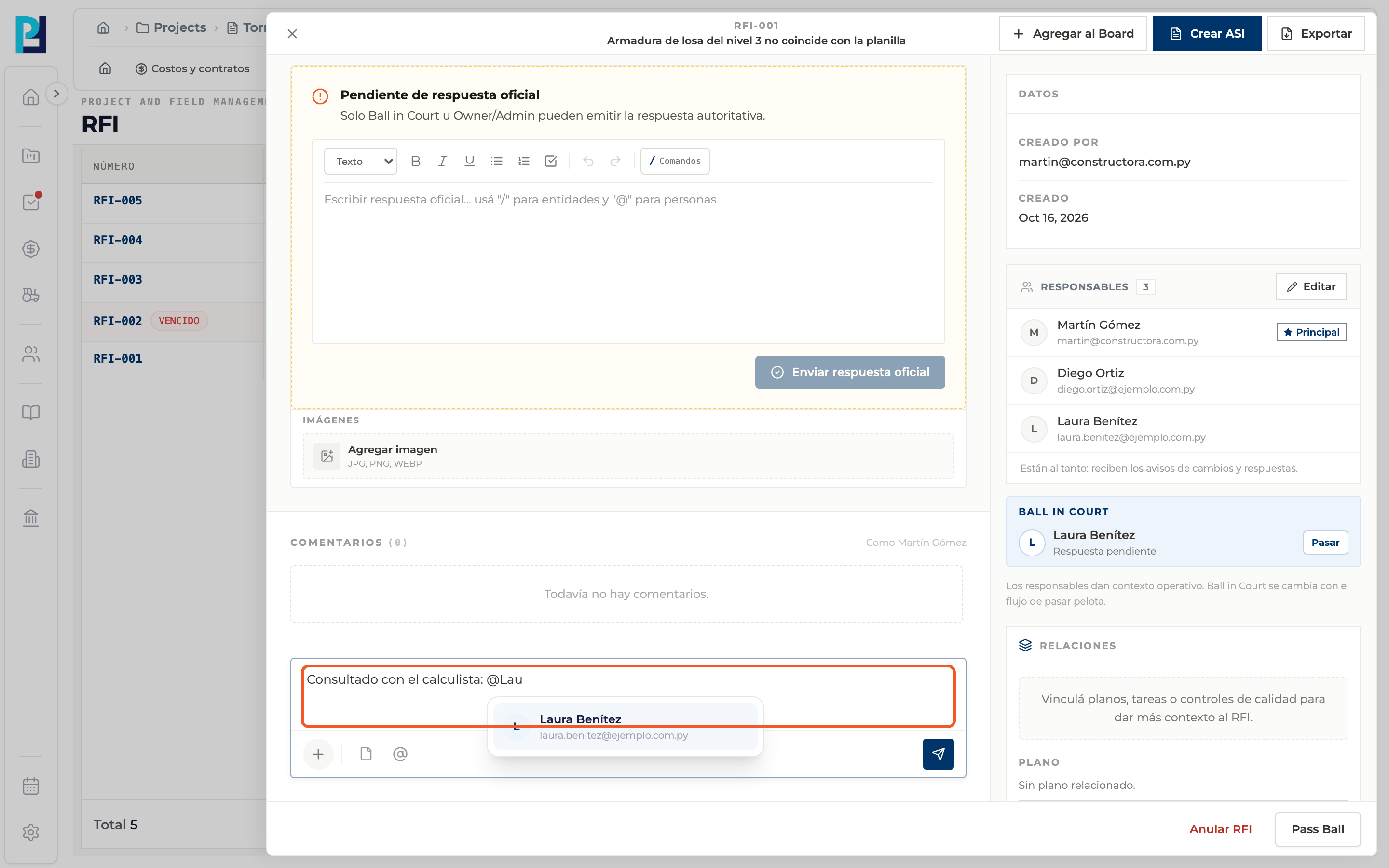
Write your comment
Use "@" to mention people (pick them from the list) and "/" to link project items.
- 03
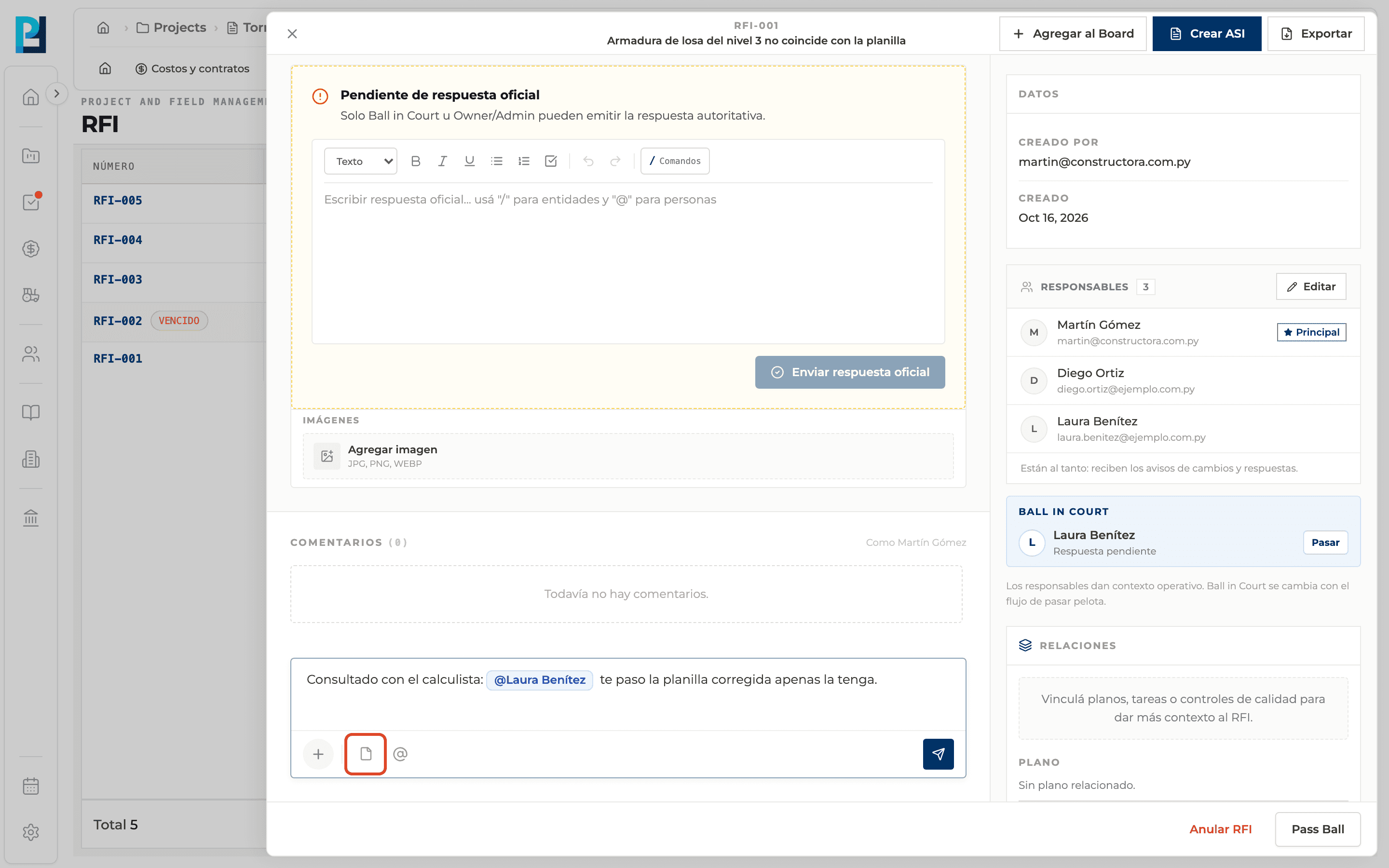
Attach a file
Use the editor's document icon; the file stays attached to the comment.
- 04
Send
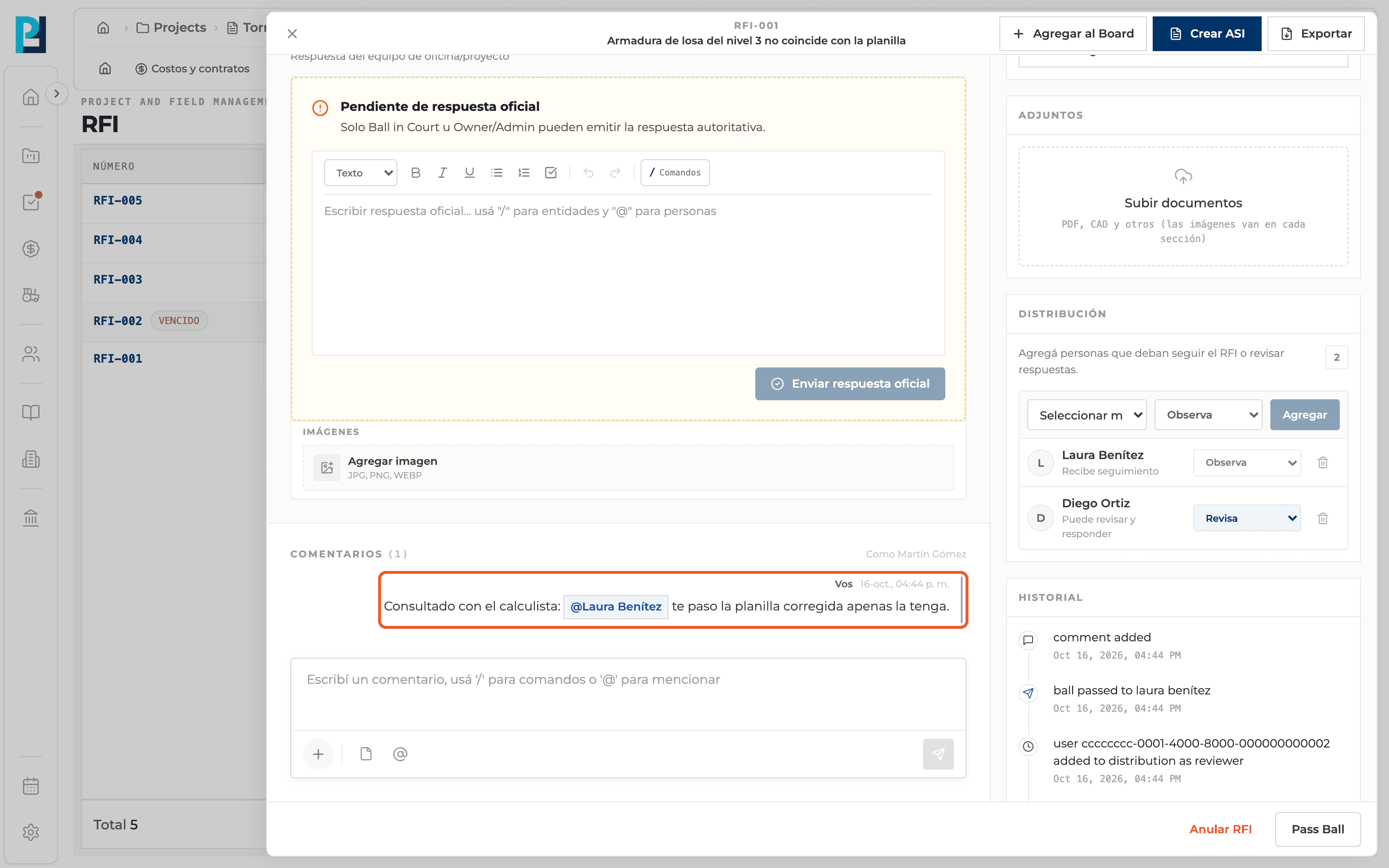
Click the send button. "Comment added" appears and the comment joins the thread with your name and the time.
What you'll learn
How comment and attach evidence works inside Perfour.
What information you need and how it stays connected to RFIs.
How to preserve traceability and find the record later.
Frequently asked questions
Do comments change the status?+
No.
It won't let me comment+
It shows "You don't have permission to comment on this RFI." Voided RFIs cannot be commented on either.
Is commenting the same as responding?+
No. A comment is conversation; the official response is the formal decision.