Distribute the RFI: who observes and who reviews
Distribution defines who follows the RFI and who can review and respond.
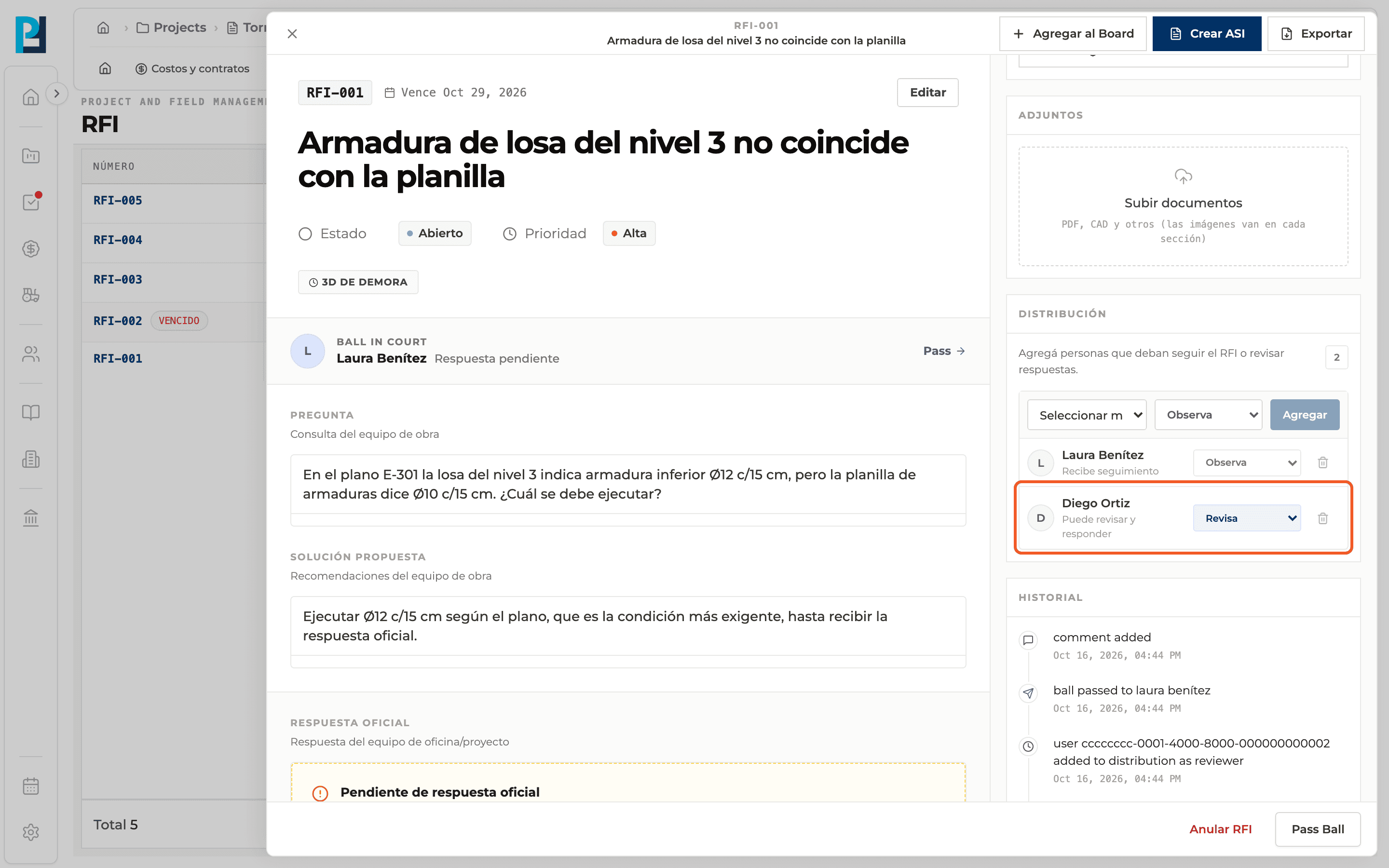
How to complete distribution
- 01
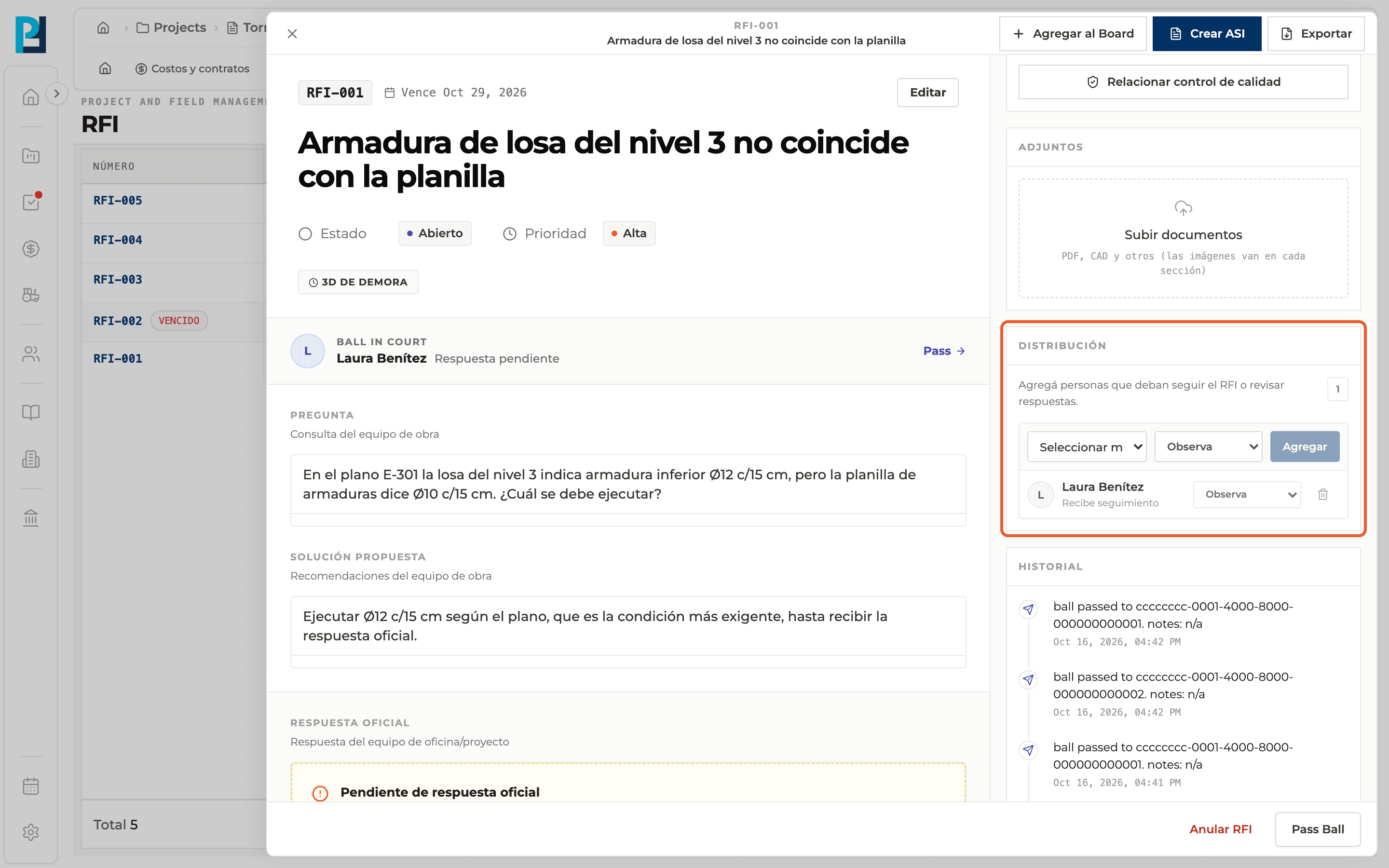
Find the section
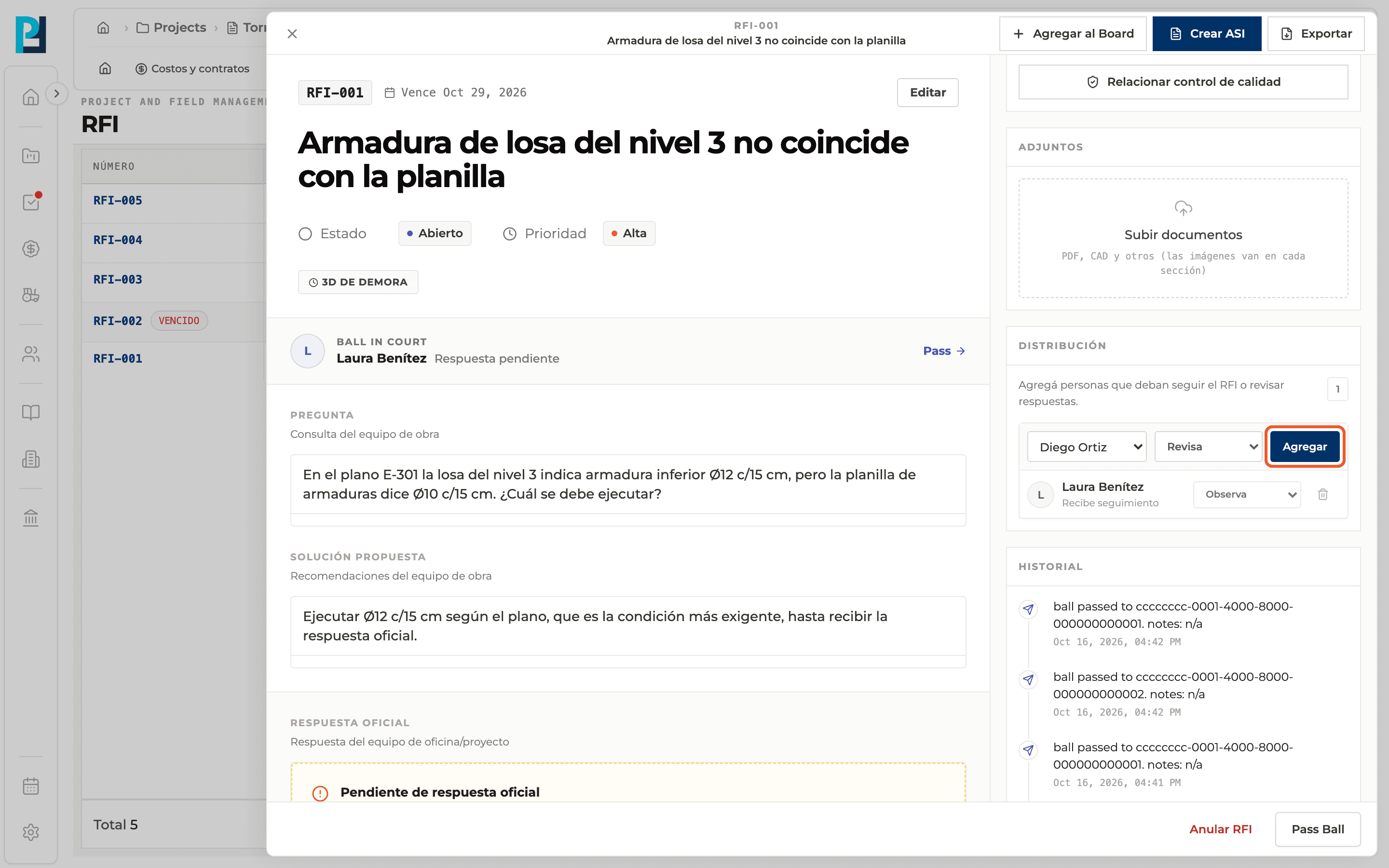
In the RFI detail, sidebar, Distribution. The number of people shows on the right.
- 02
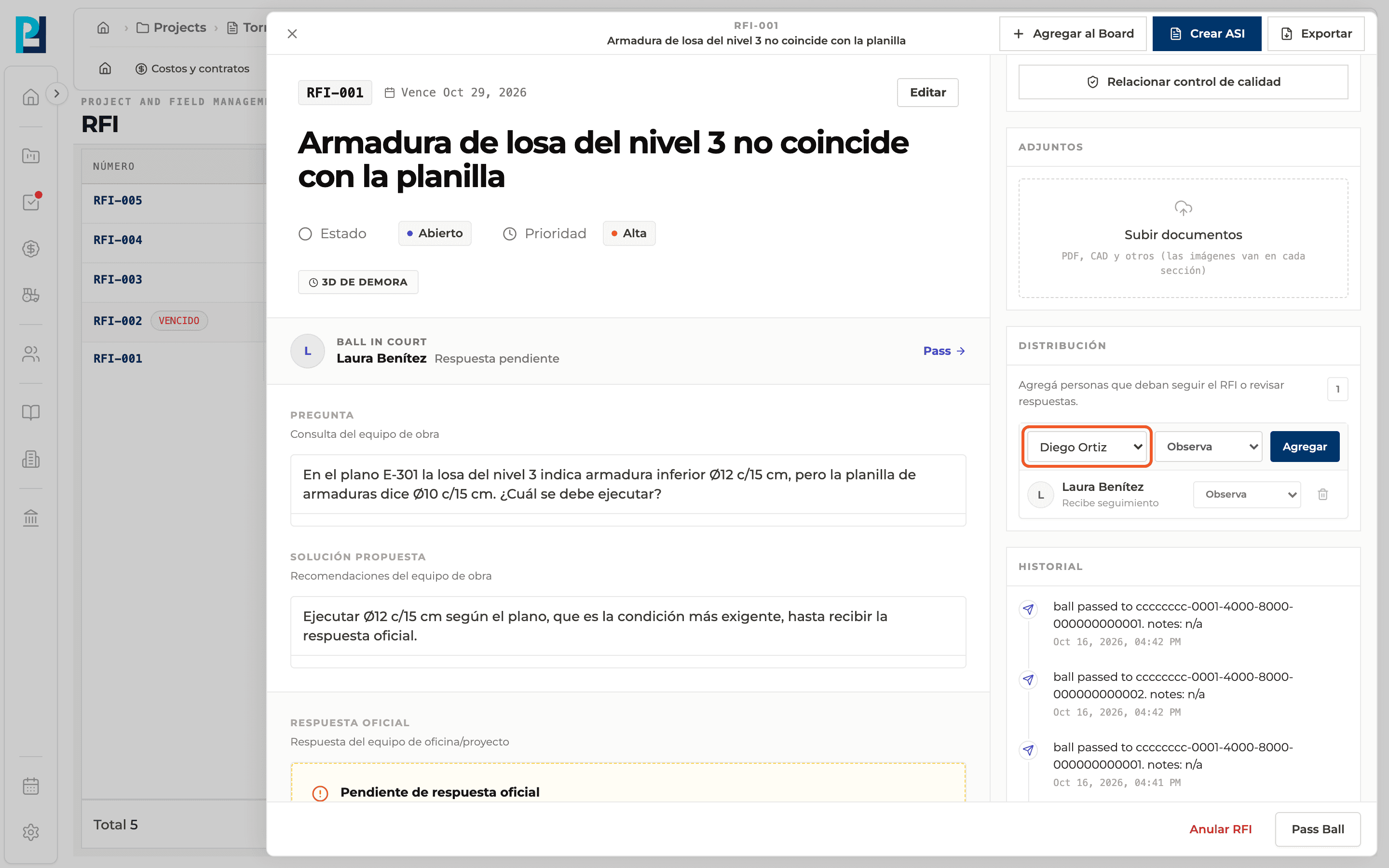
Pick the person
In the first selector choose the project member.
- 03
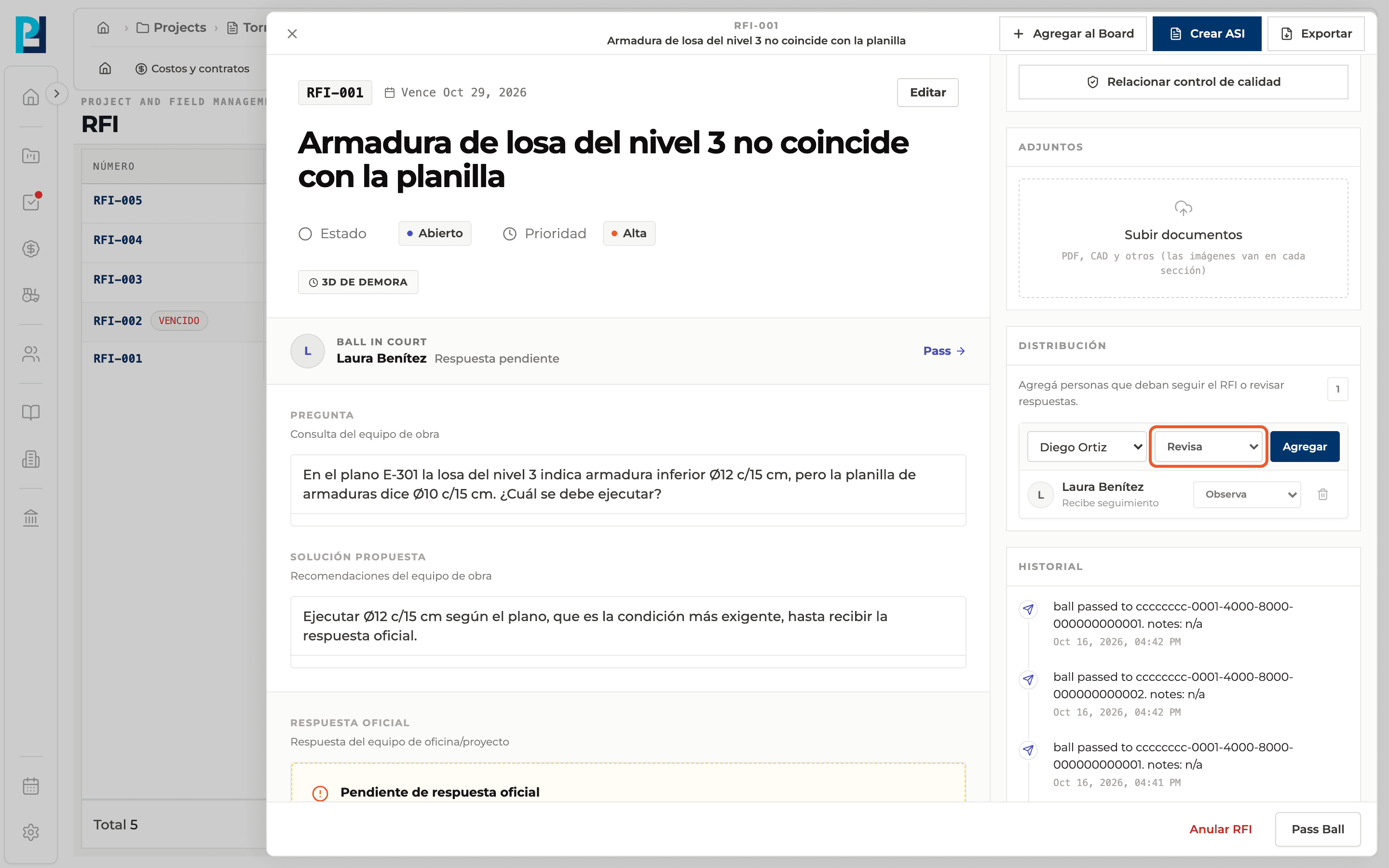
Pick the role
Observes: receives follow-up. Reviews: can review and respond.
- 04
Add
Click Add. The person joins the list with their role.
- 05
Change the role or remove
Each row has its role selector and a bin to remove it from the distribution (asks for confirmation).
What you'll learn
How distribute the rfi: who observes and who reviews works inside Perfour.
What information you need and how it stays connected to RFIs.
How to preserve traceability and find the record later.
Frequently asked questions
Why don't I see the controls?+
Only people allowed to manage the distribution see them; everyone else sees a read-only list.
Does the Ball in Court appear in the distribution?+
Yes, they are added automatically with the Observes role.