Edit an existing RFI
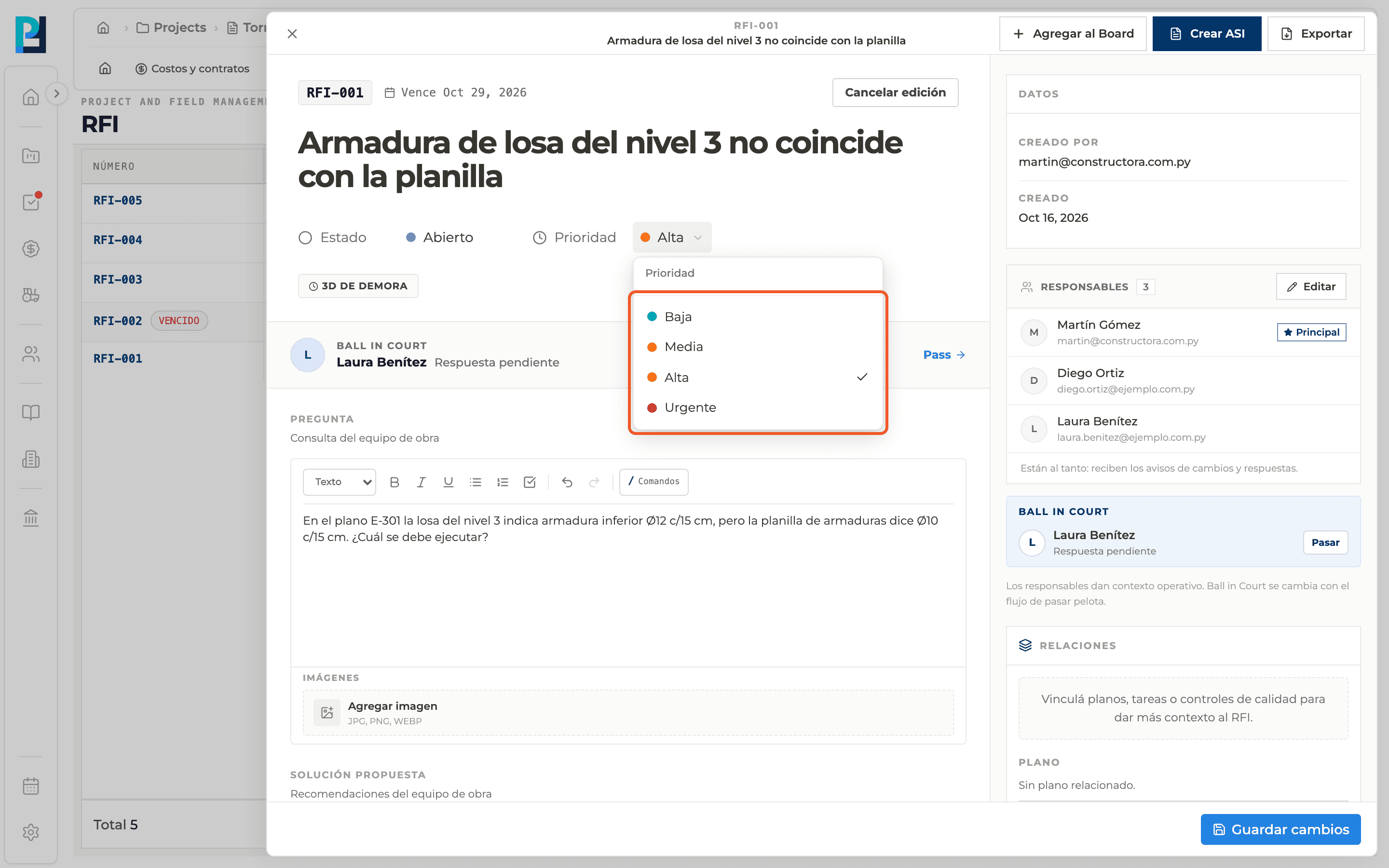
Title, question, proposed solution, priority and status are changed from the detail panel.
How to complete editing
- 01
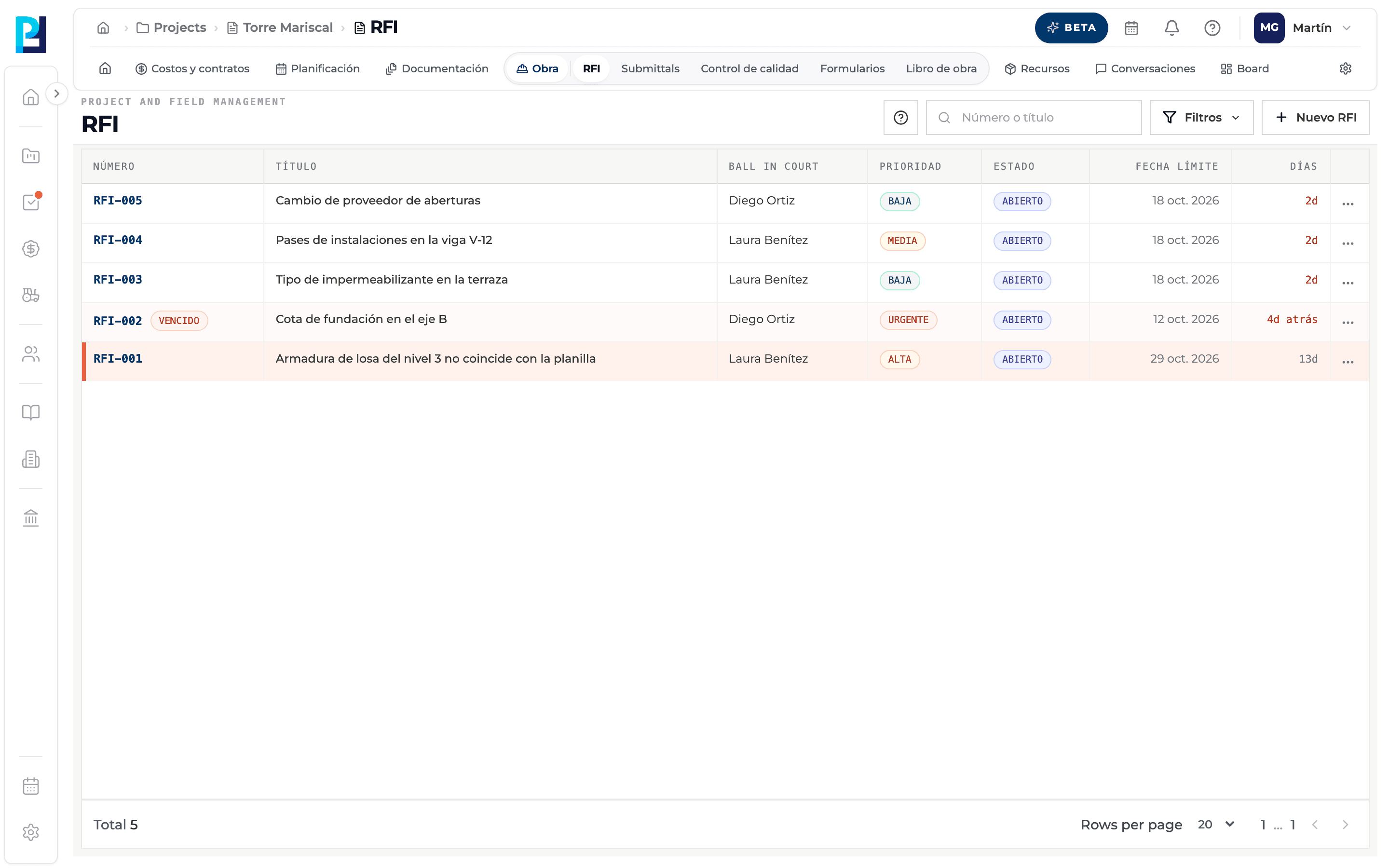
Open the RFI
Click its row in the list.
- 02
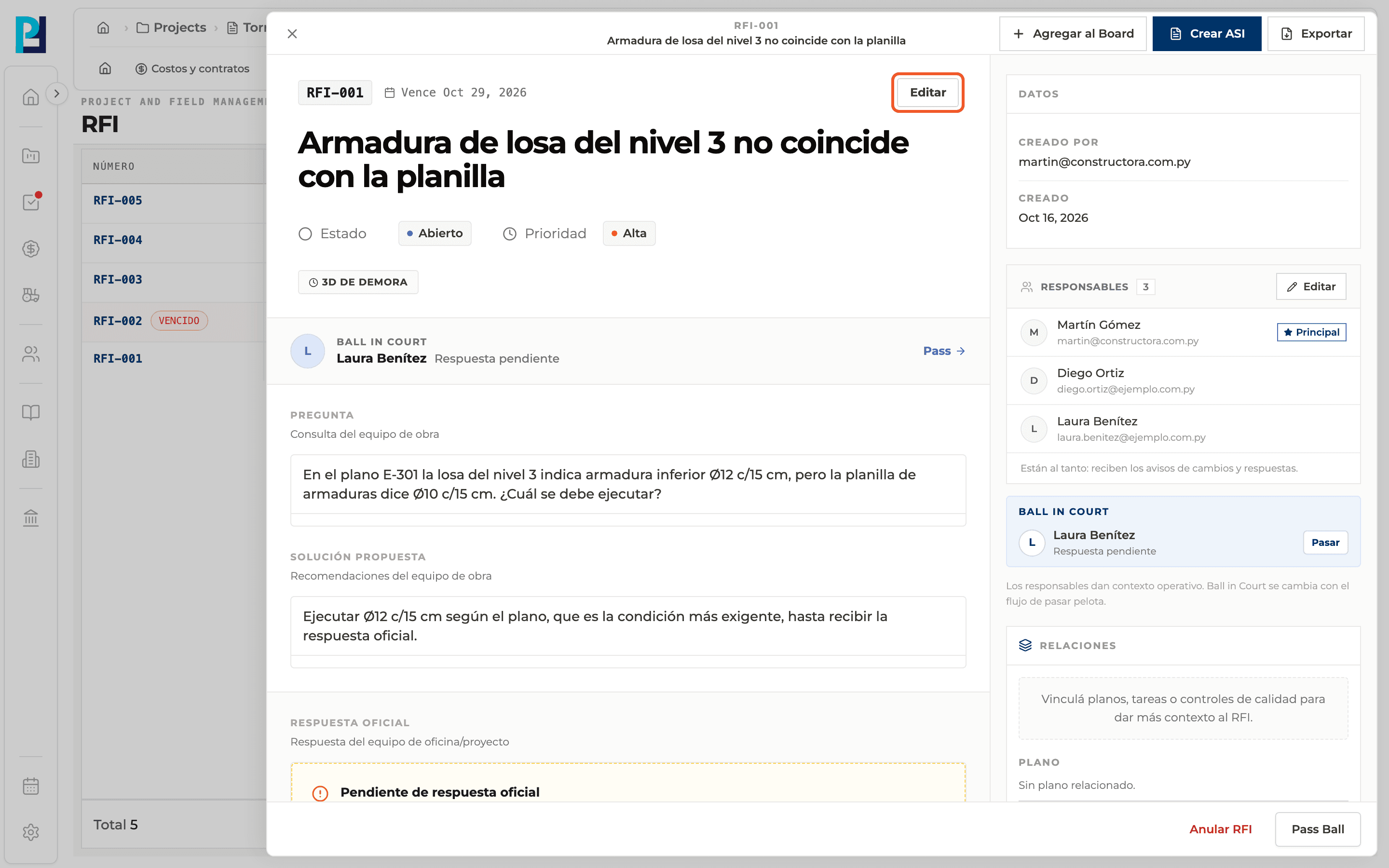
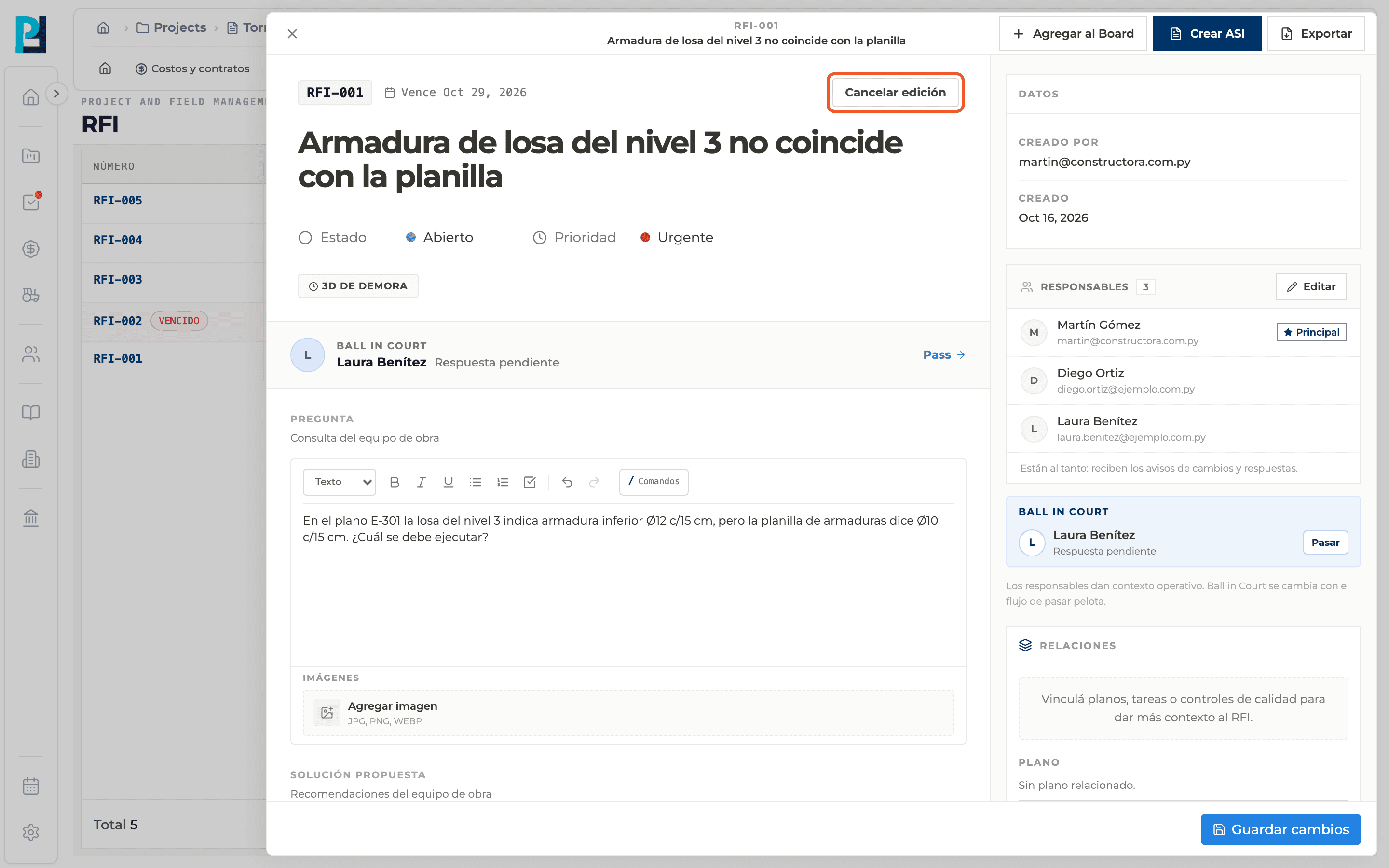
Click Edit
It sits to the right above the title and only appears if you have permission. While editing it becomes Cancel editing.
- 03
Change what you need
Title, question, proposed solution, priority or status (Open, Pending, Closed or Void).
- 04
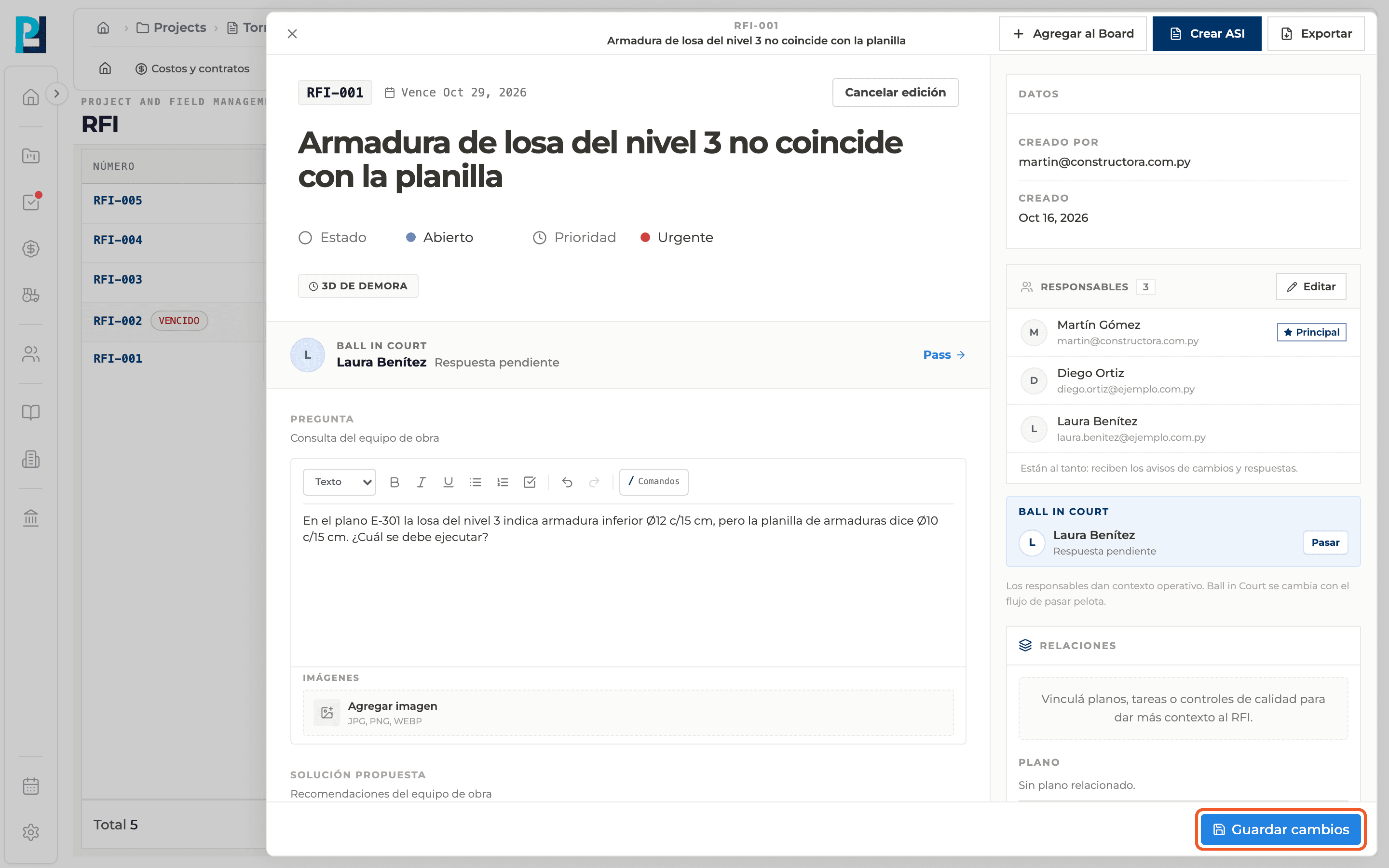
Save
Click Save changes at the bottom of the panel. It is enabled when there are changes and the question is not empty. "RFI updated" appears.
- 05
Or discard
Cancel editing leaves the RFI as it was.
What you'll learn
How edit an existing rfi works inside Perfour.
What information you need and how it stays connected to RFIs.
How to preserve traceability and find the record later.
Frequently asked questions
Why don't I see Edit?+
It depends on your permissions on the RFI and its status: a closed or voided RFI cannot be edited.
Is changing the status here the same as closing?+
To close, void or reopen, use the buttons at the bottom: they ask for confirmation or a reason and record it in the history.