Issue the official response
The official response is the final answer to the question. There is only one per RFI.
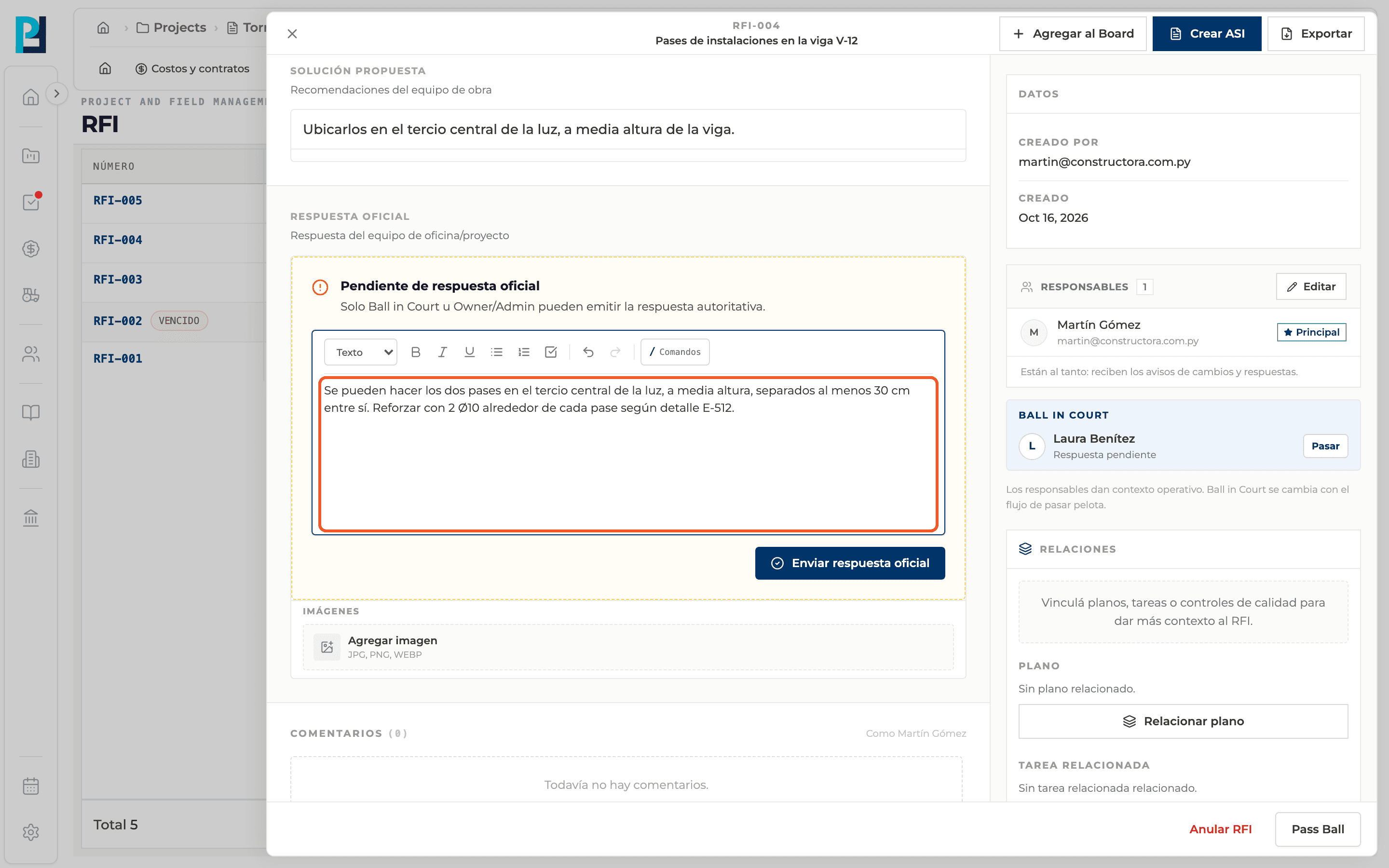
How to complete official response
- 01
Open the RFI
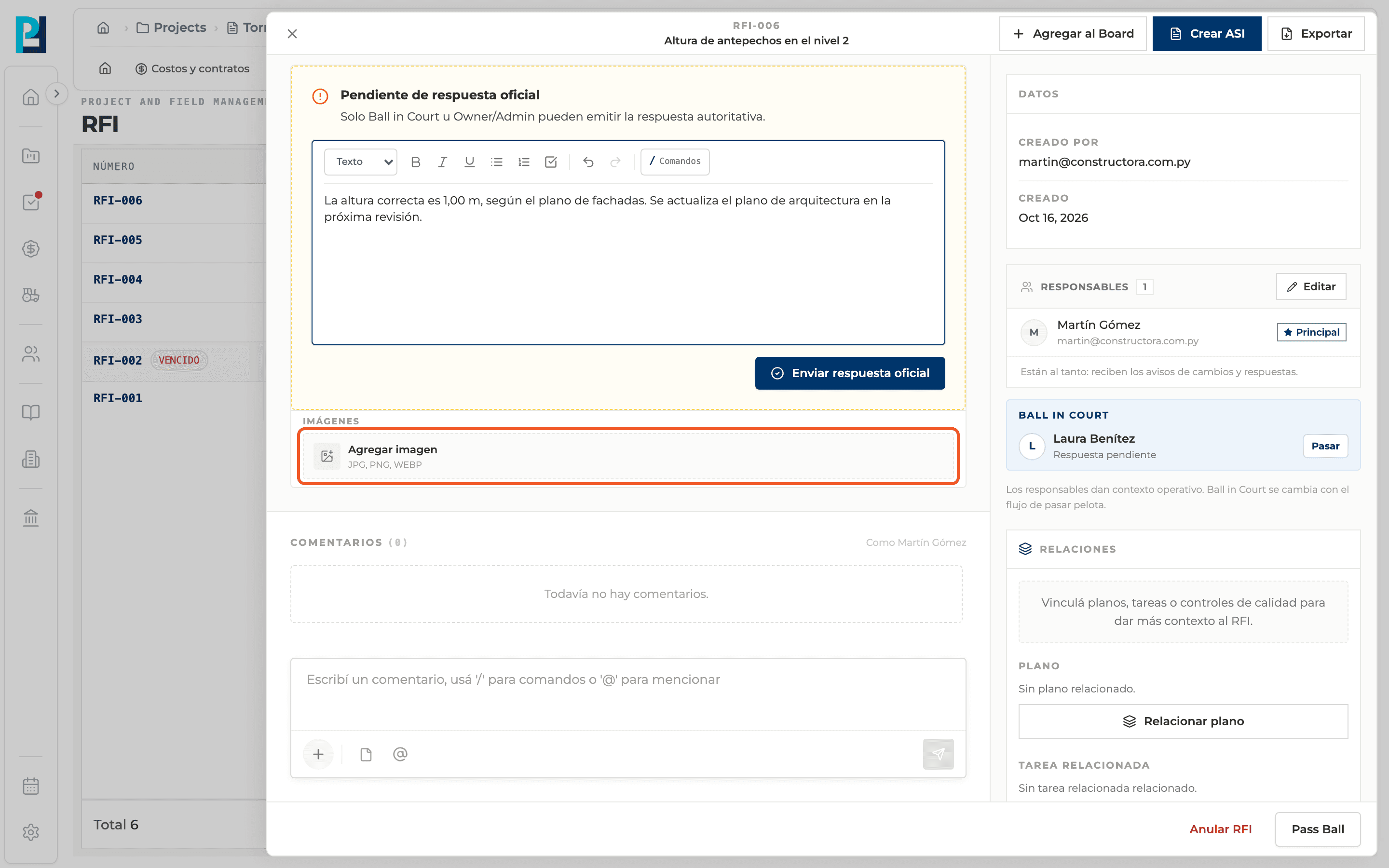
If you can respond and there is no official response yet, you see the Pending official response block: "Only the Ball in Court or Owner/Admin can issue the authoritative response."
- 02
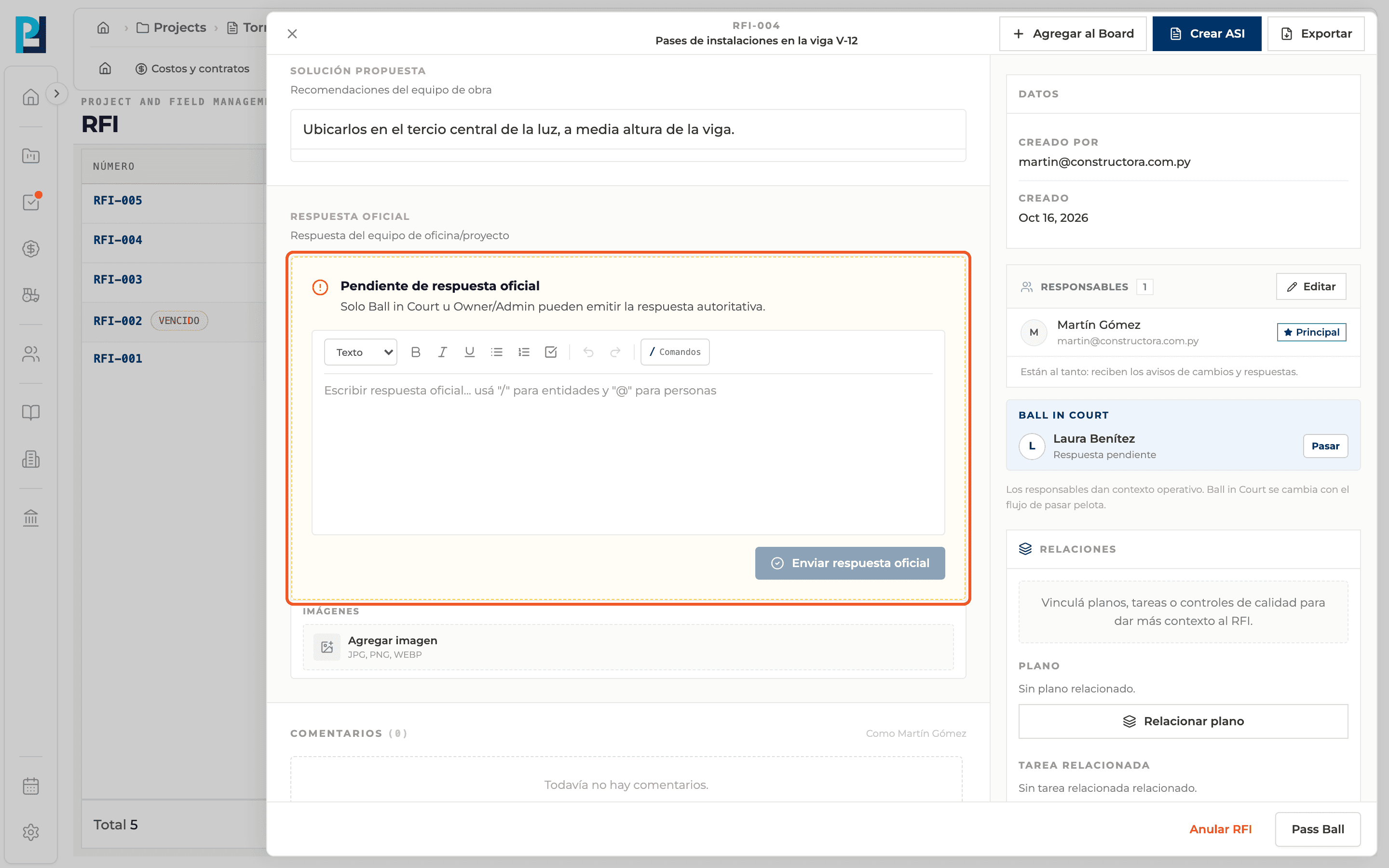
Write the response
In the block's editor. Use "/" to link items and "@" to mention people.
- 03
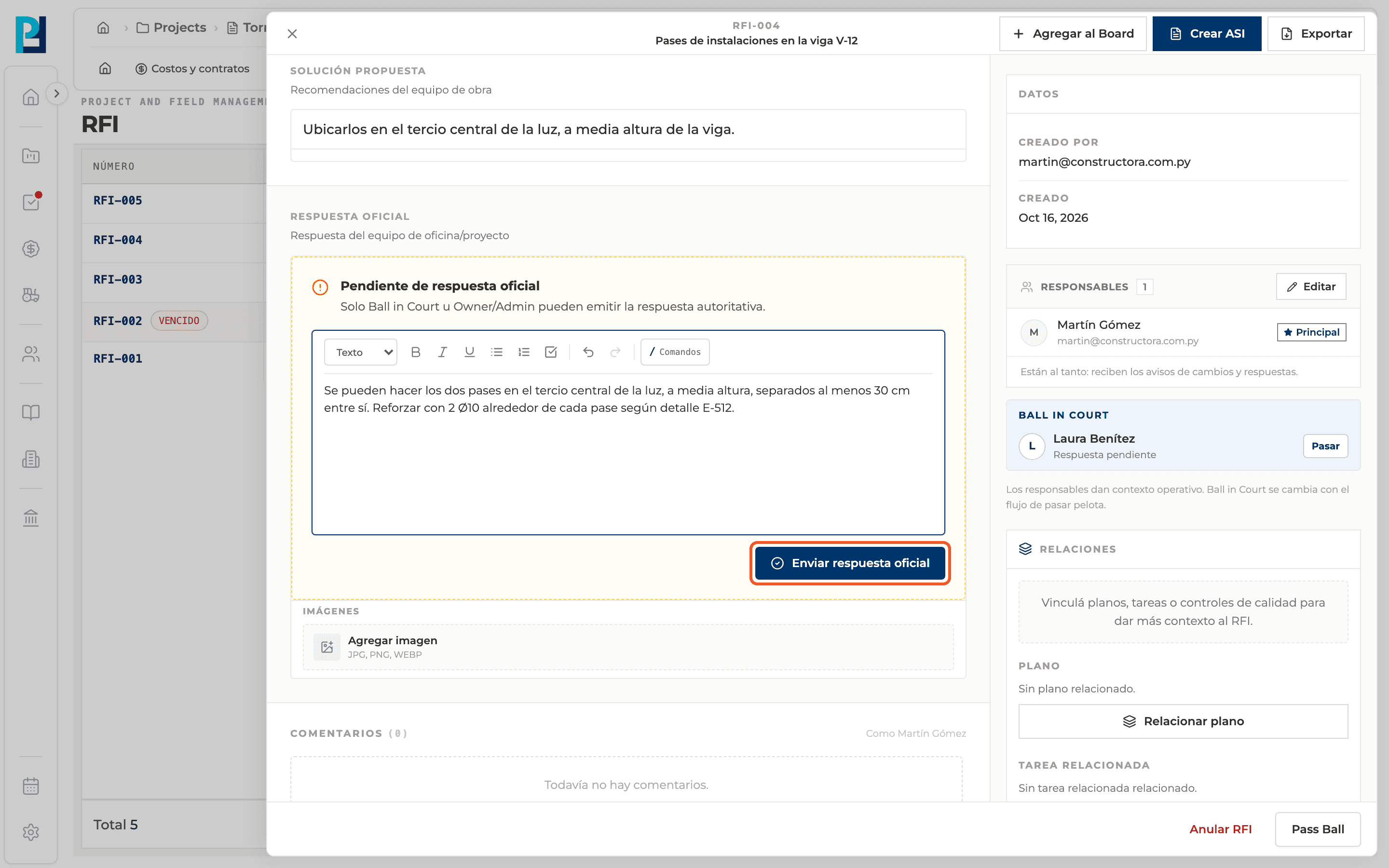
Send
Click Send official response. "Official response sent" appears and the response is highlighted with the responder's name.
- 04
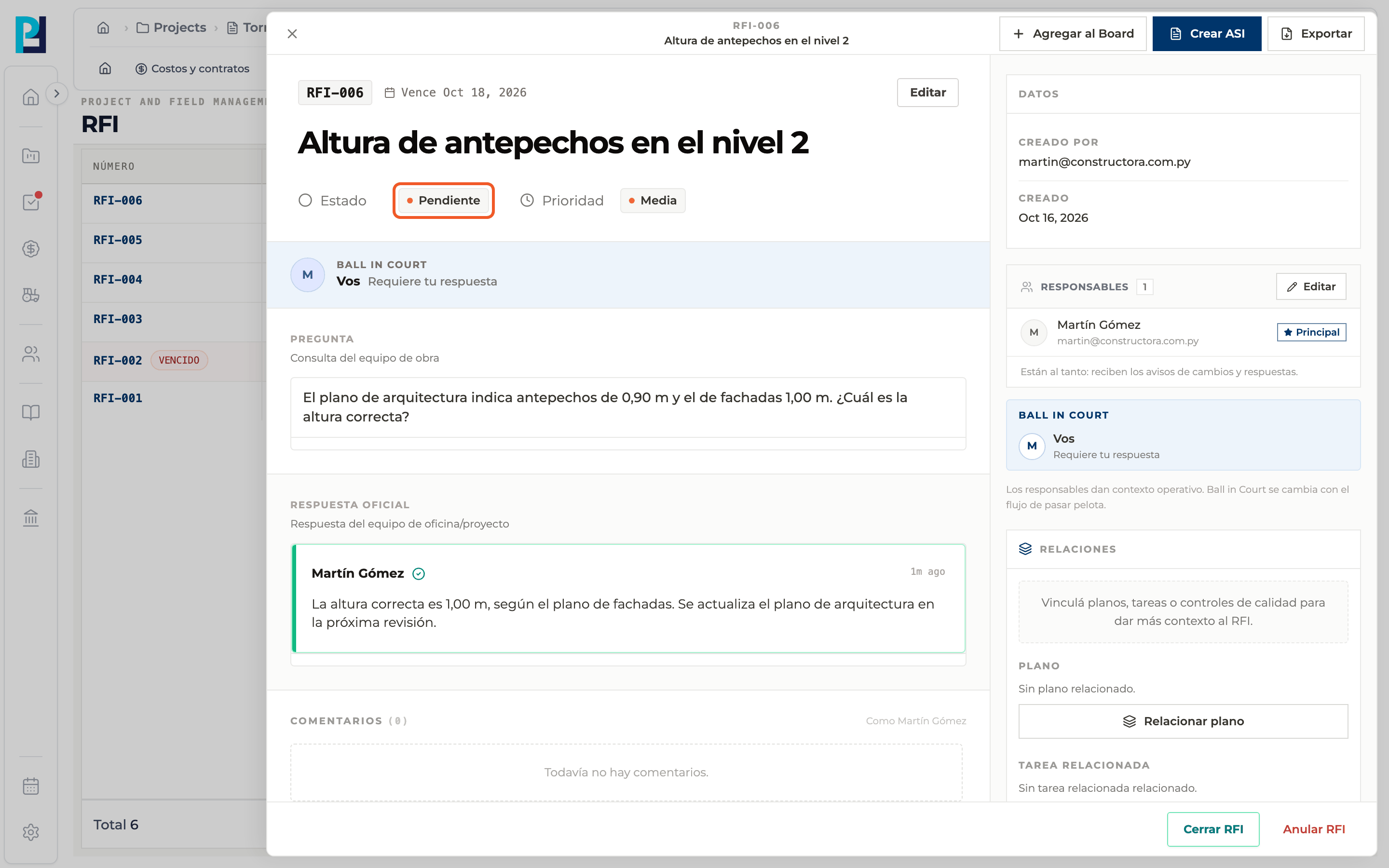
Check the new status
The RFI moves to Pending, waiting to be confirmed and closed.
- 05
Add images
Below the response there is its own Add image, if you have permission.
What you'll learn
How issue the official response works inside Perfour.
What information you need and how it stays connected to RFIs.
How to preserve traceability and find the record later.
Frequently asked questions
Can I correct the official response?+
No: once issued, the response block disappears. To clarify something, leave a comment.
Why don't I see the response block?+
You are not allowed to respond to that RFI, or it already has an official response.