What an RFI is and how its life cycle works
An RFI (Request for Information) is a formal technical question within the project: someone asks, another person gives an official answer, and everything is recorded with owners, deadlines and history.
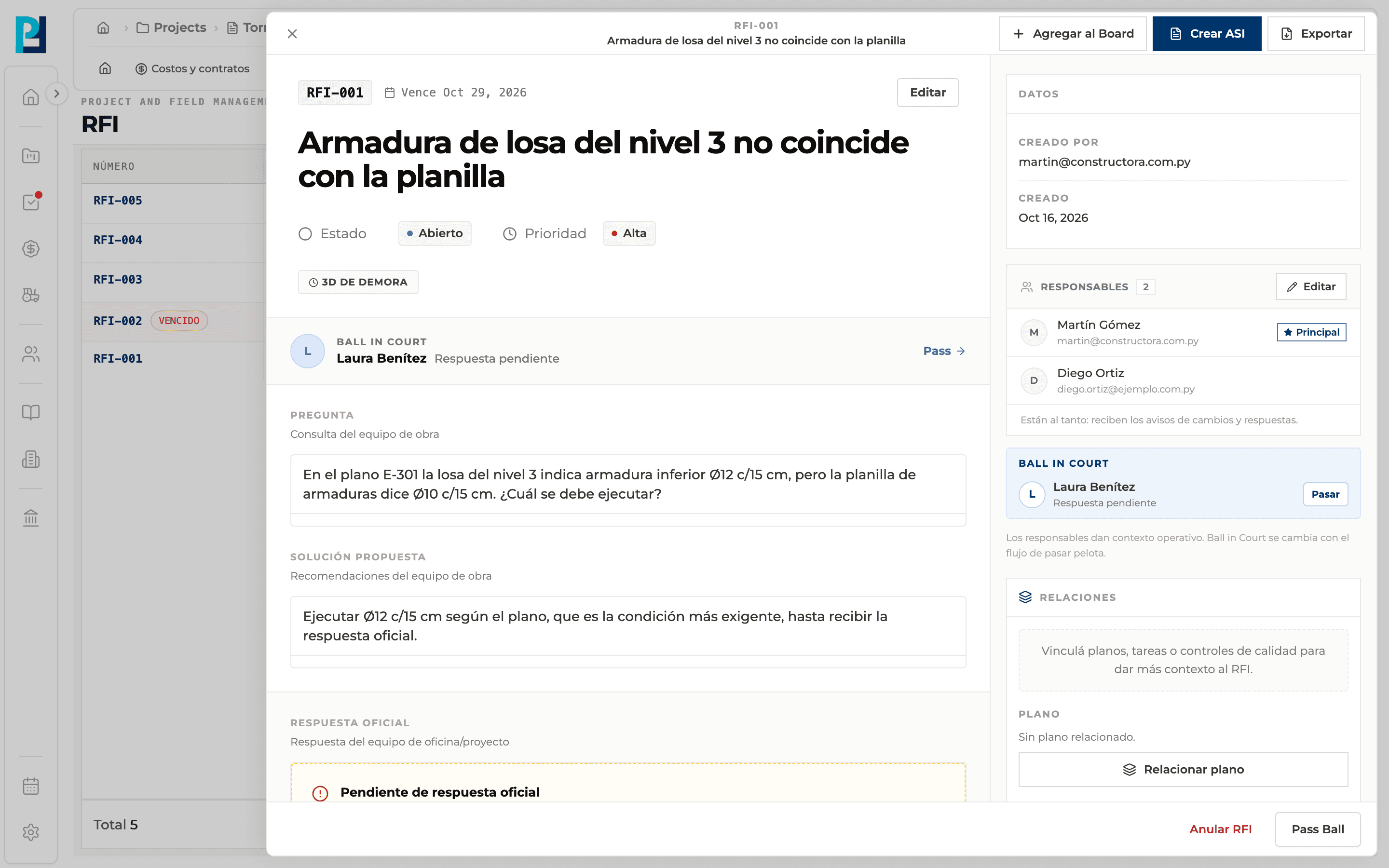
How to complete rfi
- 01
Open RFI
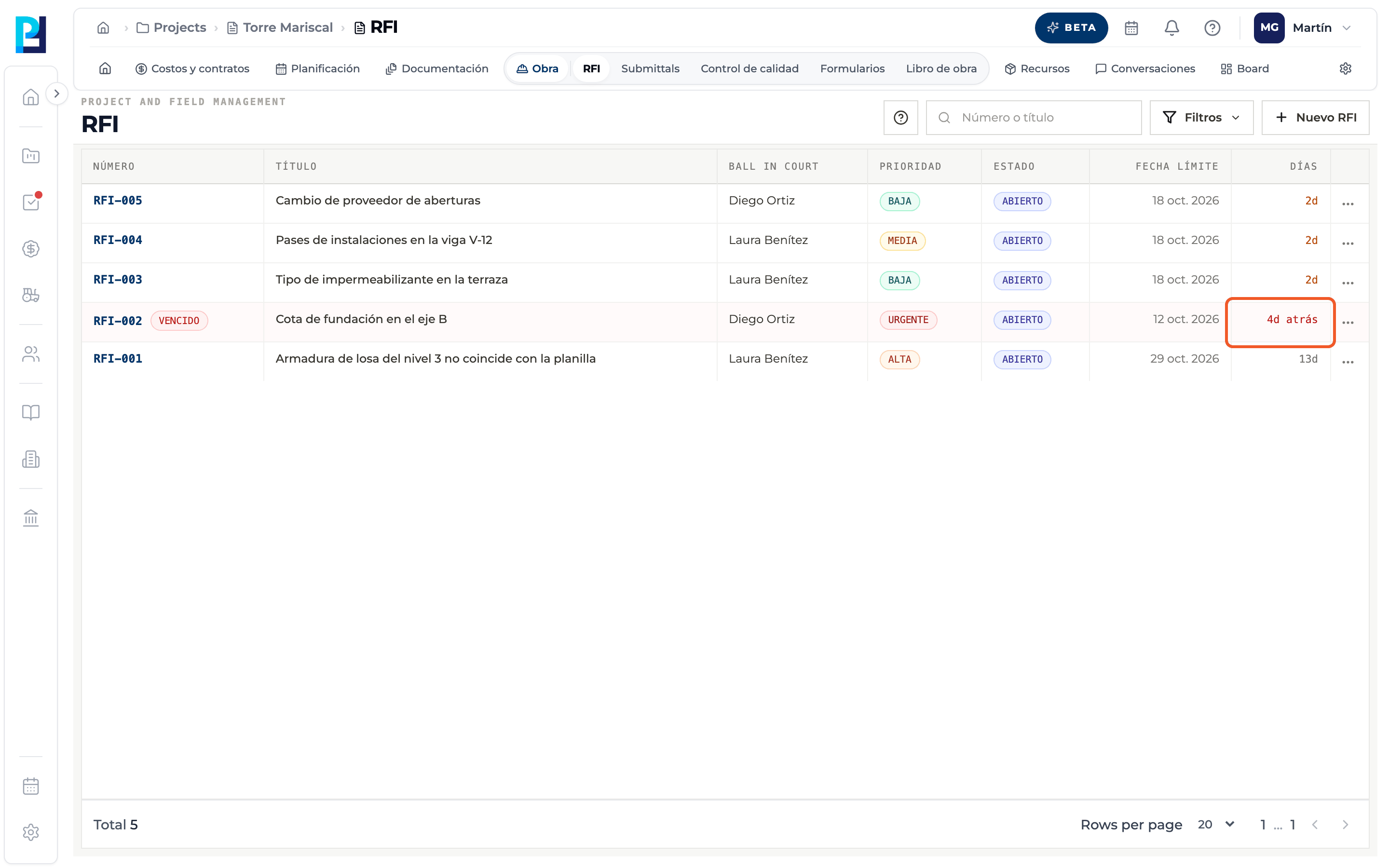
In the project open Site → RFI. The list shows Number, Title, Ball in court, Priority, Status, Due date and Days.
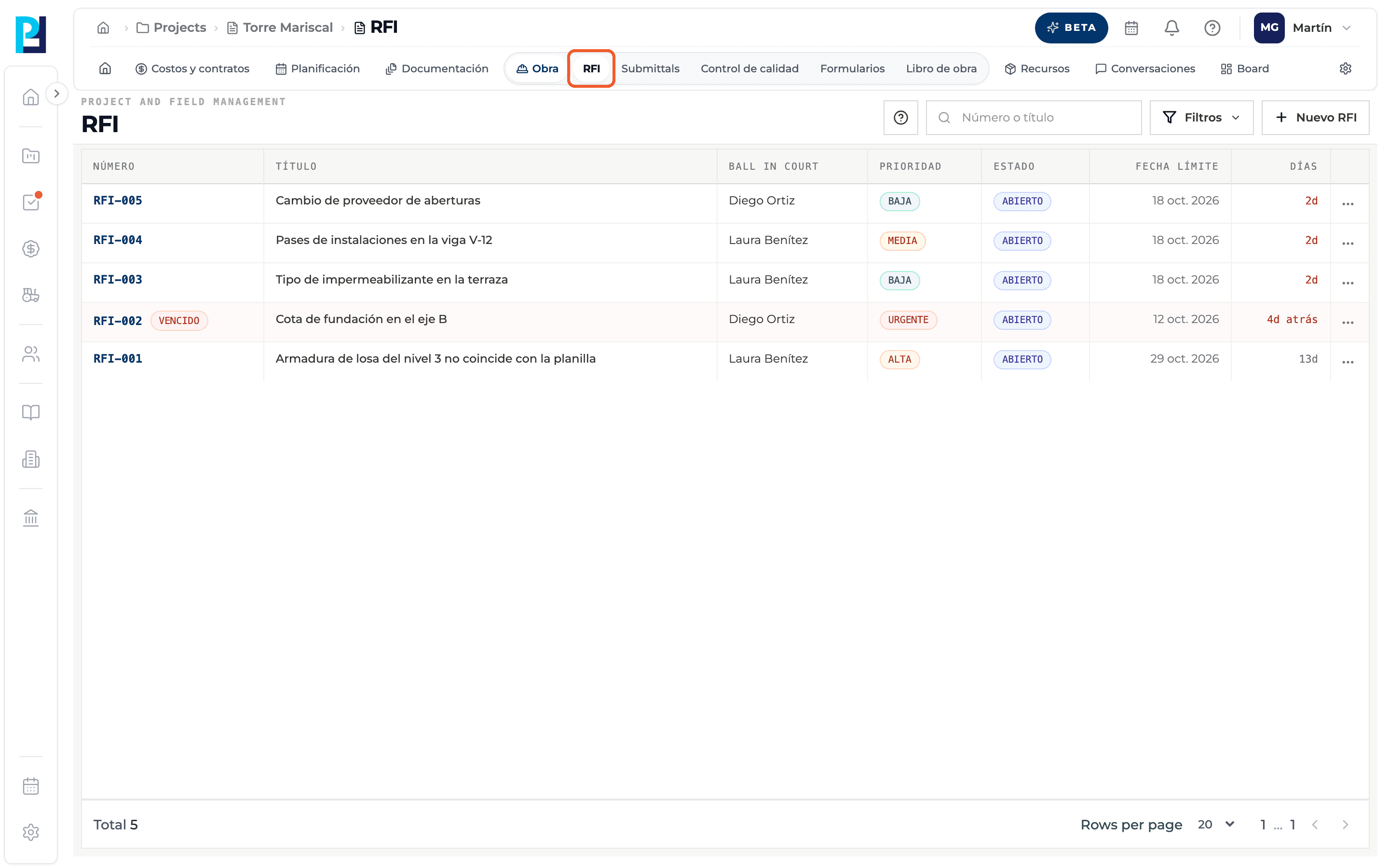
- 02
Learn the key concepts
Question: the site team's technical query. Proposed solution (optional): their recommendation. Ball in Court: the one person who has to answer now. Responsibles: people kept informed who receive notices. Official response: the final answer from the office or project team.
- 03
Learn the statuses
An RFI starts Open. When it gets the official response it moves to Pending, waiting for someone to confirm it and close it (Closed). It can also be Voided. A closed RFI can be Reopened.
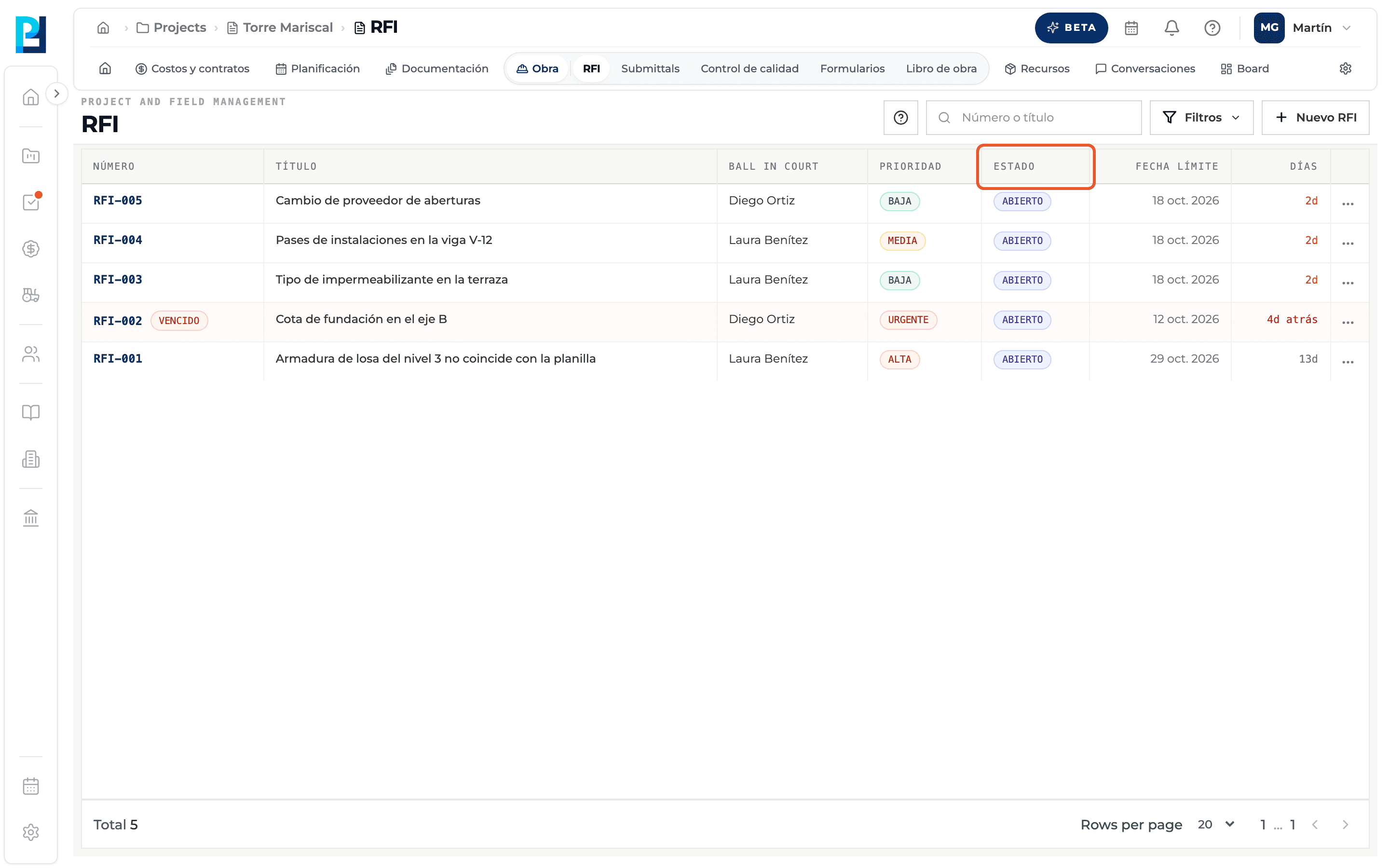
- 04
Learn the numbering
Each RFI gets an automatic number per project (RFI-001, RFI-002…). It cannot be edited.
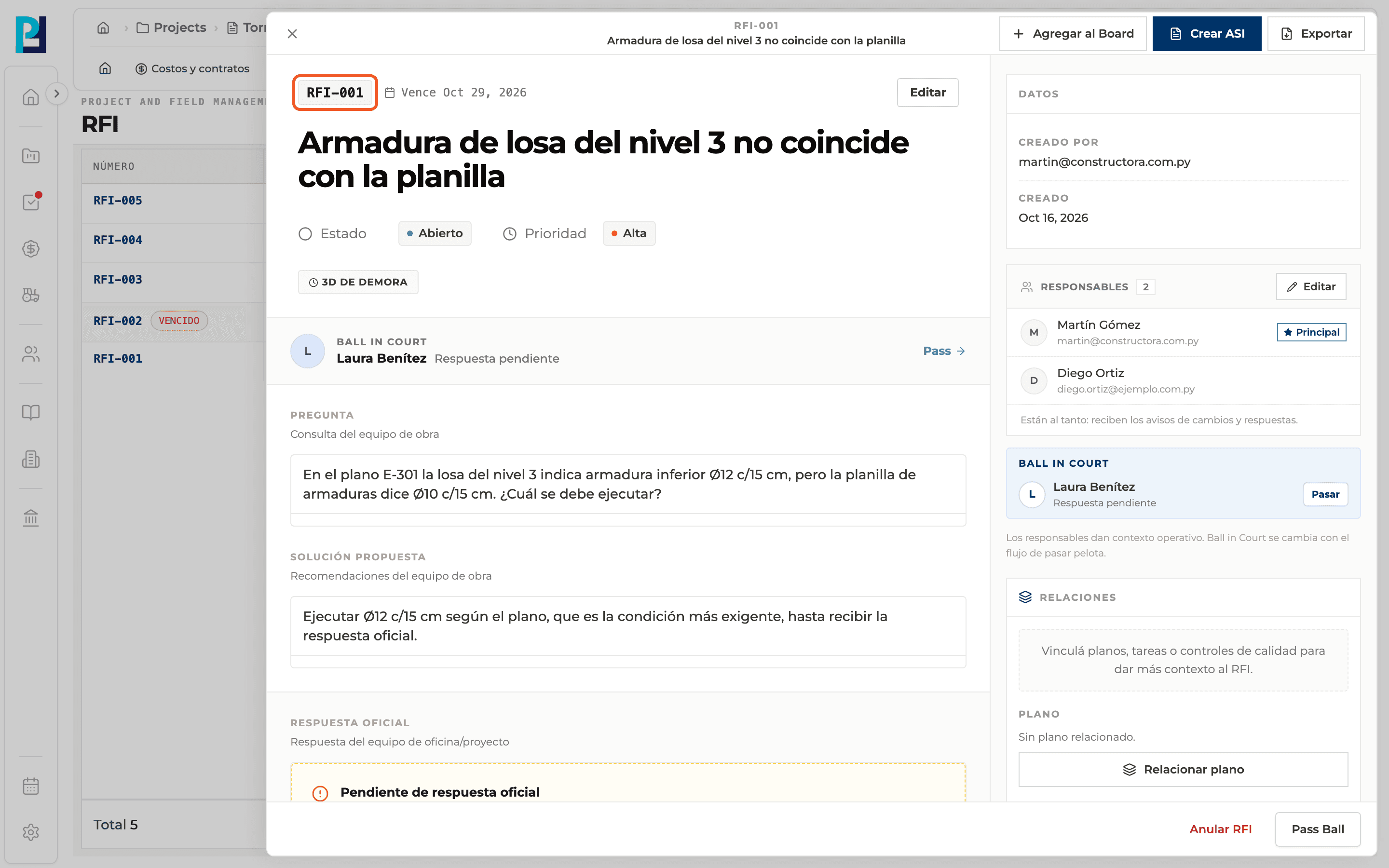
- 05
Track deadlines
Every RFI has a due date. The Days column shows the days left or, once the date has passed, "Nd ago". Overdue RFIs are tagged Overdue with a light red background.
What you'll learn
How what an rfi is and how its life cycle works works inside Perfour.
What information you need and how it stays connected to RFIs.
How to preserve traceability and find the record later.
Frequently asked questions
What is the difference between Ball in Court and Responsibles?+
The Ball in Court is the person who has to answer now and changes when the ball is passed. Responsibles are only kept informed and receive notices.
Can I edit the RFI number?+
No, it is assigned automatically.