Write the question and proposed solution, and add images
The question is the heart of the RFI and the proposed solution is optional. Both accept formatted text, mentions, links and their own images.
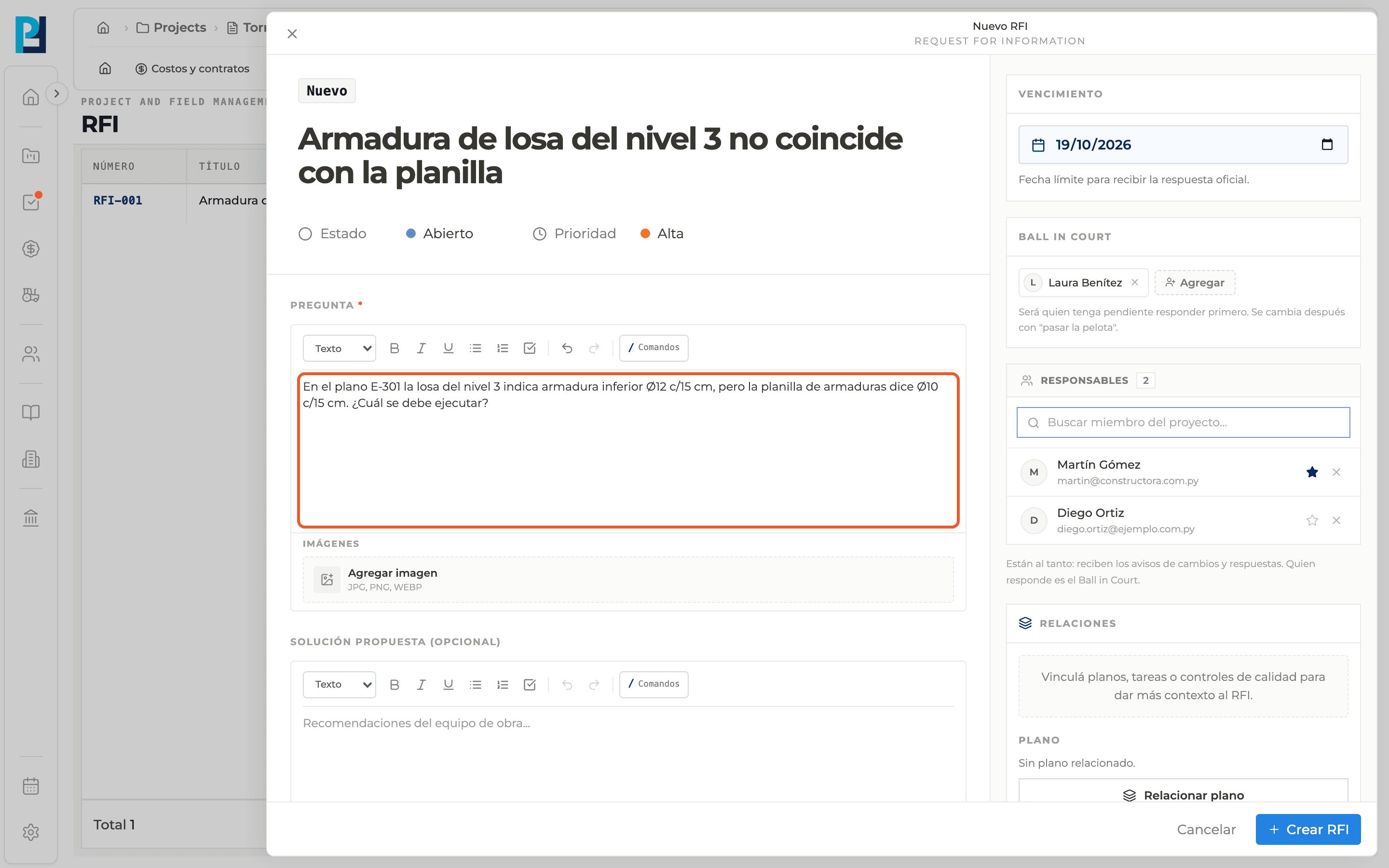
How to complete question and solution
- 01
Write the question
Use the editor's formatting bar. Type "/" to link project items and "@" to mention people.
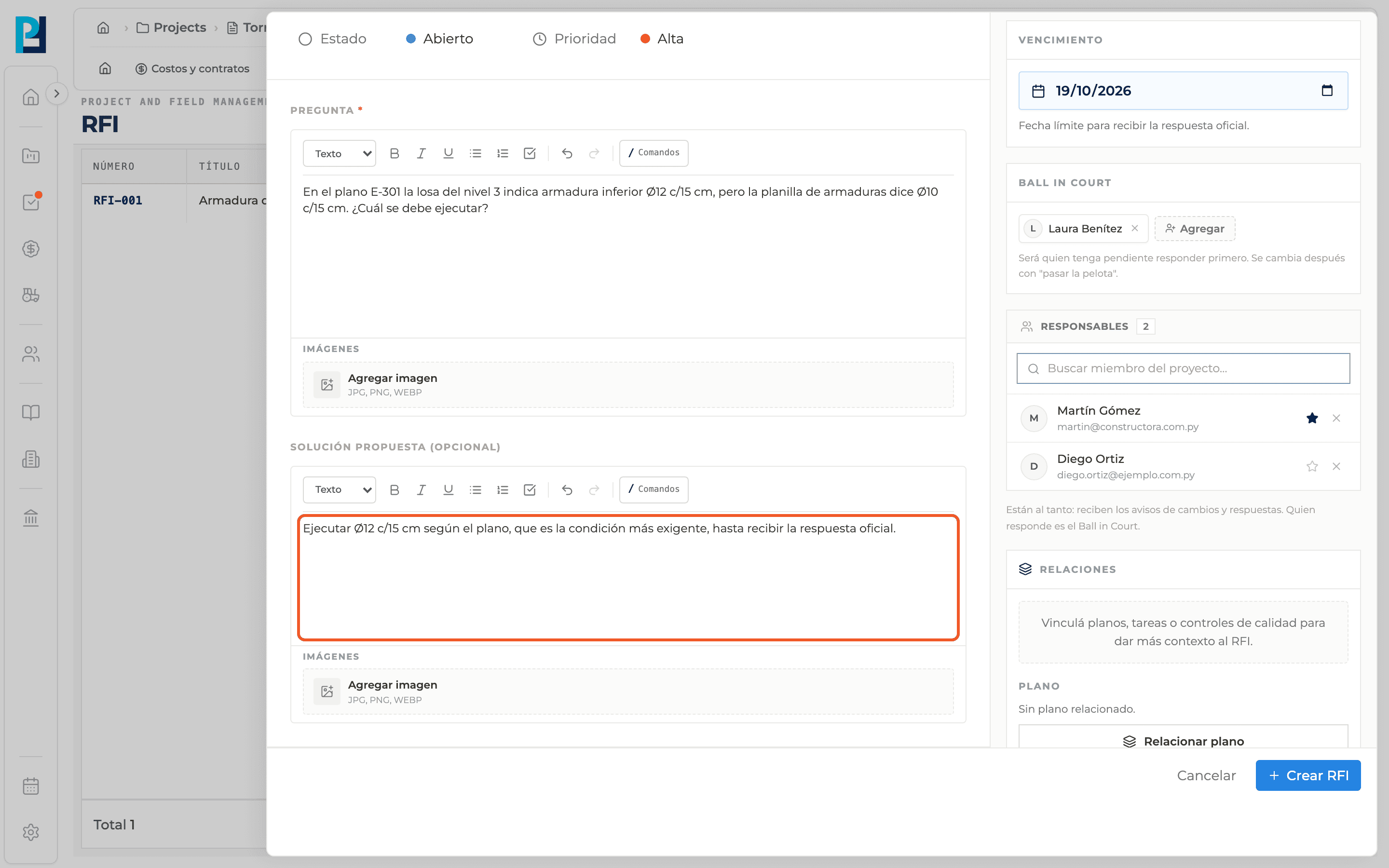
- 02
Add a proposed solution
It is optional and uses the same editor. Use it for the site team's recommendation.
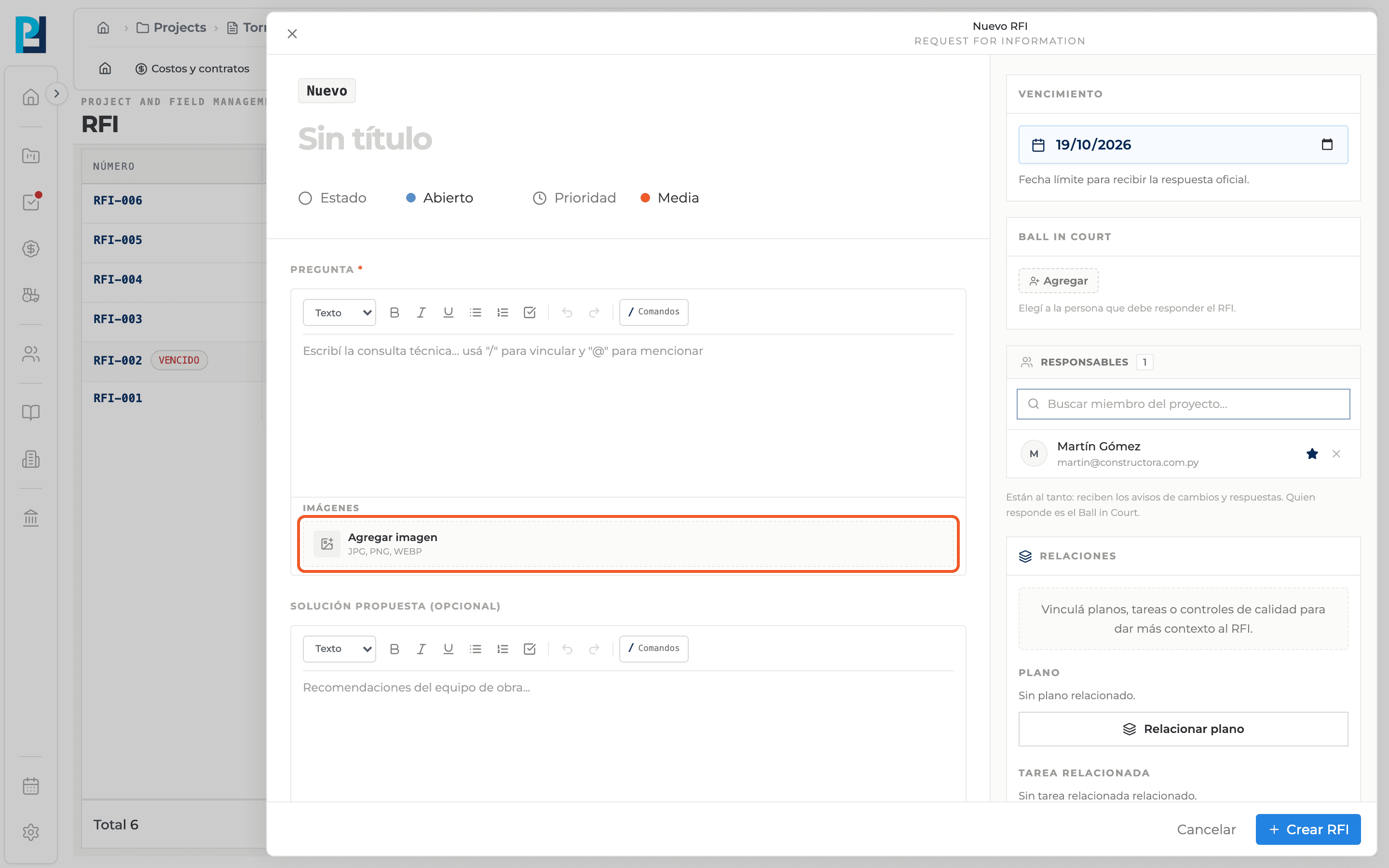
- 03
Add images
Each field has its own Add image below the text. It accepts JPG, PNG or WEBP.
- 04
Remove or enlarge an image
On the thumbnail, the X removes it and View image opens it full size.
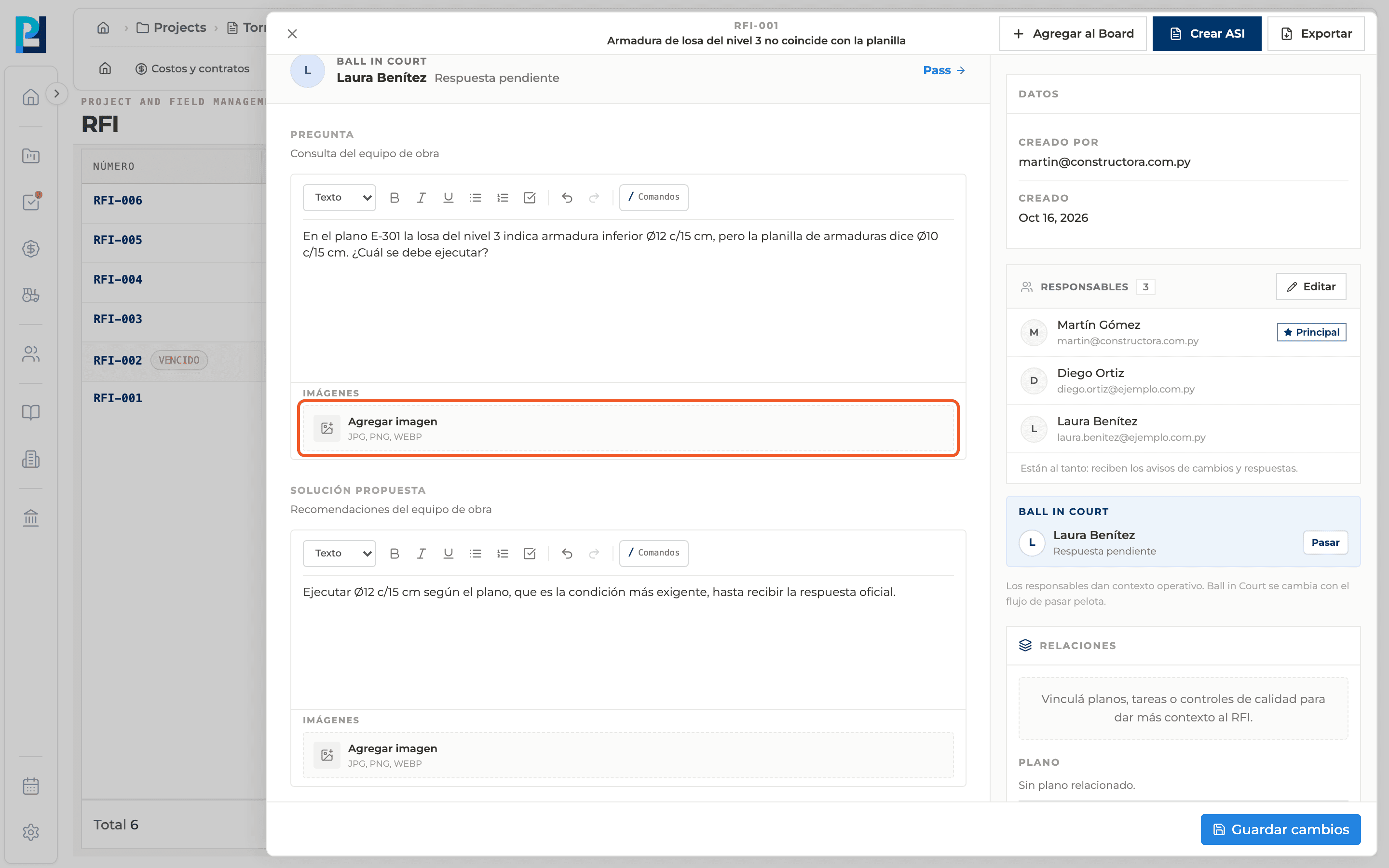
- 05
Images on an existing RFI
Click Edit above the title: in edit mode each field shows Add image. Once uploaded, "Image added" appears.
What you'll learn
How write the question and proposed solution, and add images works inside Perfour.
What information you need and how it stays connected to RFIs.
How to preserve traceability and find the record later.
Frequently asked questions
Can I upload an image as an attachment?+
No. Attachments reject images: they go in the question or the proposed solution.
What about a PDF or a CAD drawing?+
Those go in Attachments.
Does the official response accept images too?+
Yes, it has its own Add image.