RFIs / 10
Assign responsibles to an RFI
Responsibles are kept informed about the RFI and receive notices of changes and responses. They do not replace the Ball in Court.
2 minutes
Step by step
How to complete responsibles
- 01
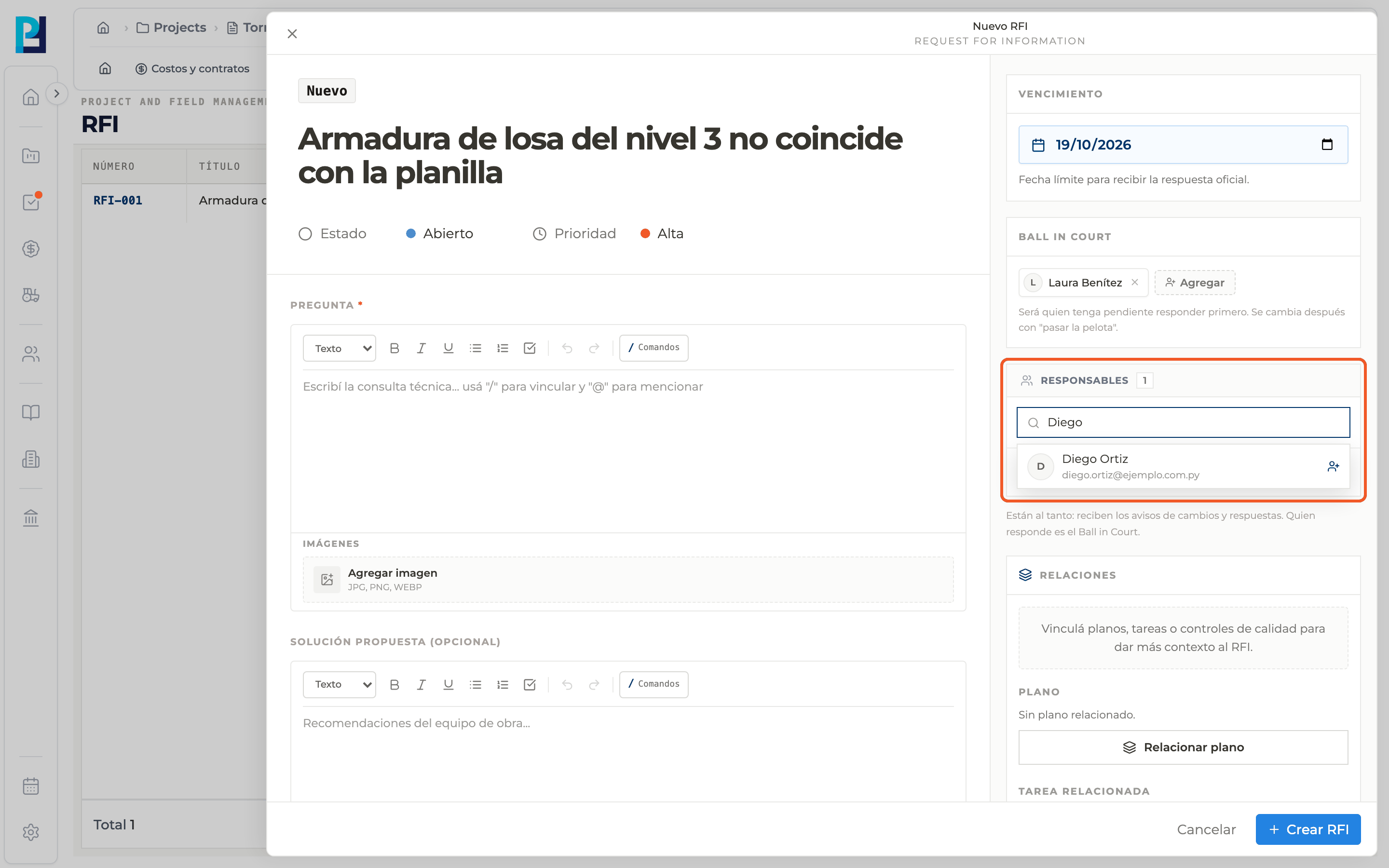
When creating
In New RFI, the Responsibles block starts with you as the main one. Search project members by name and add whoever you need.
- 02
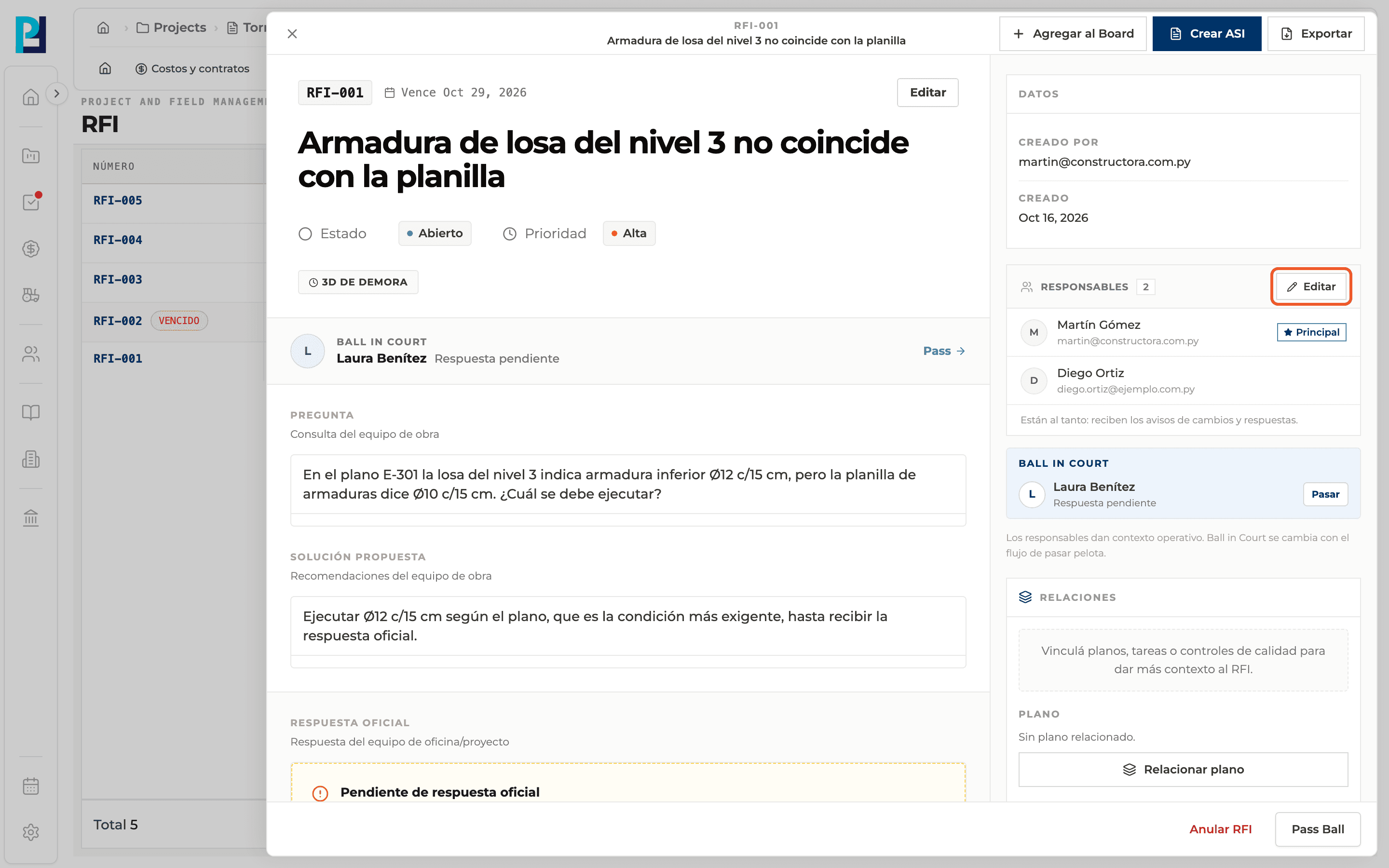
After creating
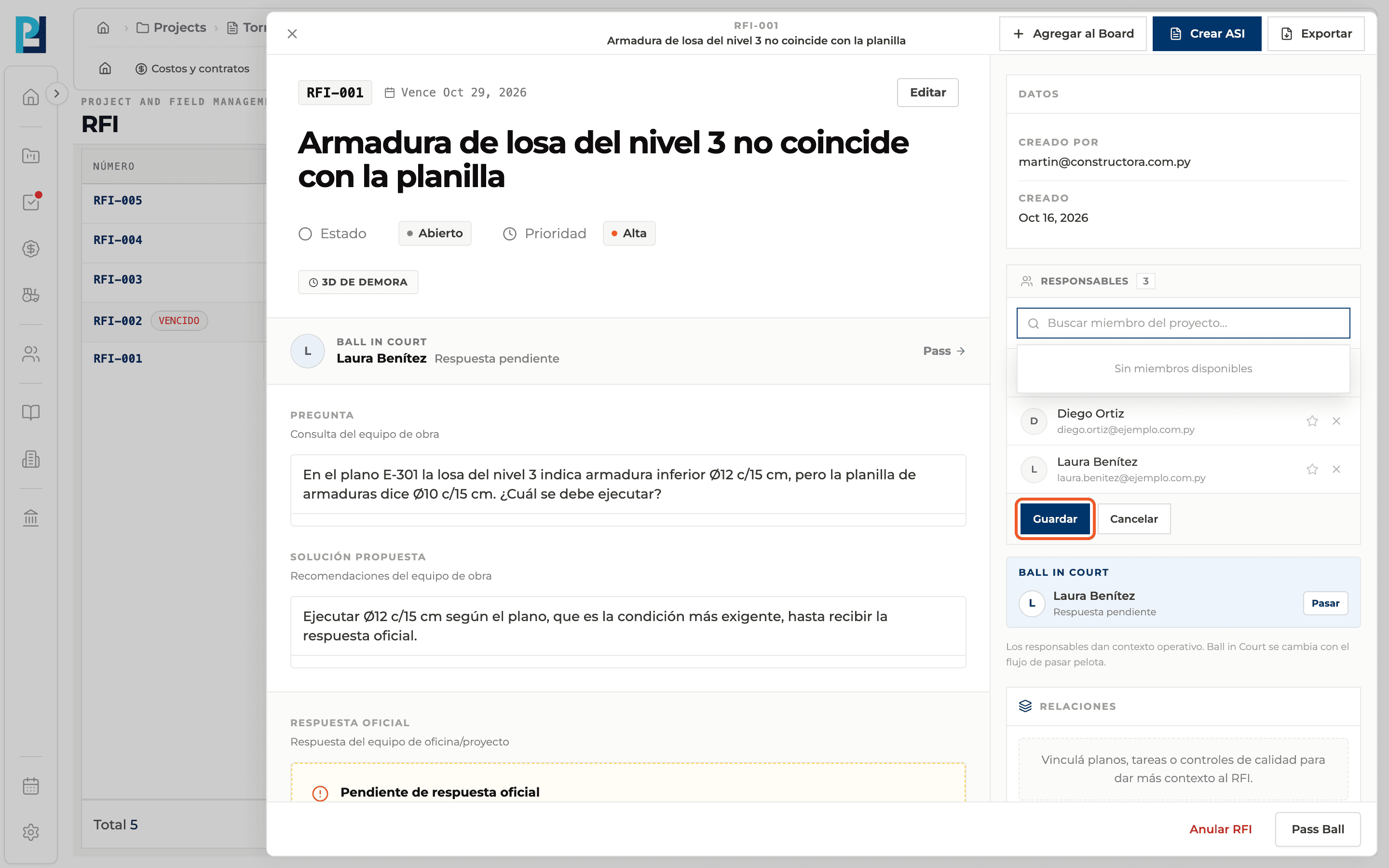
In the RFI detail, sidebar, Responsibles block, click Edit.
- 03
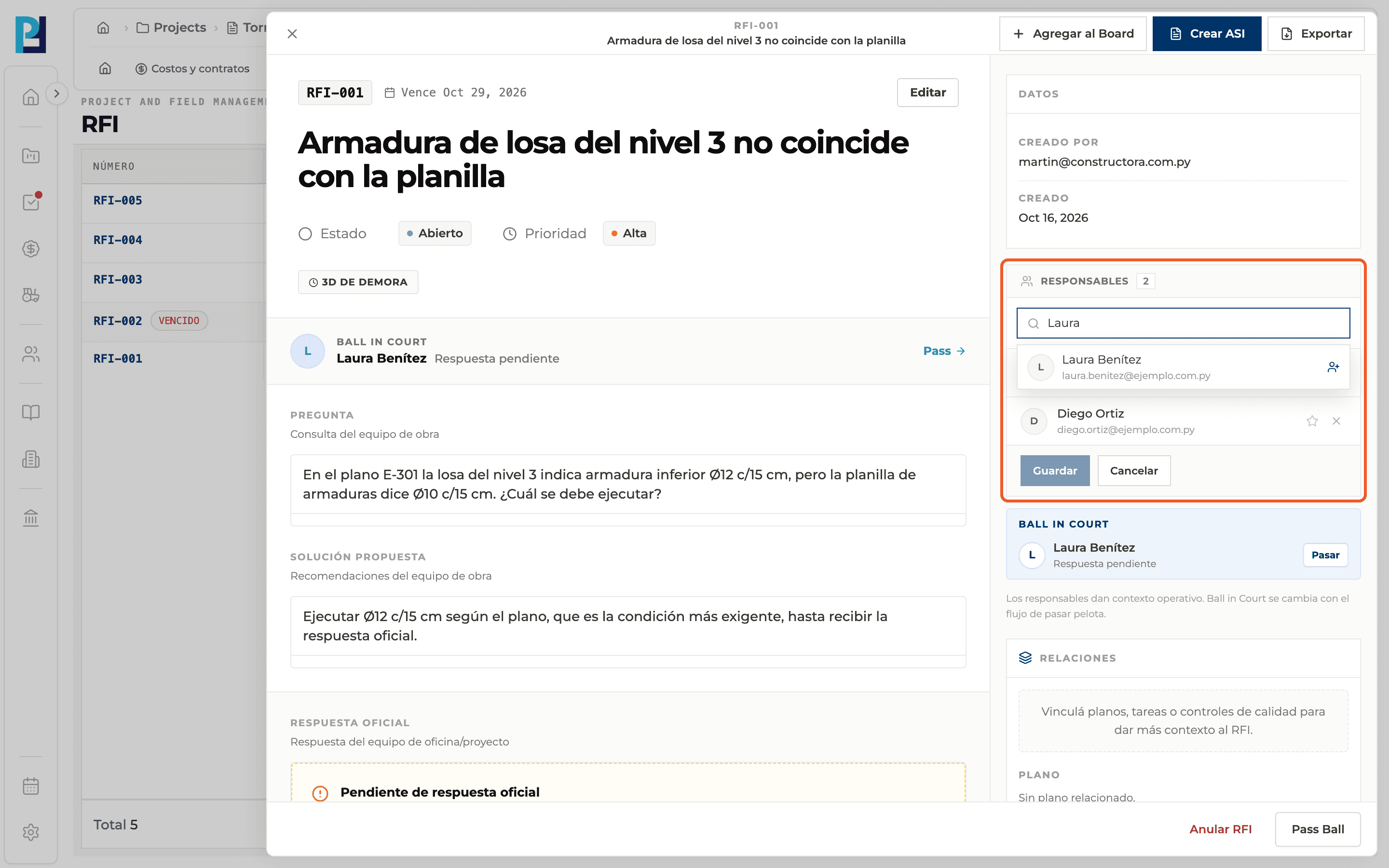
Search and add
Type in Search project member… and pick the person from the list.
- 04
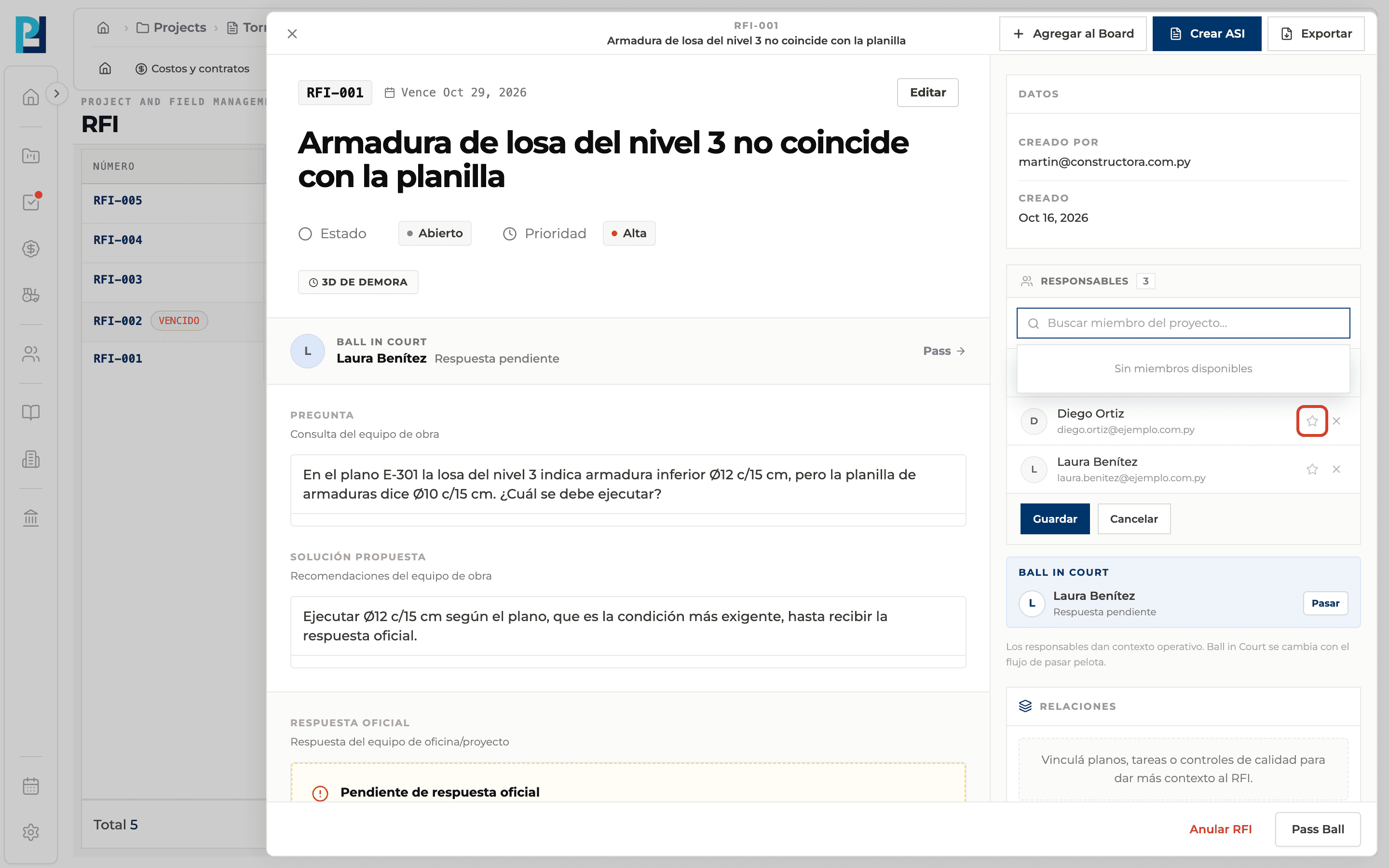
Mark the main one
Use each person's star to choose the main responsible; they get the Main tag.
- 05
Save
Click Save. Cancel discards the changes.
What you'll learn
How assign responsibles to an rfi works inside Perfour.
What information you need and how it stays connected to RFIs.
How to preserve traceability and find the record later.
FAQ
Frequently asked questions
Can I leave the RFI without responsibles?+
Yes, the list can be empty.
Why don't I see the Edit button?+
Only people allowed to manage responsibles see it.