Visual guide
Complete a To-do task
Change a finished task's status to Completed and verify it in Kanban and List.
3 minutes
Step by step
Follow each step on screen
- 01
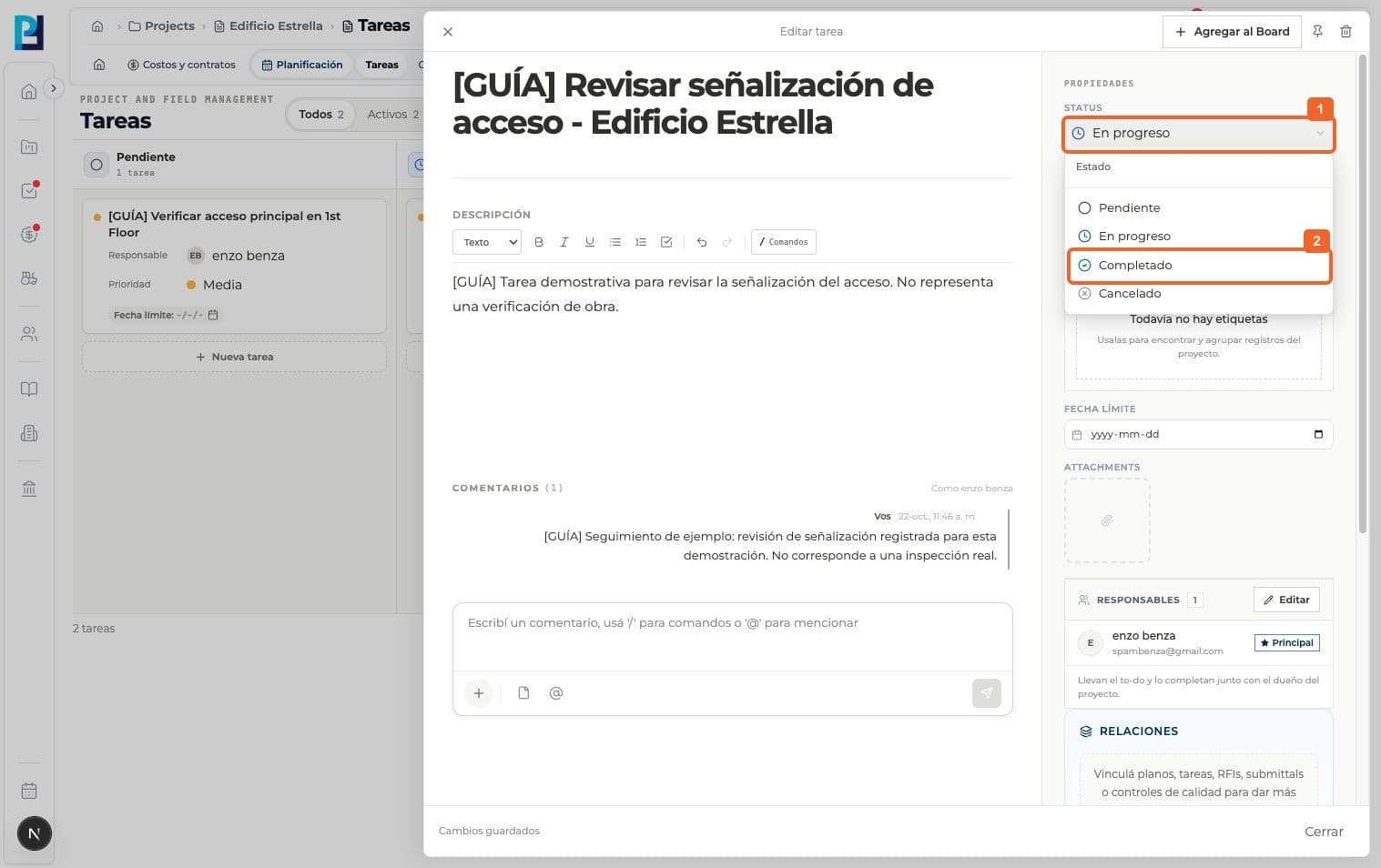
Open the task and expand Status in the properties panel.
- 02
Select Completed.
- 03
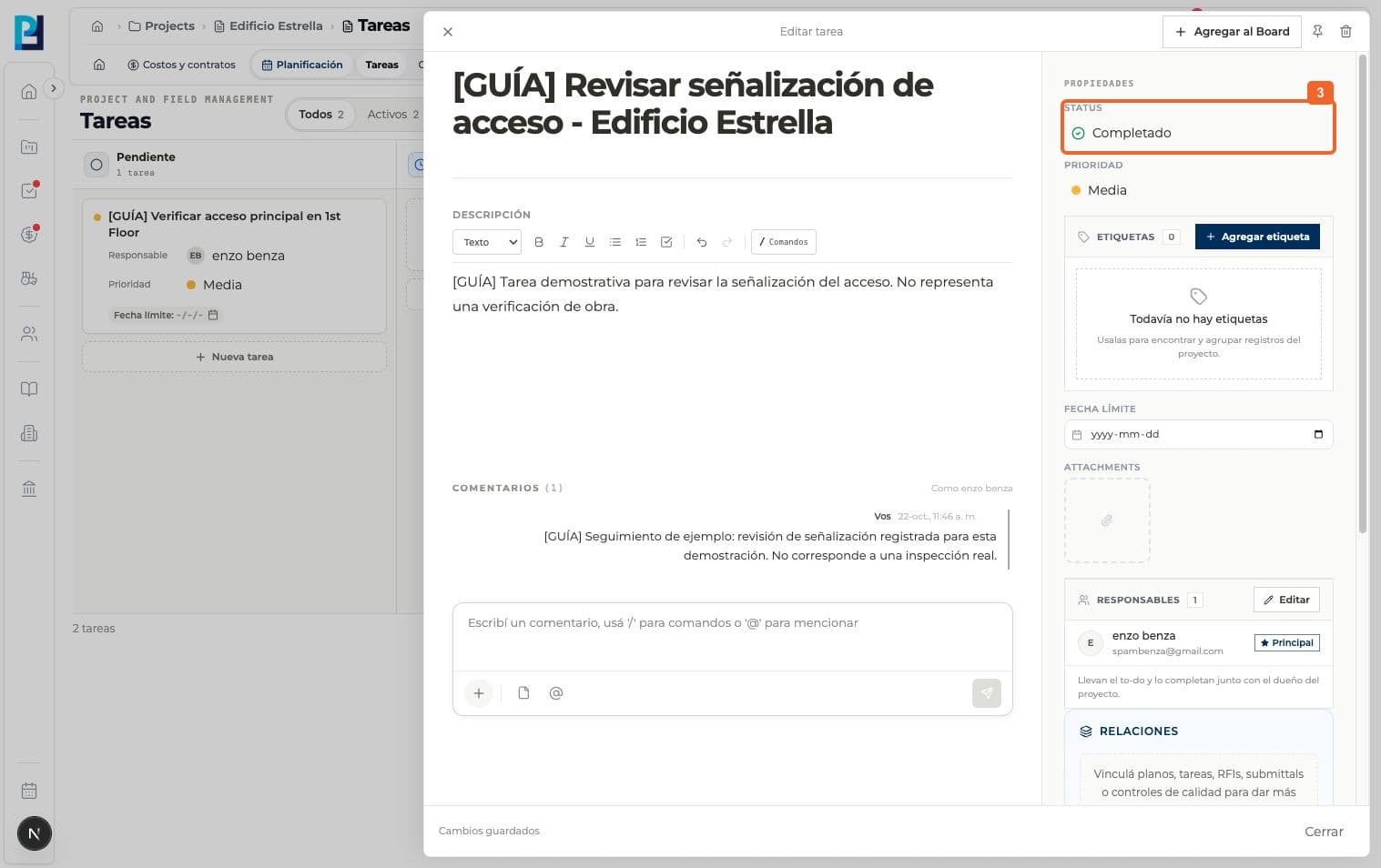
Confirm the detail shows Completed and the change is saved.
- 04
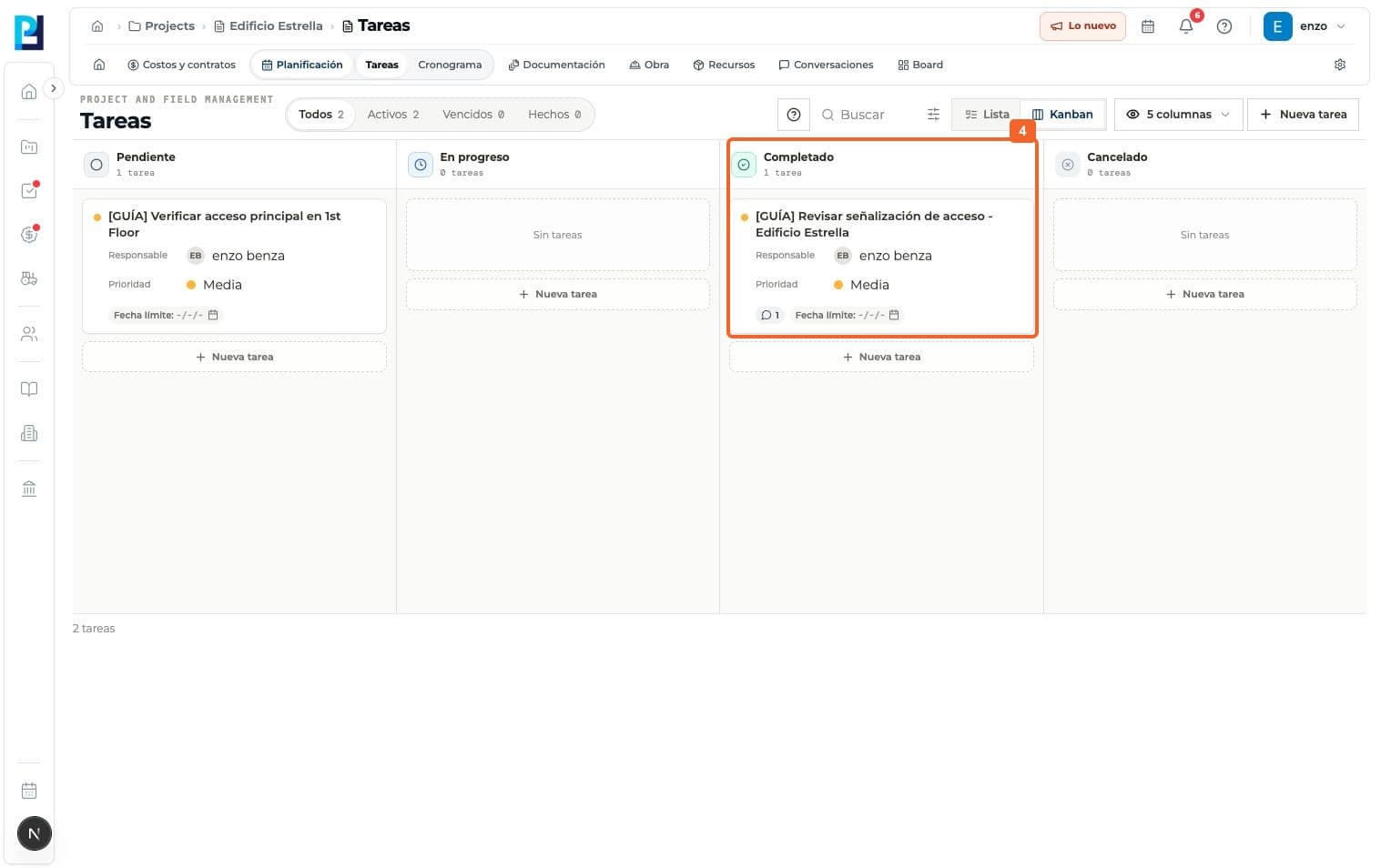
Close the panel and find the card in the Completed Kanban column.
- 05
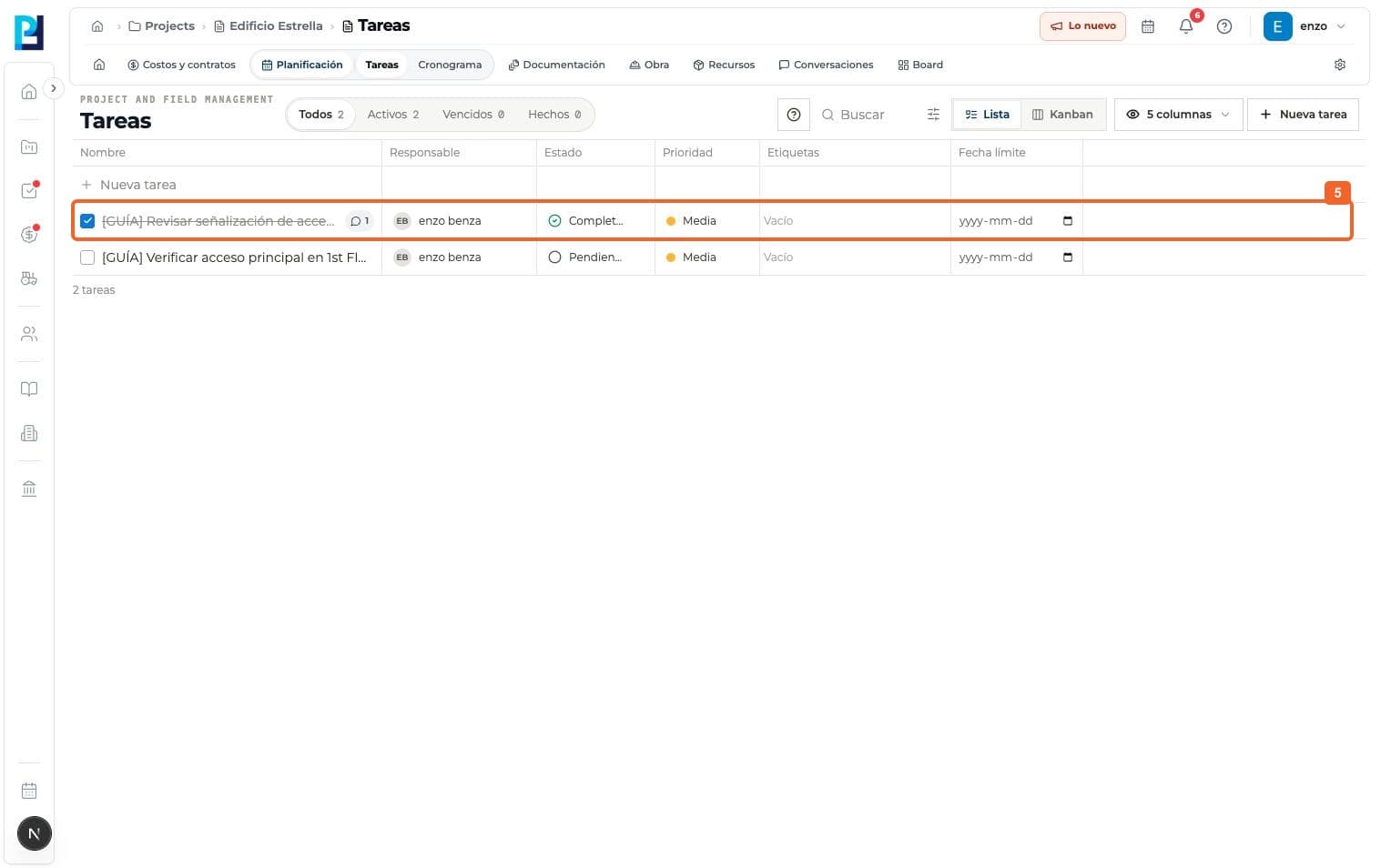
Switch to List and verify Completed in the task row.
FAQ
Frequently asked questions
What was verified and what remains untested?+
The panel's Close button only hides the panel; it does not complete the task. Cancelled status was not tested.
Keep learning
View module