Visual guide
Create a To-do task
Create a project task with a description, priority and owner.
4 minutes
Step by step
Follow each step on screen
- 01
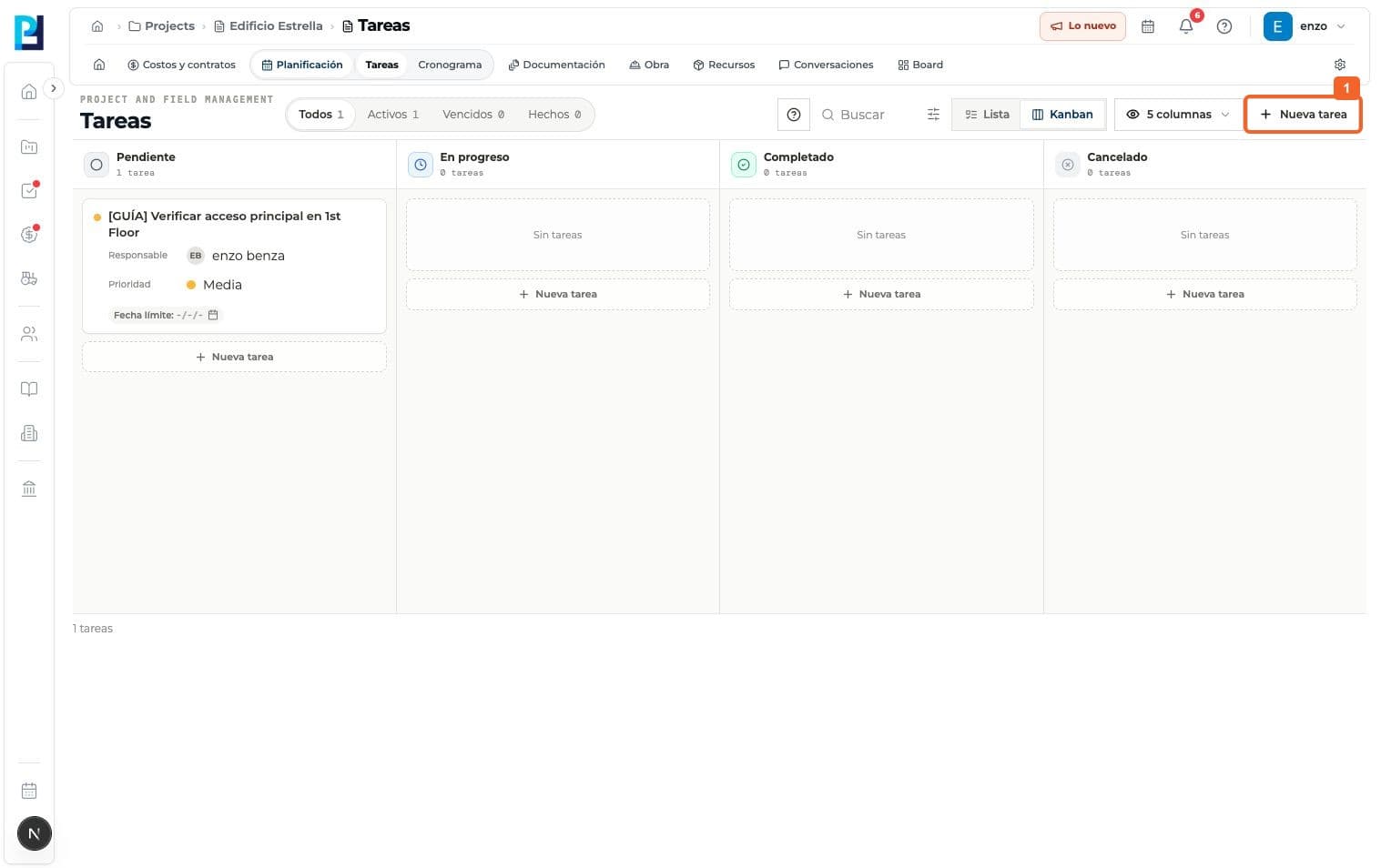
Open Planning > Tasks in the project and select New task.
- 02
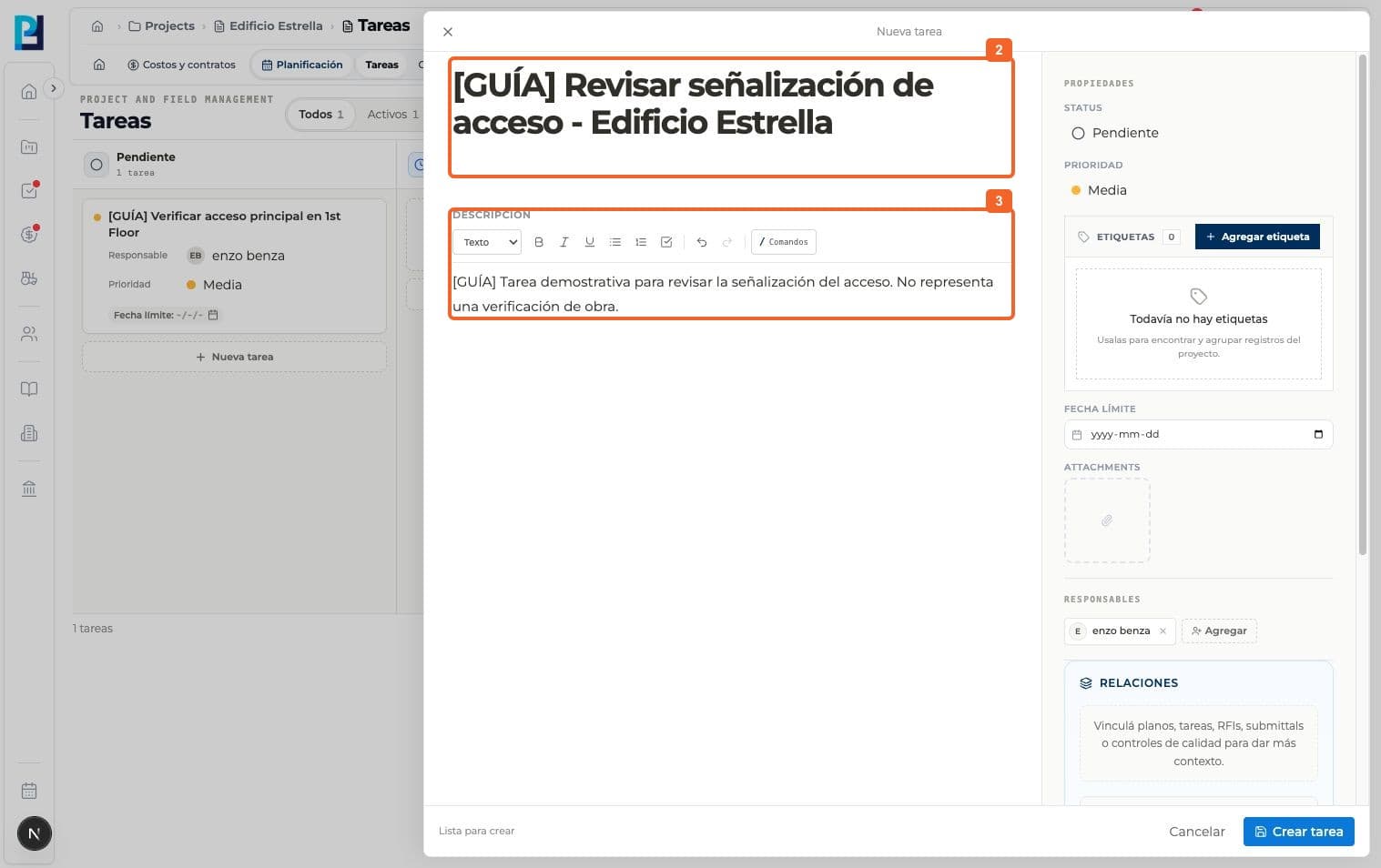
Enter a title for the work.
- 03
Add a description of its scope or instructions.
- 04
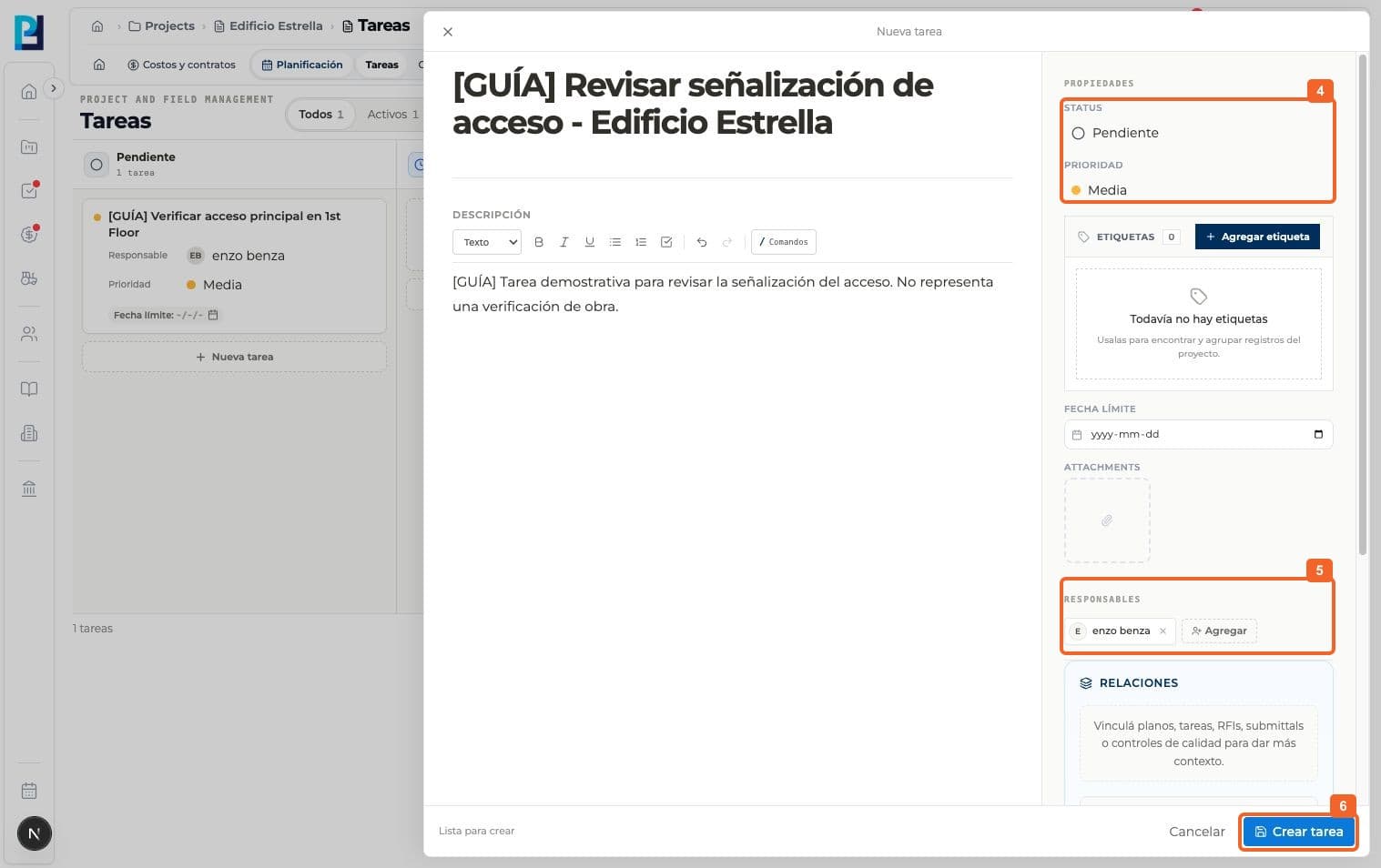
Review Status and Priority. The example stayed Pending and Medium.
- 05
Add an owner. The example left the due date blank.
- 06
Select Create task.
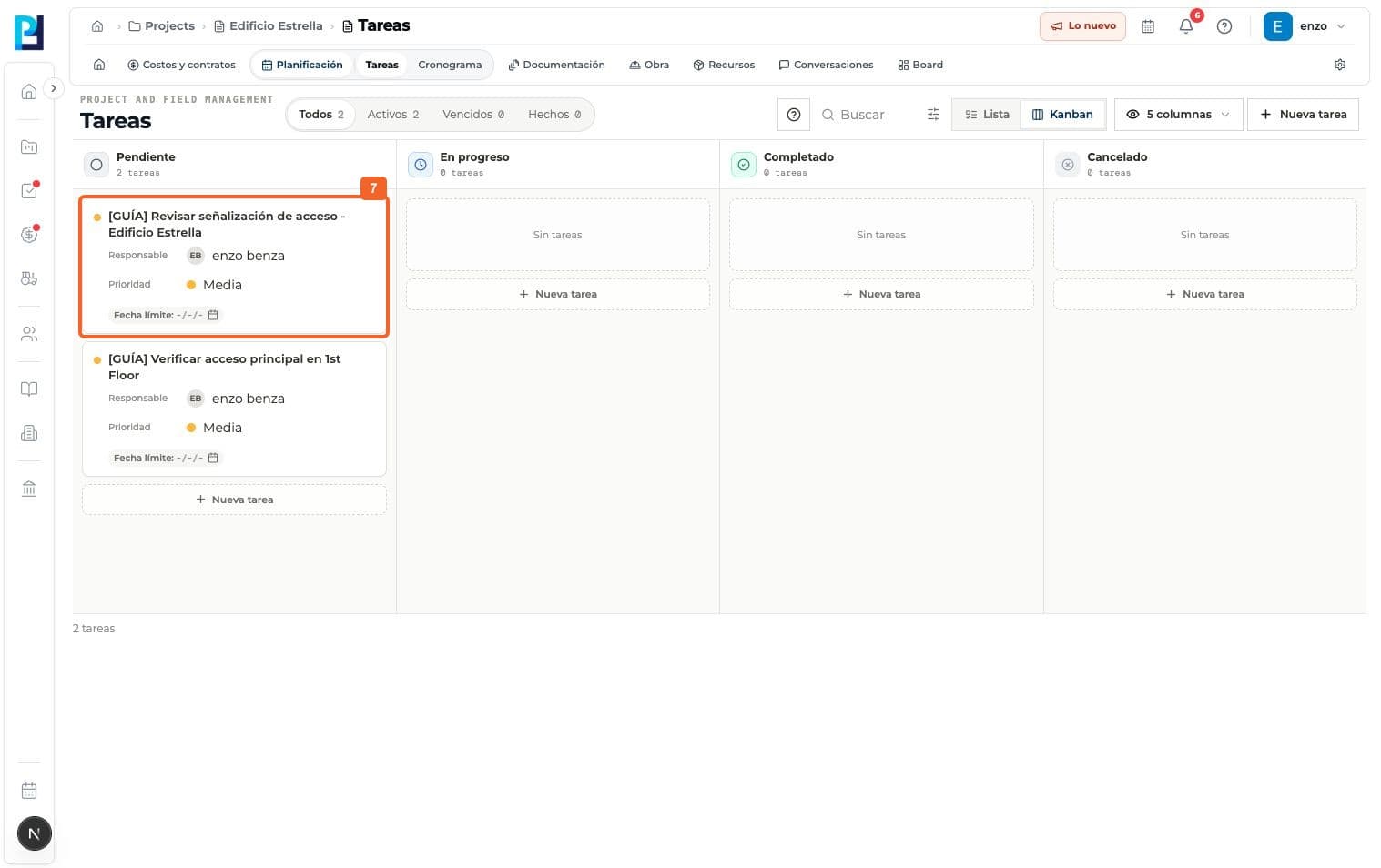
- 07
Verify it appears in the Pending Kanban column.
FAQ
Frequently asked questions
What was verified and what remains untested?+
Labels, attachments and links to drawings or other records were visible but not completed or tested.
Keep learning
View module