Visual guide
Create a budget from scratch
Create an editable native budget in the example project without changing existing budgets.
3 minutes
Step by step
Follow each step on screen
- 01
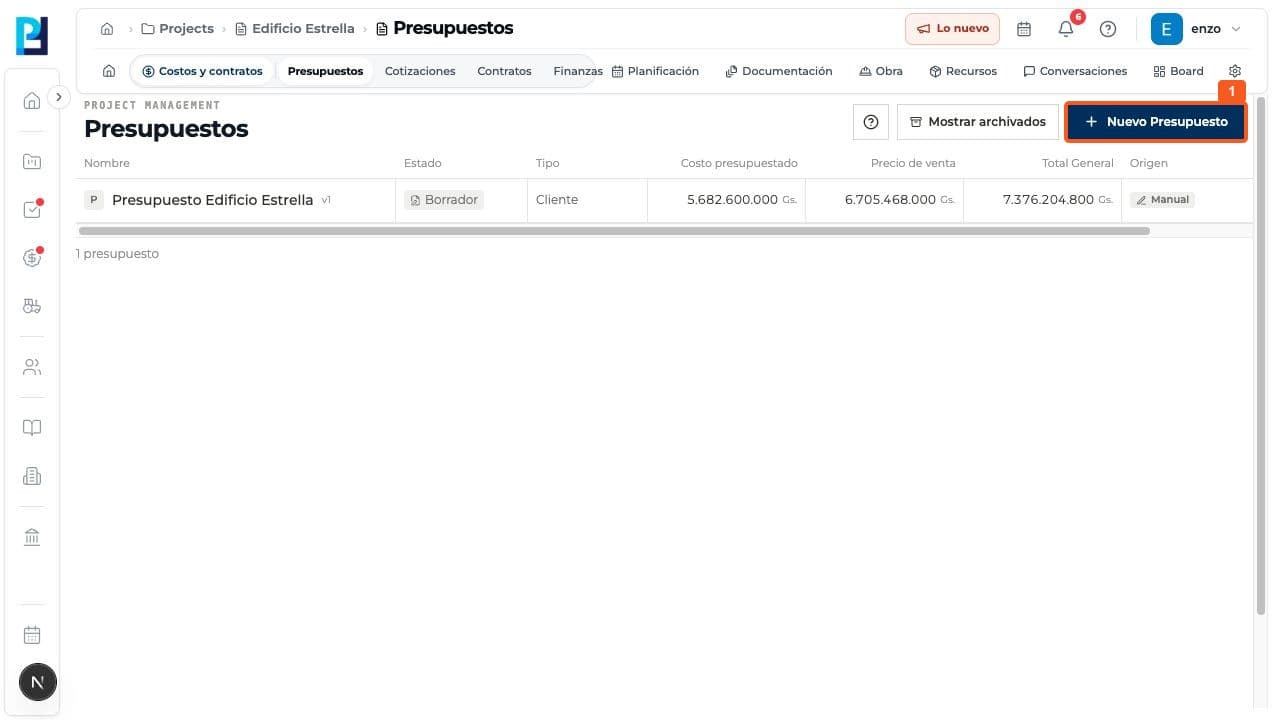
Open Costs and contracts > Budgets and select New budget.
- 02
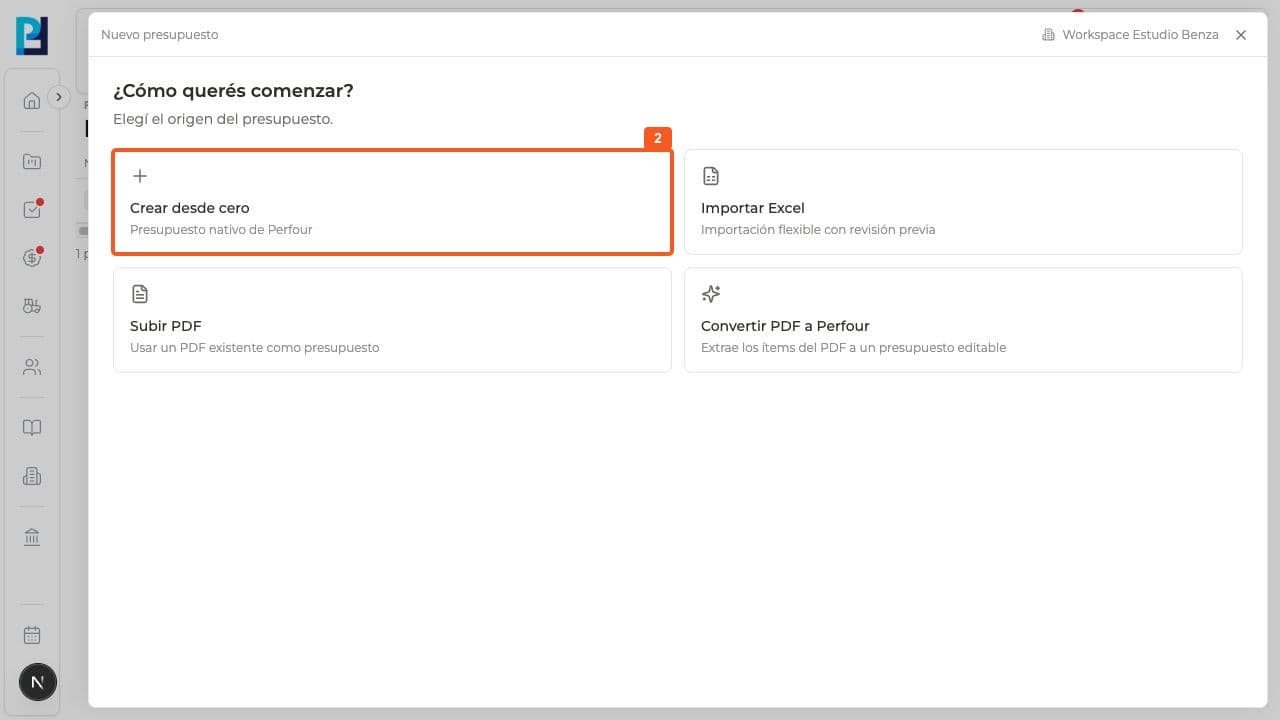
Under How do you want to start, choose Create from scratch. Excel and PDF alternatives are also shown.
- 03
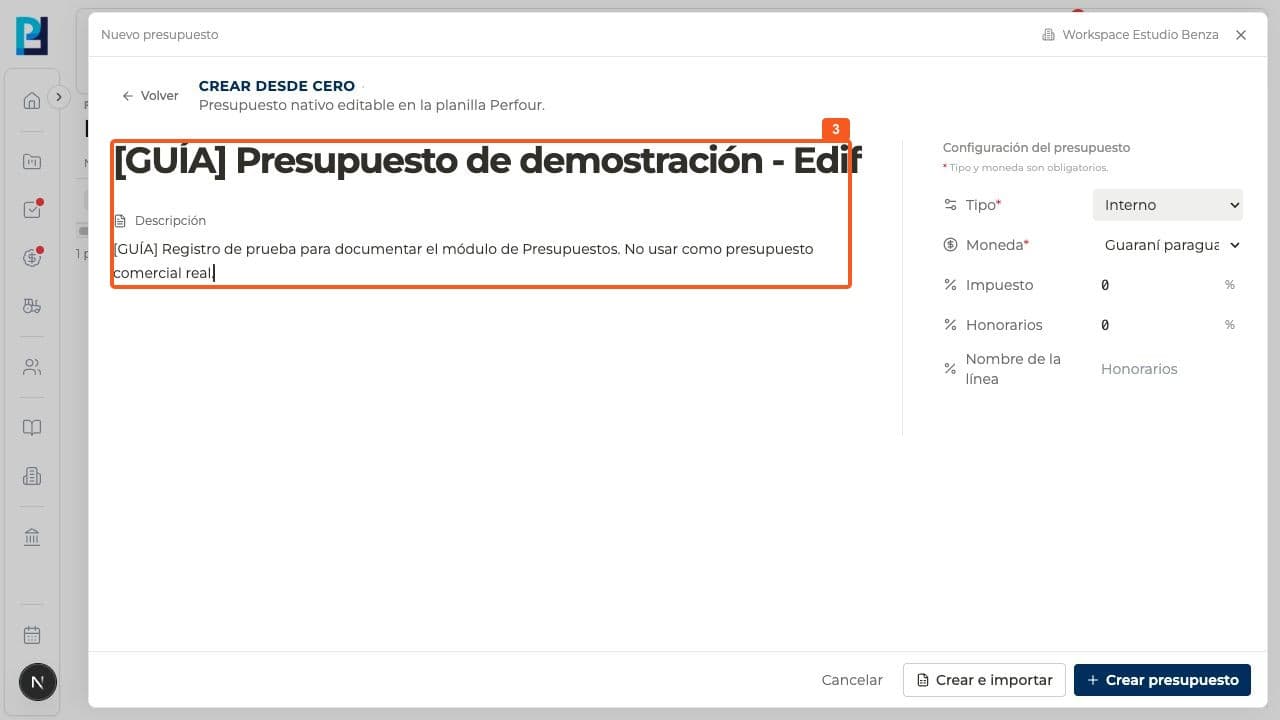
Enter a name and description for the scope.
- 04
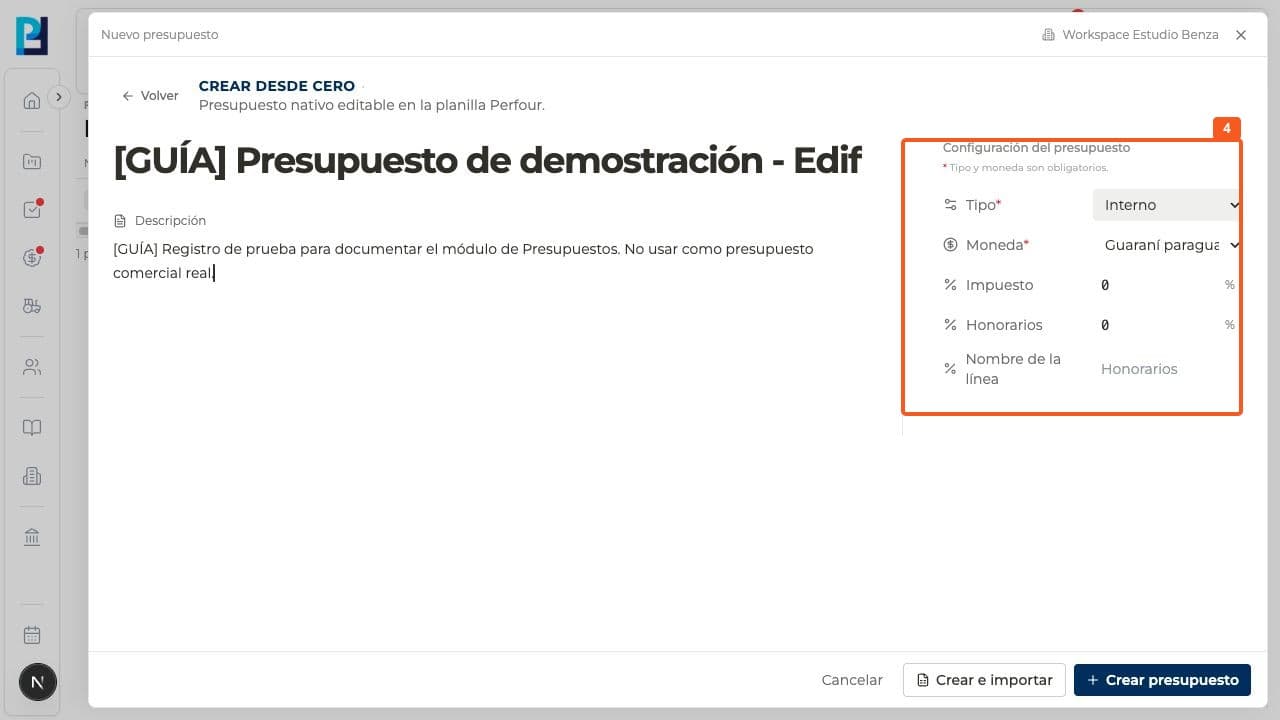
Choose Type and Currency. Review tax, fees and the fee line name. The example uses Internal and PYG with zero percentages.
- 05
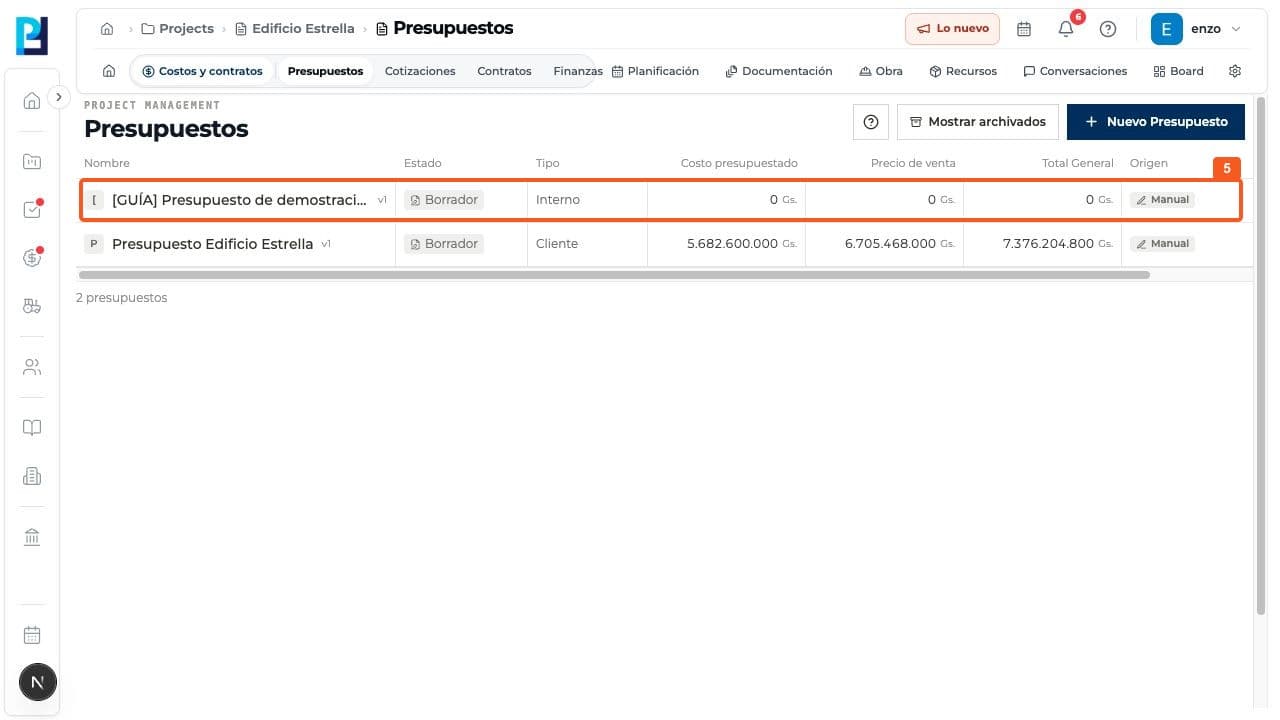
Select Create budget and verify it appears as Draft.
- 06
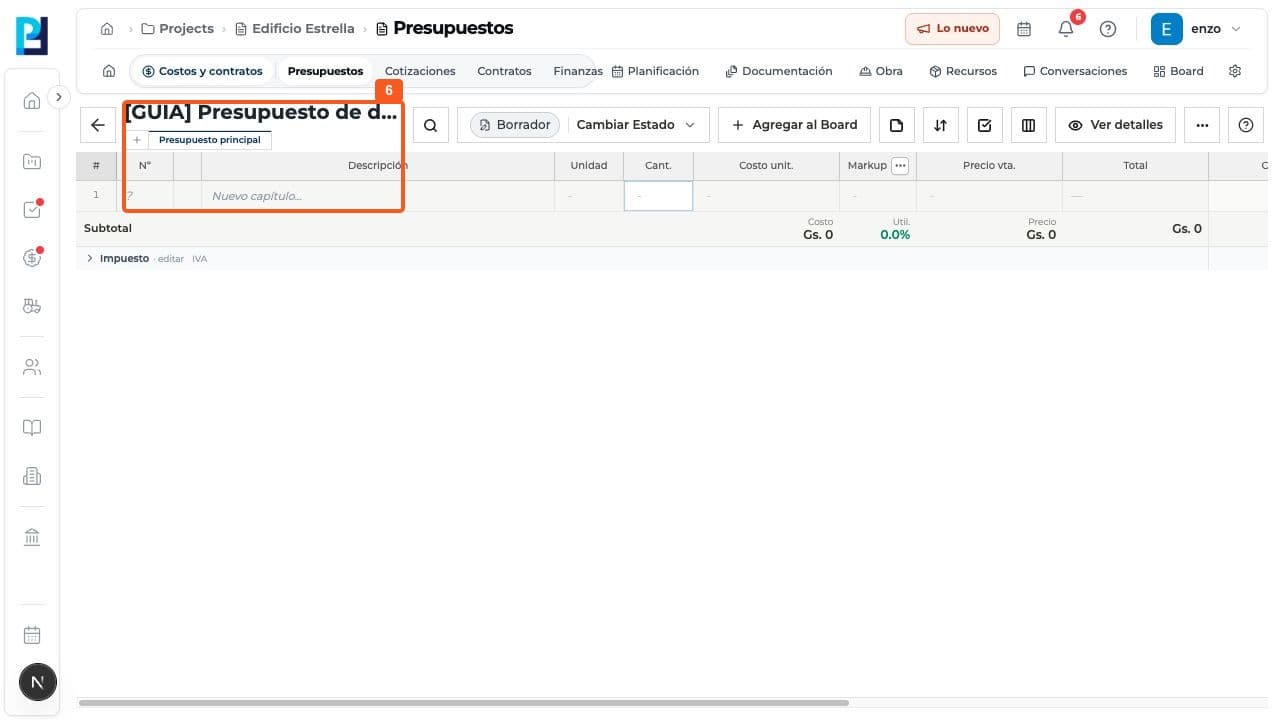
Open the record. The Main budget sheet starts with New chapter.
FAQ
Frequently asked questions
What was verified and what remains untested?+
A demonstration Internal budget in PYG was created as Draft. Create and import was not used.