Visual guide
Prepare a budget item import
Find the import wizard and prepare an Excel or CSV file in the format expected by Perfour.
2 minutes
Step by step
Follow each step on screen
- 01
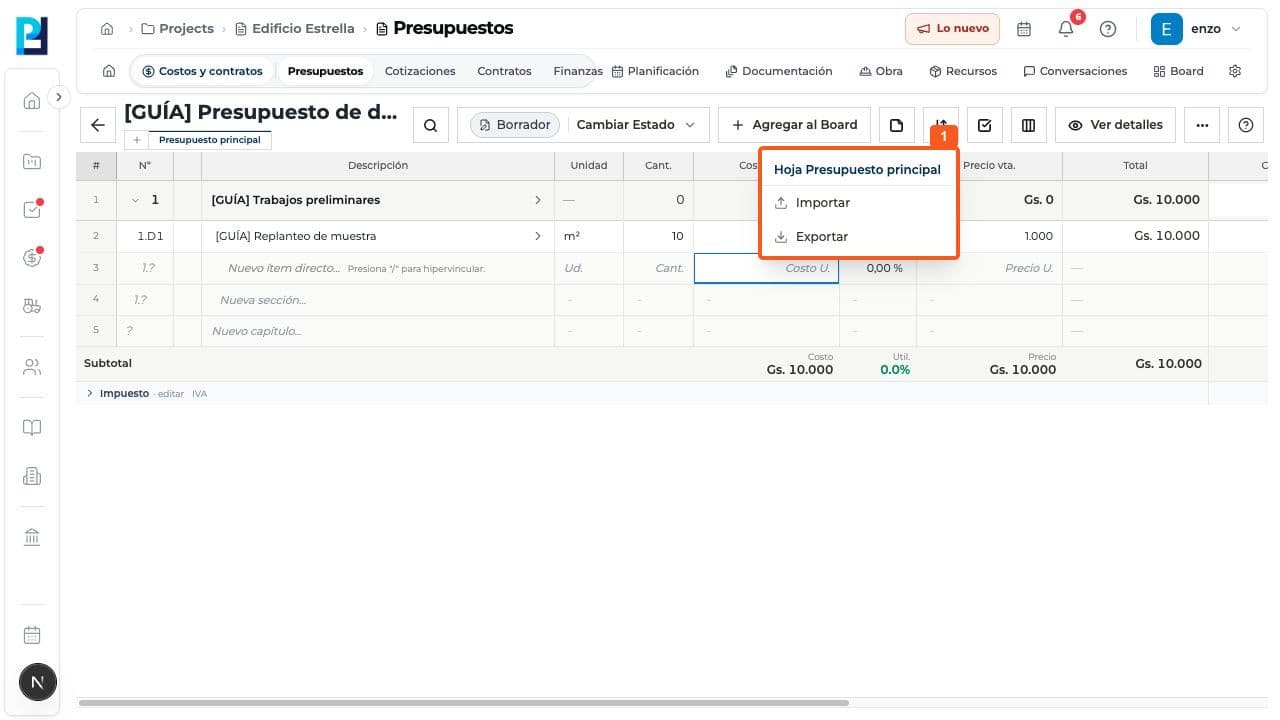
Open the budget and destination sheet, then choose Import under Import or export.
- 02
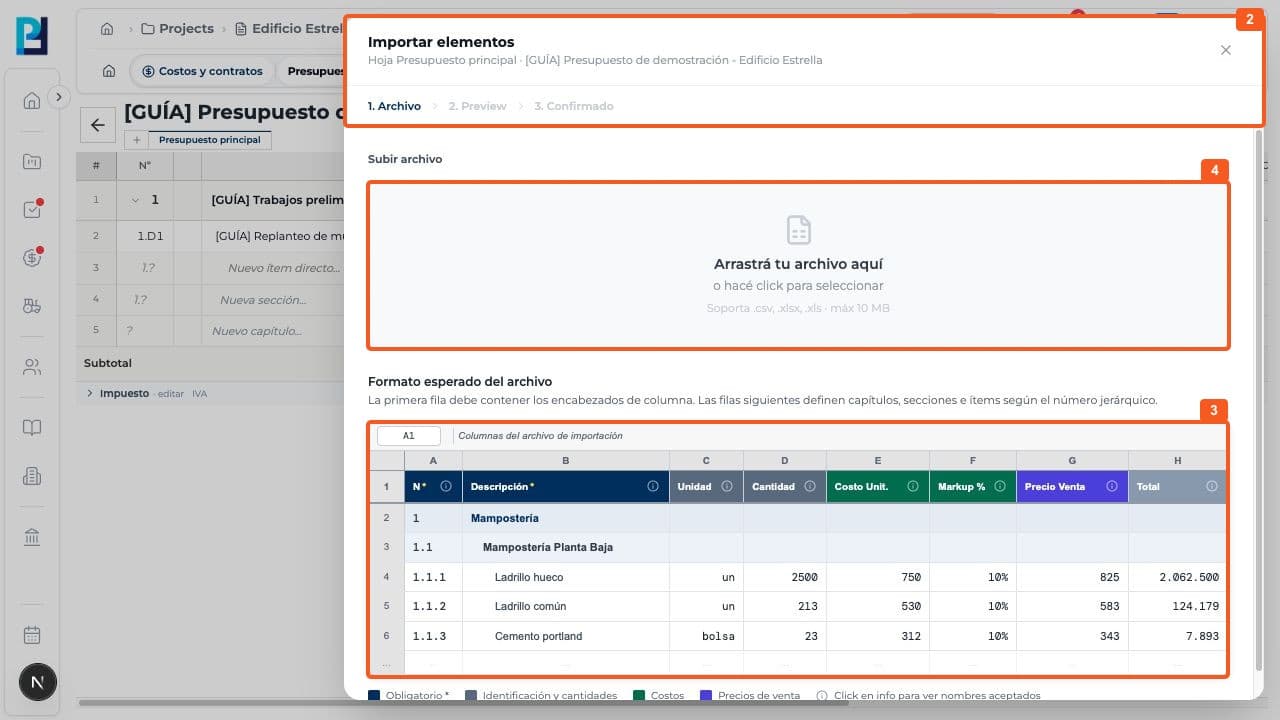
Check the correct sheet at the top of Import items. The wizard shows File, Preview and Confirmed.
- 03
Prepare a CSV, XLSX or XLS file up to 10 MB with headers in its first row; review example columns and values.
- 04
When a suitable file exists, select or drop it, review the preview and confirm only if the hierarchy, quantities and costs are correct. These actions were not tested.
FAQ
Frequently asked questions
What was verified and what remains untested?+
Only the wizard entry, accepted formats and expected structure were verified. No file was uploaded and no import result was checked.