Visual guide
Review a budget's status
Check draft data and locate the review action without sending a demonstration budget to the team.
2 minutes
Step by step
Follow each step on screen
- 01
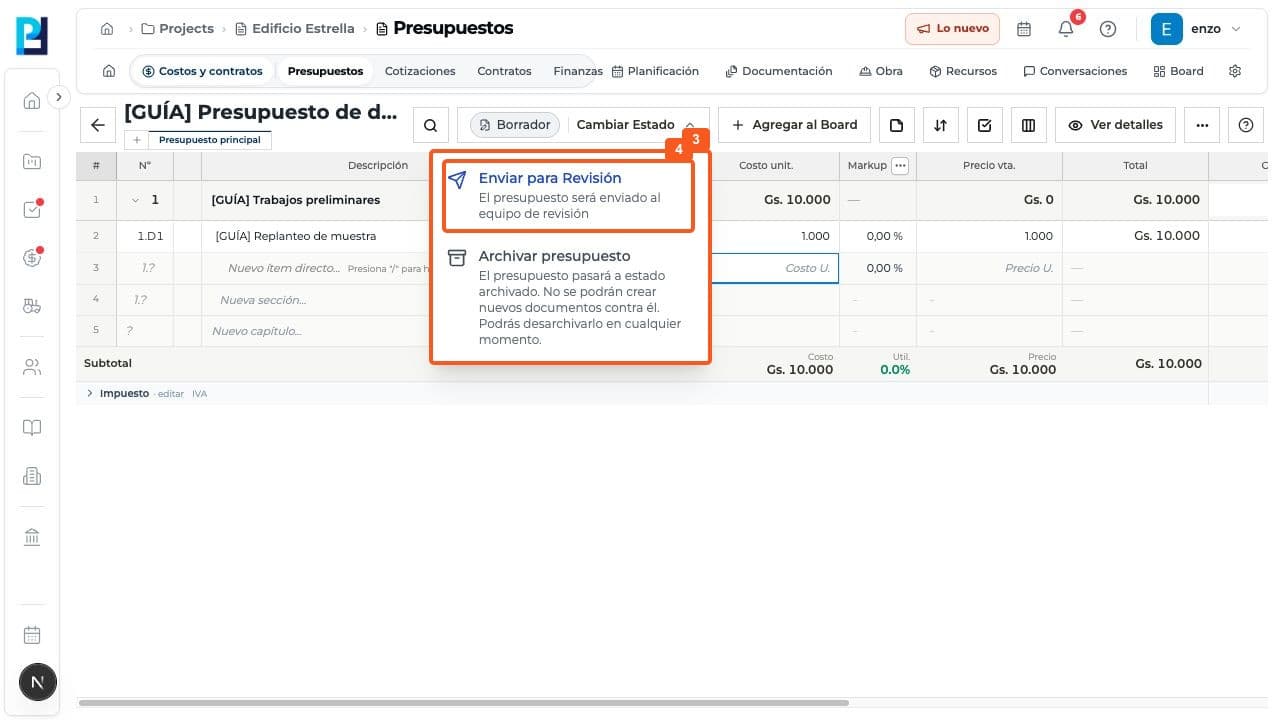
Open the budget and confirm Draft in the header. Review items, quantities, costs and subtotal.
- 02
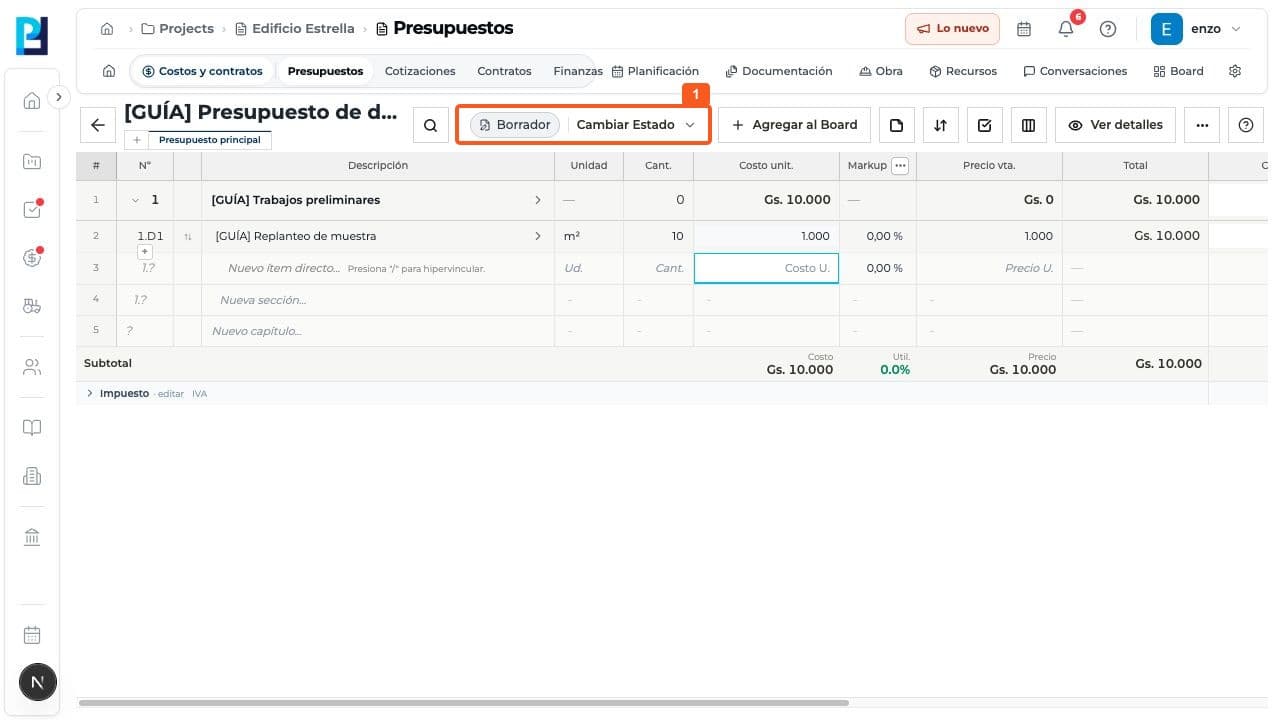
In View details, review name, description, type, currency, tax, fees and financial summary.
- 03
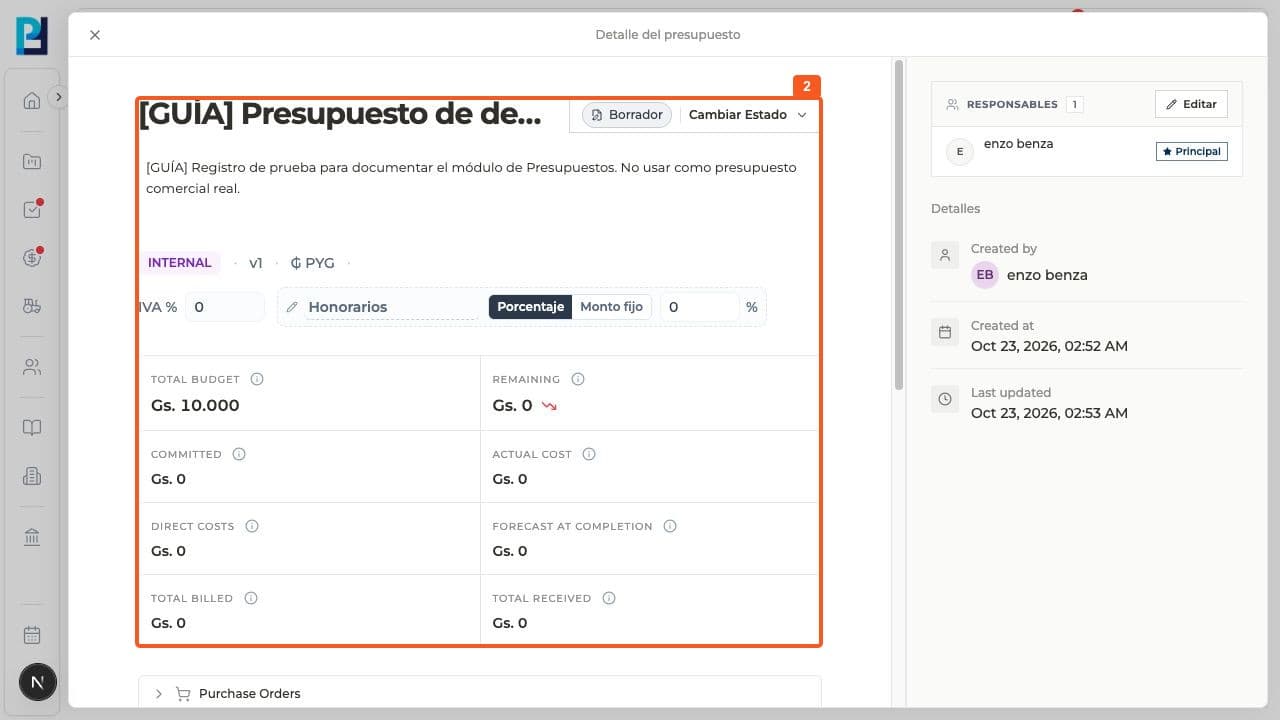
Open Change status. Draft offers Send for review and Archive budget.
- 04
Send for review starts the team workflow. Use it only after validating the data; it was not used in this test.
FAQ
Frequently asked questions
What was verified and what remains untested?+
The demonstration budget stayed in Draft. Review, approval, rejection and archive states were not verified.