Visual guide
Create a drawing folder
Organize project sheets in a folder with a name, description and color.
2 minutes
Step by step
Follow each step on screen
- 01
In Drawings, select New folder.

- 02
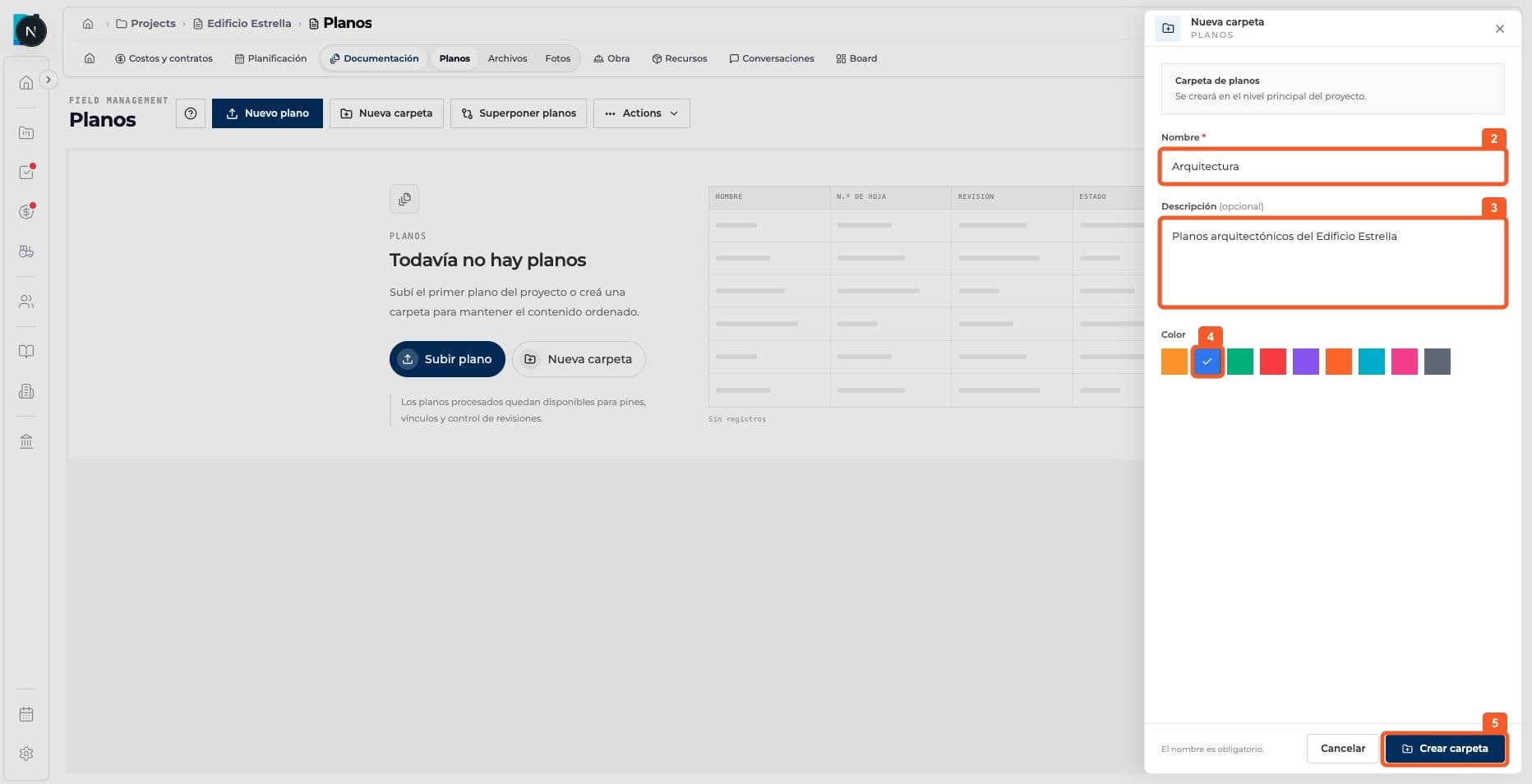
Enter a name and description, choose a color and select Create folder.
- 03
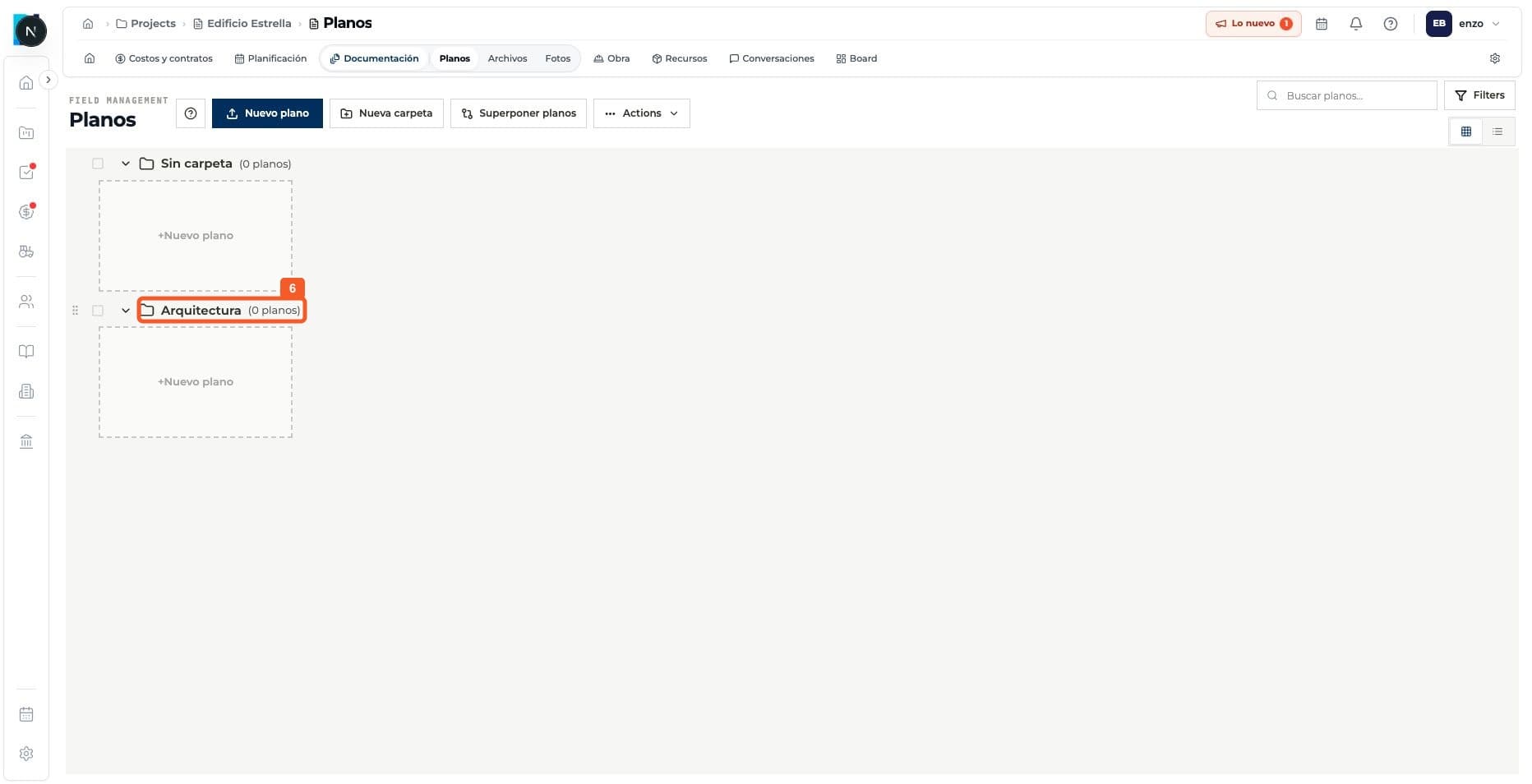
Check that the folder appears in the Drawings list.
Keep learning