Visual guide
Create a quality check from a drawing
Start an inspection from a pin and link the quality check to the sheet.
4 minutes
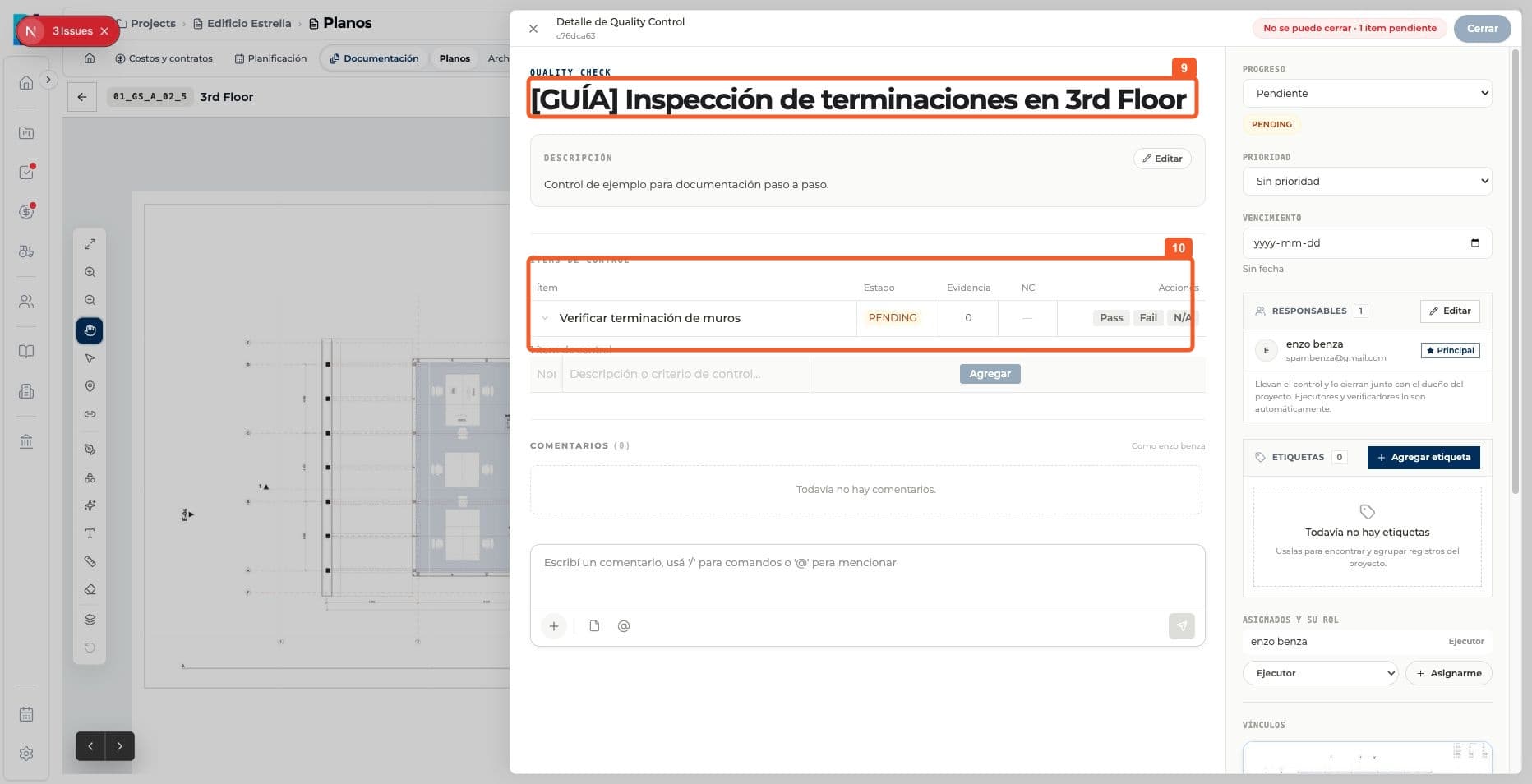
Step by step
Follow each step on screen
- 01
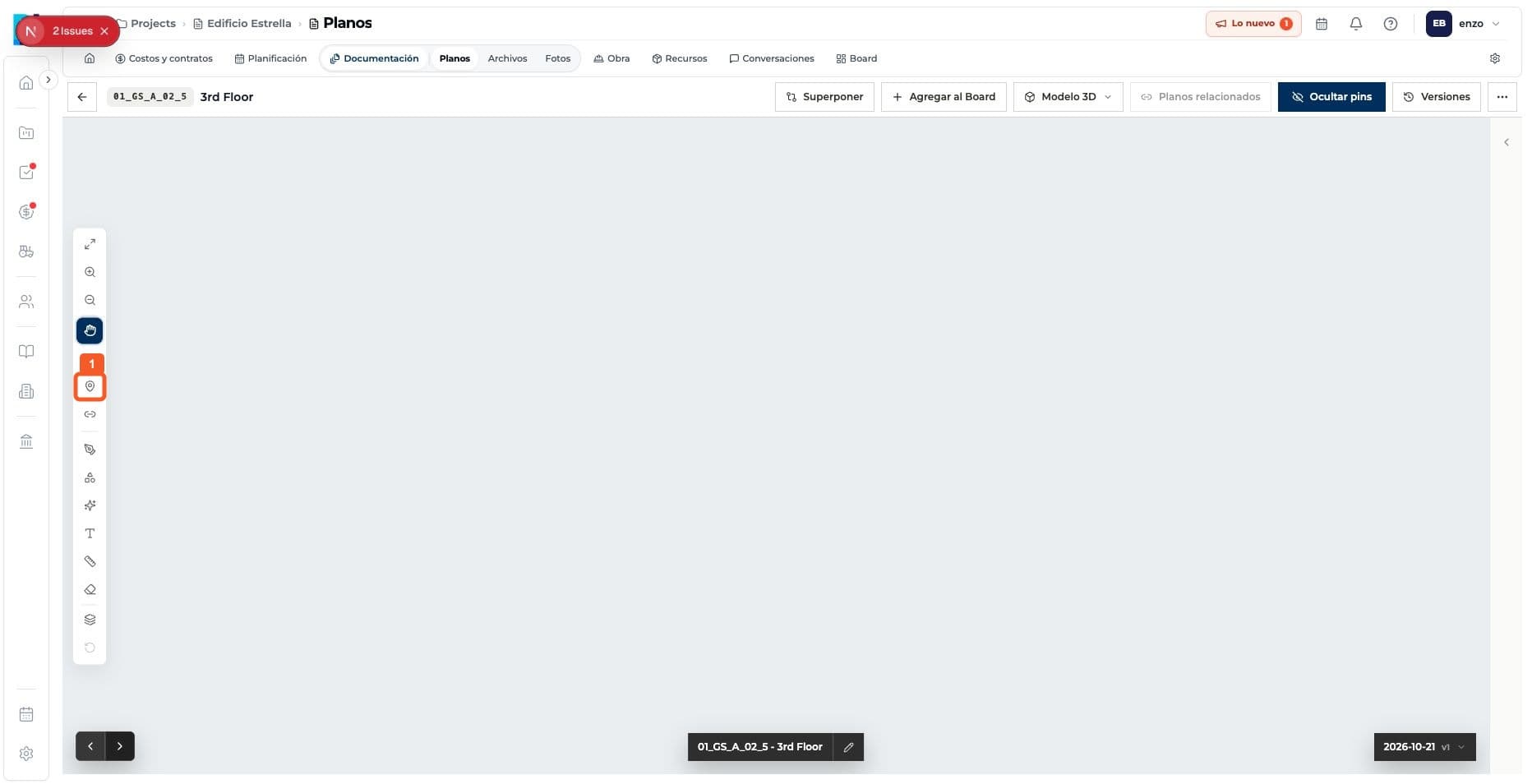
Open the pin tool.
- 02
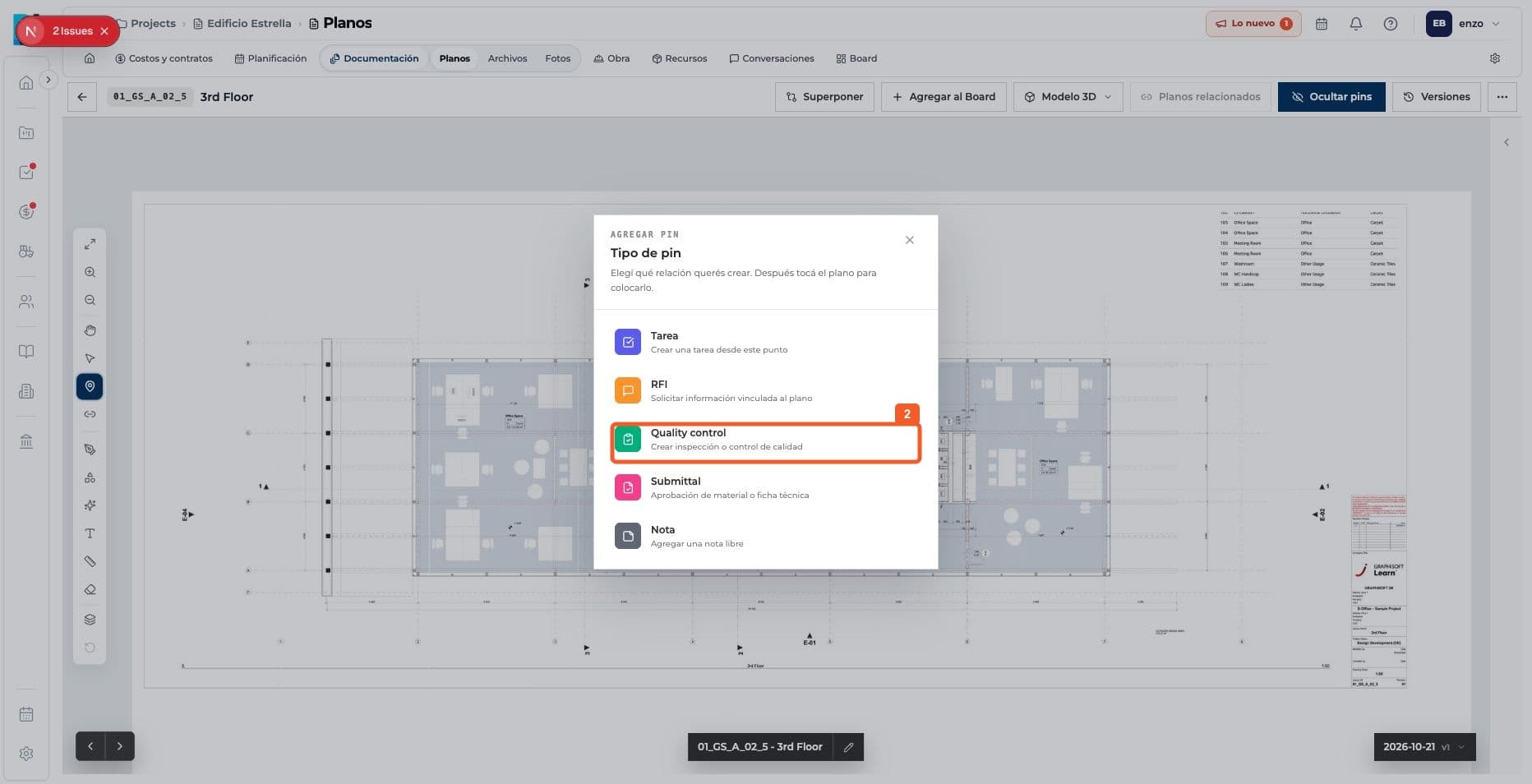
Choose Quality control.
- 03
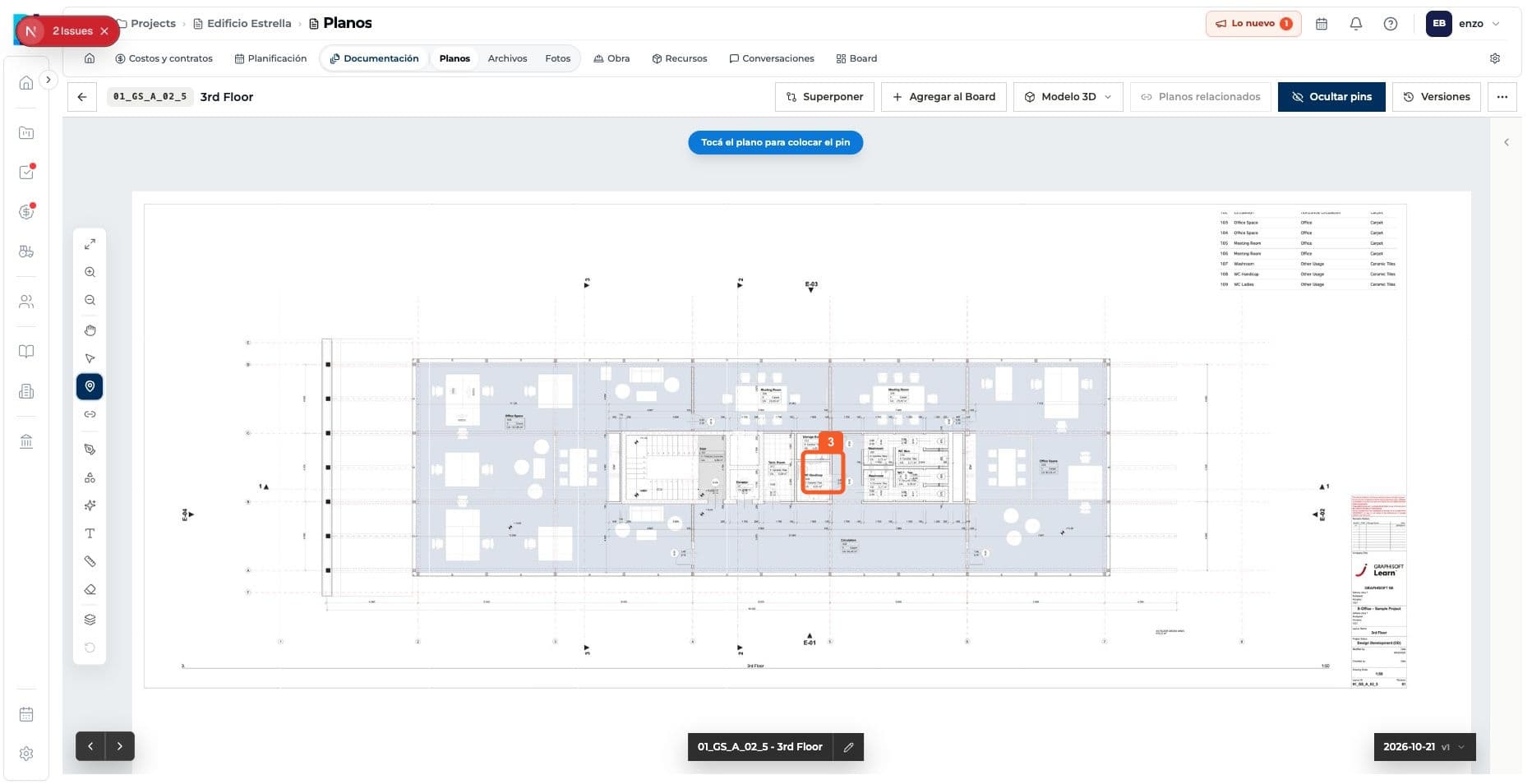
Place the pin on the drawing.
- 04
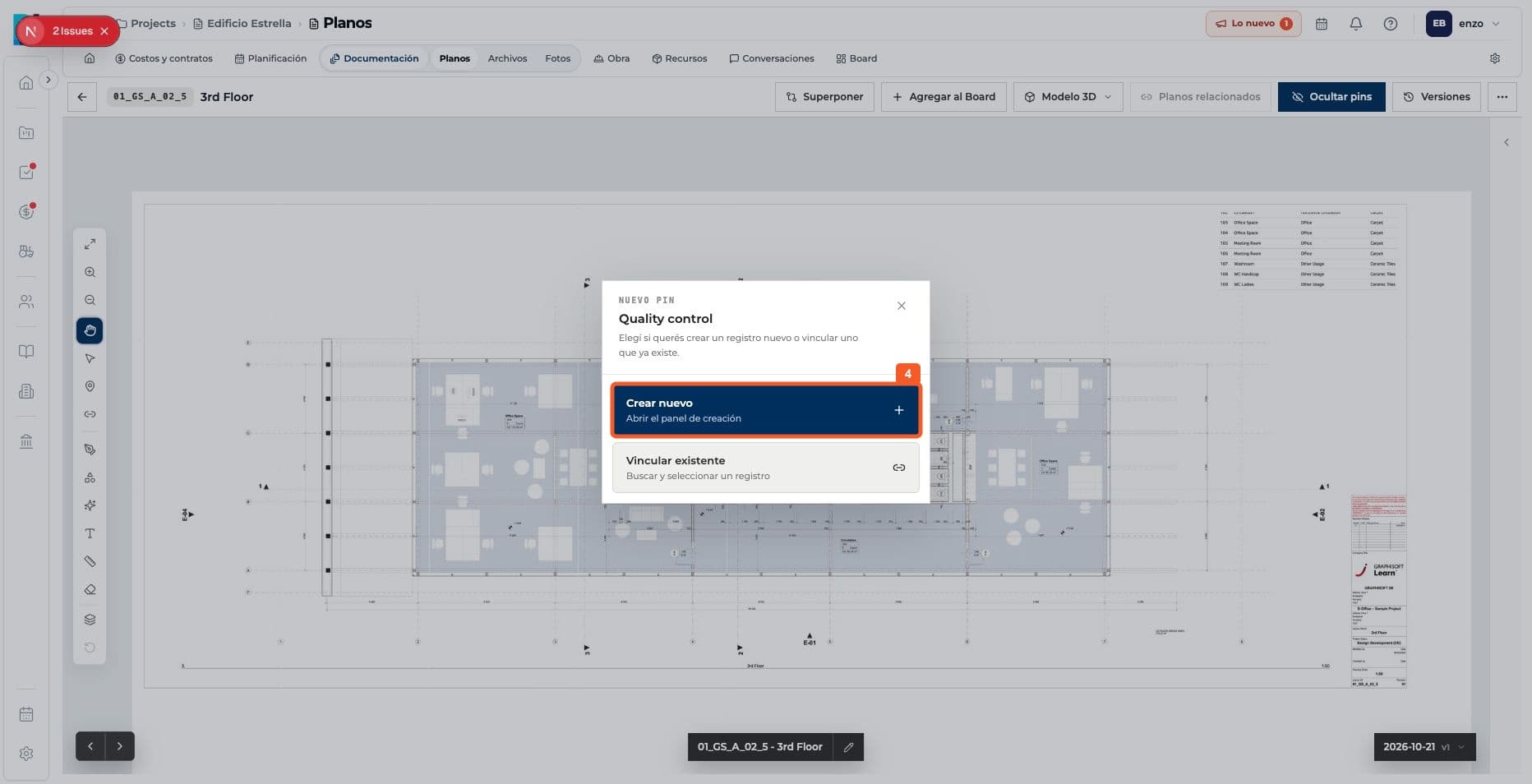
Choose to create a new quality check.
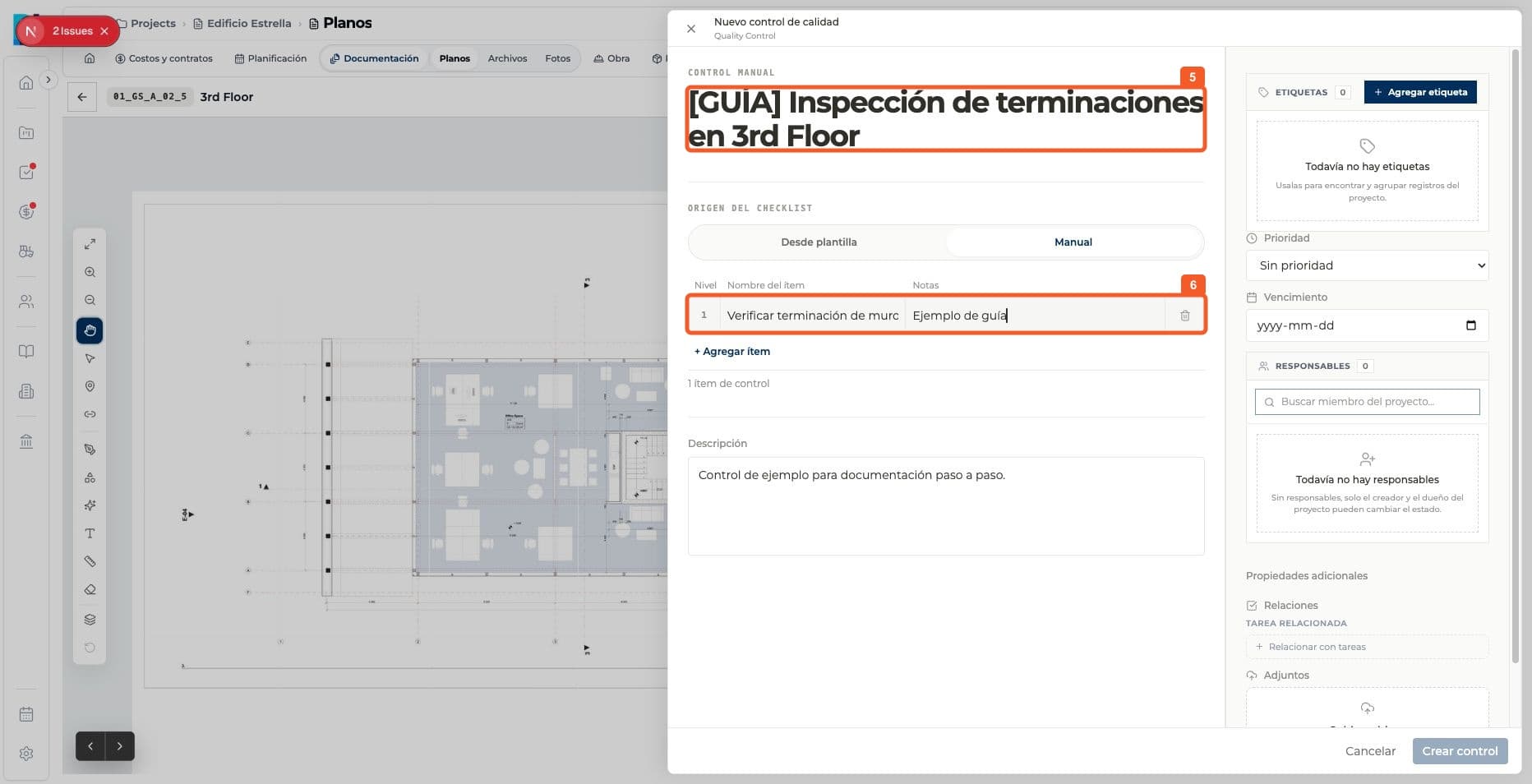
- 05
Enter the title and checklist.
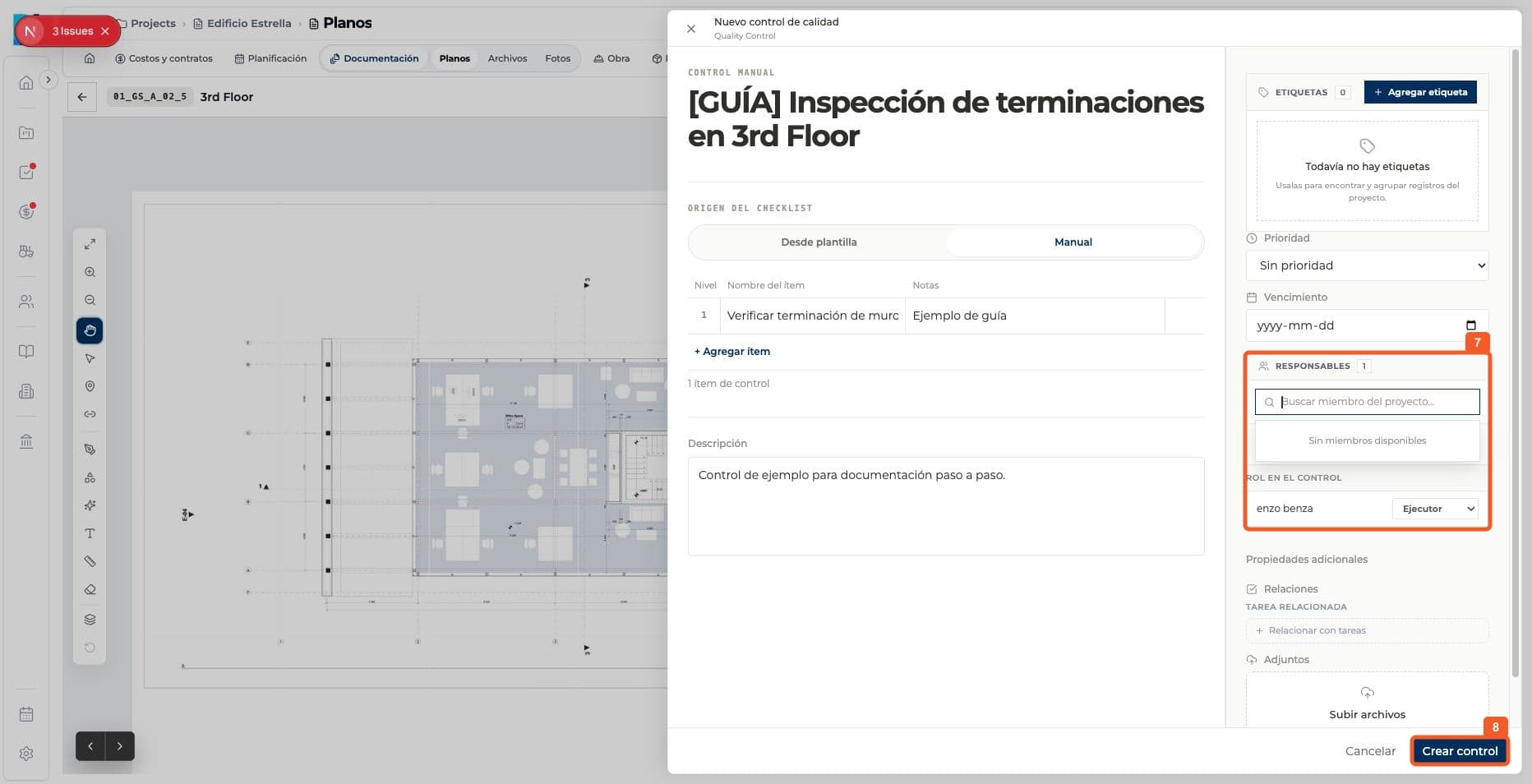
- 06
Assign the owner and create the check.
- 07
Check that the quality check is linked to the drawing.
Keep learning