Visual guide
Create a quality check
Create a manual quality check with a list of items to review in the project.
5 minutes
Step by step
Follow each step on screen
- 01
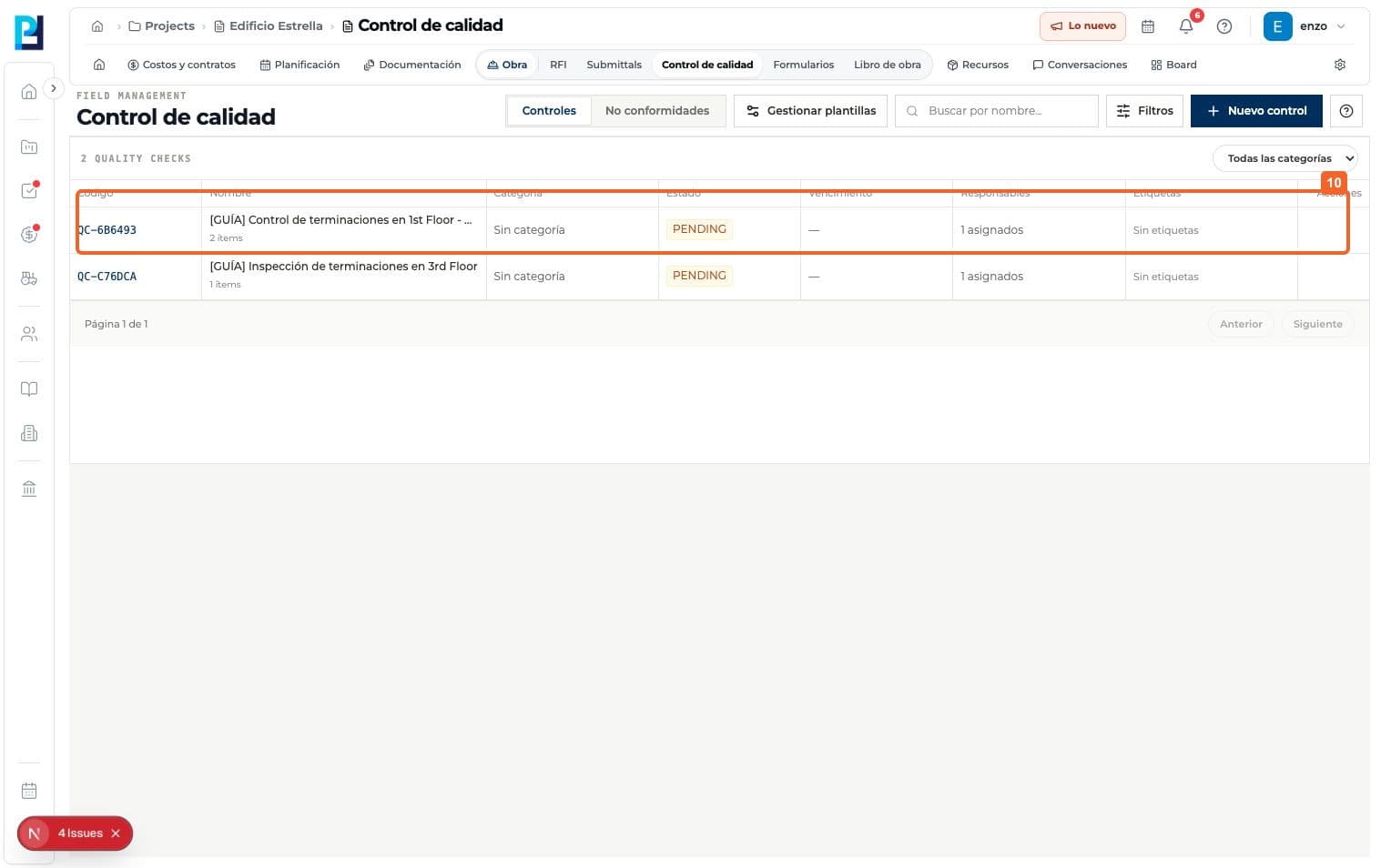
Open Quality control > Checks and select New check.
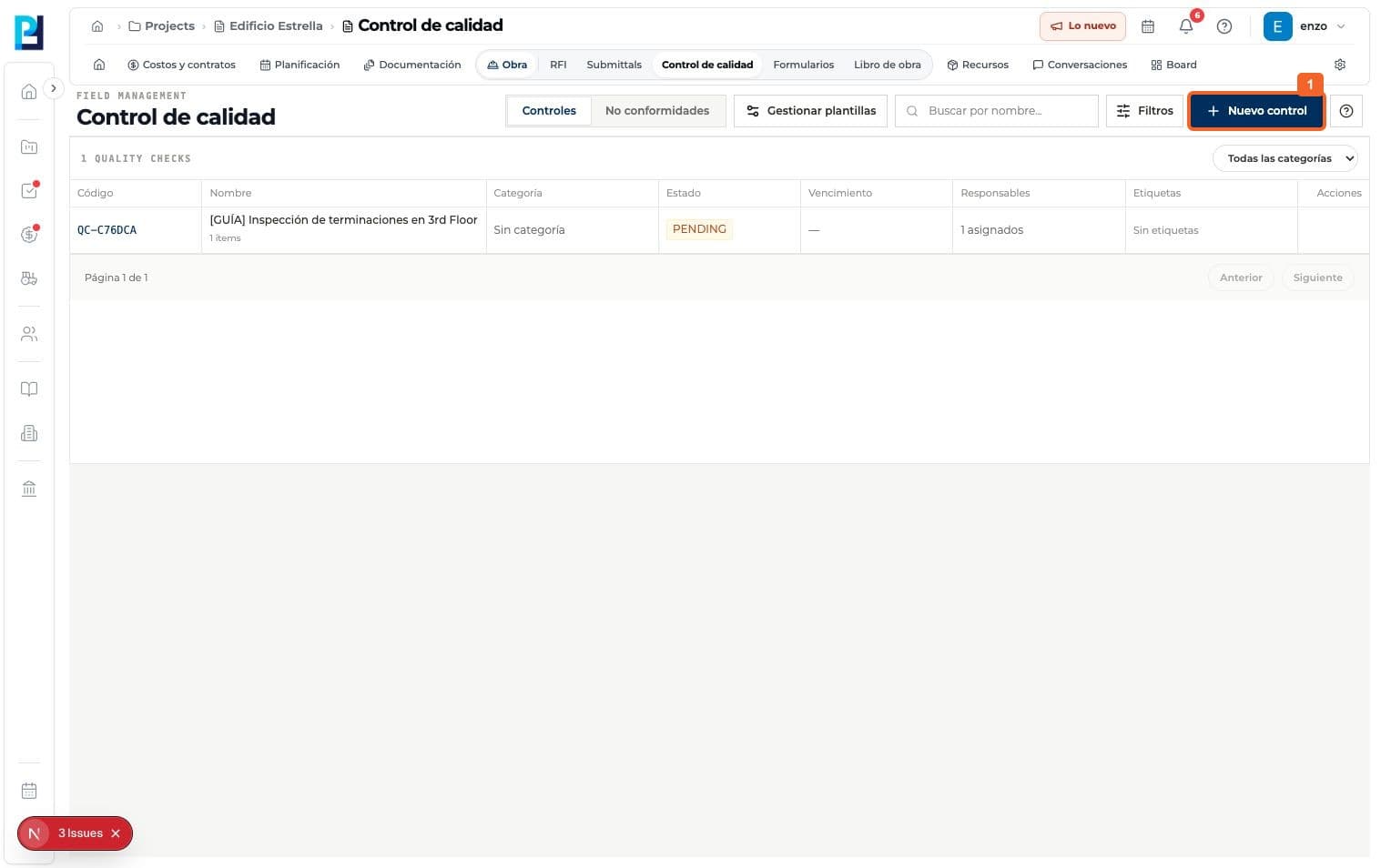
- 02
Enter an identifiable title.
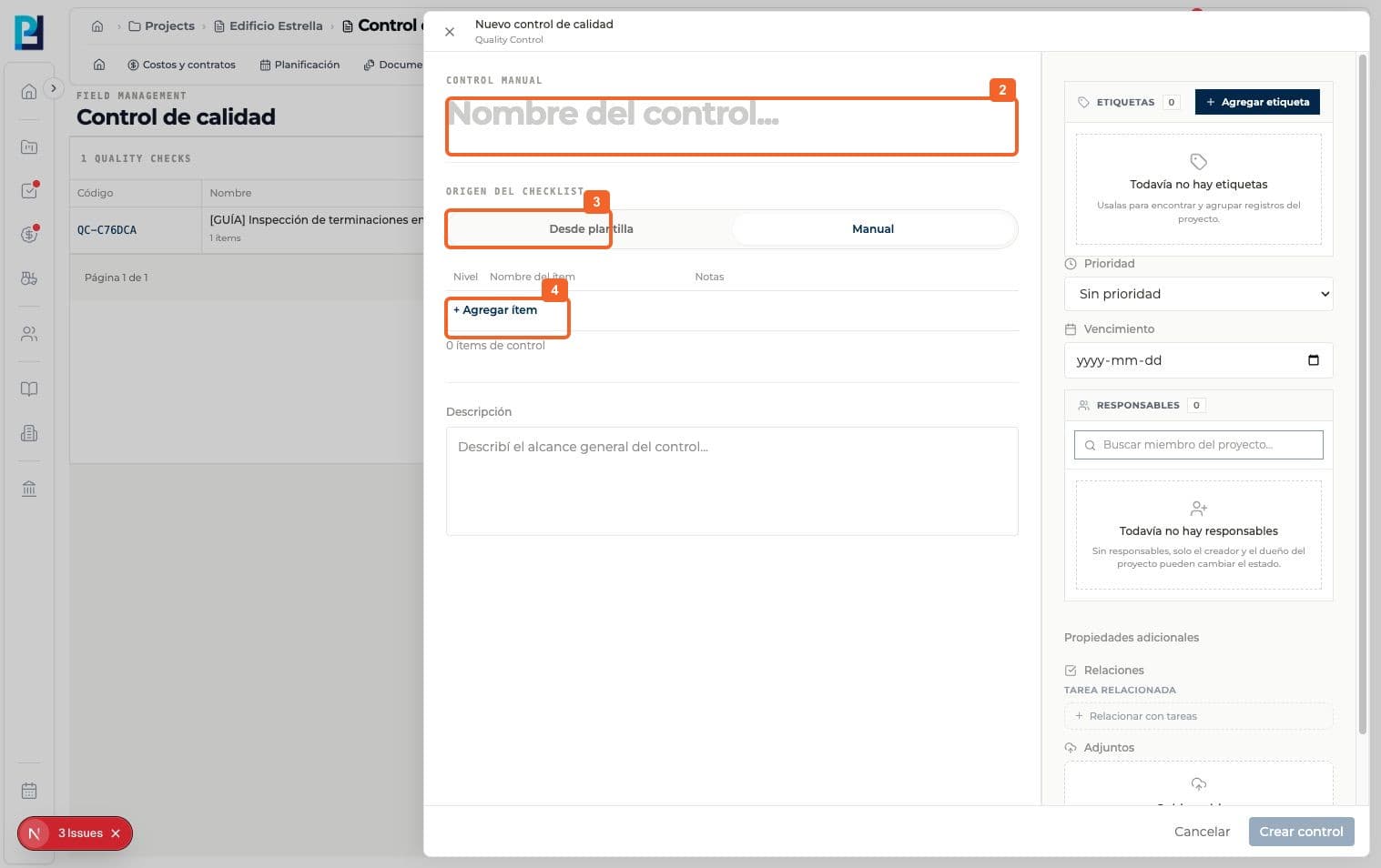
- 03
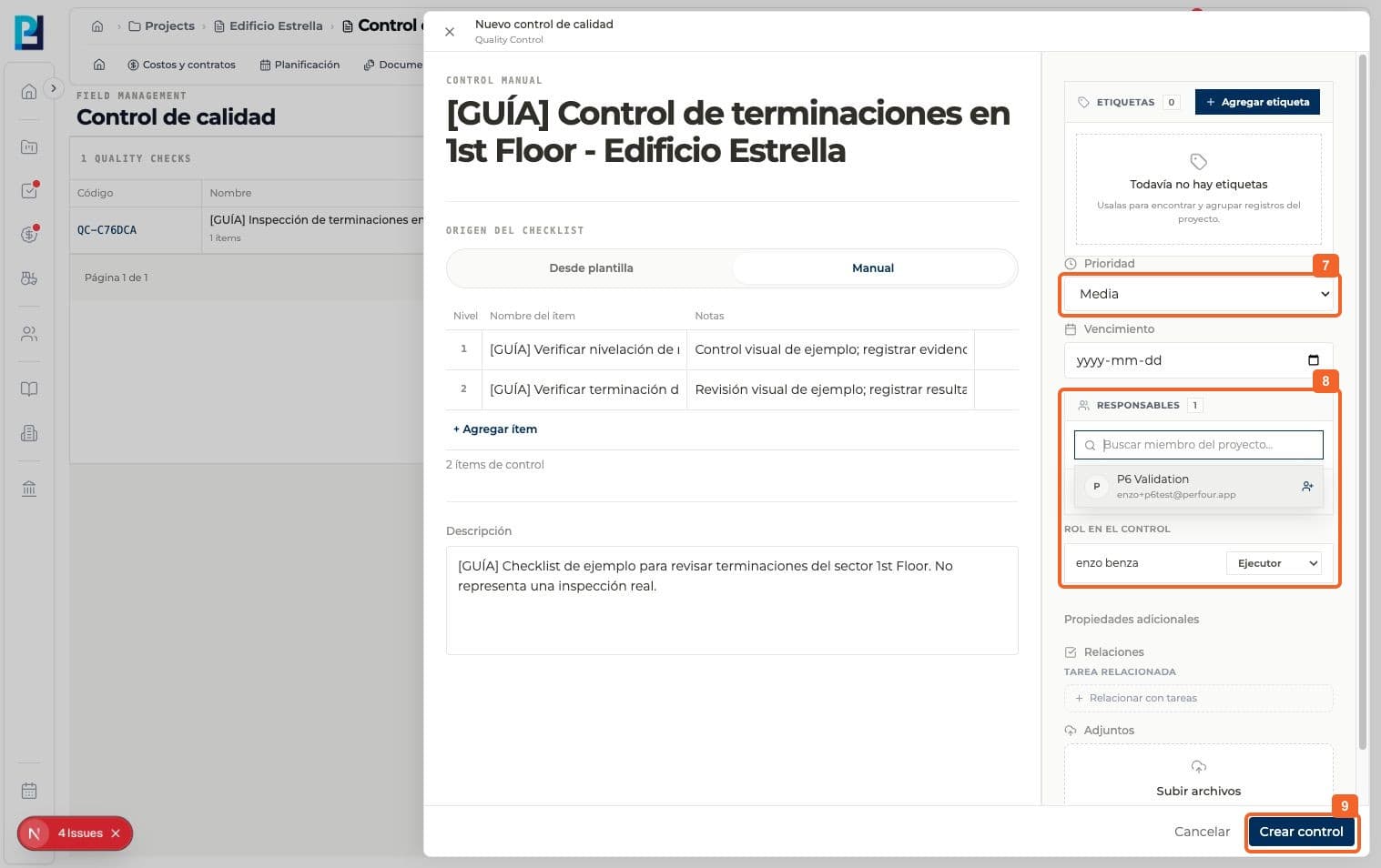
Choose Manual as the checklist source.
- 04
Select Add item for each review criterion.
- 05
Enter an item name and, if needed, a note. The example has two finish checks.
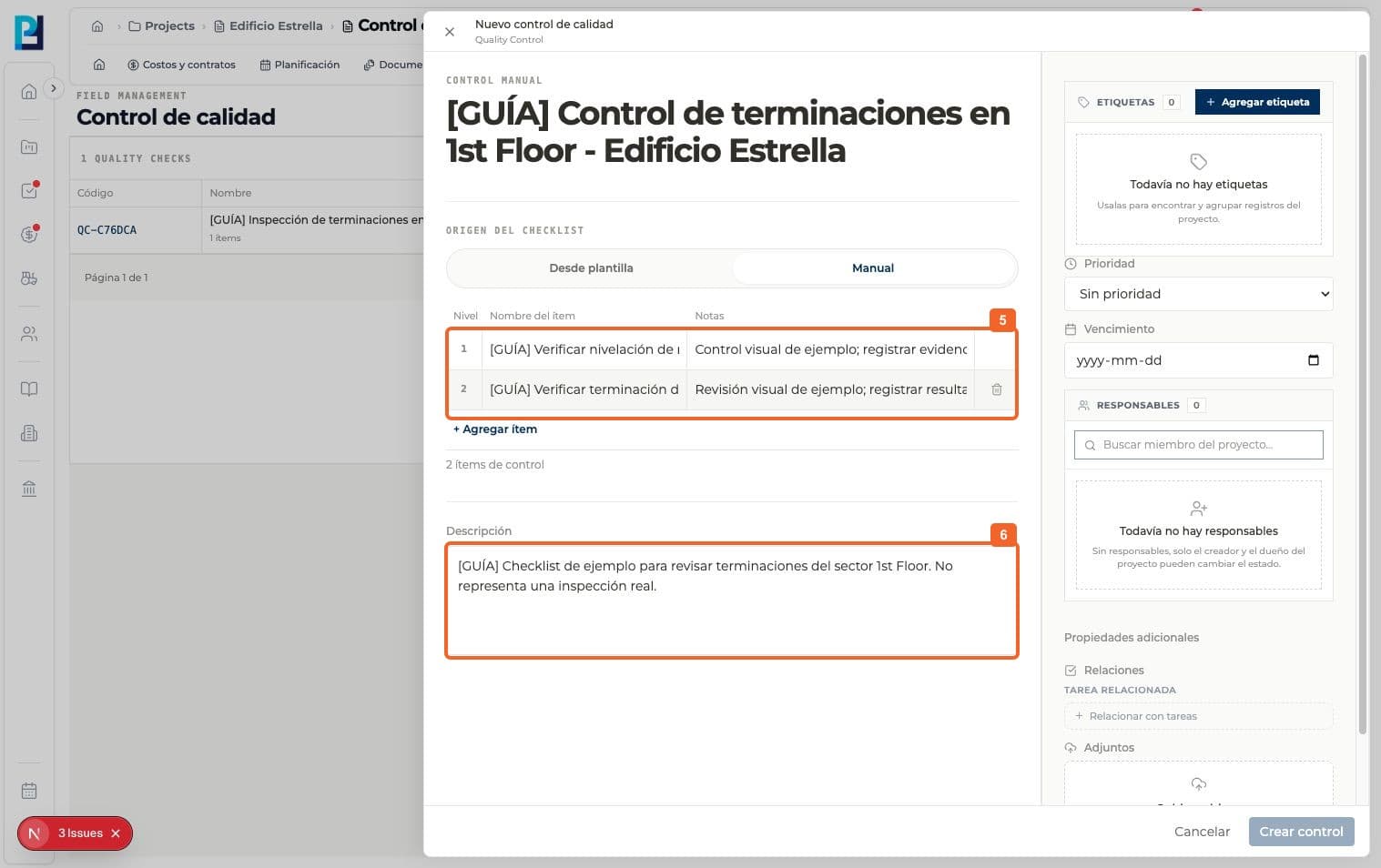
- 06
Add a description of the check's scope.
- 07
Select a priority. Medium was selected in the capture.
- 08
Assign an owner and check their role. The example uses an Executor.
- 09
Select Create check.
- 10
Verify the assigned code and initial PENDING status in the list.
FAQ
Frequently asked questions
What was verified and what remains untested?+
The detail showed No priority even though Medium had been selected; verify the saved priority. Template creation and evidence uploads were not tested.