Visual guide
Review quality check items
Record each item's result, read its notes, monitor progress and leave a follow-up comment.
6 minutes
Step by step
Follow each step on screen
- 01
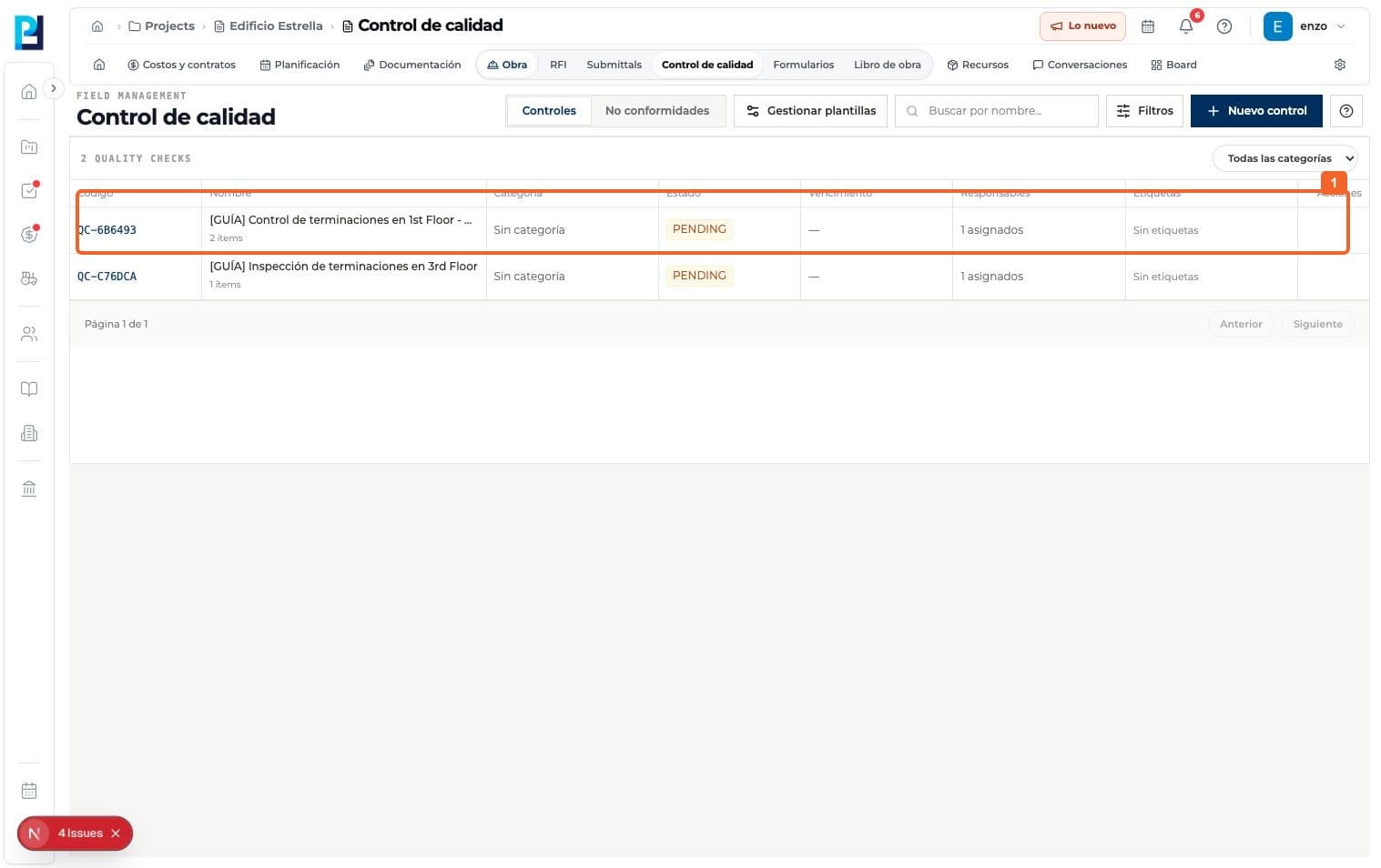
Open the check from Quality control > Checks.
- 02
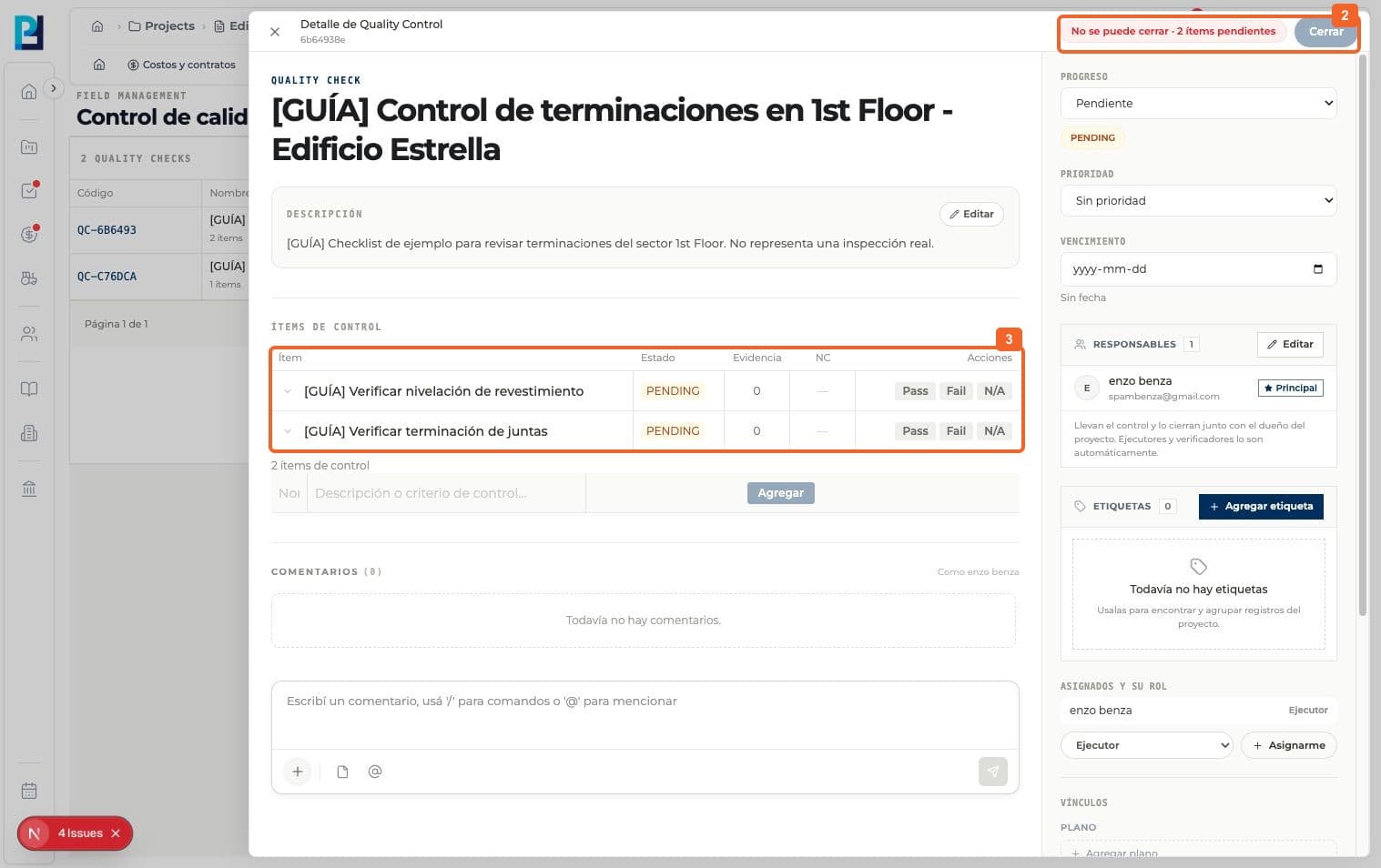
Read the header: Close is disabled while two items are pending.
- 03
Find the pending items in the table.
- 04
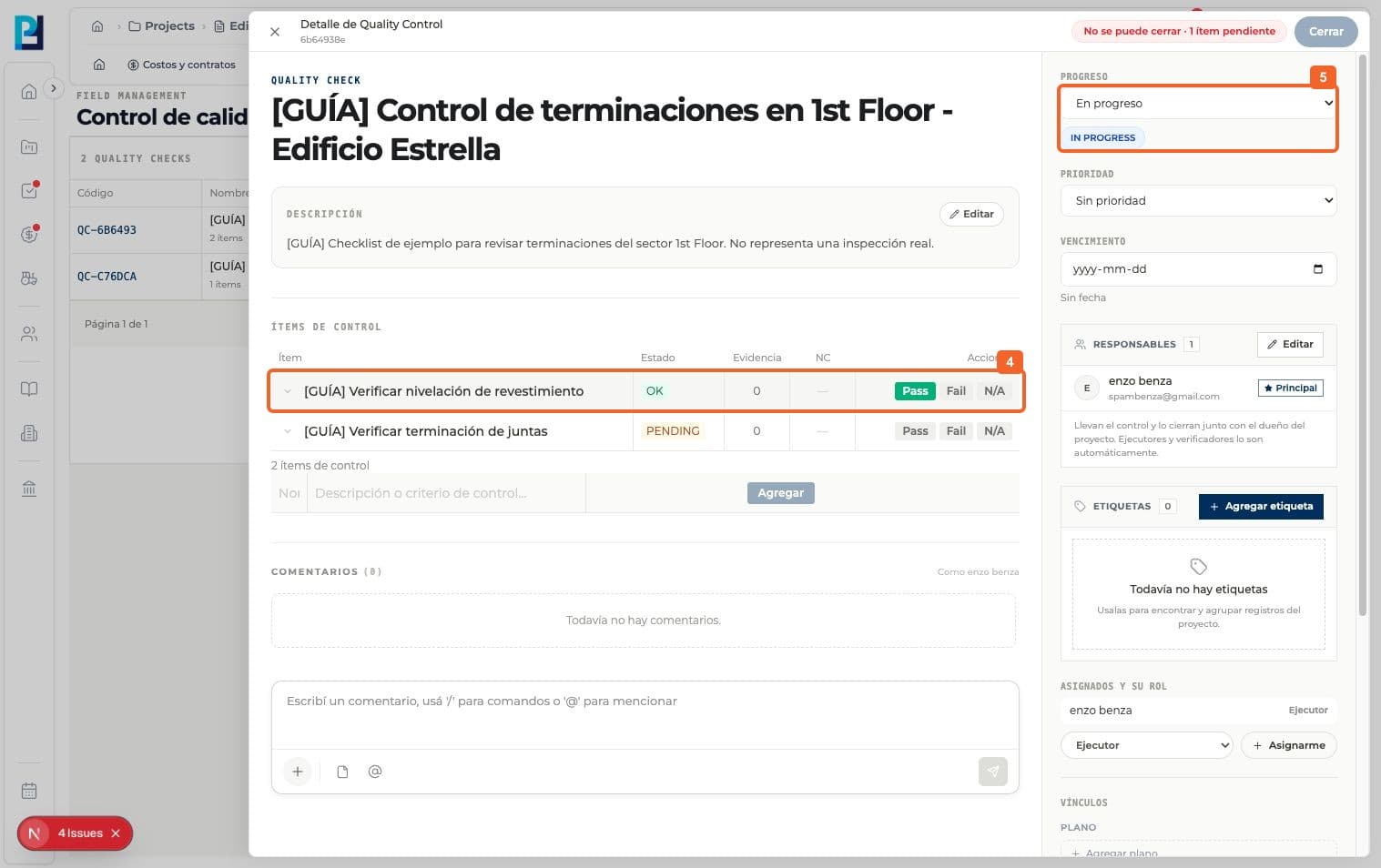
After the real inspection, select Pass for an approved item. Its status becomes OK.
- 05
Verify that the check progress changes to In progress.
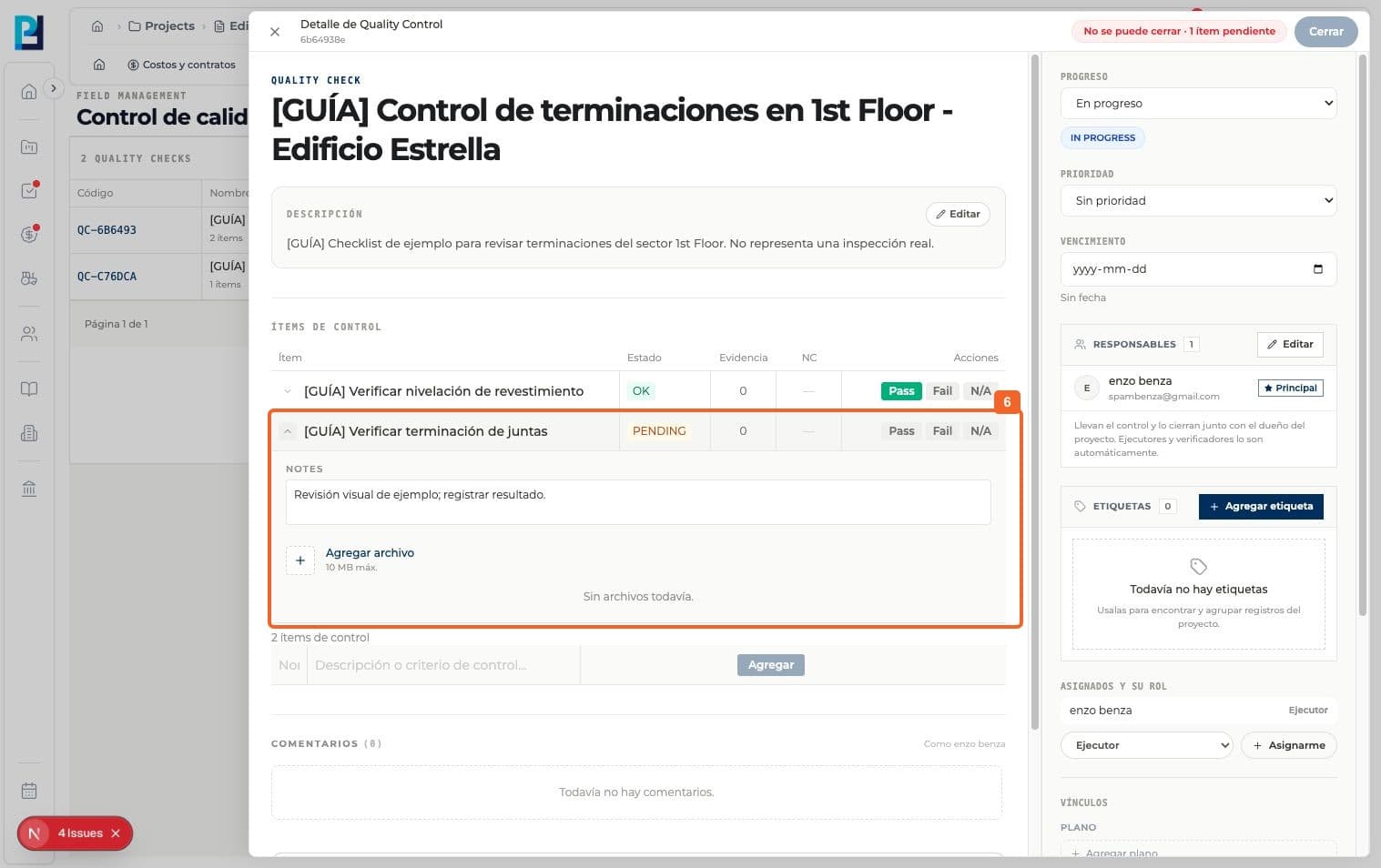
- 06
Expand another item to read notes and see the evidence area. No files were attached in this test.
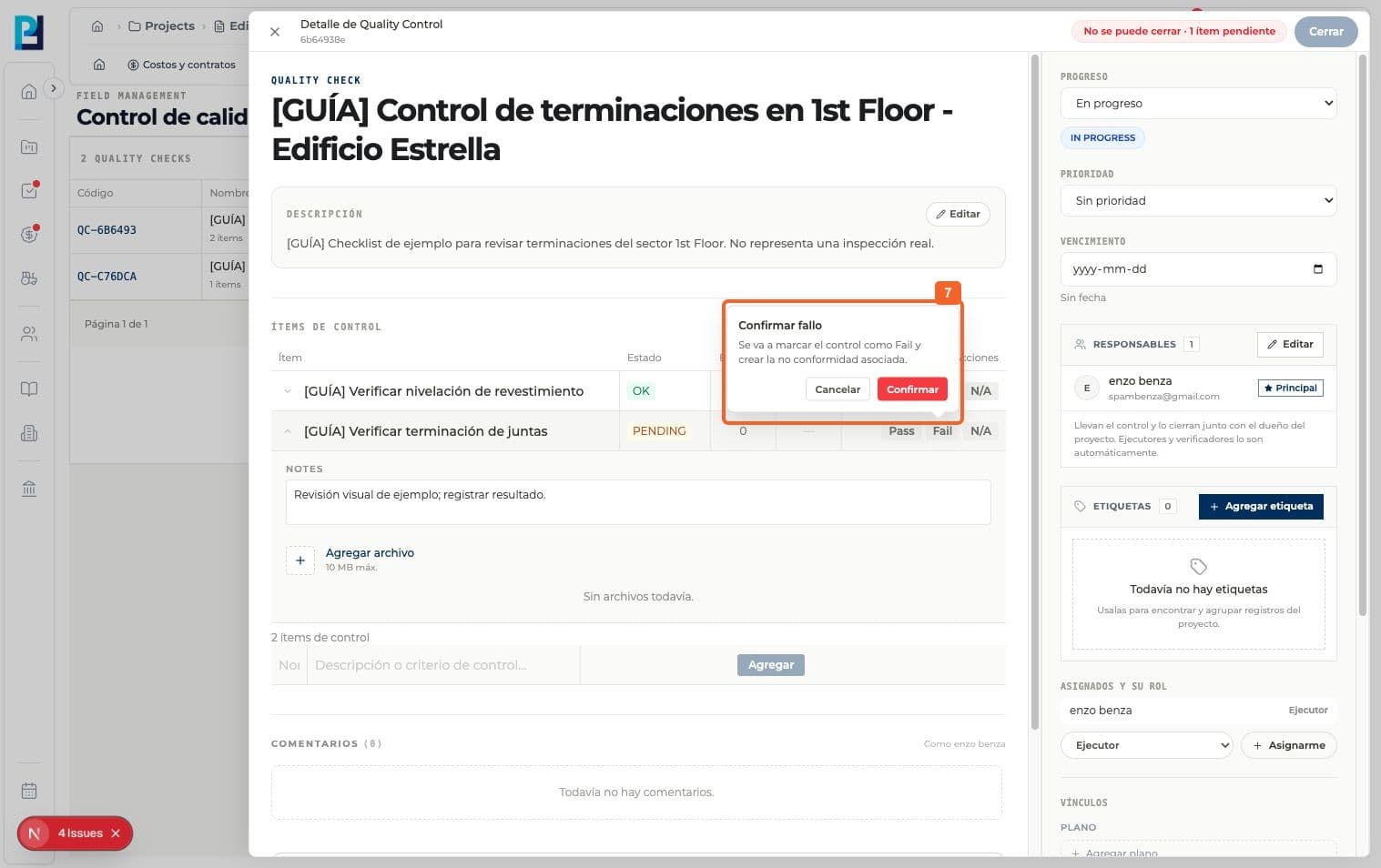
- 07
If an item fails, select Fail and confirm. A linked nonconformity is created.
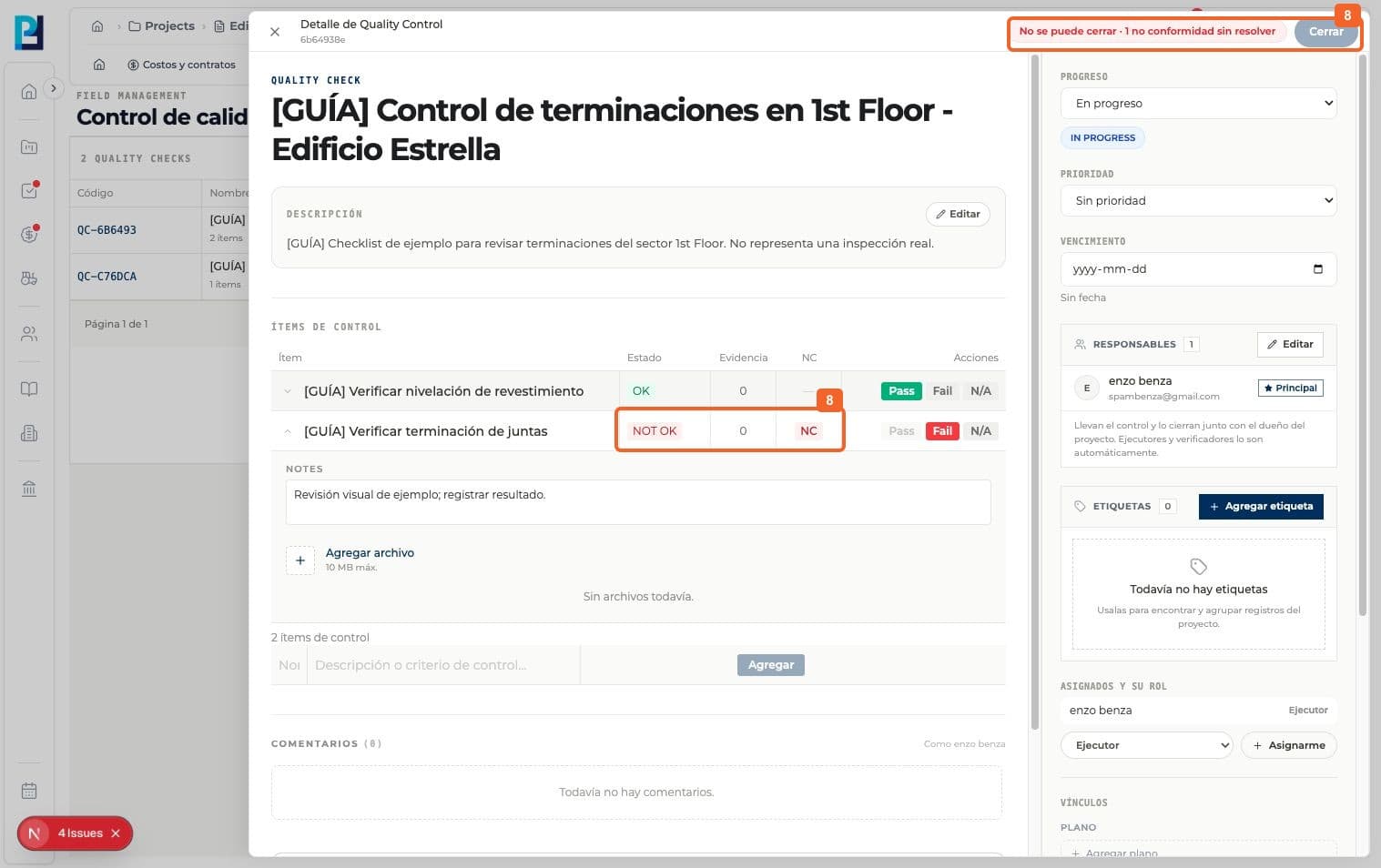
- 08
Verify NOT OK, the NC link and the closing block while the nonconformity is unresolved.
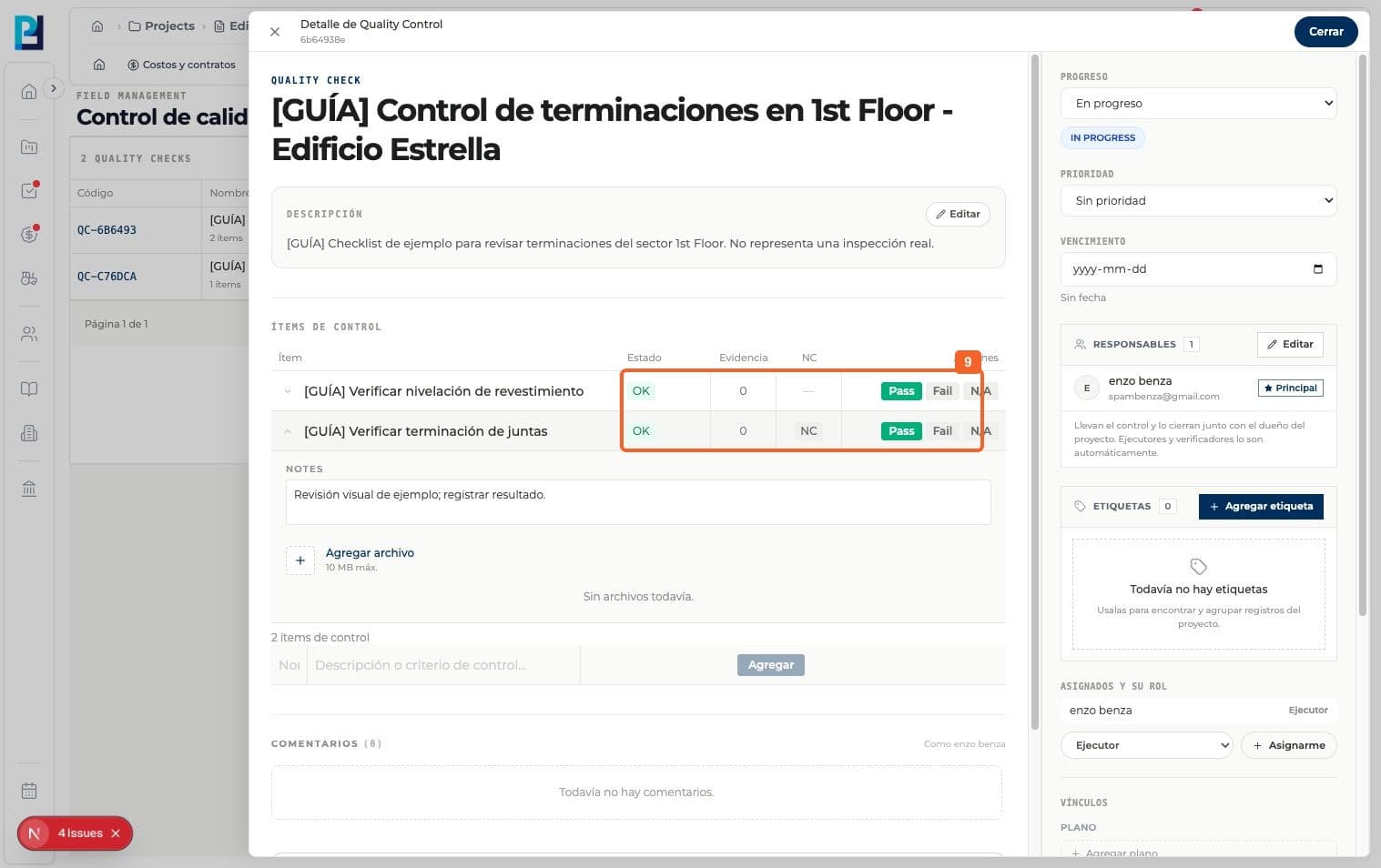
- 09
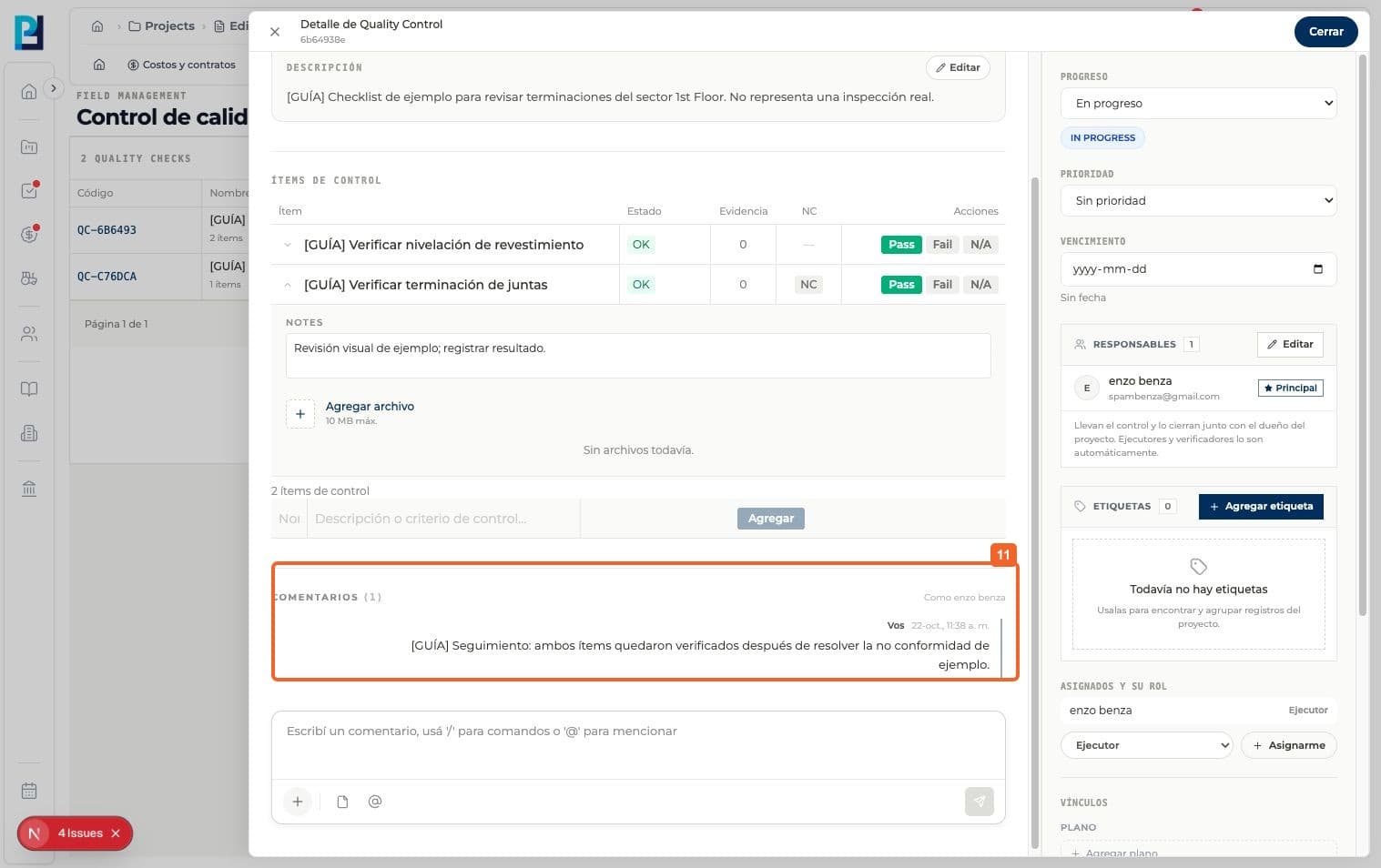
Resolve the nonconformity, then mark Pass only after confirming the correction.
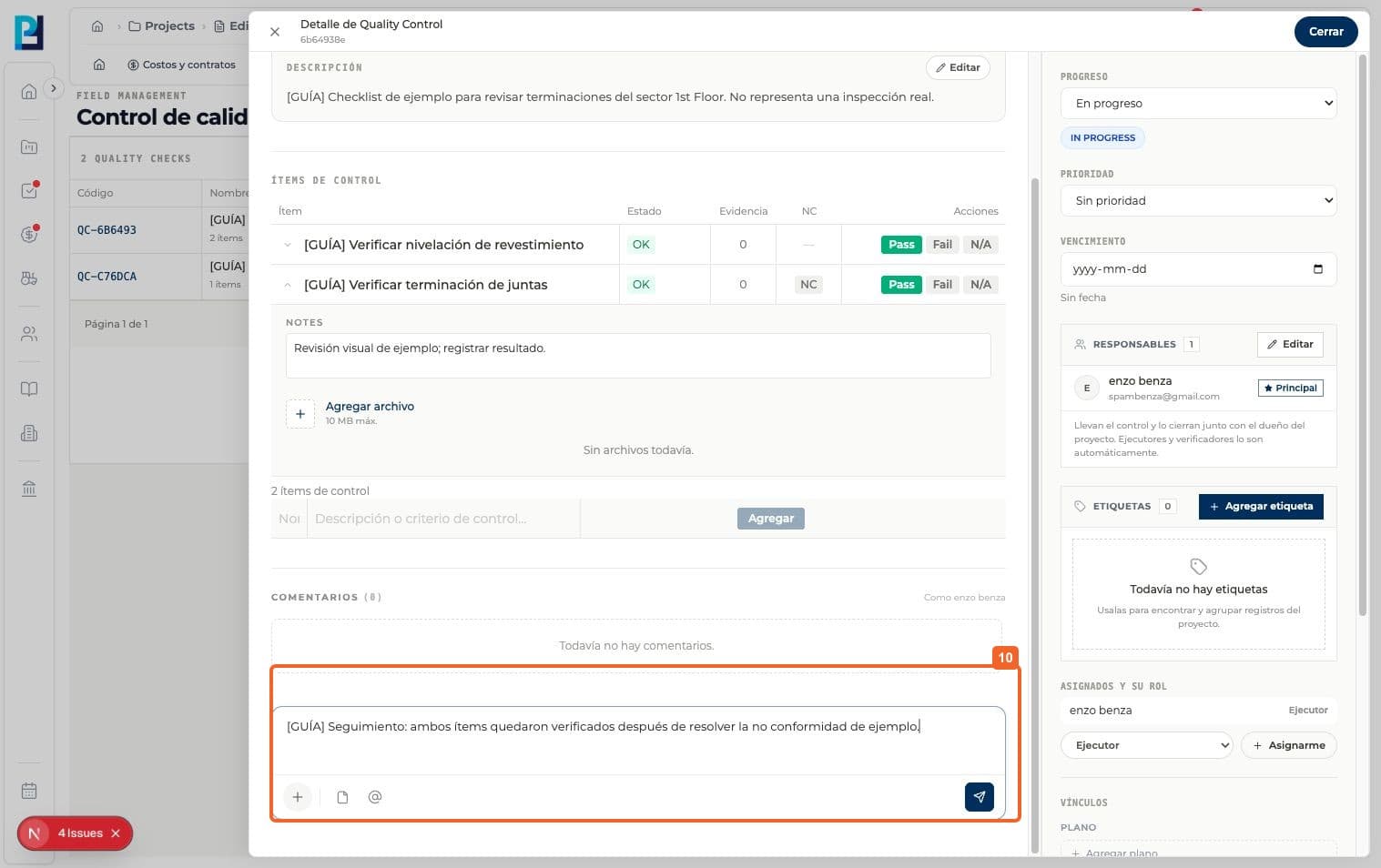
- 10
Write and send a follow-up comment.
- 11
Verify the comment in the check conversation.
FAQ
Frequently asked questions
What was verified and what remains untested?+
Fail, nonconformity resolution and a later Pass were tested with sample data. N/A and evidence uploads were not tested. Record real results only after inspection.