Visual guide
Resolve a quality nonconformity
Document a response to a nonconformity created by a failed item and resolve it before continuing the check.
5 minutes
Step by step
Follow each step on screen
- 01
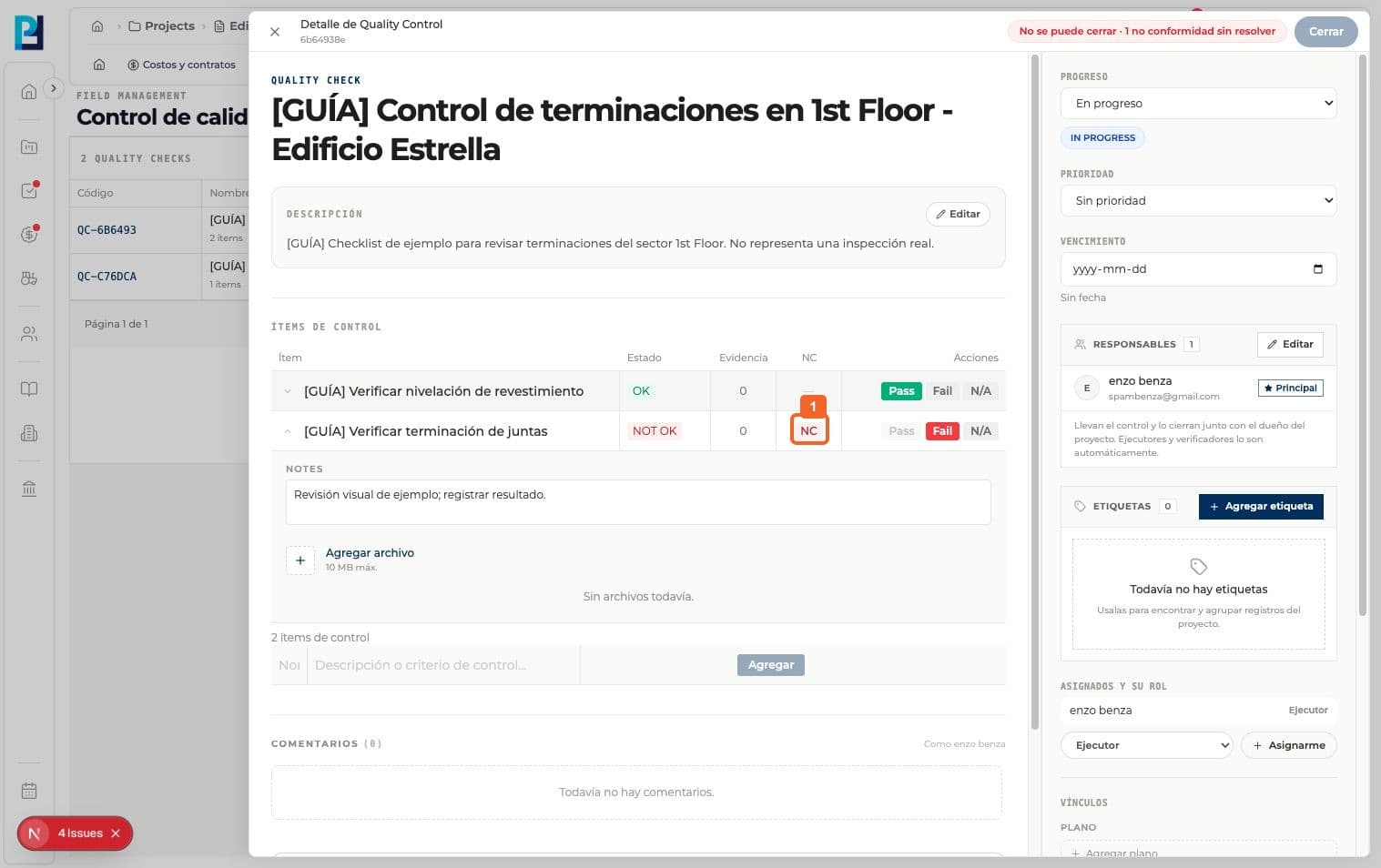
Open NC beside the NOT OK item. The check cannot close while the nonconformity remains open.
- 02
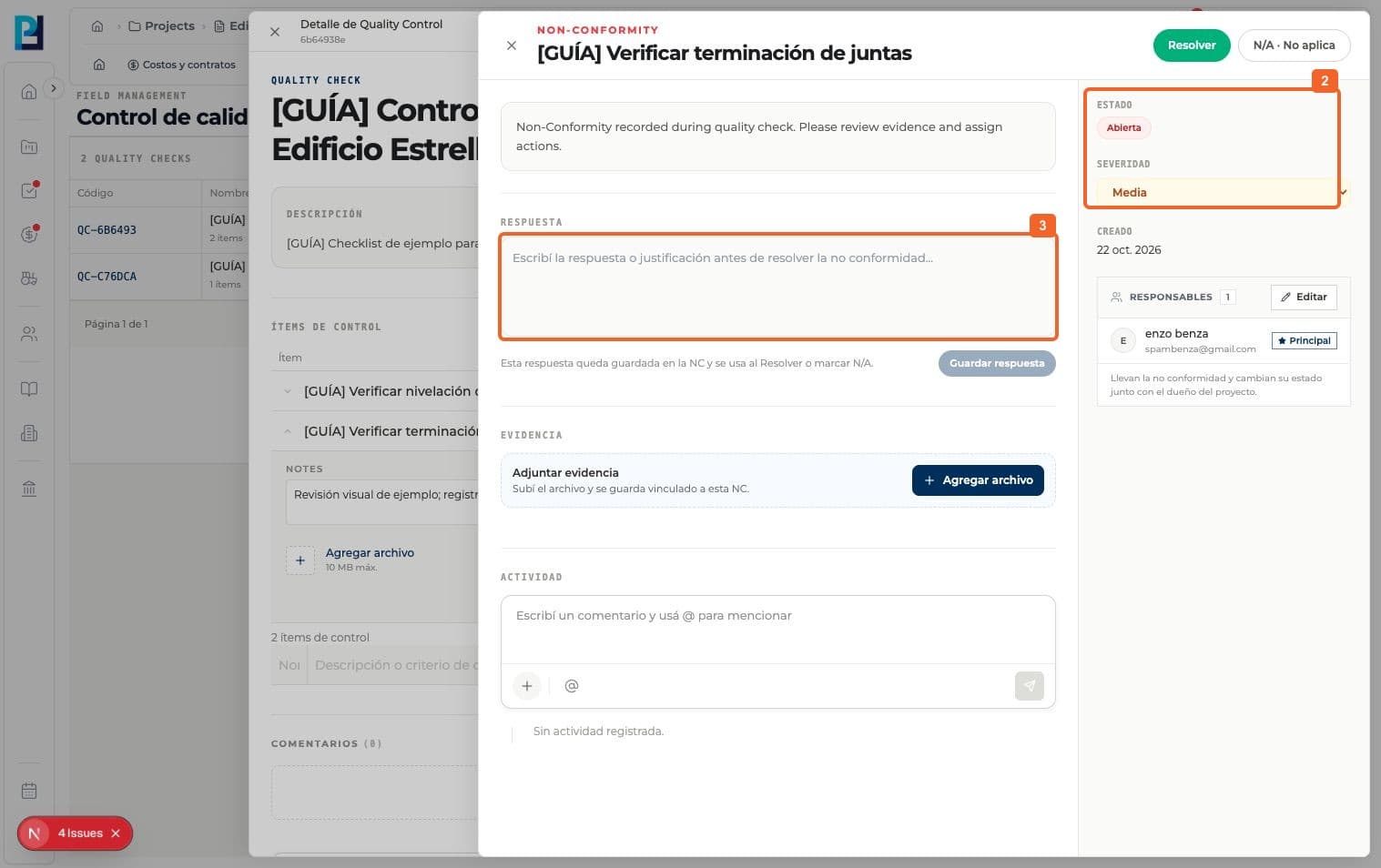
Review its detail, Open status and severity.
- 03
Read the description and prepare a response describing the work performed.
- 04
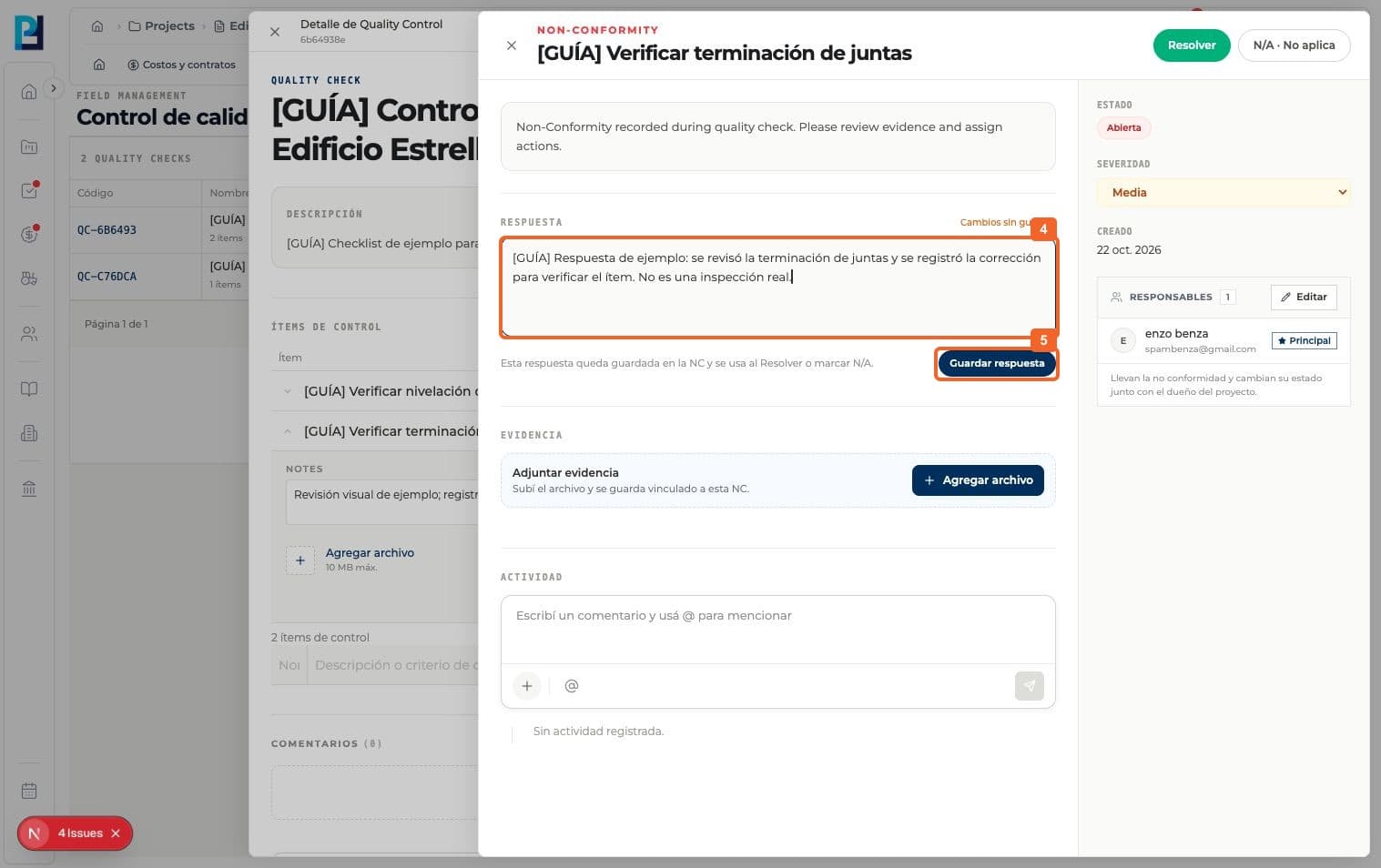
Enter a concrete response in the field.
- 05
Select Save response.
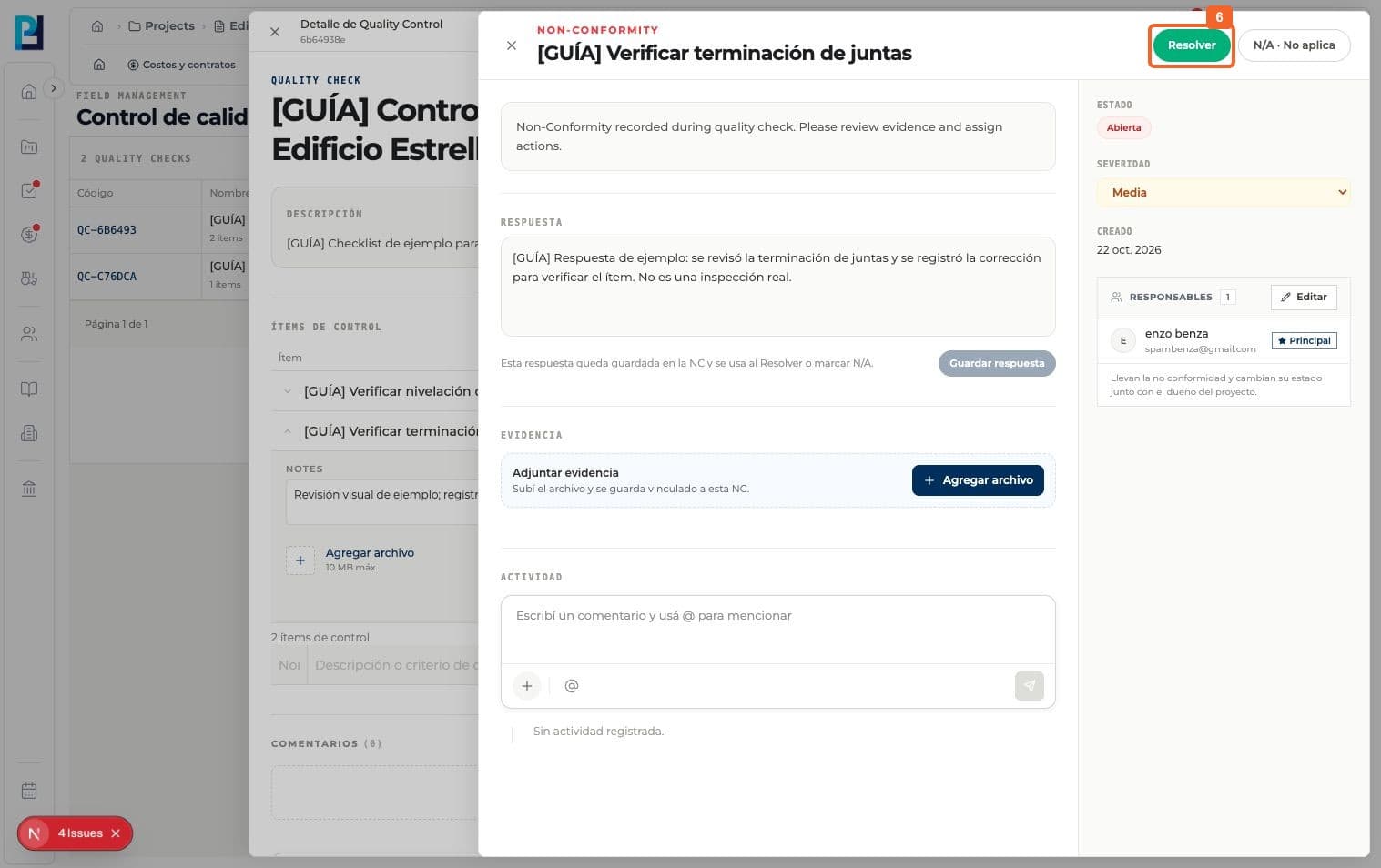
- 06
Select Resolve once the corrective action is documented.
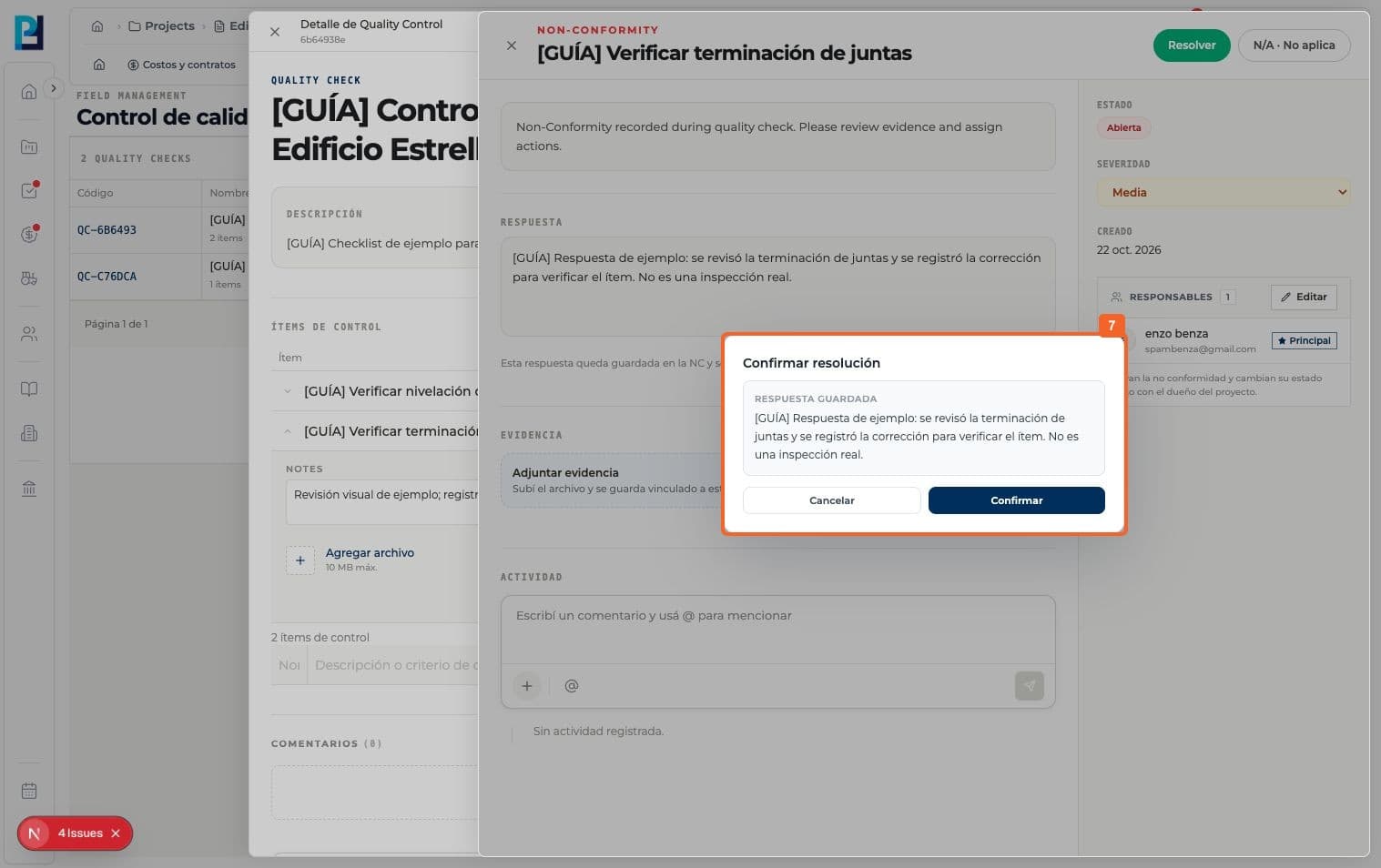
- 07
Review the confirmation with the response and confirm Resolve.
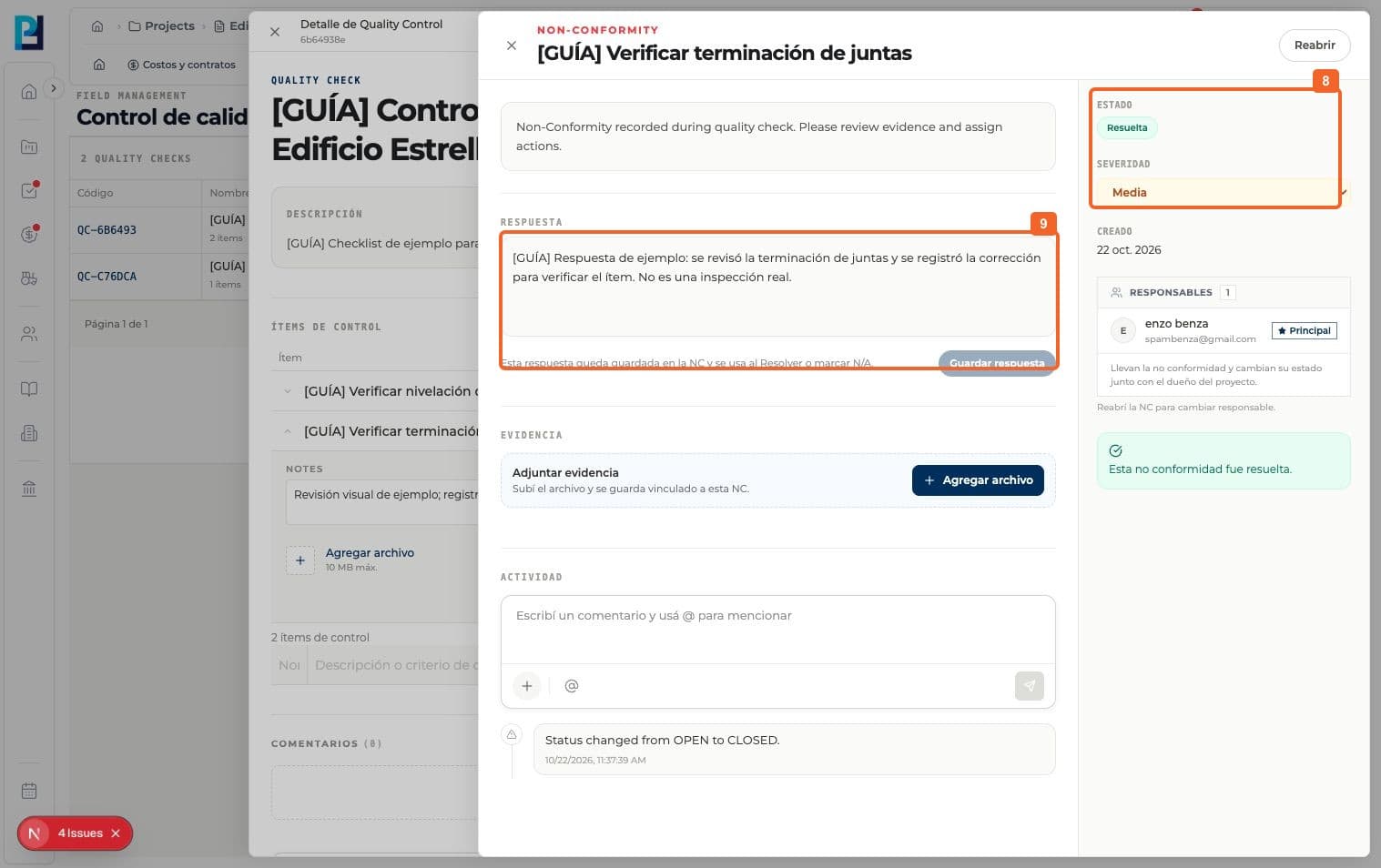
- 08
Verify that the detail says Resolved and retains the response.
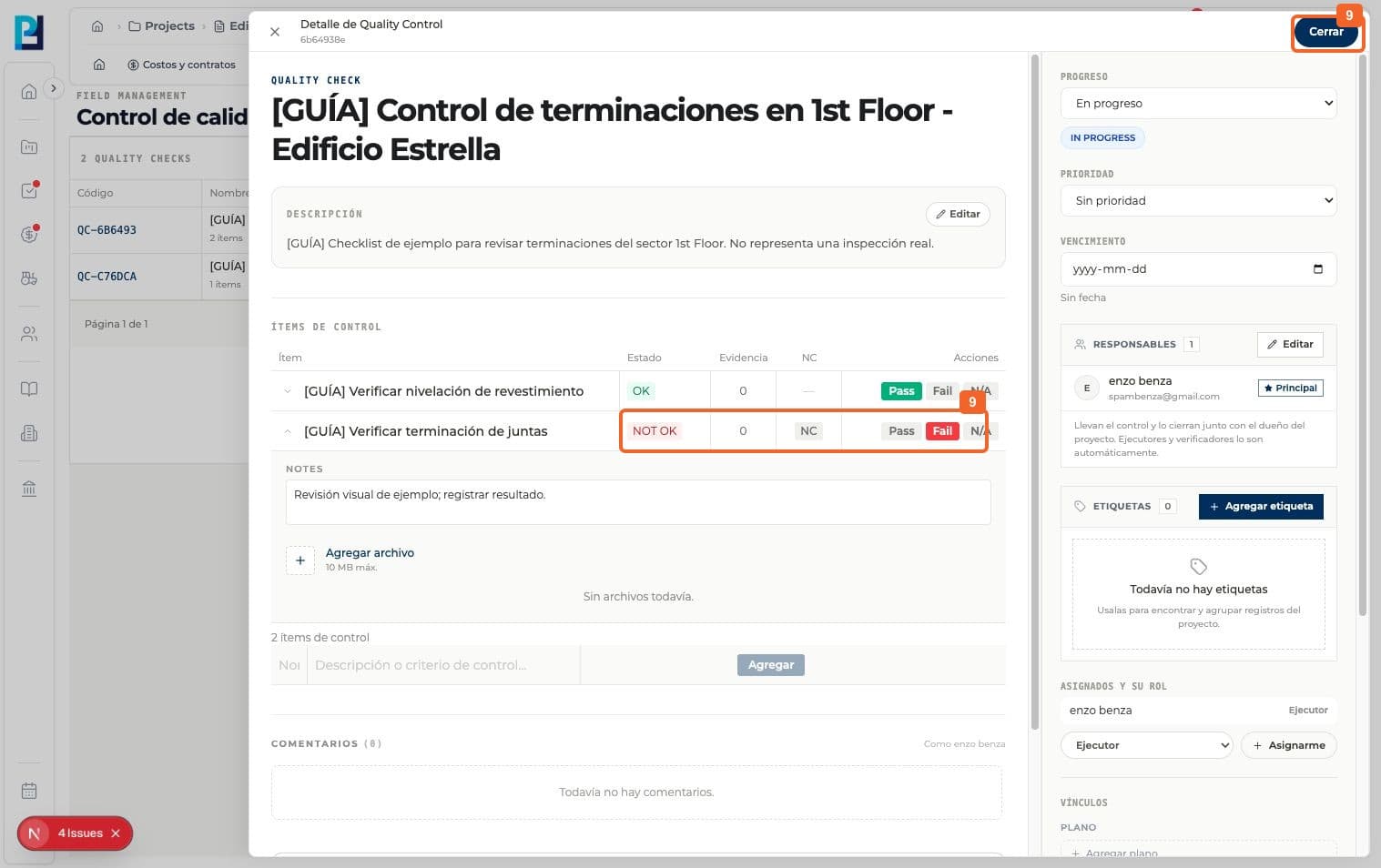
- 09
Return to the check. The resolved NC no longer blocks closing, but the failed item still needs a new check to become OK.
- 10
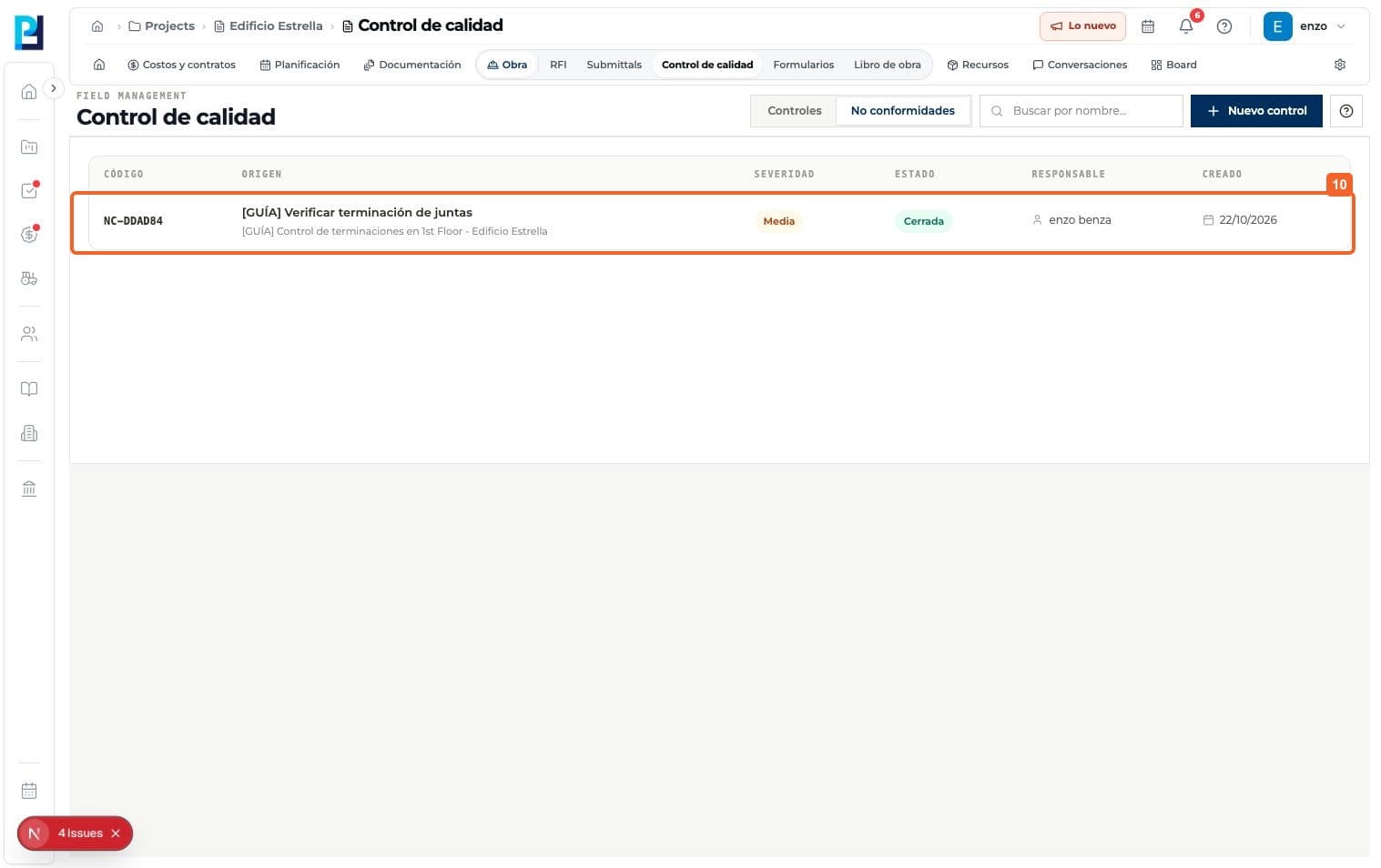
In Quality control > Nonconformities, verify the row is shown as Closed.
FAQ
Frequently asked questions
What was verified and what remains untested?+
The nonconformity was created by a failed item. Independent creation, evidence uploads and reopening were not tested.