Visual guide
Close an RFI
Check the official answer and close the RFI to record a final decision.
5 minutes
Step by step
Follow each step on screen
- 01
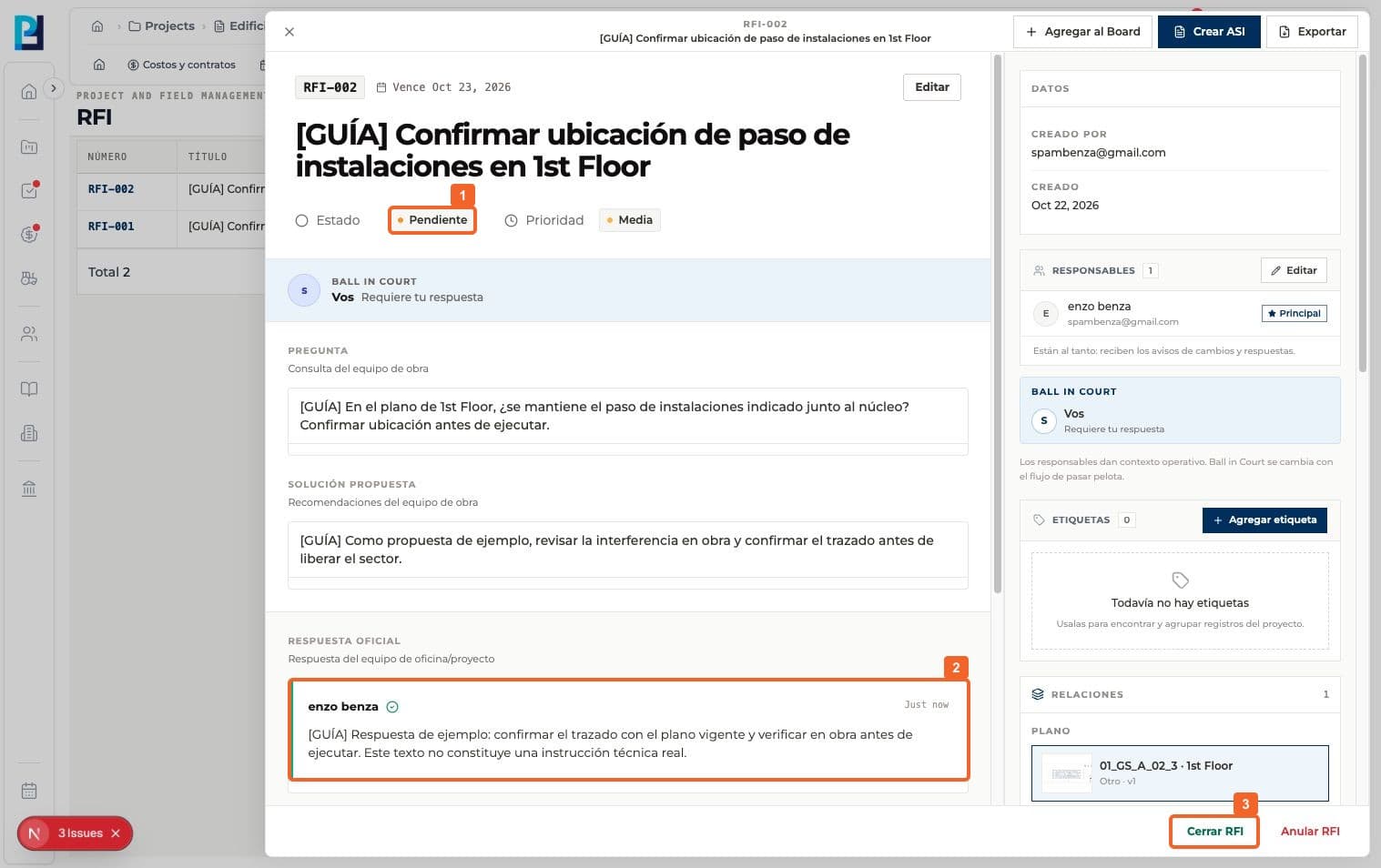
Open the RFI and confirm it is Pending after the official answer.
- 02
Read the Official answer and confirm it resolves the question before making it final.
- 03
Select Close RFI at the bottom of the panel.
- 04
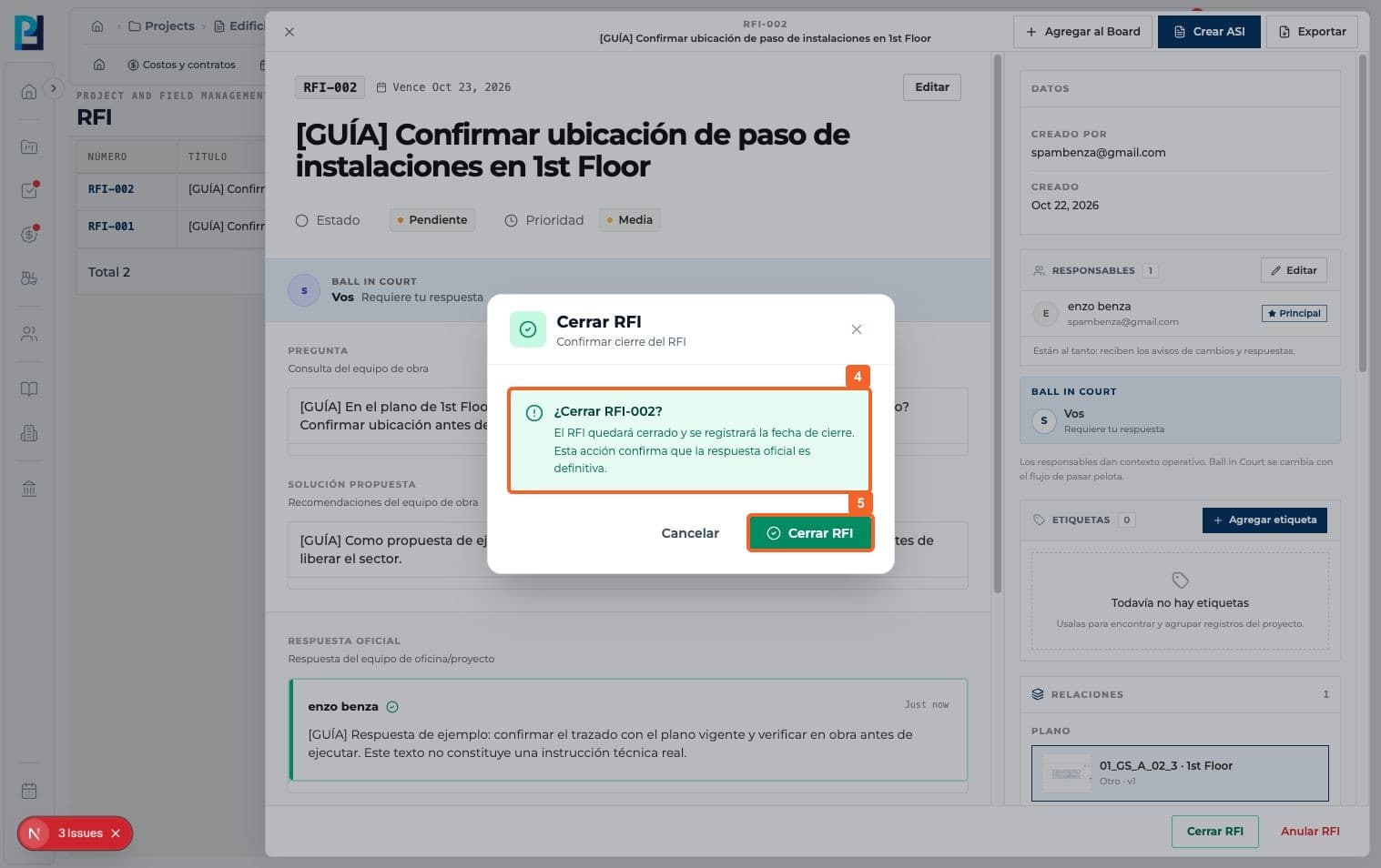
Read the confirmation: closing records the date and makes the official answer final.
- 05
Confirm Close RFI.
- 06
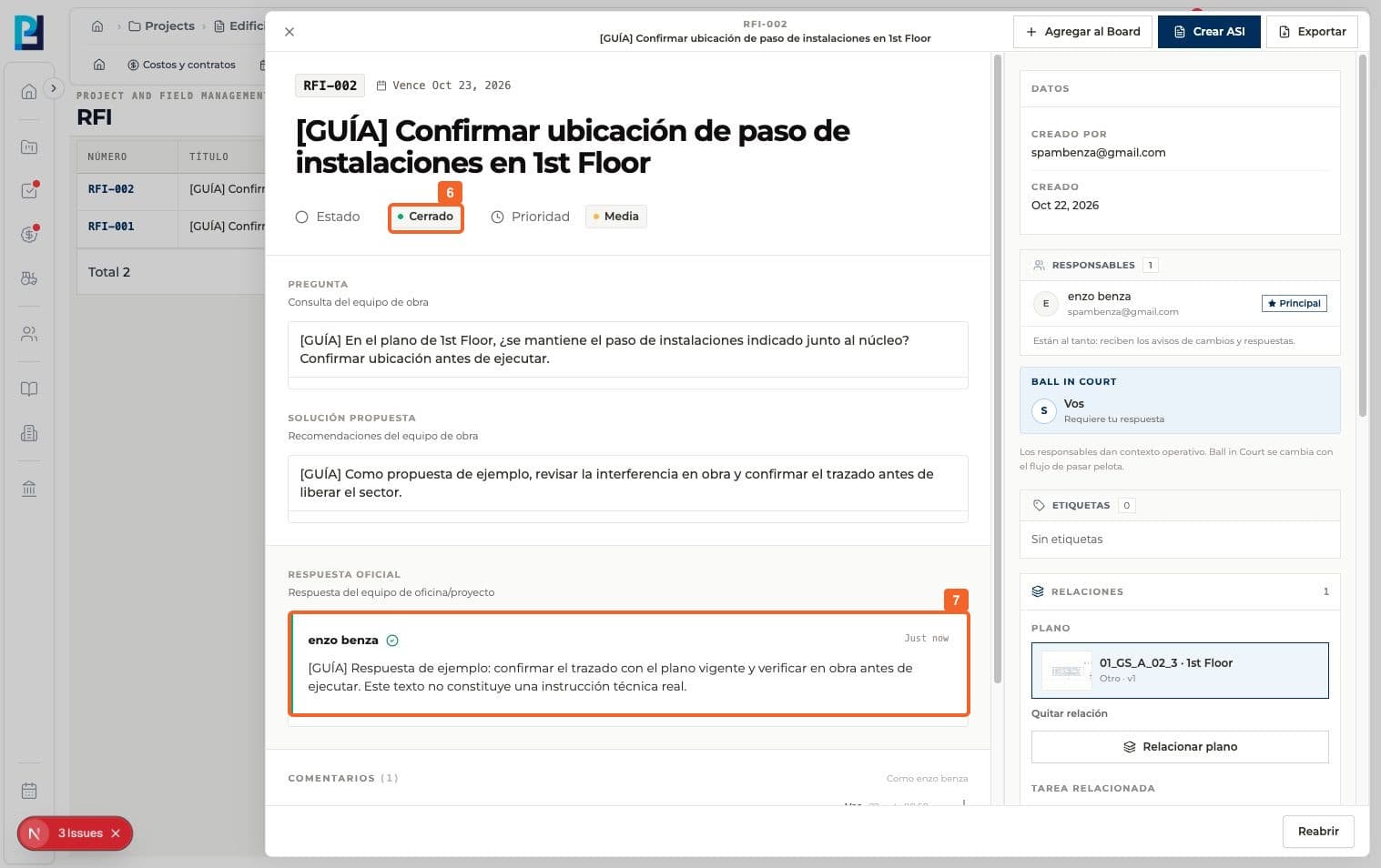
Verify the detail status changes to Closed.
- 07
Check that the official answer remains visible in the closed RFI.
- 08
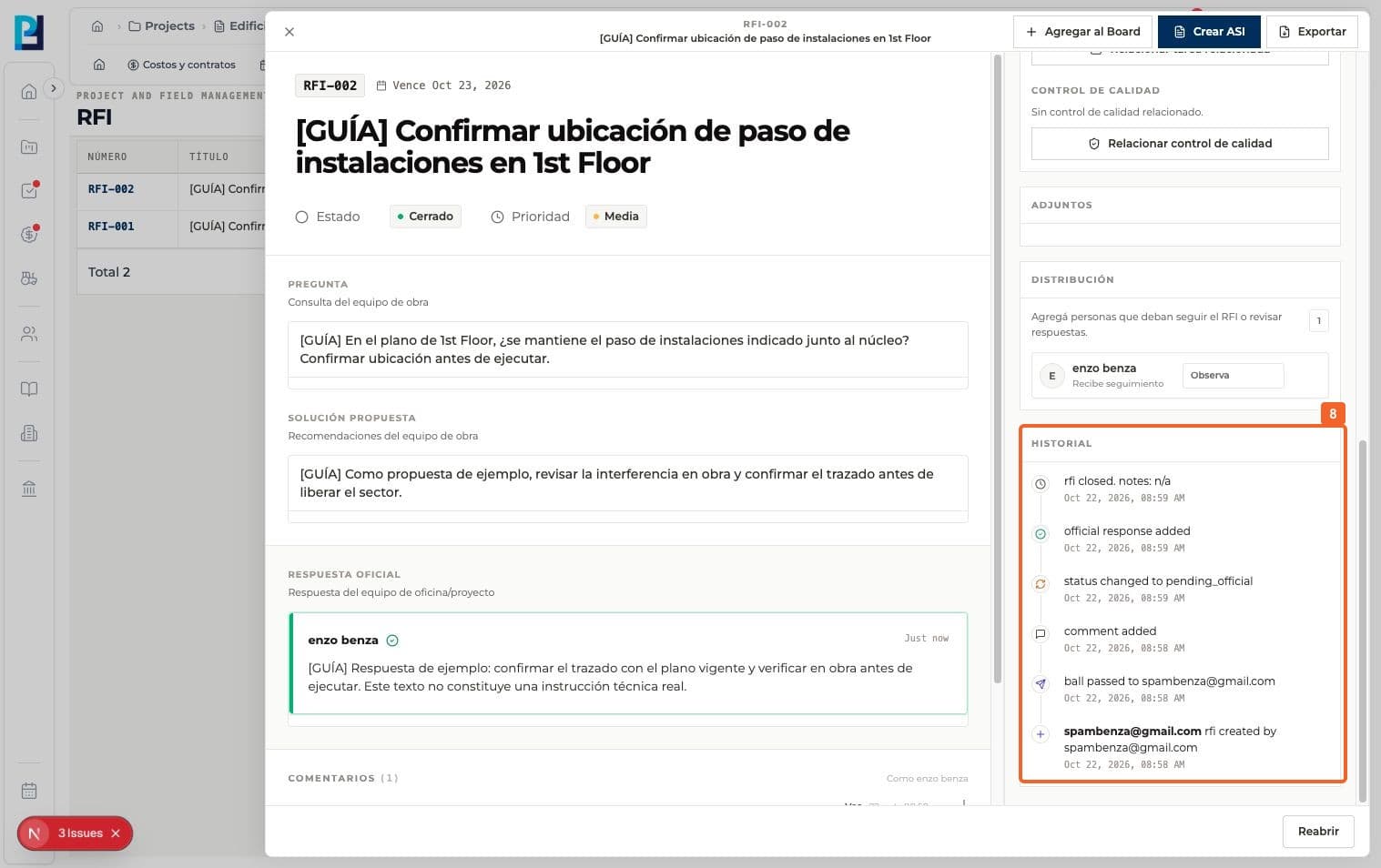
Review History for the closing event and earlier steps.
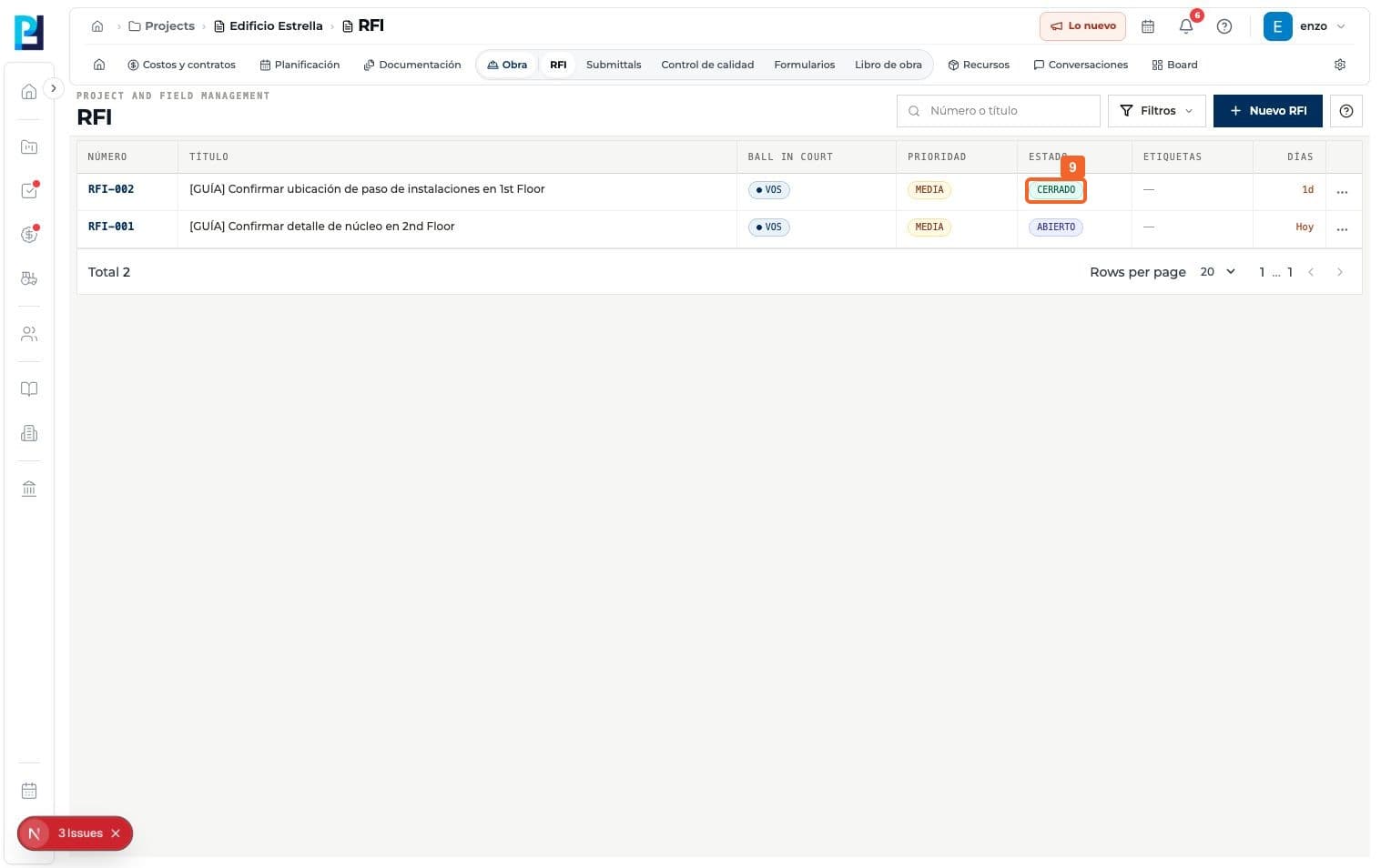
- 09
Return to the list and verify CLOSED beside the RFI number.
FAQ
Frequently asked questions
What was verified and what remains untested?+
An official answer and closing are separate actions. Void and Reopen were not tested.