Visual guide
Finish a technical submittal review
Record the reviewer's official decision on a submittal in review and verify the resulting Approved status.
5 minutes
Step by step
Follow each step on screen
- 01
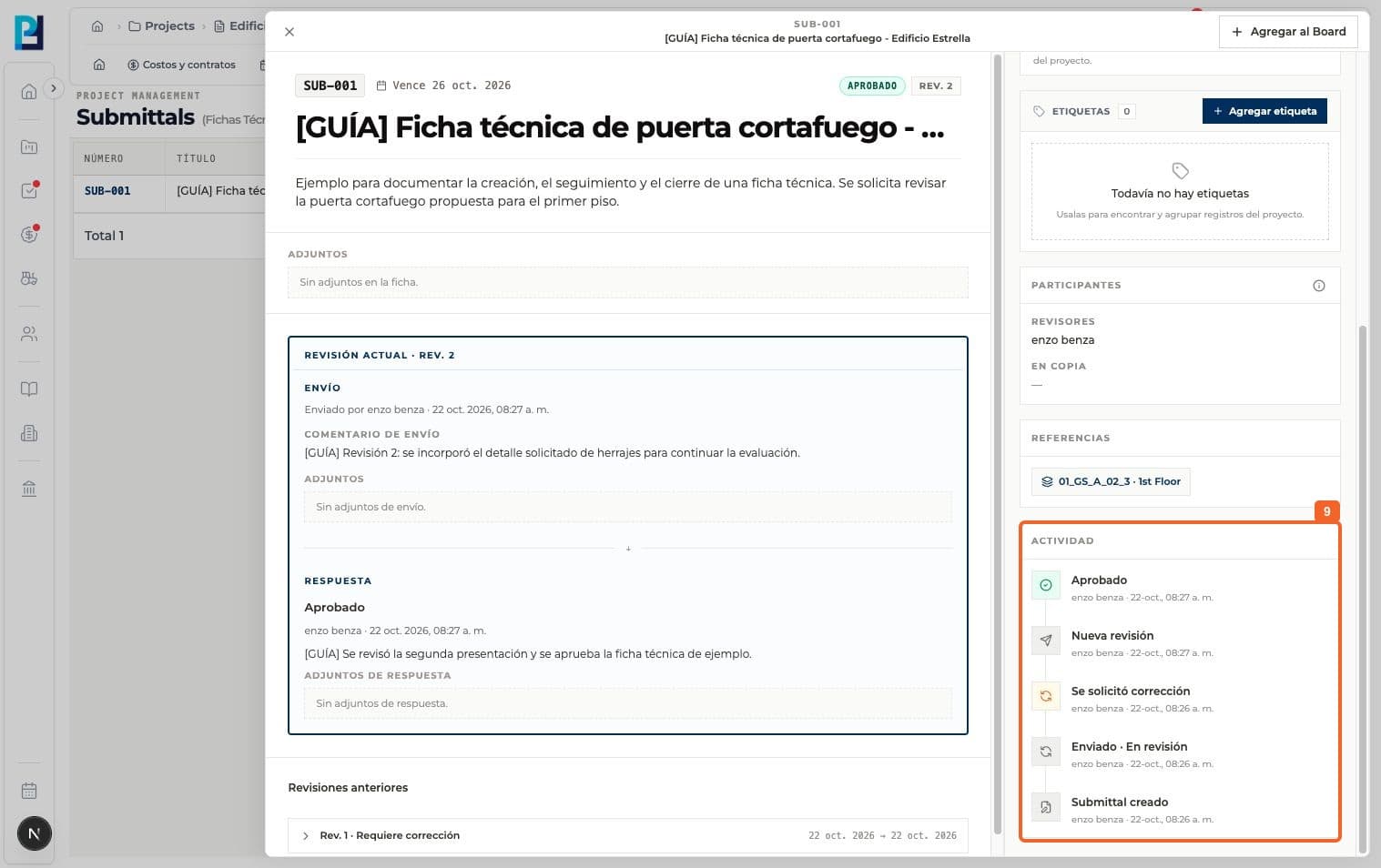
Open a submittal In review and check the current revision.
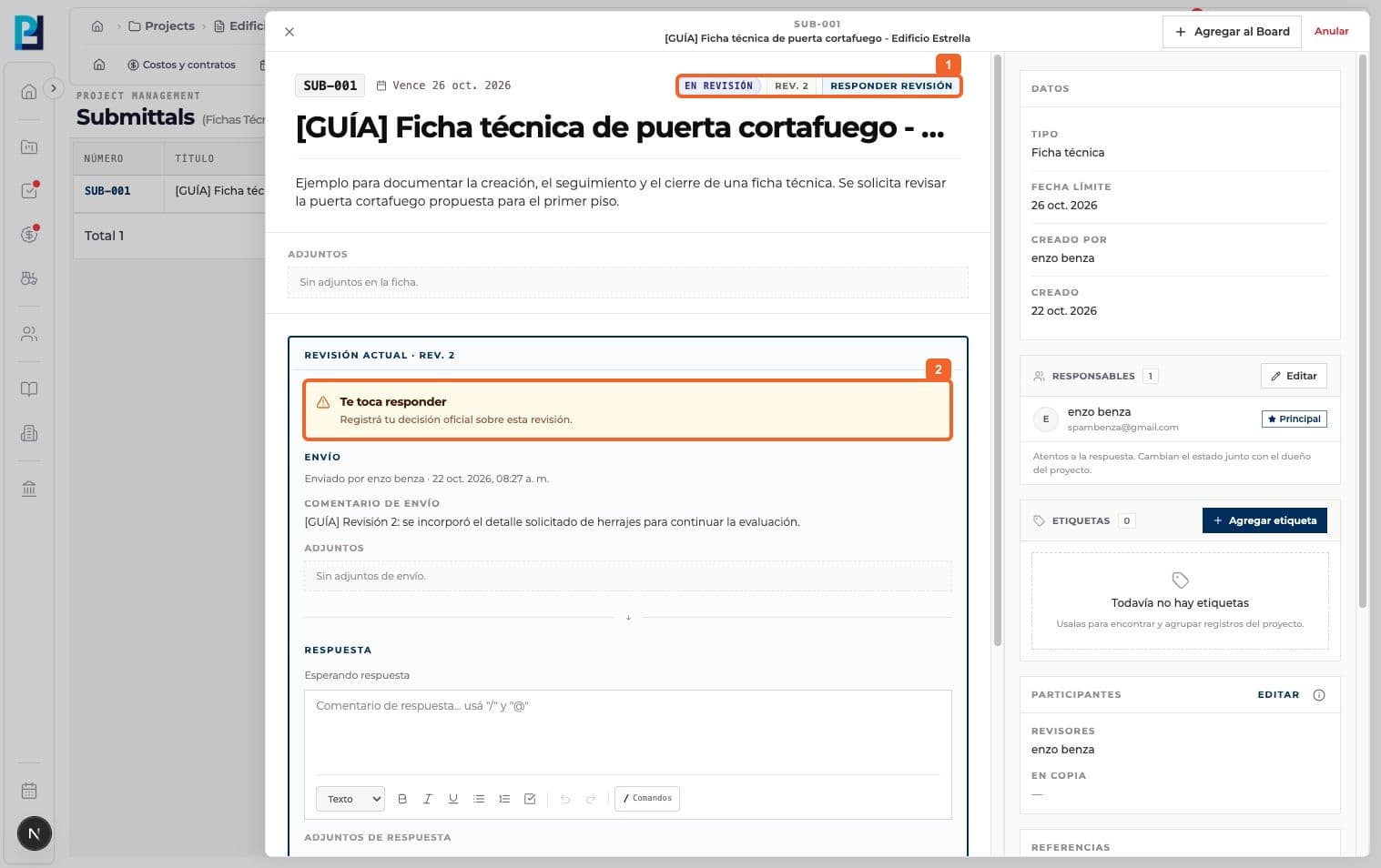
- 02
Confirm that the revision awaits your answer. Decision actions require a designated reviewer or project owner.
- 03
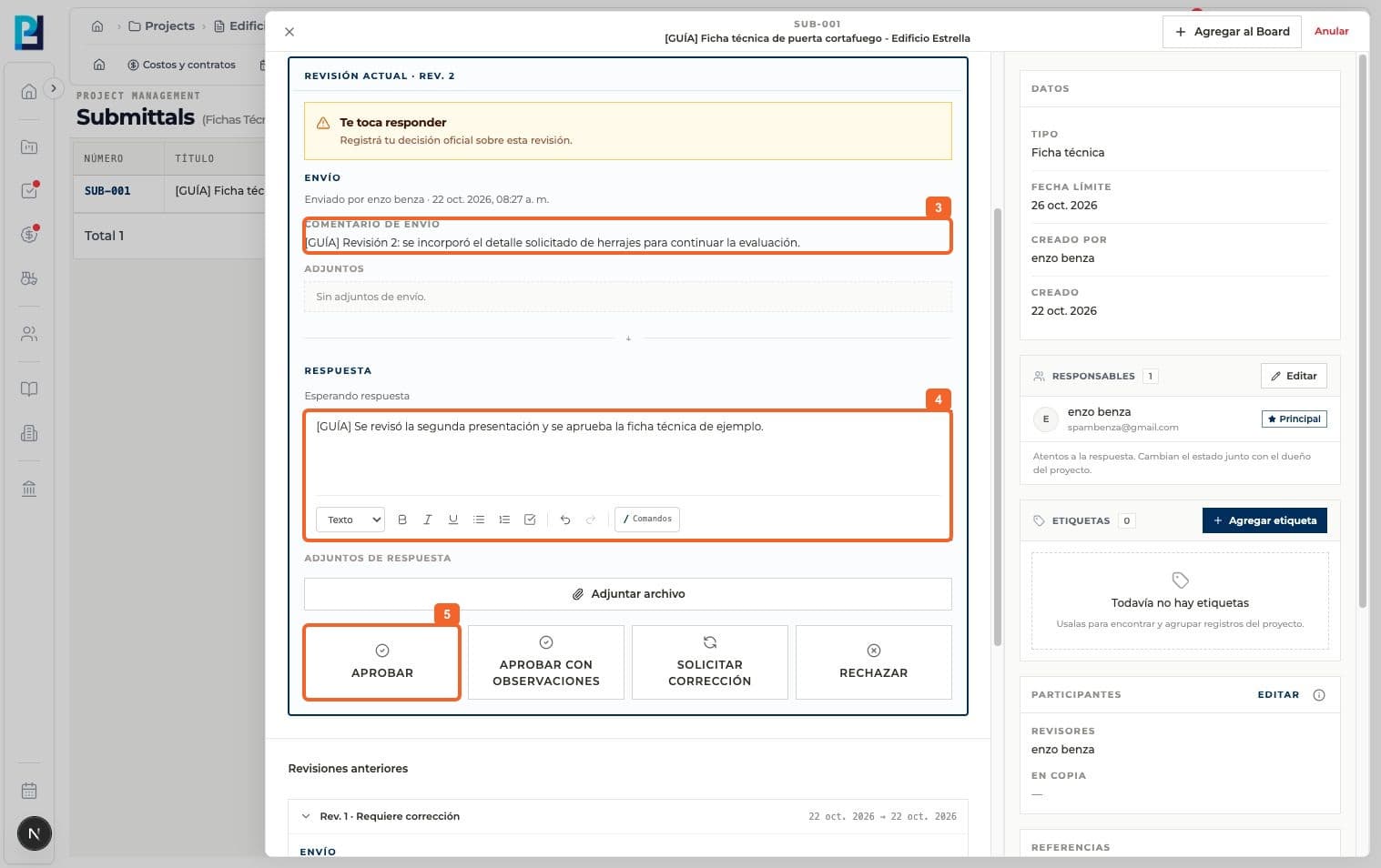
Read the submission, comment and attachments before deciding.
- 04
Add a response comment if your decision needs an explanation.
- 05
Choose Approve for the example's final decision.
- 06
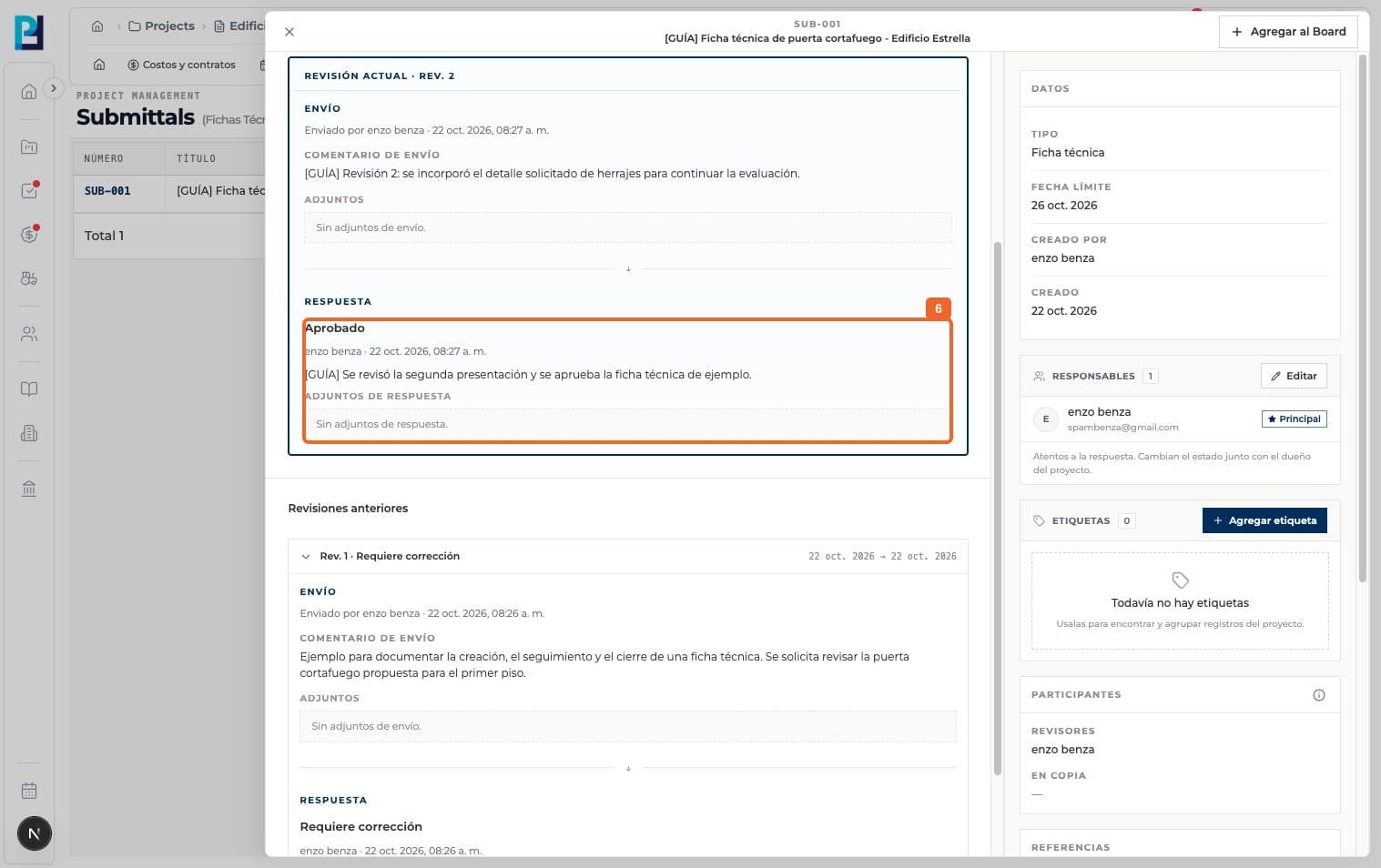
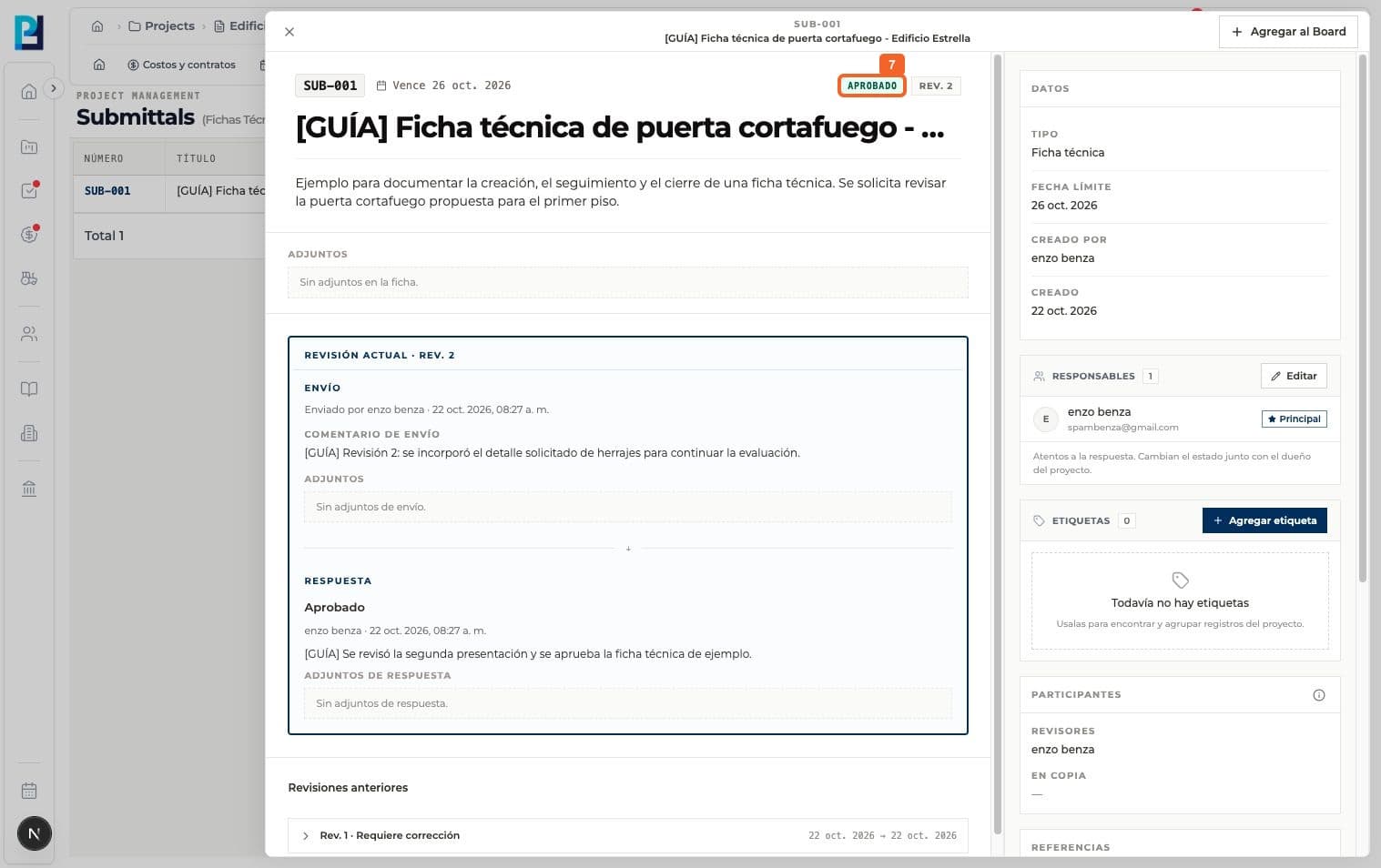
Verify Approved, its author and comment in the current revision.
- 07
Check that the header status is Approved.
- 08
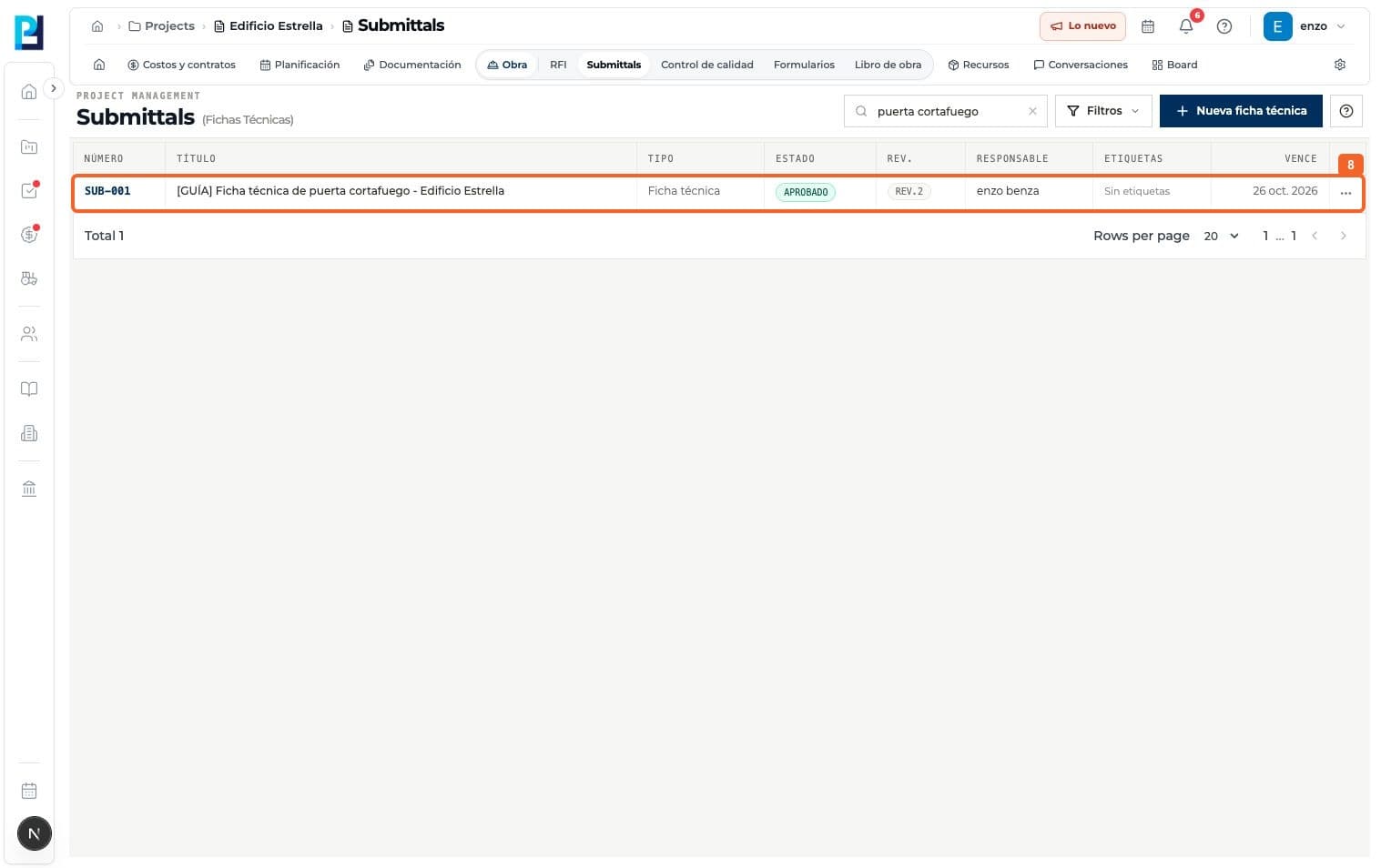
Return to the list and confirm Approved and the final revision.
- 09
In Activity, verify the approval was recorded with the prior history.
FAQ
Frequently asked questions
What was verified and what remains untested?+
The interface has no Close button for this flow. Approve finished the example. Approve with comments and Reject are other final decisions, but were not performed here.