Open a pin and what happens in the other modules
Clicking a pin opens the linked record's detail without leaving the drawing.
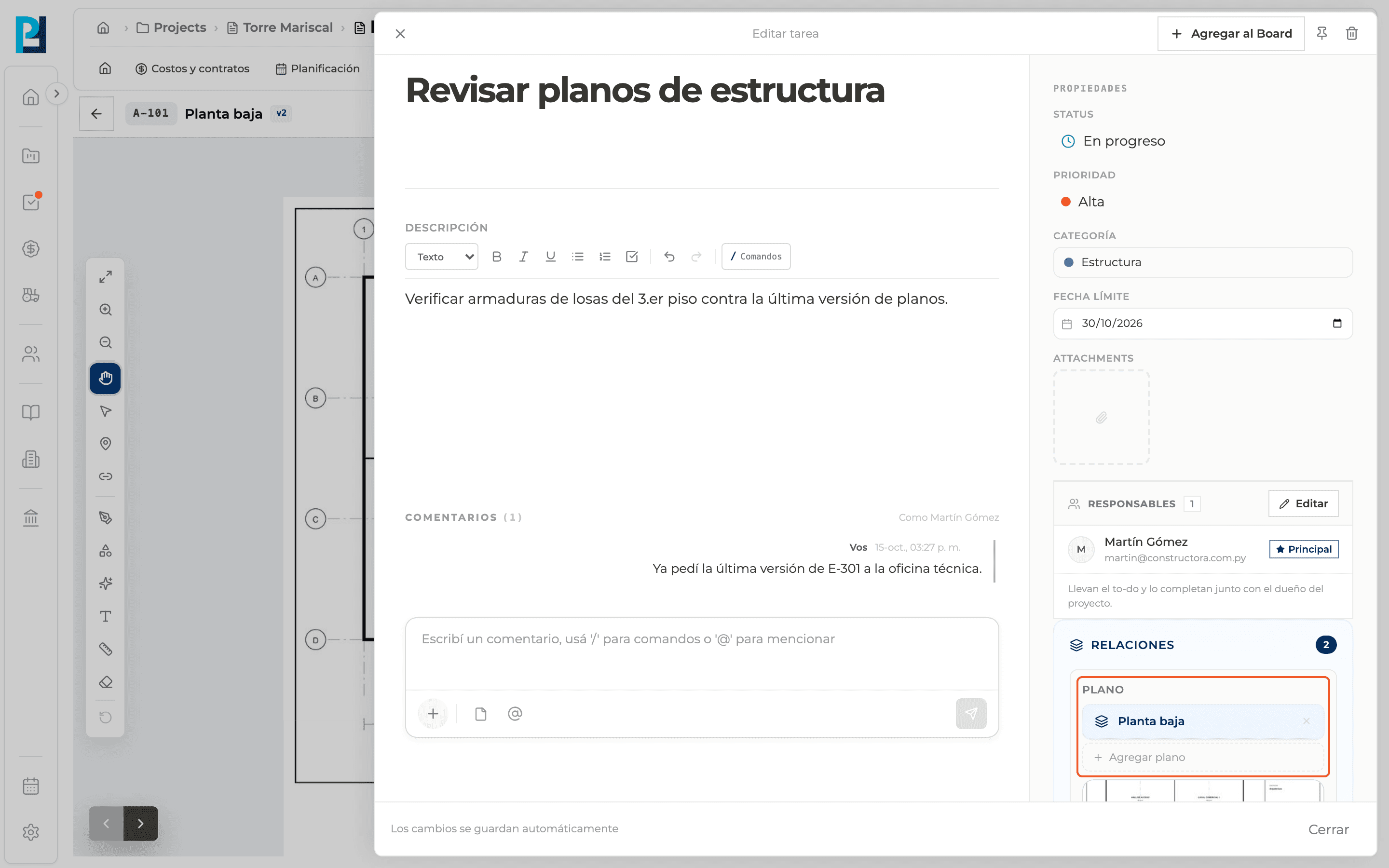
How to complete open pins
- 01
Keep Pan on
With another tool active, a click only selects the pin.
- 02
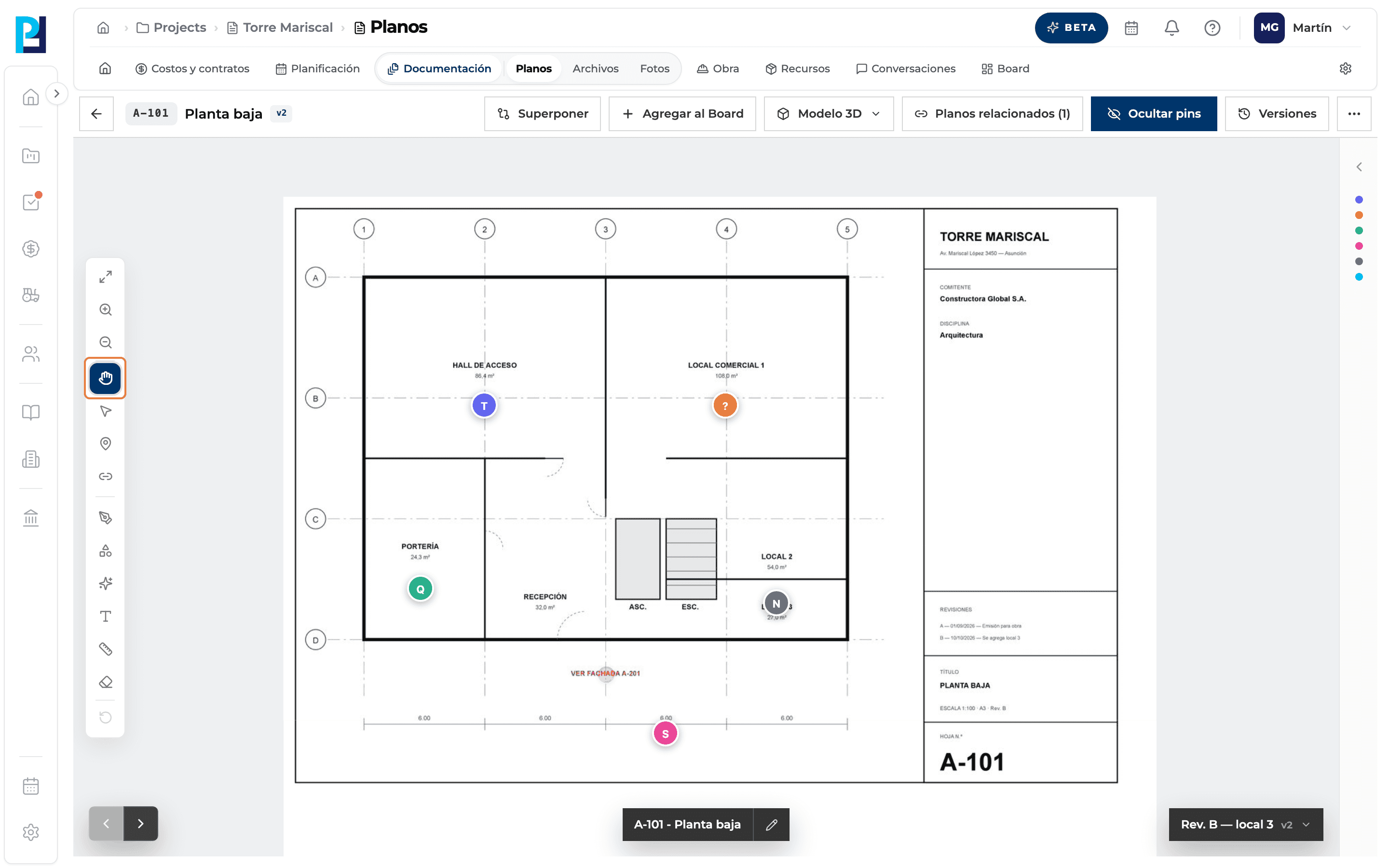
Open a task
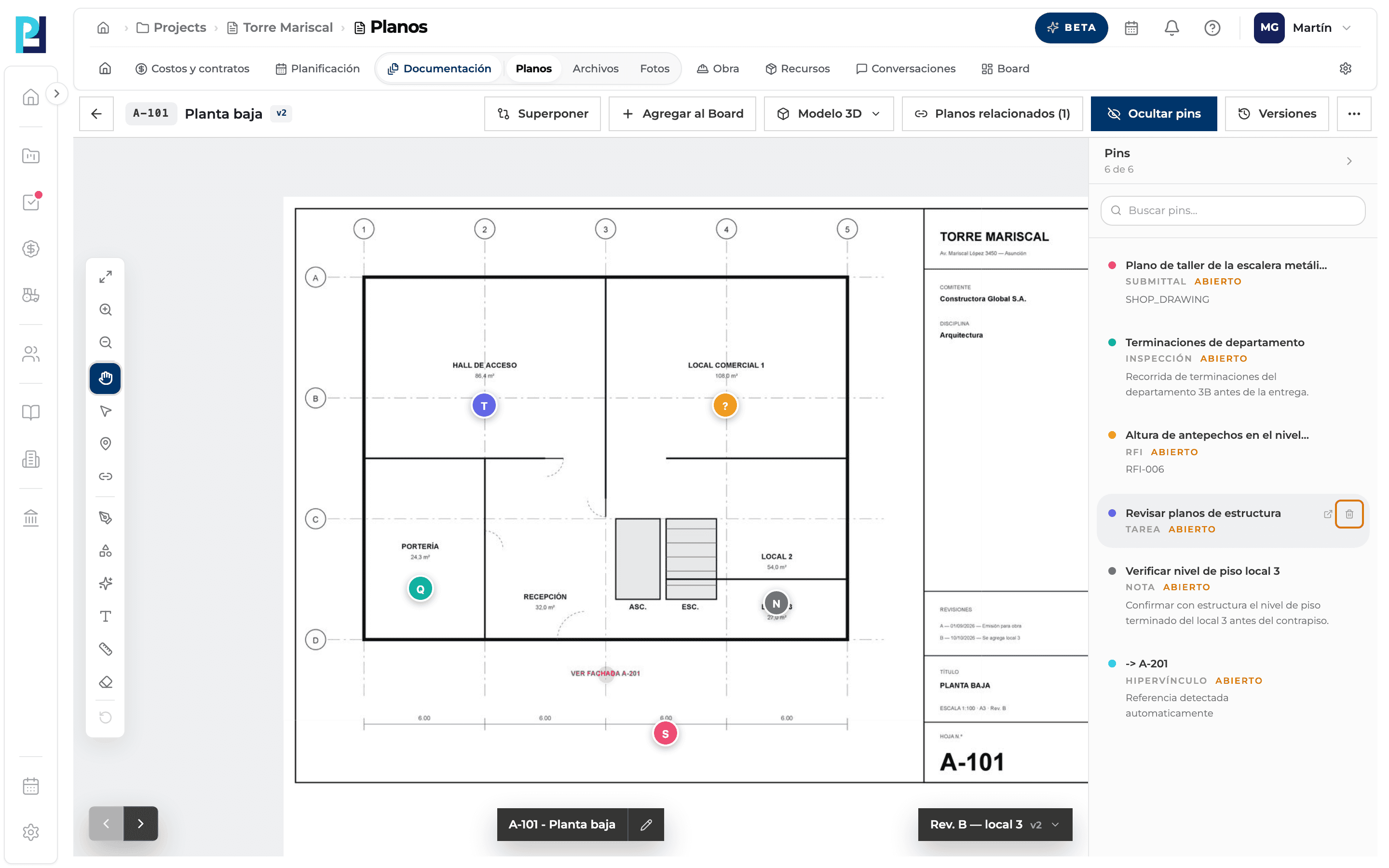
Click a T pin: the task panel opens, with the drawing under Relations.
- 03
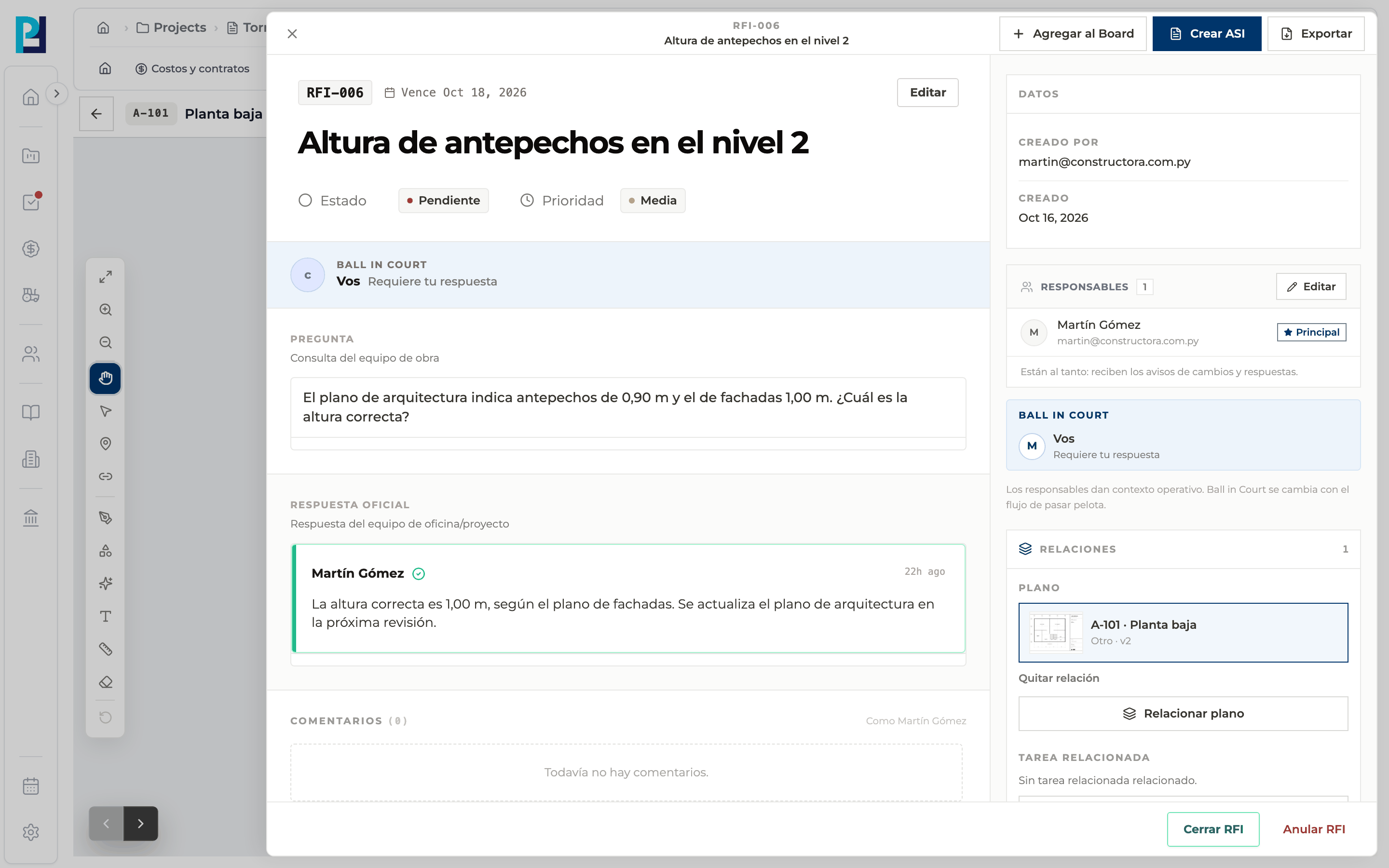
Open an RFI
Click a ? pin: the RFI detail opens. The same goes for quality control (Q), submittal (S) and note (N).
- 04
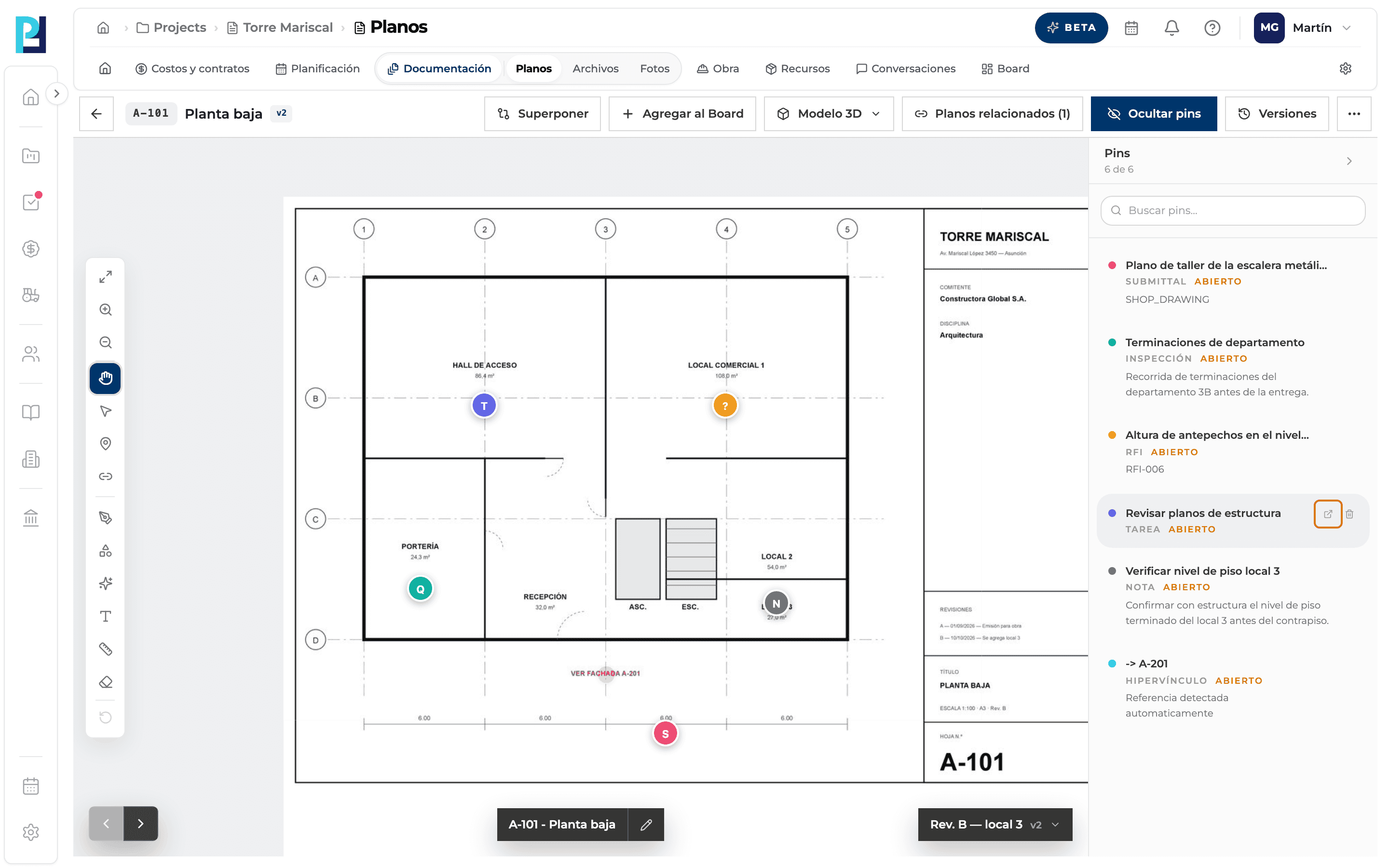
Jump to the module
In the side list, each pin's Abrir vínculo icon takes you to the record's module.
- 05
Continue in the module
For a task, for example, the project's Tasks open and you find it on the board.
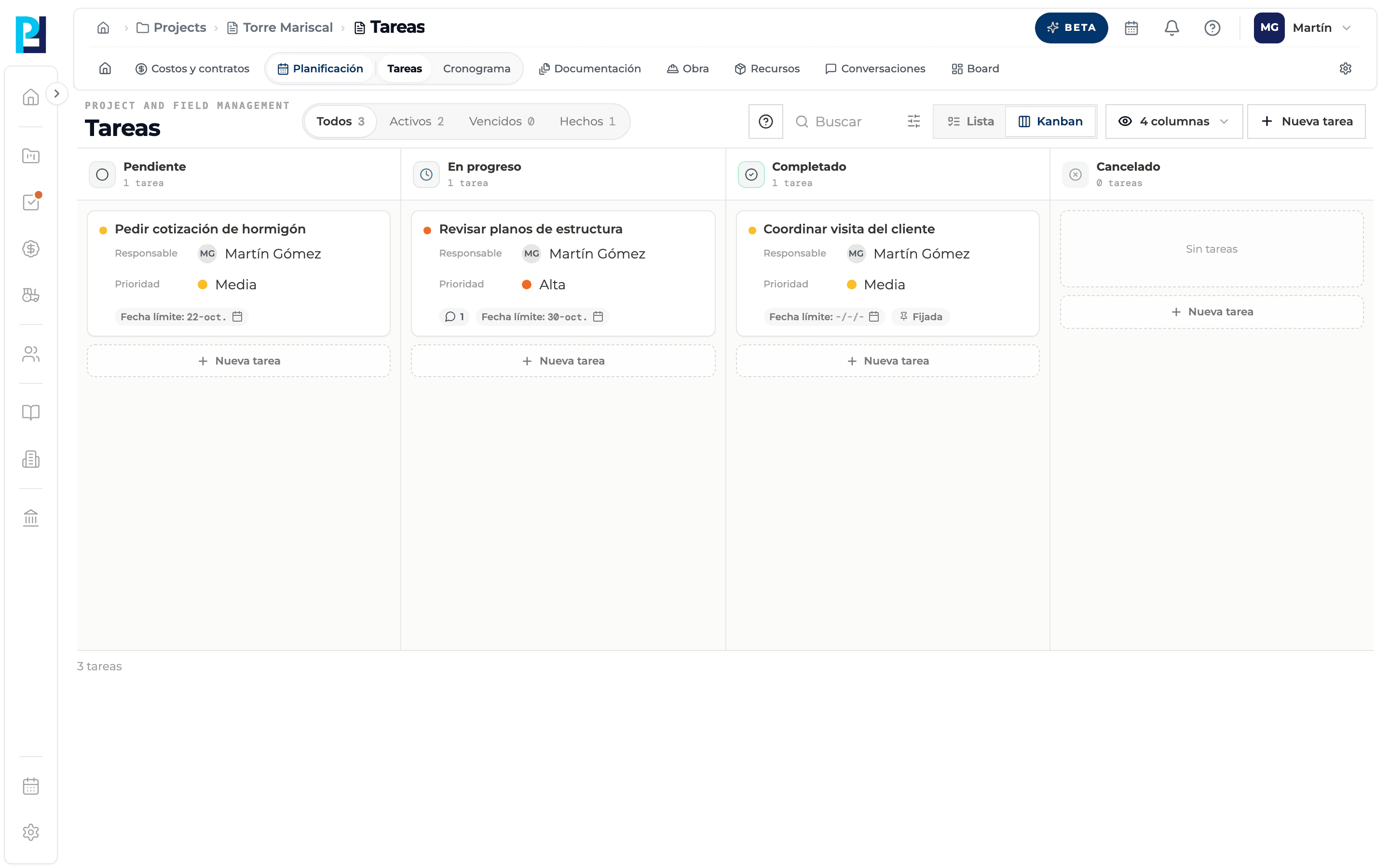
- 06
Delete a pin
In the side list, the bin (Eliminar pin) asks for confirmation.
What you'll learn
How open a pin and what happens in the other modules works inside Perfour.
What information you need and how it stays connected to Drawings.
How to preserve traceability and find the record later.
Frequently asked questions
I came from an RFI or task and the drawing opened with the pin selected.+
That's expected: the link from the record goes to the exact spot on the drawing.
Can I open pins on an earlier version?+
Yes, they open; you just can't create new ones.