Reprocess a drawing
If a drawing fails to process or looks wrong, you can rebuild its view from the original PDF.
How to complete reprocess drawing
- 01
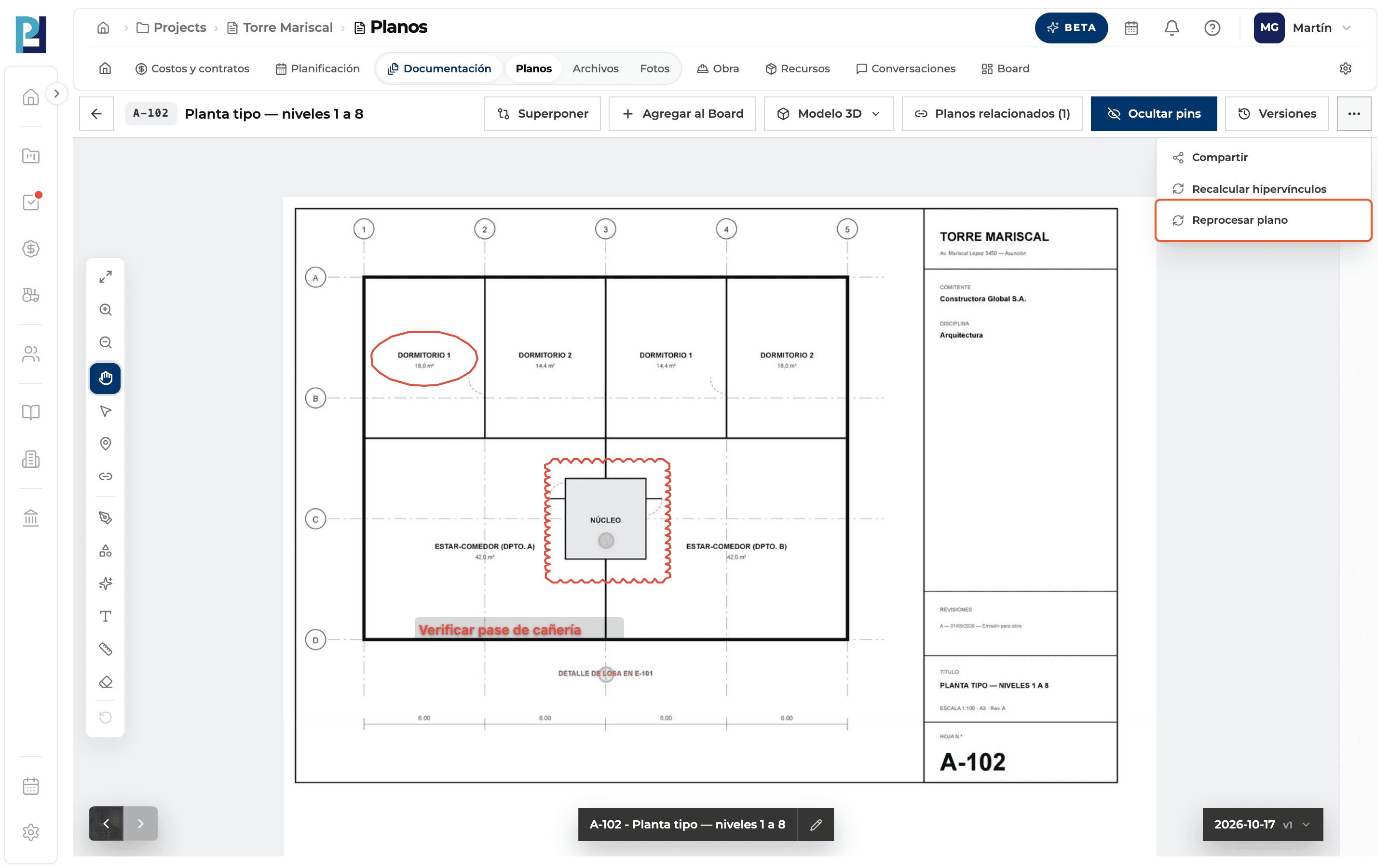
Choose where from
In the viewer, ⋯ menu → Reprocesar plano. If the drawing failed, the viewer and the card menu offer the same option. For several, select them and use Actions → Reprocesar N planos.
- 02
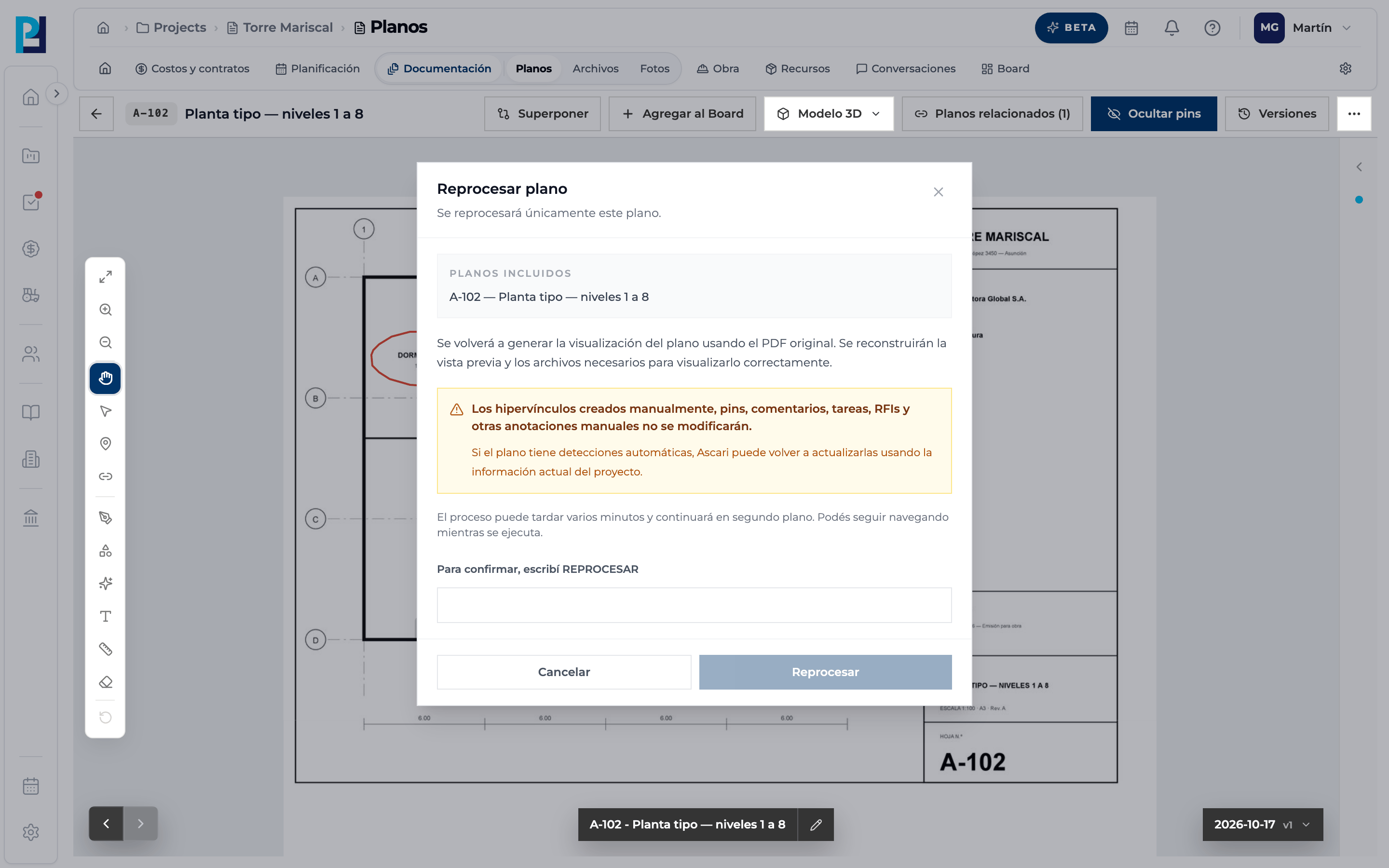
Confirm
The dialog says manual hyperlinks, pins, comments, tasks and RFIs are not changed. Type REPROCESAR to enable the button and click Reprocesar. Processing continues in the background.
What you'll learn
How reprocess a drawing works inside Perfour.
What information you need and how it stays connected to Drawings.
How to preserve traceability and find the record later.
Frequently asked questions
The Reprocess button won't enable.+
Type REPROCESAR exactly, in capitals.
Is the history lost?+
No: the same drawing's view is rebuilt.
It is greyed out in the menu.+
It is already reprocessing or you lack edit permission in Drawings.