Drawings / 26
Set the project's title block zone
The title block zone tells the system where to read the sheet number on new drawings. It is saved for the whole project.
1 minutes
Step by step
How to complete title block zone
- 01
Open the editor
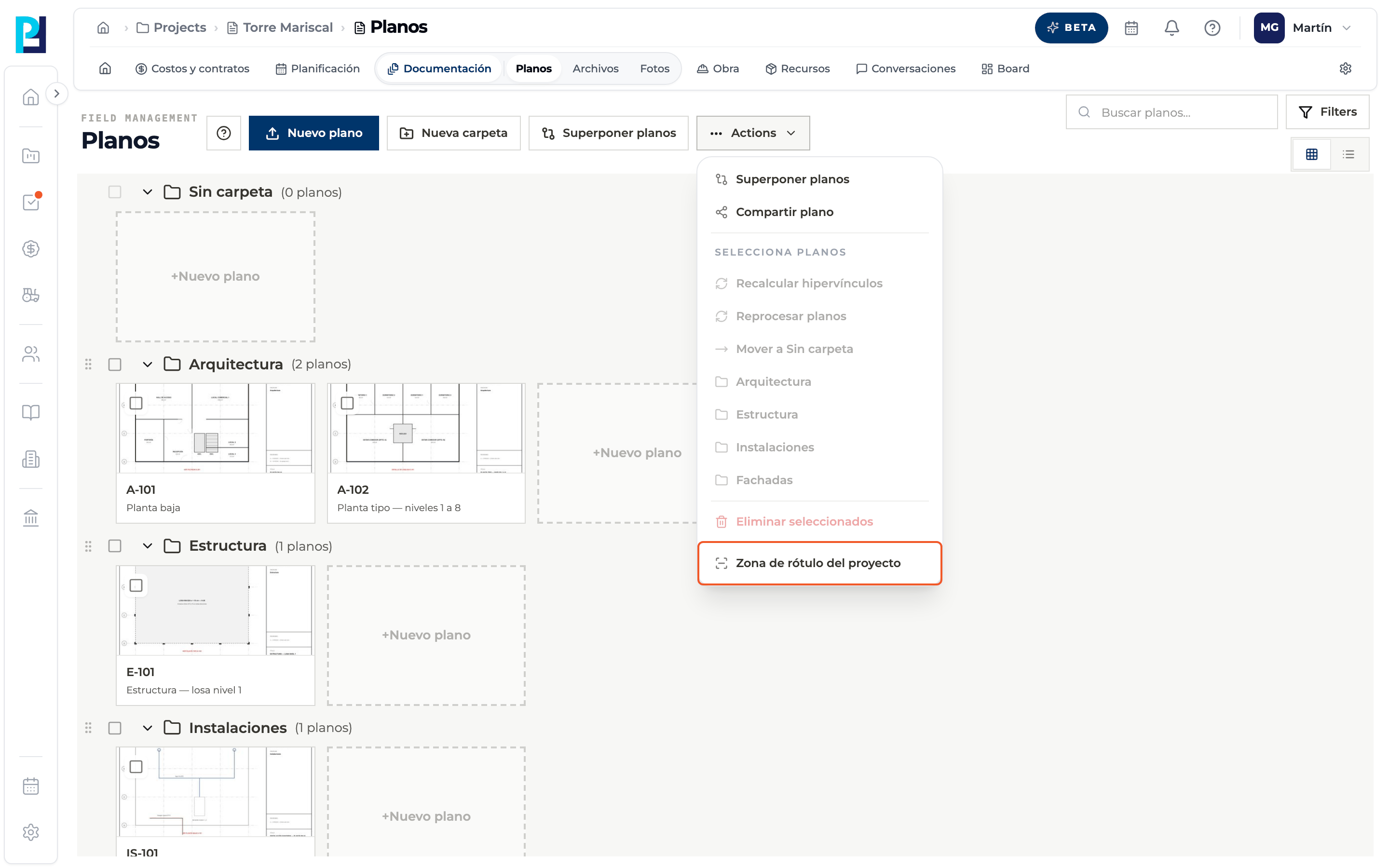
In the library, Actions → Zona de rótulo del proyecto. At least one processed drawing is needed.
- 02
Mark the zone
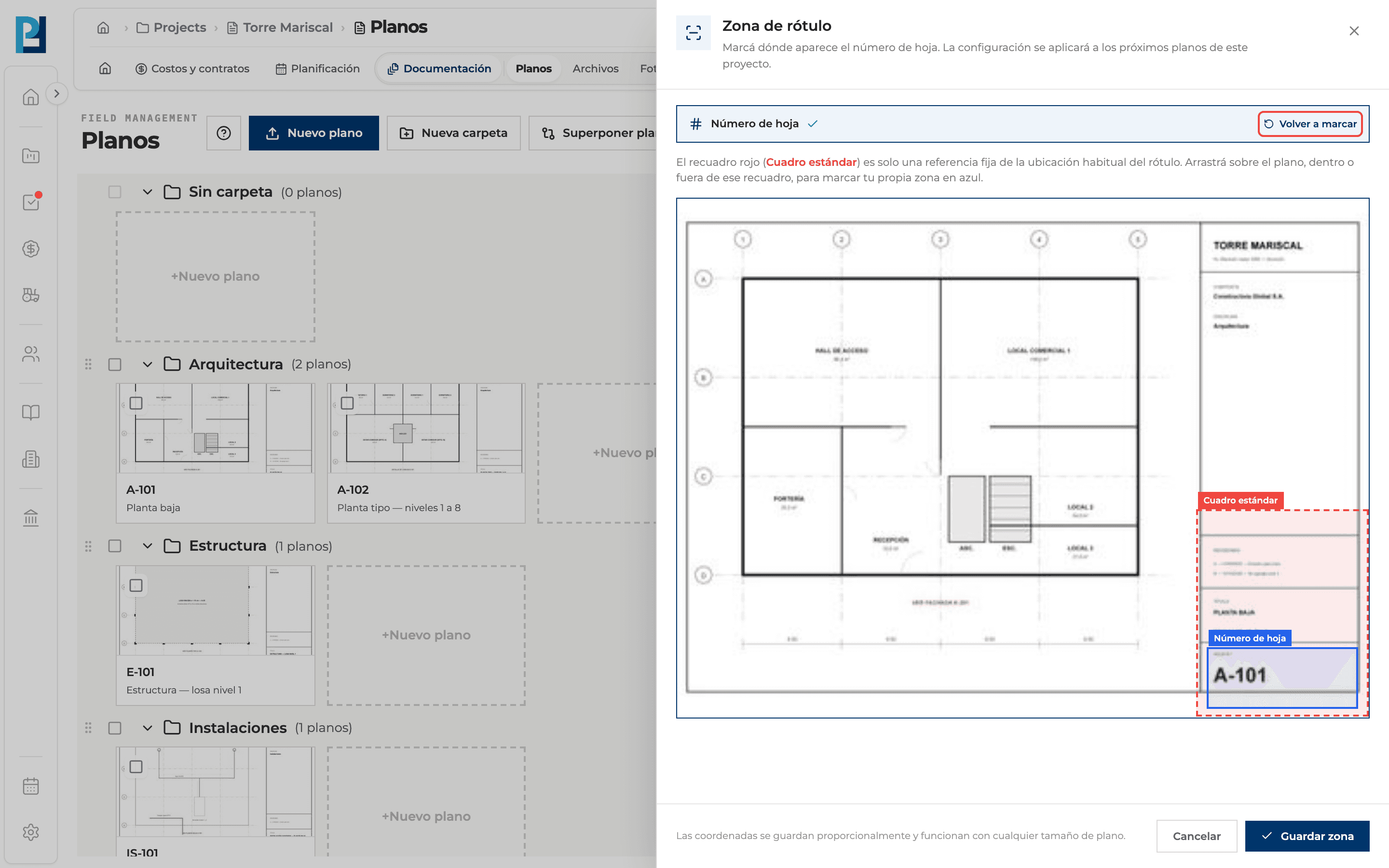
The dashed red box is the standard box. Drag over the drawing to draw your sheet number zone in blue. Volver a marcar clears it.
- 03
Save
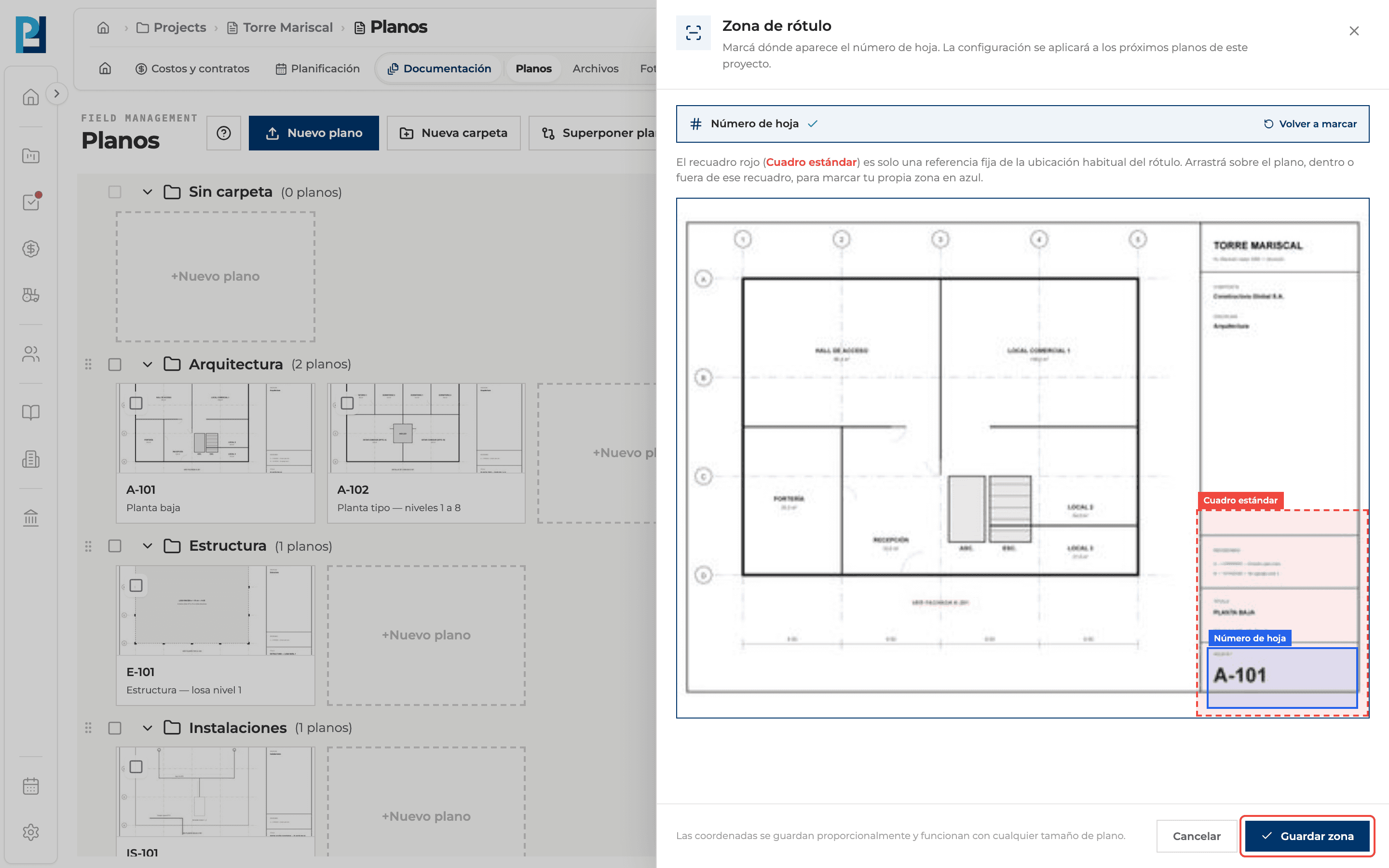
Click Guardar zona. It applies to drawings you upload afterwards.
What you'll learn
How set the project's title block zone works inside Perfour.
What information you need and how it stays connected to Drawings.
How to preserve traceability and find the record later.
FAQ
Frequently asked questions
Are drawings already uploaded read again?+
No: for existing ones, fix the number by hand from the viewer.
«The marked zone is too small.»+
Draw a larger zone.